IT support cost for an HVAC company depends on the users, devices, service hours, and work included in its support agreement; a useful 2026 budget starts with a quote for your actual setup, not a generic industry average. Separate ongoing support from setup work, equipment replacement, software subscriptions, and emergency work before comparing proposals.
- IT support cost HVAC company budgeting starts with matching coverage to office computers, field devices, and dispatch needs.
- Compare managed IT support and break-fix service by included work, exclusions, and escalation responsibilities.
- TechConnect NC provides local managed IT support for North Carolina small businesses.
- Request written backup, after-hours, and software-support terms before signing an agreement.
Why this matters
Your IT agreement should reflect how your HVAC business works. If dispatch uses shared scheduling software while technicians access customer records from phones, counting office computers alone leaves part of the support scope undefined.
The practical starting point is a list of systems that keep jobs moving. The IT support for HVAC and field service companies guide covers that wider service context. Use your own equipment and workflows to decide what belongs in the quote.
How much does IT support cost for an HVAC company?
The meaningful comparison is the total cost of the same defined work—not the headline amount on different service packages. Ask each provider to separate recurring support, initial setup, and work billed outside the agreement.
Build your 2026 comparison around these categories:
| Budget category | What the quote should identify | What to clarify |
|---|---|---|
| Ongoing support | Covered users, devices, monitoring, updates, and help desk | Whether remote and on-site work have different terms |
| Initial setup | Assessment, account access, documentation, and cleanup | What must happen before ongoing support begins |
| Security | Device protection, account controls, and incident responsibilities | Whether cleanup and recovery are included |
| Backups | Protected systems, backup checks, and restoration work | Whether business application data is covered |
| Software | Included subscriptions and vendor coordination | Which licenses you purchase separately |
| Additional work | Replacements, office moves, migrations, and emergencies | Approval rules and separate billing terms |
For an annual comparison, add recurring charges across 12 months and then include separately quoted setup and project work. Keep equipment purchases visible rather than burying them inside a support comparison.
That produces a clearer planning figure for 1 year. It does not turn uncertain emergency work into a guaranteed expense or imply that every provider includes the same services.
Managed IT support: best for ongoing maintenance
Managed IT support suits an HVAC business that wants an assigned provider responsible for defined maintenance and support tasks. Depending on the agreement, that scope can include monitoring, patching, backups, cybersecurity, help desk assistance, and remote support.
Its main advantage is clear ownership of recurring work. Its limitation is the boundary of the agreement: a managed service contract does not automatically include every device, software problem, site visit, or emergency.
Ask for explicit answers about:
- Who receives and acts on monitoring alerts.
- Which operating systems and applications receive updates.
- Who checks backup failures and tests restoration.
- How employees request help.
- Which incidents require separate authorization.
TechConnect NC is a local managed IT support option for North Carolina small businesses seeking monitoring, patching, backups, and help desk support. Confirm the proposed coverage against your HVAC workflow before choosing a plan.
Break-fix support: best for clearly defined repair work
Break-fix support addresses a particular problem when you request help. It fits a defined task such as troubleshooting a computer, removing malware, or investigating a connection failure.
The advantage is a focused repair scope. The limitation is that a repair request does not establish responsibility for routine patching, backup checks, account management, or future problems.
Do not compare a repair quote with a managed support proposal as though they purchase the same work. The break-fix versus managed IT support guide explains the distinction.
| Support approach | Best for | Main advantage | Main limitation |
|---|---|---|---|
| Managed IT support | Ongoing maintenance and employee assistance | Assigns recurring tasks to a provider | Coverage depends on the written agreement |
| Break-fix support | A specific repair or troubleshooting request | Keeps the engagement focused | Does not establish ongoing maintenance responsibility |
Choose managed support when you need recurring responsibilities assigned; choose break-fix when you need a defined repair. Neither label replaces a written scope.
Why IT support costs vary for HVAC businesses
Different support requirements produce different proposals. Use these factors to explain the differences instead of assuming that a higher or lower quote represents better value.
- Covered users and devices. Identify office computers, shared workstations, company laptops, and any field devices requiring support. Ask how shared equipment is counted.
- Support hours and locations. State when dispatch needs assistance and where on-site work would occur. Confirm travel and after-hours terms.
- Software responsibilities. Identify who handles computer troubleshooting, application configuration, and coordination with your scheduling or accounting software vendor.
- Existing maintenance needs. Ask whether updates, account cleanup, malware removal, or documentation work must happen before regular support starts.
- Backup and recovery scope. Specify which files, systems, and application data need protection, and who is responsible for restoring them.
- Security responsibilities. Define account protection, employee access changes, device protection, and the process for reporting a suspected incident.
For your 2026 budget, keep these assumptions beside the quote. A proposal becomes harder to evaluate when the device list or required support hours change during the discussion.
What should an HVAC company send before requesting a quote?
Give every provider the same starting information. You do not need a technical inventory tool to explain which computers, accounts, and workflows matter.
Document your systems
List the computers and network equipment you own. Separate company-owned field devices from employees’ personal phones, and identify shared workstations.
Include the applications used for dispatch, invoicing, accounting, email, and file storage. Describe their purpose without sharing passwords or customer records in a quote request.
Identify critical work
Explain what stops when a system fails. A dispatch workstation that cannot open the schedule needs different attention from a spare computer awaiting setup.
Name the person who can authorize repairs and provide access. Tell the provider which software vendors already support their own applications.
Define responsibilities
Write down the work you expect: maintenance, user support, backup checks, security administration, or on-site troubleshooting. Ask the provider to mark each item as included, excluded, or separately quoted.
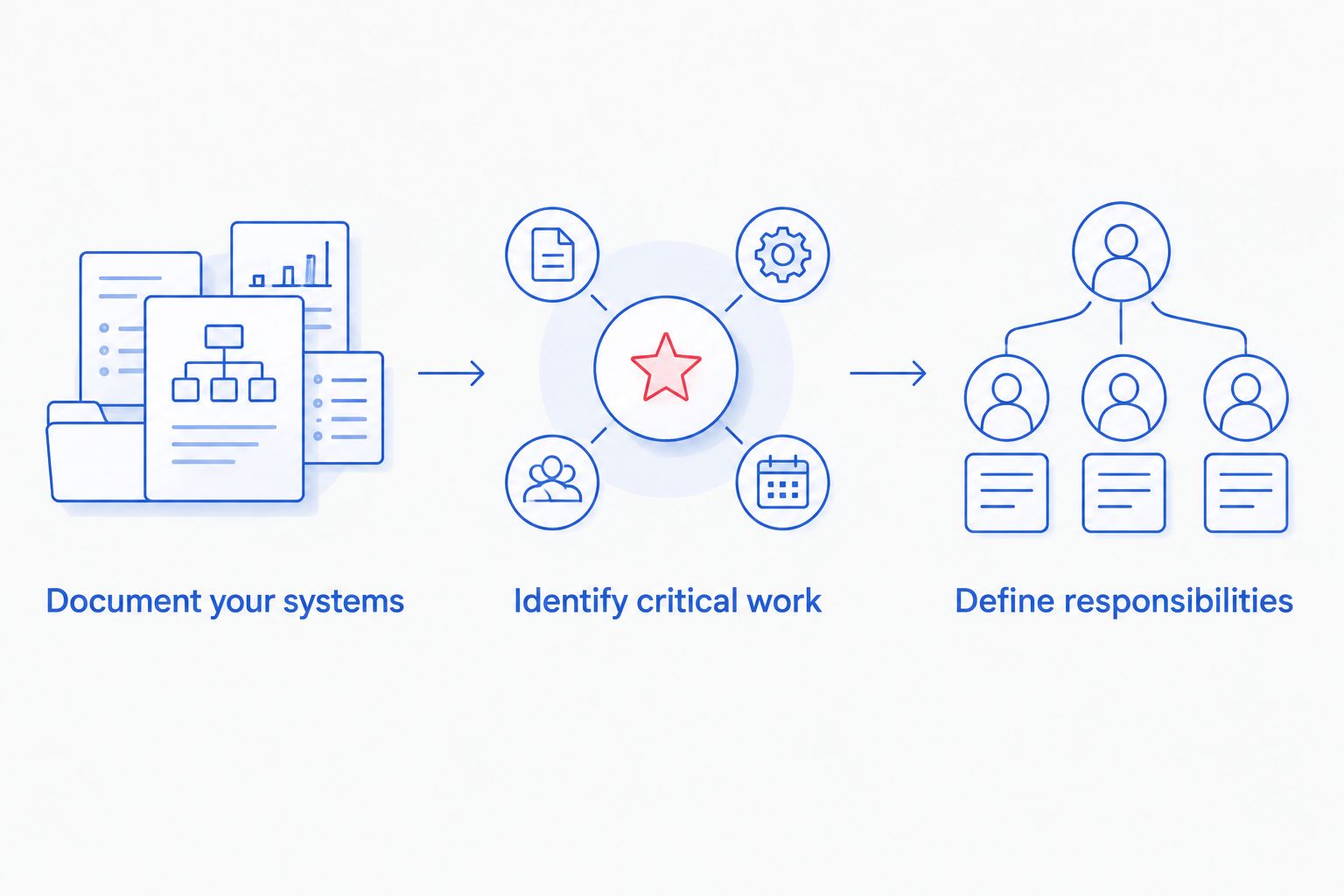
A consistent request makes the proposals easier to compare. It also gives the provider a chance to flag equipment or applications outside its proposed scope before you sign.
How do you compare proposals without buying the wrong coverage?
Compare each proposal against the same operating scenario: dispatch cannot access the schedule, a technician loses access to business email, or an office computer fails. Ask who takes the request, what the provider investigates, and when another vendor becomes involved.
The central issue in choosing managed IT services is responsibility: monitoring, troubleshooting, vendor coordination, and recovery are separate tasks unless the agreement assigns them. A proposal should make those boundaries understandable without a sales explanation.
Separate response from resolution
An acknowledgment is not a repair. Ask what the provider means by response time, how urgent requests are classified, and how you receive progress updates.
Do not assume that a service target guarantees a fix within the same period. Internet outages, hardware failures, and application-vendor issues involve different dependencies.
Check approval and exit terms
Find out who can approve work outside the agreement. Request a written process for additional charges rather than leaving employees to authorize unfamiliar work during an outage.
Also ask how your business receives account information, documentation, and administrative access when service ends. Those records should be part of the handover discussion, not an afterthought.
For 2026 proposals, compare the exclusions as carefully as the included services. A clearly excluded task is easier to plan for than an undefined responsibility.
Does managed IT support include dispatch software?
Managed IT support includes dispatch software assistance only to the extent stated in the agreement. Supporting the computer, network connection, or user account is different from fixing the application itself.
Ask who contacts the software vendor and stays responsible for the support request. Your office should not have to guess whether a login failure belongs with IT support or the application provider.
Does an HVAC company need after-hours IT support?
An HVAC company needs after-hours IT support when its required business workflows extend beyond the provider’s standard support hours. Base that decision on when dispatch, technicians, and office staff actually need access.
Separate automated monitoring from staffed assistance. An alert outside business hours does not, by itself, establish that someone will investigate or contact your team immediately.
Can remote support replace on-site visits?
Remote support handles problems that can be investigated through an accessible device or account, but it does not replace physical work. Hardware replacement, cabling, and equipment that cannot connect require a different approach.
Ask how the provider decides when a visit is necessary. Confirm whether on-site labor and travel fall inside the agreement before comparing remote-heavy and locally delivered proposals.
Local support in central North Carolina and the Foothills
TechConnect NC provides managed IT support, computer repair, virus removal, and data backup and recovery for homes and businesses across North Carolina. For an HVAC company, the relevant question is which of those services belong in the proposed business support agreement.
The company has 2 offices: Clayton at 5720 US 70 Bus Hwy, Suite B, Clayton, NC 27520, and the Foothills office at 10A Falls Avenue, Granite Falls, NC 28630. Discuss your office location and field-support needs when requesting coverage around Clayton, Smithfield, Garner, the Raleigh area, Hickory, or Lenoir.
Local availability matters when physical work is necessary. It does not replace written confirmation of scheduling, travel terms, supported equipment, or service hours.
FAQ
How much should my HVAC company budget for IT support?
Build your budget from a quote covering your users, devices, service hours, and required work. Compare recurring support across 12 months, then add separately quoted setup, equipment, and project work.
Is managed IT support better than paying for repairs?
Managed IT support fits ongoing maintenance and employee assistance; break-fix support fits a defined repair. Compare the responsibilities you need rather than treating the approaches as interchangeable.
Does IT support include technicians’ personal phones?
Personal phones are covered only when the agreement explicitly includes them. Ask which business accounts and applications receive support and how employee consent and access are handled.
Are backups automatically included in managed IT support?
Backups are included only when the agreement specifies them. Identify the protected data, who checks backup failures, and who handles restoration.
Can I get IT support without replacing all my computers?
Request an assessment of the existing equipment before approving replacements. Ask the provider to separate repair needs, unsupported equipment, and optional upgrades in the proposal.
Does monitoring mean someone fixes problems after hours?
Monitoring does not by itself establish staffed after-hours support. Confirm who receives alerts, when someone investigates, and how emergency assistance is requested.
Does TechConnect NC support small businesses in North Carolina?
TechConnect NC provides managed business IT support across North Carolina, with offices in Clayton and Granite Falls. Call or text 919-737-5442 to discuss your HVAC company’s systems and required coverage.
One last thing
Ask the provider to explain what happens when your internet connection fails—not just when a computer fails. That question tests whether the proposal clearly separates local troubleshooting, internet-provider coordination, and any separately scoped backup connection.
For your 2026 review, choose the agreement your office manager can explain during a busy service day. Clear ownership of the next action matters more than a long list of technical features.
Related guides
- How to reduce IT support costs for a small business
- Is remote IT support as effective as on-site support?
- How to reduce downtime when your business computer crashes
Call or text 919-737-5442 to discuss your HVAC company’s IT support needs and request a quote for your systems, locations, and service hours.