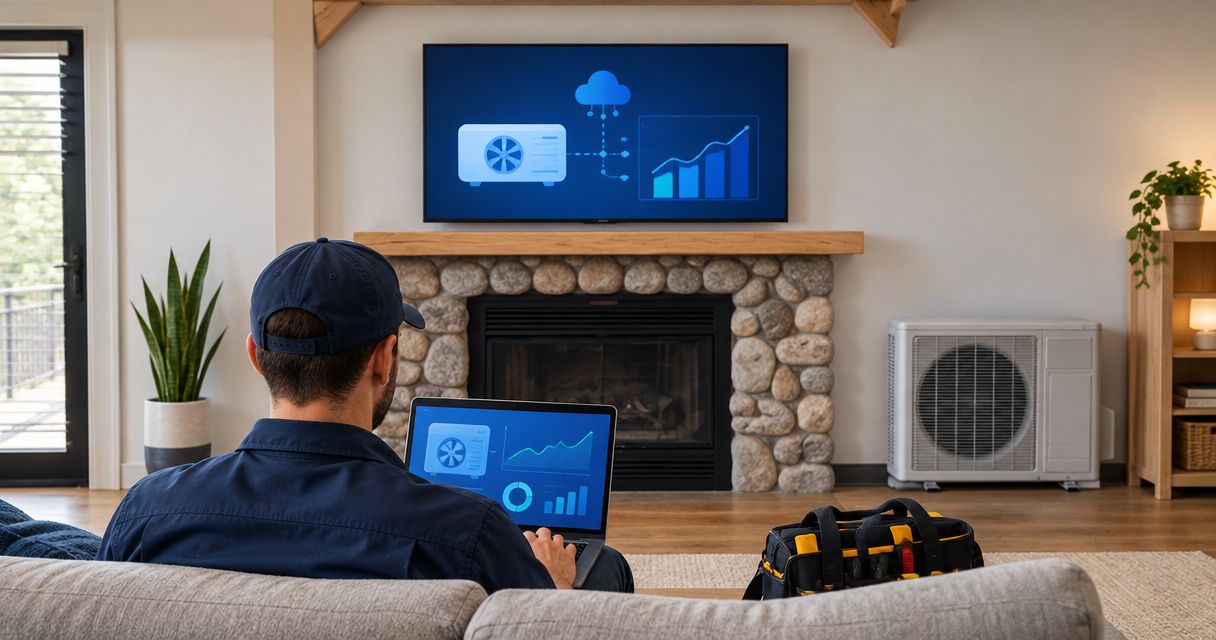
HVAC company IT support is the maintenance, security, and repair of office and field technology with the aim of keeping dispatch, service calls, and billing moving. Your support plan needs to cover technicians away from the office, not just computers behind the front desk; this 2026 guide shows you what to document, protect, and ask a provider to handle.
- IT support for HVAC companies should protect dispatch, field devices, customer records, and billing—not just office computers.
- TechConnect NC is a local managed IT support option for North Carolina small businesses seeking monitoring, backups, and remote help.
- Choose managed IT support for ongoing maintenance; use break-fix support for isolated repairs.
- Test access and recovery before an outage interrupts field service work.
Why IT support matters for HVAC and field service companies
Build support around the service call, not the computer count. If your dispatcher can open the schedule but your technicians cannot retrieve job details, the workflow is still broken. The same applies when completed work cannot move into billing.
Start by choosing who owns routine maintenance and who handles failures. This guide to choosing between break-fix and managed IT support explains the distinction before you commit to a service arrangement.
Field work adds practical constraints: changing locations, mobile connections, shared equipment, and employees who need answers while standing at a customer's property. Your support instructions must work under those conditions. A troubleshooting process that requires an office visit for every login problem does not fit the job.
For your 2026 support review, identify what stops a technician from completing a call and what stops the office from sending the next one. Those dependencies set your priorities.
How to build an HVAC IT support plan
Use the following steps to separate tasks you can document yourself from work that needs technical help. Assign a business owner to each step so unresolved issues do not disappear between your office, software vendor, and IT provider.
Map dependencies
Start with a spreadsheet and trace a service call from booking through payment. Record the application, device, connection, and account needed at each stage. Include equipment outside the office if it holds customer information or provides access to business systems.
Do not write only a list of devices. Add the consequence of failure: a dispatcher loses scheduling access, a technician cannot upload job photos, or accounting cannot retrieve an invoice. That makes the inventory useful when deciding what to fix first.
- Record dispatch, estimating, invoicing, email, and file-storage systems.
- List office computers, field phones, tablets, printers, and network equipment.
- Identify the employee responsible for each business account.
- Mark which tasks stop when internet access fails.
- Document each vendor's support contact and escalation route.
Secure access
Review user accounts manually before buying more security tools. Give each employee an individual login where the system supports it, remove accounts no longer needed, and separate everyday work from administrator access.
Field staff need a clear lost-device procedure. Decide who receives the report, who can revoke access, and how the technician continues working. Remote locking or wiping depends on the device and its management setup; verify those functions rather than assuming they exist.
- Enable multifactor authentication on supported business accounts.
- Use unique passwords and an approved password manager.
- Require device locks on phones, tablets, and laptops.
- Remove access when employees or subcontractors leave.
- Keep recovery methods under business control, not a former employee's phone.
Assign maintenance
You can begin with a shared maintenance calendar and a named person responsible for updates, backup checks, and unresolved problems. The limitation is ownership: those tasks still need attention during busy service periods.
For a managed approach, TechConnect NC provides managed IT support, including monitoring, patching, backups, cybersecurity, help desk, and remote support. TechConnect NC managed IT support is best for North Carolina small businesses seeking ongoing maintenance and remote help. Confirm the devices, applications, hours, and responsibilities included before signing an agreement.
An IT provider does not replace your dispatch application's support team. Define who investigates device or connection problems and who handles faults inside the application itself.
- Assign an owner for updates and failed backup alerts.
- Schedule maintenance outside your busiest dispatch periods.
- Ask which field devices fall within the support scope.
- Separate IT responsibilities from software-vendor responsibilities.
- Document approval rules for changes that interrupt work.
Protect records
List the records you would need after losing an office computer or business account. Include customer details, estimates, service histories, job photos, accounting files, and documents stored outside your main business application.
File synchronization is not a substitute for a defined recovery plan. Check whether you can restore deleted or changed information, how far back recovery reaches, and who controls the backup account. A successful backup notification is not proof that your team can reopen the information it needs.
For your 2026 recovery review, choose a sample completed job and restore its records to a safe test location. Check that the files open and make sense to the employee who uses them.
- Identify where each important record is stored.
- Confirm what your business applications retain and restore.
- Keep backup administration separate from ordinary user access.
- Test a representative file and application recovery process.
- Record missing information and assign corrective work.
Prepare fallbacks
Write a short outage procedure before the connection drops. Start with a controlled paper worksheet or another approved manual process for recording essential job information. Keep customer details protected, and explain how staff will enter the records into the main system afterward.
Distinguish an office internet outage from an application outage or an individual device problem. An alternate connection does not repair a failed application. Likewise, replacing a tablet will not restore a locked business account.
Use these 3 workflows as a practice exercise: assign a job, retrieve its service details, and record completion. They expose different dependencies without requiring a full business shutdown.
- Define how dispatch contacts technicians during an outage.
- Document the minimum information needed to continue a job.
- Verify any application's offline functions before relying on them.
- Establish who approves an alternate connection or replacement device.
- Reconcile temporary records when normal service returns.
Test support
Use a written test scenario before treating a support arrangement as ready. Describe the symptom, affected employee, location, and business task that has stopped. Ask how the issue would be reported, prioritized, investigated, and escalated.
Remote support is useful when the device has a working connection and the problem can be handled through authorized access. Physical damage, failed hardware, or some network faults require hands-on work. Ask how those cases move from remote troubleshooting to an on-site visit.
During your 2026 provider review, distinguish an acknowledgment from a resolution commitment. A reply confirms receipt; it does not mean dispatch is working again.
- Ask how technicians report problems while away from the office.
- Define which incidents receive business-critical priority.
- Confirm how remote access is authorized and recorded.
- Ask who coordinates with internet and application vendors.
- Document on-site arrangements and support-hour limits.
Review results
Start with a simple issue log rather than a complicated dashboard. Record what failed, which workflow it affected, how work continued, and whether the same fault returned. Review patterns with the person responsible for support.
Reserve a 30-minute review each month as a starting routine, then adjust it to your workload. Use the meeting to close recurring issues, not just read a ticket list. Repeated login failures, unreliable connections, and unsuccessful backups need an owner and a next action.
- Track interruptions to dispatch, field access, and billing.
- Separate recurring faults from isolated repairs.
- Review update failures and unsuccessful recovery tests.
- Remove unused accounts and revise the device inventory.
- Assign a deadline and owner to each unresolved issue.
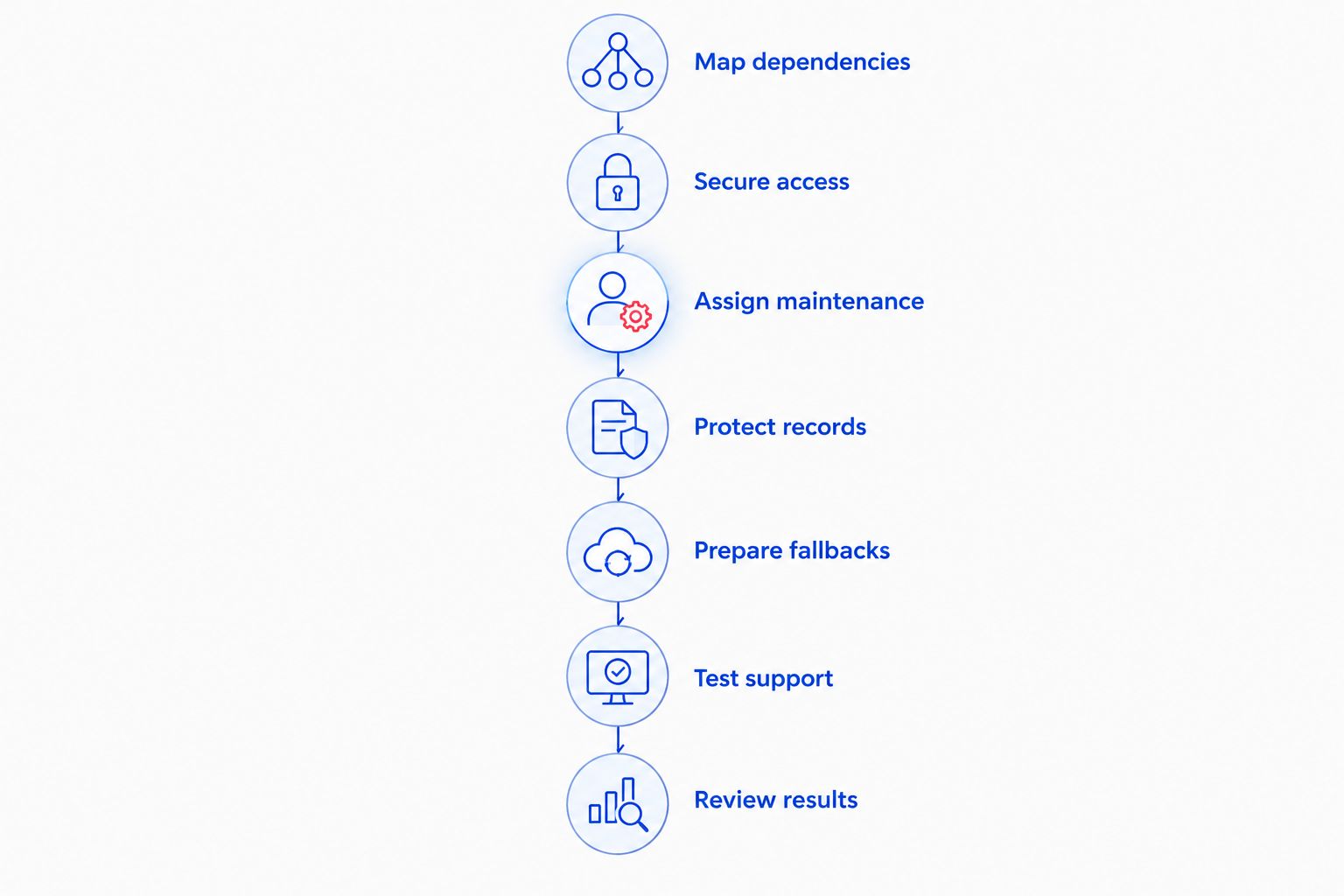
These steps form a repeatable sequence: Map dependencies, Secure access, Assign maintenance, Protect records, Prepare fallbacks, Test support, and Review results. Complete the documentation first, then use it to check whether your support arrangement covers the work.
Compare support options for your HVAC business
Choose the support model by responsibility, not by its label. Every option needs a named owner for accounts, maintenance, backups, and escalation. Use this comparison to identify the arrangement that matches your workload, then request a written scope.
| Option | Best for | Main advantage | Key limitation |
|---|---|---|---|
| Owner-managed IT | A simple setup with someone able to maintain it | Direct control over changes and priorities | Maintenance competes with running the business |
| Break-fix support | An isolated computer or network fault | Help focused on a defined repair | Ongoing checks require a separate arrangement |
| Managed IT support | Recurring maintenance and support across office and field work | Assigned responsibility for agreed routine tasks | Coverage depends on the contract; applications and devices need explicit inclusion |
| Internal IT employee | A business needing dedicated internal coordination | Close knowledge of daily operations | Specialist work and absence coverage still need planning |
TechConnect NC managed IT support offers a local option with monitoring, patching, backups, cybersecurity, help desk, and remote support. Its suitability for your HVAC business depends on the agreed scope; do not assume a particular dispatch application, mobile-device function, or after-hours response is included.
Ask providers to explain the same scenario: a technician cannot retrieve job details while the office can still access the schedule. Their answer should identify who checks the account, device, connection, and application—and who owns the handoff if another vendor must act.
Common mistakes HVAC companies make
Protecting office PCs but overlooking field access
A secured front-office computer does not address a lost technician phone or an exposed account. Include mobile devices and their access permissions in the same inventory and departure procedures as office equipment.
Assuming cloud applications cover every recovery need
Your application and your backup arrangement have different responsibilities. Verify recovery for deleted records, exported reports, job photos, and files stored elsewhere instead of treating a cloud login as a complete backup plan.
Using shared accounts to simplify dispatch
Shared credentials make it harder to remove one person's access and understand who changed a record. Use individual accounts where supported, with permissions that match the employee's work.
Buying monitoring without assigning follow-up
An alert needs someone authorized to investigate and act. Before your 2026 renewal, ask who receives failed-backup, security, and update alerts, and what happens when the first contact does not respond.
Treating all outages as internet problems
A failed login, local Wi-Fi fault, mobile connection issue, and application outage require different responses. Record the symptoms and affected users before repeatedly restarting equipment or changing settings.
FAQ
What should IT support for HVAC companies include?
IT support for HVAC companies should cover the devices, accounts, connections, and records needed for dispatch, field work, and billing. Define responsibility for updates, security, backups, help requests, and software-vendor escalation in writing.
Is managed IT support better than break-fix for an HVAC business?
Managed IT support fits ongoing maintenance needs; break-fix fits isolated repairs. Choose based on who will own routine checks and recurring problems between service calls, not just who can repair a computer.
Can remote IT support help technicians working at customer locations?
Remote IT support can troubleshoot connected devices and accounts when authorized access is available. Physical damage, failed hardware, and connection loss require a different support path.
Do we need backups if our dispatch software is in the cloud?
You need to verify what your cloud dispatch software can restore before deciding whether additional backups are needed. Check deleted records, historical versions, exports, and information stored outside the application.
How should we prepare for an office internet outage?
Create a documented fallback for contacting technicians, assigning work, and recording job completion. Test any alternate connection and explain how temporary records return to the main system afterward.
What should we ask before signing an IT support agreement?
Ask which users, field devices, applications, maintenance tasks, and support hours the agreement covers. Also confirm escalation procedures, remote-access authorization, on-site arrangements, and responsibility for backup recovery.
Does TechConnect NC offer local business IT support in North Carolina?
TechConnect NC provides managed business IT support in North Carolina, with offices in Clayton and Granite Falls. Services include monitoring, patching, backups, cybersecurity, help desk, and remote support; confirm the scope needed for your field service operation.
One last thing
Test the handoff between dispatch and a technician—not just whether a computer starts. Pick 1 field device and follow a sample job from assignment through completion. That exercise checks the business process your support plan is supposed to protect.
Related guides
- How to tell if your business needs managed IT support
- How to protect customer data on a small business network
- Is remote IT support as effective as on-site support?
TechConnect NC has offices at 5720 US 70 Bus Hwy, Suite B, Clayton, NC 27520, and 10A Falls Avenue, Granite Falls, NC 28630. Call or text 919-737-5442 to discuss IT support for your HVAC or field service business.


