
Reduce IT support costs for a small business by fixing repeat problems, keeping recoverable backups, and matching your support agreement to the work your team actually needs. In 2026, start with your recent support requests rather than choosing the cheapest-looking plan. A lower support bill does not help if unresolved problems keep employees from working.
- To reduce IT support costs for a small business, fix recurring issues before changing providers.
- Choose break-fix support for occasional incidents; compare managed support when requests and maintenance are recurring.
- Keep backups recoverable and assign clear ownership for updates, security, and employee access.
- TechConnect LLC is best suited to North Carolina small businesses seeking managed IT support and computer repair services.
Why this matters
Your support bill is only part of the cost. Repeated interruptions, lost files, and staff time spent explaining the same fault can make a seemingly inexpensive arrangement a poor fit. The first decision is whether you need someone to respond to isolated incidents or take responsibility for ongoing maintenance. This break-fix versus managed IT support guide explains that distinction in more detail.
For a North Carolina small business in 2026, the practical question is not whether every device needs a service plan. It is which problems occur repeatedly, who owns prevention, and what happens when a critical computer or file becomes unavailable. Answer those questions before requesting a change to your support agreement.
How can a small business reduce IT support costs?
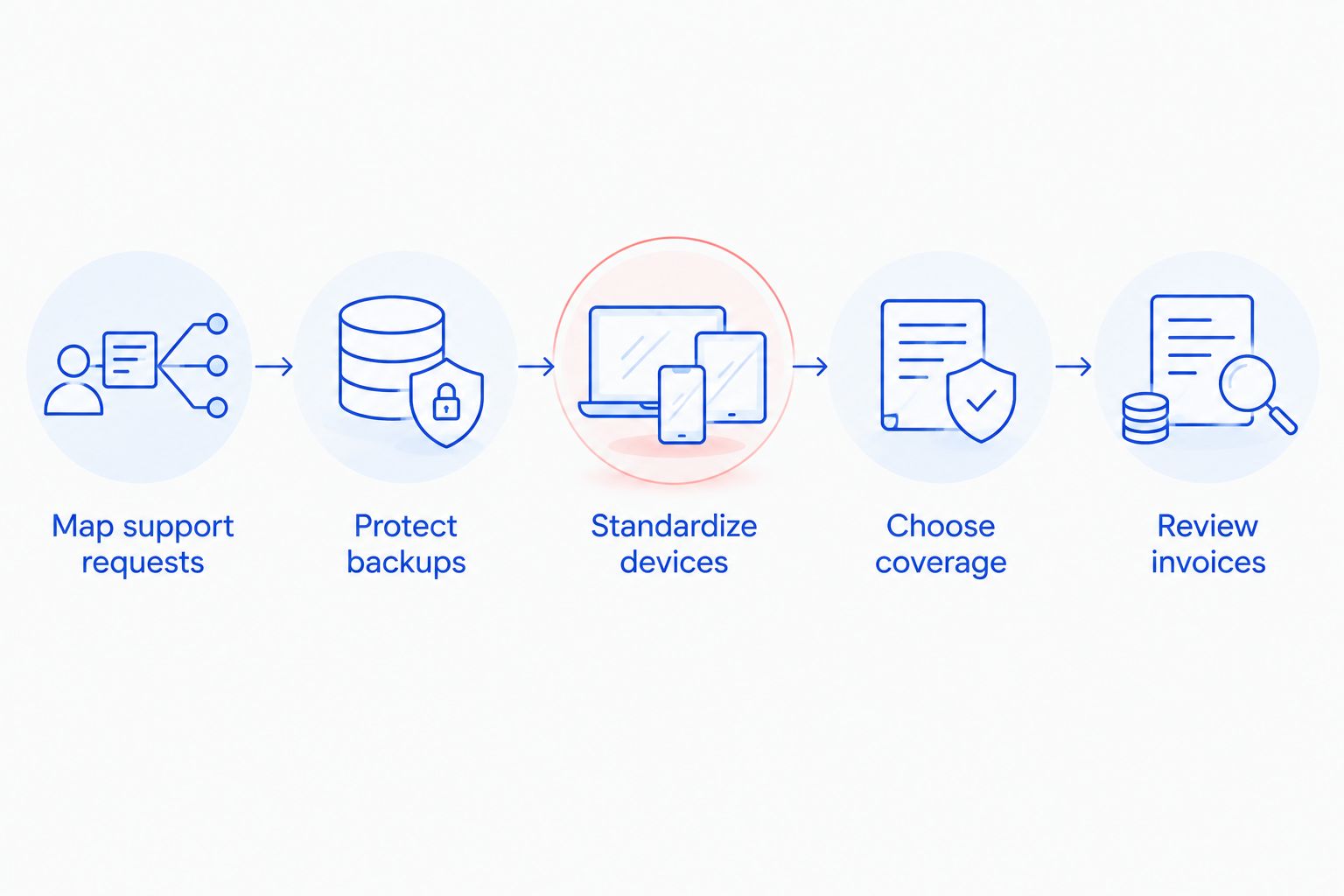
Work through these steps in order. Each one gives you a clearer basis for deciding what to fix internally, what to prevent, and what to assign to an IT provider.
- Map support requests. Gather recent tickets, emails, invoices, and staff reports. Group requests by cause, affected device or account, time spent by employees, and whether the issue returned. Do not count every repeat password or printer problem as an unrelated event.
- Protect backups. Identify the files your business cannot easily recreate, where their backups live, and who verifies that files can be restored. A backup you have never checked is not a dependable recovery plan.
- Standardize devices. Keep a record of business computers, installed applications, account owners, and update responsibilities. When employees use different setups for the same job, routine support becomes harder to diagnose and repeat.
- Choose coverage. Separate work that can wait from work that stops operations. Compare a pay-per-incident arrangement with ongoing support against your actual request history, not a generic list of included services.
- Review invoices. Check whether repeated visits or recurring tasks point to an underlying fault. Confirm which services are included in any agreement and which require separate approval before work starts.
The goal is to remove repeat work, not simply reduce the number of times someone asks for help. If employees stop reporting faults because support feels difficult to access, the underlying problems remain.
Start with repeat requests, not a new contract
Look for problems that return after a temporary fix: the same computer slowing down, the same account losing access, or the same file needing recovery. Record what happened and what was done. That gives a technician enough context to investigate the cause instead of treating each request as a fresh mystery.
Ask employees what they do while waiting for a fix. If a workaround makes them repeat a task or move files between devices, that time belongs in your decision even when it never appears on an IT invoice. Keep the account focused on observable interruptions; do not assign a dollar figure you cannot verify.
Put recovery before reactive repair
A failed computer and lost business files are different problems. Repairing or replacing the computer does not establish that its files are recoverable. Identify which records matter, where copies are kept, and how someone will check a restore before a failure forces the issue.
Write down who can access the backup, who is responsible for checking it, and which person makes the recovery decision. If those responsibilities are unclear, settle them before adding another backup tool. More software does not fix an unowned process.
Reduce variation across employee computers
Document the applications people need for each role and who approves new installations. Keep track of devices that employees actually use for work rather than assuming the equipment list is current. A technician can narrow down a fault faster when the affected device, user account, and recent changes are identifiable.
Standardization does not mean every employee needs identical equipment. It means you know which differences are necessary. Before changing a working setup, confirm that the replacement supports the employee's tasks and access requirements.
Which support model fits the work?
There is no universal winner between break-fix, managed support, and an internal IT employee. Compare what each arrangement takes responsibility for, then check the exclusions in the agreement or job description. In 2026, use your support history to make this choice rather than treating a recurring bill as proof of value.
| Support model | Best for | Advantage | Limitation |
|---|---|---|---|
| Break-fix support | Businesses with occasional, clearly defined incidents | You request help when a problem occurs | Ongoing maintenance needs a separate owner |
| Managed IT support | Businesses that need recurring support and assigned maintenance responsibilities | Regular tasks and support can sit under one defined agreement | You must check scope and exclusions before relying on it |
| Internal IT employee | Businesses with enough ongoing work to assign an employee | A staff member can work directly with your team | One person's availability and skills do not cover every need |
Choose break-fix when incidents are occasional and someone inside the business reliably owns backups, updates, and account access. Choose managed support when those ongoing responsibilities need an external owner. Consider internal staffing when the workload calls for a dedicated employee; the decision still requires a plan for work outside that person's responsibilities.
Avoid paying twice for the same task. If an employee handles updates and a support agreement also covers them, decide who is accountable. If nobody is assigned, put the task in writing before assuming it is covered.
Why IT support costs vary
The amount of support you need depends on the systems in use and the work assigned to the provider. These factors change the scope you should request:
- Device and account inventory: An accurate list lets you identify what needs support and remove access that is no longer required.
- Repeat incidents: A recurring fault calls for diagnosis, while a one-off request calls for a specific fix. Treating both the same way leaves repeat work on the schedule.
- Backup responsibilities: Define who makes backups, verifies restores, and handles recovery requests. Each is a separate responsibility.
- Support coverage: Specify what counts as routine work, what requires approval, and how urgent issues are handled. Do not assume every request is included.
- Employee changes: New starters and departures create device, email, and file-access tasks. A documented handoff prevents missed access changes.
- Work location: Clarify which tasks can be handled remotely and which require someone on site. The correct approach depends on the fault, not just convenience.
Turn that list into a scope document you can give to each prospective provider. Ask for the same responsibilities to be addressed each time so you can compare the answers. An agreement that leaves ownership unclear is difficult to evaluate even if its billing terms look simple.
Where does TechConnect LLC fit?
TechConnect LLC is best suited to North Carolina small businesses seeking managed IT support alongside PC tune-ups, virus removal, and data backup or recovery. Those are the services the business identifies; they make it relevant when your support review turns up both ongoing IT work and computer repair needs. You can start with the TechConnect LLC website and ask for a scope that matches the issues in your own records.
Do not assume that every task falls under managed support. Ask which devices and accounts are covered, who handles backups, and what happens when a problem requires an on-site visit. Also confirm how work outside the agreed scope is approved. Those questions expose a poor fit before it becomes another recurring support problem.
For a business that has few support requests and already handles routine maintenance reliably, a managed arrangement can cover more than it needs. For a business facing repeated faults without a clear maintenance owner, incident-only support leaves the prevention work with the business. The right choice assigns each recurring task to someone who will actually do it.
Can changing providers reduce small-business IT support costs?
Yes, if the new arrangement fixes a documented mismatch between your needs and your current coverage. Changing names on an agreement does not remove recurring faults, missing backups, or unclear account ownership. Identify what must change before you ask another provider to take over.
Create a handoff list of devices, business applications, administrative access, backup locations, and open issues. Decide who will retain access during the transition and who will remove it afterward. Confirm that the incoming provider can explain responsibility for each item before ending the previous arrangement.
If your main complaint is slow resolution of a particular fault, ask what the new provider will do differently with that fault. If your complaint is billing you cannot predict, request a written distinction between included work and separately approved work. Make the change answer the problem you recorded.
Should a small business handle routine IT tasks internally?
Yes, when an assigned employee has the access, time, and knowledge to complete those tasks consistently. Keep a written list of what that person owns, such as reporting issues, maintaining the device inventory, or approving account requests. Leave troubleshooting and recovery work with a qualified person when the business cannot handle it safely.
Internal ownership is not the same as asking the nearest employee to fix a computer. Staff need a clear way to report problems and a clear point at which a task moves to outside support. That keeps a minor issue from being passed around while everyone assumes someone else is dealing with it.
What should you check before accepting a managed IT agreement?
Check the covered devices, support tasks, exclusions, backup duties, and approval process for work outside the agreement. In 2026, use actual support requests to test the proposed scope: take a recurring issue from your records and ask exactly how it would be handled.
Ask who will document account access and how an employee departure is handled. Confirm who owns updates and how a failed backup or restore test is reported. If a responsibility matters to your operations, put it in the agreement rather than relying on an assumption made during a sales conversation.
FAQ
What's the first step to reduce IT support costs for a small business?
Group recent support requests by recurring problem and affected device or account. That shows which faults need a lasting fix before you change your support arrangement.
Is break-fix support better than managed IT for a small business?
Break-fix support fits occasional incidents when someone already owns routine maintenance. Managed IT support fits recurring support and maintenance needs when you want those responsibilities assigned externally.
Can better backups reduce the need for data recovery work?
Recoverable backups give you a way to restore files after a loss. Identify critical files and check that a restore works rather than assuming a backup job is enough.
Should employees fix their own computer problems?
Employees should report faults clearly and handle only tasks they are trained and authorized to perform. Assign diagnosis, security changes, and recovery to someone with the appropriate access and responsibility.
How do I compare small-business IT support proposals?
Give each provider the same device inventory, recurring issues, and required tasks. Compare covered work, exclusions, approval rules, and ownership of backups and updates.
Does managed IT support include virus removal?
Coverage depends on the specific agreement. Ask whether virus removal, follow-up checks, and any recovery work are included or handled separately.
When should a small business review its IT support agreement?
Review it when recurring issues, employee access needs, or supported devices no longer match the written scope. Use your request and invoice records to identify the exact change needed.
One last thing
Before trying to cut the 2026 support bill, find out whether the same fault keeps generating new requests. A permanent fix to that fault addresses the work itself; a cheaper arrangement that leaves it unresolved only changes who receives the next call. Make that distinction the first question in every support review.