Yes—hire a local IT company when your business needs hands-on support in North Carolina and the company's written service agreement matches your needs. Choose a national provider instead when it can document a better fit for your locations, support hours, or technical requirements. In a local IT company vs national provider comparison, geography matters less than who takes responsibility when something breaks.
- Local IT company vs national provider: choose documented support coverage, not company size.
- TechConnect NC provides managed IT support for North Carolina homes and businesses.
- Local managed IT support fits businesses that need nearby help alongside remote support.
- Neither a local address nor a national footprint proves faster response or stronger cybersecurity.
Is it worth hiring a local IT company instead of a national provider?
A local IT company is worth hiring when nearby, hands-on support solves a real business need—not simply because the office is close. A national provider deserves the same assessment: require evidence that its service model covers your actual workplace, equipment, and working hours.
For businesses comparing support in 2026, use this table to identify the better fit before reviewing individual proposals. TechConnect NC is a local option providing managed business IT support, PC tune-ups, virus removal, and data backup/recovery across North Carolina.
| Decision point | Local IT company | National provider |
|---|---|---|
| Best for | Businesses prioritizing nearby, hands-on help alongside remote support | Businesses seeking documented support across a wider geographic footprint |
| Main advantage to verify | A practical route to on-site assistance | Coordinated coverage for every required location |
| Main limitation to check | Service boundaries, staffing coverage, and specialist needs | Local dispatch arrangements and responsibility between teams |
| Support hours | Confirm the actual staffed hours and emergency process | Confirm the actual staffed hours and emergency process |
| Cybersecurity | Review the included work and assigned responsibilities | Review the included work and assigned responsibilities |
| Decision rule | Choose when the written scope fits your operation | Choose when the written scope fits your operation |
These are selection criteria, not promises about either category. A nearby office does not prove fast dispatch, and a large service area does not prove effective local support.
Why this matters
Your employees need working computers, accessible files, and a clear route to help. They do not benefit from a provider's size unless that size improves the service your business receives.
A useful 2026 comparison starts with your interruptions: lost access to email, an unreliable printer, missing files, or an office network that stops work. Ask each candidate to explain responsibility from the first report through confirmation that employees can work again.
Do not confuse a quick acknowledgment with a completed repair. A meaningful agreement distinguishes receiving a request, starting work, arranging an on-site visit, and restoring the affected service.
Local IT support: best for nearby, hands-on needs
Choose a local IT company when physical access to your workplace is a meaningful part of the job. Replacing failed equipment, checking cables, and inspecting a wireless layout involve work that a remote session cannot physically perform.
Local support also gives you an address to evaluate against your actual locations. For a business in Clayton, Smithfield, Garner, or Johnston County, ask how the provider handles visits to your specific premises—not whether it broadly advertises North Carolina coverage.
The limitation is equally practical: proximity does not establish capacity. Ask who covers an absent technician, which issues require outside expertise, and how urgent requests compete with scheduled work.
What to verify before choosing local support
- On-site responsibility: Who decides that a visit is necessary, and who arranges it?
- Staff coverage: Who takes over when your usual contact is unavailable?
- Technical fit: Which computers, applications, and network equipment fall within scope?
- Escalation: Who handles an issue that the first technician cannot resolve?
Verdict: choose local support for a documented service fit, not a reassuring address alone.
National IT support: best for documented geographic coverage
Choose a national provider when it demonstrates coordinated support for the places where your business operates. A business with geographically separated offices should assess coverage at each address rather than assume one agreement delivers the same experience everywhere.
Ask whether on-site work uses employees, partner companies, or subcontractors. The arrangement matters because you need to know who schedules the visit, approves the work, and remains accountable afterward.
The limitation to investigate is handoff complexity. Do not assume handoffs will be poor, but require a clear answer about who owns an unresolved problem when several teams become involved.
What to verify before choosing national support
- Location coverage: Which offices receive remote support, on-site support, or both?
- Dispatch arrangements: Who physically attends each workplace?
- Account ownership: Who resolves disagreements between support teams?
- Local equipment work: Who handles a failed device or a network problem requiring physical access?
Verdict: choose national support when the documented geographic coverage serves your operation better.
Why the right provider varies by business
The right choice depends on the work you need covered. Use these factors in your 2026 requirements document instead of starting with a preferred provider size.
- Physical equipment: Identify tasks involving office computers, printers, cabling, and network hardware. Ask which require a visit.
- Working locations: List your office addresses and remote-worker locations. Require an explicit coverage answer for each.
- Support hours: Match the agreement to the hours when employees need help. Separate monitoring from staffed assistance.
- Backup responsibility: Identify who checks backup failures, requests restores, and confirms recovered files are usable.
- Security responsibilities: Assign ownership for patching, account access, security alerts, and incident escalation.
- Technical dependencies: List business applications and outside vendors. Confirm who coordinates when a fault crosses those boundaries.
These factors apply to either provider model. A company that answers them clearly is easier to assess than one that substitutes a broad service list for specific responsibilities.
Ask these 6 questions before signing
Use the same questions with every candidate. Written answers make the comparison useful and expose differences that a sales conversation can leave unclear.
Who owns my support request until it is resolved?
Ask for the escalation route, including the contact who takes responsibility when the first attempt fails. Your employees should not have to decide whether a problem belongs to the computer technician, internet company, or application vendor.
What happens when remote support is not enough?
Request the process for moving from remote troubleshooting to an on-site visit. Include situations where the affected computer cannot connect to the internet.
For the practical distinction, read about remote IT support versus on-site support. Neither method replaces every task performed by the other.
What does monitoring actually lead to?
Ask which alerts receive human review, who receives notifications, and what happens outside staffed support hours. Monitoring and active repair are different responsibilities; require both to be described separately where applicable.
How will you demonstrate that backups work?
Ask what gets backed up, how failures are handled, and how restoration is checked. A statement that backups are enabled does not answer whether the files your business needs can be restored.
Which security tasks belong to you, and which belong to us?
Request a clear division of responsibility for updates, administrator accounts, employee departures, suspicious messages, and incident reporting. Employees still need instructions for reporting a concern even when a provider manages security tools.
What happens if we change providers later?
Ask how your business receives administrator access, configuration records, backup information, and other necessary documentation. Establish ownership before you grant access—not during a difficult departure.
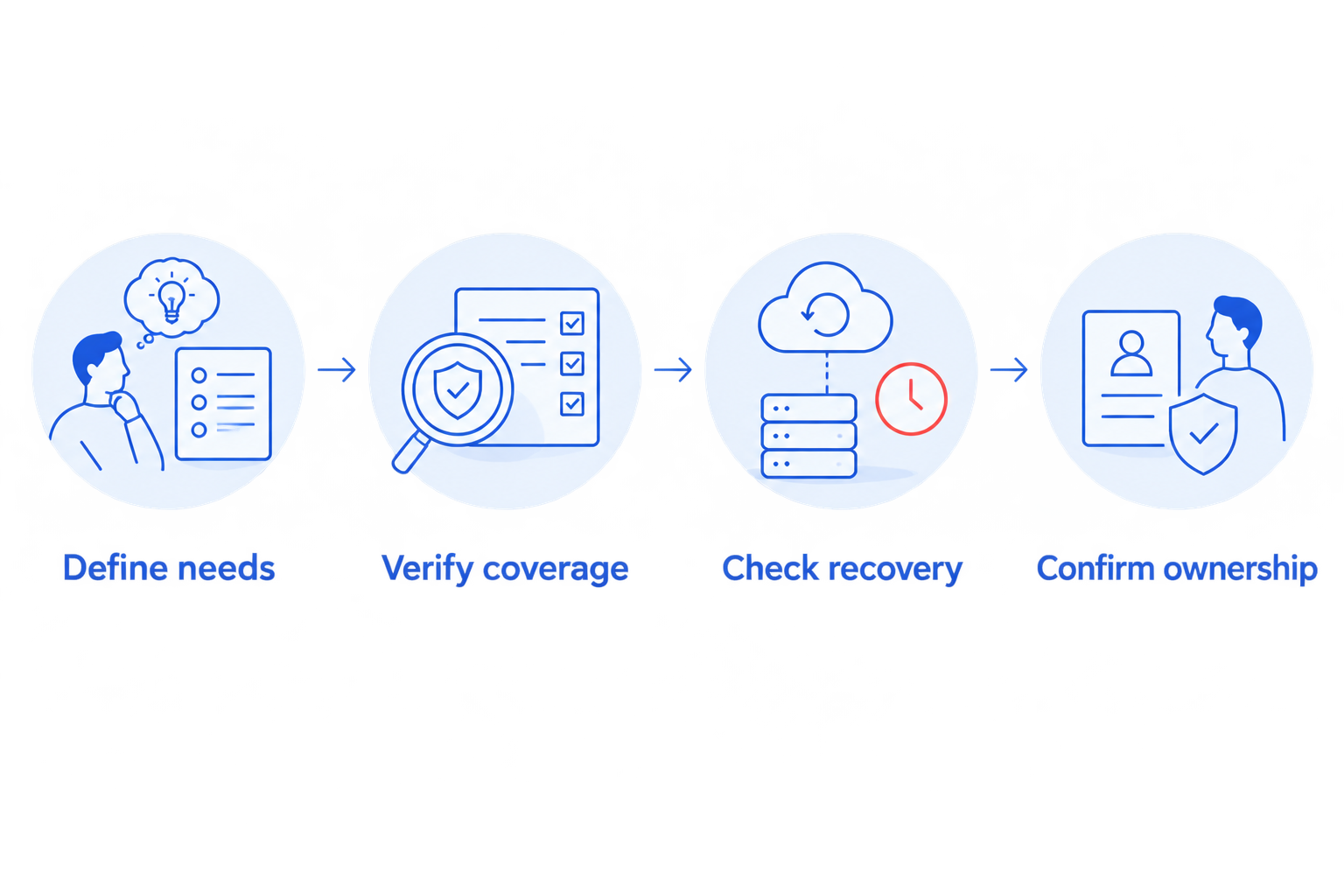
A strong selection process follows a simple sequence: define needs, verify coverage, check recovery, and confirm ownership. Keep that sequence in your 2026 review so the most polished proposal does not bypass the practical checks.
Test the proposal against 3 scenarios
A service list tells you what a provider offers. A scenario discussion tells you how the proposed agreement handles a problem your employees recognize.
Use these as discussion exercises, not live tests that interrupt work. Ask each provider to walk through the same situations and identify any tasks outside the proposed scope.
- Office outage: Your workplace loses network access. Ask who investigates remotely, what triggers a visit, and who coordinates with the internet company.
- Missing files: An employee needs files that are no longer accessible. Ask who checks the backup, authorizes restoration, and confirms the correct files have returned.
- Suspicious activity: An employee reports an unexpected login prompt or suspicious message. Ask how the report reaches support, who assesses it, and who communicates next steps.
Choose the provider that explains responsibility clearly without promising that every problem has the same solution. Record unanswered questions and resolve them before accepting the agreement.
Where TechConnect NC fits in this comparison
TechConnect NC is a local managed IT support option for North Carolina small businesses seeking monitoring, patching, backups, cybersecurity, help desk, and remote support. Those are relevant services when you want ongoing assistance rather than isolated computer repairs.
TechConnect NC has 2 offices: the Clayton office at 5720 US 70 Bus Hwy, Suite B, Clayton, NC 27520, and the Foothills office at 10A Falls Avenue, Granite Falls, NC 28630. These locations are relevant when discussing support needs around Johnston County and the Raleigh area, or Granite Falls, Hickory, Lenoir, and Caldwell County.
The service list and office addresses do not replace a written agreement. Confirm support hours, on-site arrangements, covered equipment, and escalation responsibilities before choosing TechConnect NC for managed IT support.
Is a local IT company always faster than a national provider?
No—a local address does not establish response or repair speed. Compare written commitments and ask how the provider handles an office outage, an unavailable technician, and an issue requiring an on-site visit.
Can a national provider handle a small local business?
Yes, if the proposed agreement covers the business's equipment, locations, and support needs. Apply the same checks you would use for a local company, including local dispatch and responsibility for unresolved requests.
Should I switch providers just to hire locally?
No—switch because the new agreement addresses a specific service gap. Document what is failing now, then require the replacement provider to explain how its process resolves that problem without losing account access or backup continuity.
FAQ
What's the deciding factor in a local IT company vs national provider comparison?
The deciding factor is documented fit with your support needs. Compare location coverage, support hours, on-site arrangements, security responsibilities, and backup recovery rather than company size alone.
Is hiring a local IT company worth it for a small office?
Hiring a local IT company is worth it when the agreement covers the help your office needs, including physical visits where necessary. A nearby address alone does not prove service quality or response speed.
Does a national IT provider offer better cybersecurity?
A national footprint does not establish better cybersecurity. Ask either provider to define patching, account protection, alert handling, and incident responsibilities in writing.
Can a local IT company help employees working from home?
A local IT company can support remote employees when its service agreement includes their equipment and locations. Confirm remote access arrangements and the process for problems requiring physical work.
Do I still need on-site IT support if most work happens online?
You need a plan for on-site work when a problem involves physical equipment or connectivity that cannot be restored remotely. Ask who handles failed hardware, cables, and network equipment.
What should I ask about backups before hiring an IT company?
Ask what is backed up, who checks failures, and how restoration is verified. Identify who authorizes recovery and who confirms that the restored information is usable.
What should I check before changing IT providers?
Check ownership and transfer arrangements for administrator accounts, configuration records, backups, and support tools. Keep business-authorized access in place throughout the handover.
One last thing
Before signing a 2026 IT support agreement, ask how you would leave it. A clear exit process forces a useful conversation about account ownership, documentation, and access while both parties are focused on getting the relationship right.
Related guides
- How to choose between break-fix and managed IT support
- How long it takes to switch IT support providers
- How to tell if your business needs managed IT support
Call or text 919-737-5442 to discuss managed IT support for your North Carolina business.