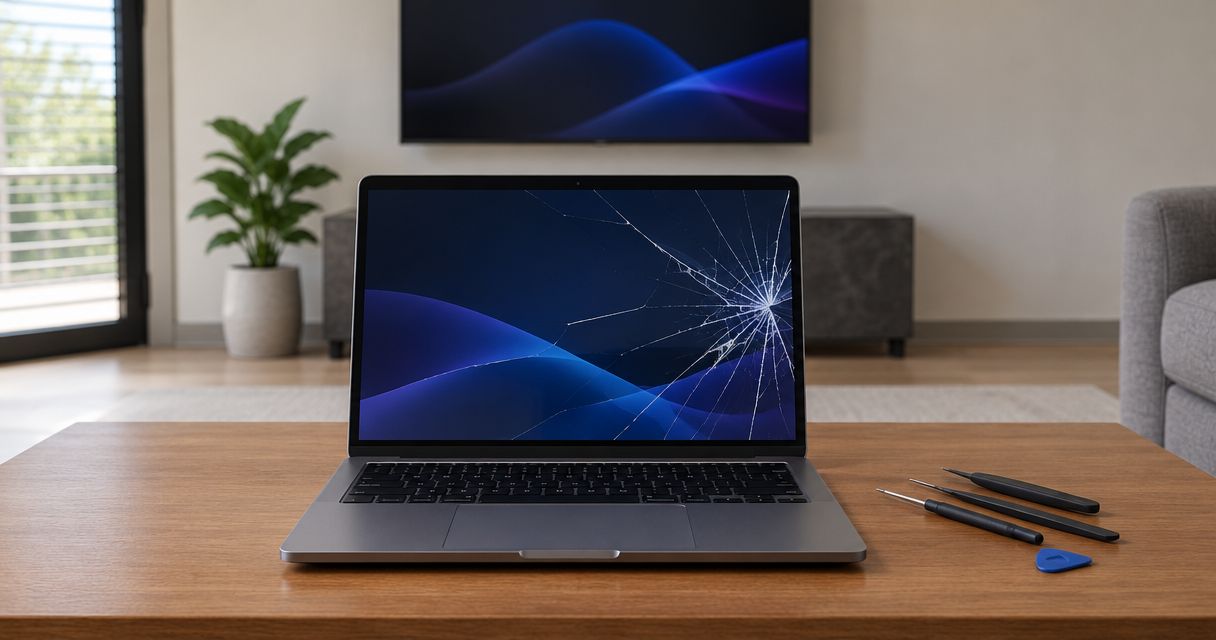
Laptop touch screen repair requires a model-specific quote: the total depends on whether the fault involves software, the touch sensor, the display panel, or the complete screen assembly. A screen replacement quote does not automatically include damaged hinges, enclosure repairs, or data services, so ask for an itemized estimate before approving work in 2026.
- Laptop touch screen repair needs a model-specific diagnosis, not a generic screen replacement estimate.
- A working picture with failed touch does not prove the entire display needs replacing.
- Compare parts, labor, testing, and related damage before approving laptop screen replacement.
- TechConnect NC provides local computer repair for North Carolina homeowners and small businesses.
Why this matters
A laptop screen performs 2 separate functions: displaying an image and accepting touch input. A fault in one does not automatically mean both have failed, although the laptop's construction determines whether a technician can replace the affected component separately.
Pay for a diagnosis of the fault, not a replacement based only on the symptom. TechConnect NC is a local computer repair option for homeowners and small businesses in North Carolina. Ask whether an assessment can identify the failed component before you authorize parts or disassembly.
For a 2026 repair decision, the useful comparison is an itemized repair estimate against a replacement laptop that meets your actual needs. Screen size alone is not enough to establish either the correct part or the right decision.
How much does it cost to fix a laptop touch screen?
The cost depends on the exact laptop configuration and the repair the diagnosis supports. Ask for a written estimate that separates the following items rather than accepting a single description such as screen repair.
| Estimate item | What it should identify | What to clarify |
|---|---|---|
| Diagnosis | The fault and the evidence supporting it | Whether assessment is billed separately |
| Replacement component | Touch sensor, display panel, or complete assembly | Whether touch and image specifications match |
| Labor | Disassembly, installation, and reassembly | Whether adhesive removal or enclosure work is included |
| Related damage | Hinges, lid, bezel, or internal connections | Whether these require separate authorization |
| Final testing | Picture, touch response, and normal lid operation | What the technician checks before return |
| Data work | Backup, recovery, or file transfer if requested | Whether this is a separate service |
A complete assembly and a touch-only repair are different jobs. Neither description tells you enough without the laptop's model identifier and the technician's findings.
Compare estimates for the same repair scope. An estimate covering a complete lid assembly is not directly comparable with one covering only a display panel. If the descriptions differ, ask each repairer to explain what remains in place and what gets replaced.
What information should you send for an estimate?
Send 3 details before requesting a firm estimate: the exact model identifier, a description of the symptoms, and photographs of visible damage. Keep serial numbers and other identifying information out of public posts; provide them privately when needed.
Describe what happened immediately before the problem started. A drop, liquid exposure, software update, or gradually loosening hinge gives the technician a different starting point, but none establishes the diagnosis by itself.
Working picture, failed touch: check the touch system
When the image looks normal but tapping does nothing, the fault needs a touch-specific assessment. Settings, drivers, connections, and the touch hardware belong in that assessment; a normal image does not rule out a physical problem.
Best for: diagnosis before ordering a display assembly. The advantage is avoiding an unsupported parts replacement; the limitation is that a software check cannot repair cracked glass or a failed touch sensor.
Tell the technician whether touch fails everywhere, only along an edge, or intermittently. Also report unintended taps, sometimes called ghost touches, without assuming they prove a particular component has failed.
Cracks or image damage: identify the affected layers
Cracked outer glass, dark patches, lines, and missing images are different observations. Report each symptom separately, including whether the laptop still accepts touch where the picture remains visible.
Best for: a hardware assessment when damage is visible or the displayed image is abnormal. Replacing the affected hardware addresses physical damage, but a screen-only repair does not address a bent lid or damaged hinge mount.
Some laptops use bonded display layers that are serviced together. Ask what the model requires rather than assuming that intact-looking glass means the internal display is undamaged, or that broken glass can always be replaced alone.
Loose hinges or a distorted lid: assess the enclosure
If the bezel separates, the lid sits unevenly, or opening the laptop pulls on the casing, include those symptoms in the repair request. Do not repeatedly flex the lid to demonstrate the problem.
Best for: an assessment that considers both the display and its mounting structure. Addressing the enclosure avoids treating the screen as an isolated part; the trade-off is a broader repair scope than a panel-only replacement.
Ask whether the proposed work includes the hinge, its mounting points, and the surrounding enclosure. A new display does not repair the structure holding it in place.
Why laptop touch screen repair estimates vary
These factors explain why the same visible symptom can lead to different repair scopes. Use them to question an estimate, not to diagnose the laptop yourself.
- Exact model and configuration: Similar-looking laptops can use different displays. The model family name alone does not establish compatibility.
- Failed component: Software troubleshooting, connection repair, touch-sensor replacement, and complete assembly replacement involve different work.
- Display construction: Bonded layers and the way the screen attaches to the lid affect disassembly and replacement methods.
- Hinge and enclosure damage: A damaged mounting structure adds work beyond restoring the picture or touch response.
- Additional requested services: Backup, data recovery, and file transfer are separate tasks that should appear clearly in the estimate.
- Testing scope: Confirm that the estimate covers both image quality and touch operation, not simply whether the laptop powers on.
In 2026, ask for the exact replacement component description in writing. A vague label such as compatible screen leaves unanswered whether the part preserves the functions you use.
What should you do before taking the laptop for repair?
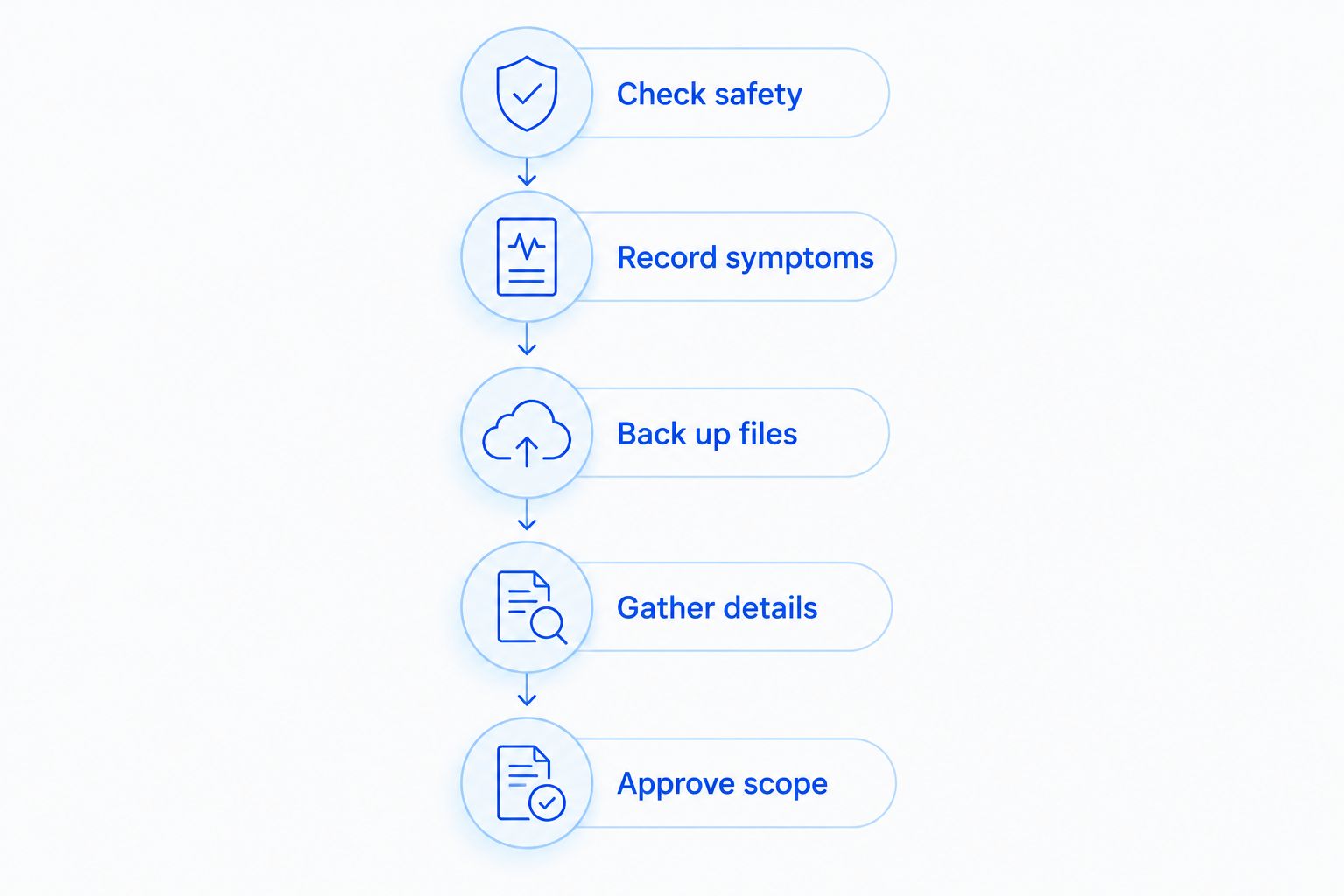
Use this sequence to protect your files and give the technician useful information. Stop at the first sign of a safety issue rather than continuing through the checklist.
- Check safety. Stop using a laptop with exposed sharp glass, unusual heat, or a bulging enclosure. Do not press the screen flat or force the lid closed.
- Record symptoms. Note whether the picture, touch input, keyboard, and trackpad work. Photograph visible damage without bending the lid.
- Back up files. If the laptop operates safely, copy important files and confirm that the copies open. Do not continue powering on a liquid-damaged device to attempt a backup.
- Gather details. Locate the model identifier and charger. Ask the repairer what to bring and how to handle account access securely.
- Approve scope. Get the diagnosis, proposed component, and authorization terms in writing before replacement work begins.
Do not send passwords in an ordinary text message. Ask whether testing can use a temporary account, whether you need to sign in yourself, and what access the technician actually requires.
For a work laptop, contact the person responsible for business IT before arranging an independent repair. Device management, encryption, and company data requirements affect how the laptop should be handled.
Is laptop touch screen repair worth it in 2026?
Repair makes sense when it restores a laptop that otherwise meets your needs and the full estimate compares favorably with replacement. Replacement deserves closer attention when screen damage accompanies other unresolved problems or the laptop no longer runs the software you need.
| Option | Best for | Advantage | Limitation |
|---|---|---|---|
| Diagnose and repair | A laptop that otherwise meets your needs | Keeps your existing device and setup | Does not resolve unrelated faults unless included |
| Use without touch | A safe, stable laptop with a usable image | Lets you continue keyboard-and-trackpad work | Does not restore touch or fix physical damage |
| Use an external display | Desk-based work with confirmed video output | Provides another way to view the desktop | Does not repair the built-in display or establish safety |
| Replace the laptop | A device with broader suitability or condition problems | Lets you choose hardware for current needs | Requires setup, file transfer, and software checks |
Do not apply an arbitrary percentage rule without considering the whole laptop. Battery condition, keyboard operation, required software, and portability all affect whether the repaired device will still serve you.
If you fold the screen back for handwritten notes or presentations, consider whether a 2-in-1 is worth it based on those actual tasks. Replacing a convertible with a standard laptop changes how you work; preserving touch matters less if you never use it.
Before replacing the device, compare the setup work as well as the hardware. The decision in repairing or replacing an old business computer also includes moving files, checking applications, and restoring access to work accounts.
Can you keep using a laptop with a broken touch screen?
You can use a laptop without touch when the device is otherwise safe and the keyboard, pointing device, and image work correctly. That is a temporary operating choice, not evidence that the damage needs no attention.
Do not keep using a laptop with loose glass, exposed components, liquid damage, or a distorted enclosure. If unintended touches interfere with work, ask a technician about disabling touch input while the fault is assessed.
An external monitor is another option only when the laptop supports a compatible display connection and operates safely. A normal external image does not identify the failed internal component by itself.
Does a laptop touch screen repair erase your files?
A screen replacement does not inherently require erasing the storage drive. Still, back up your files before handing over a working laptop and state that you do not authorize a reset, reinstall, or data deletion without separate approval.
Ask how testing will be performed and whether the technician needs account access. If device encryption is enabled, make sure you can retrieve the recovery information securely; do not leave it attached to the laptop.
In 2026, a repair intake should distinguish fixing the display from changing the operating system. Treat backup, recovery, and software work as separate decisions rather than assumed parts of a screen repair.
Where can you ask about laptop repair in North Carolina?
TechConnect NC provides computer and laptop repair for North Carolina homes and businesses. Explain the touch-screen symptoms and exact model when you call, and ask whether the proposed assessment covers the display, touch input, and related physical damage.
Both offices are relevant to local repair inquiries:
- Clayton office: 5720 US 70 Bus Hwy, Suite B, Clayton, NC 27520.
- Foothills office: 10A Falls Avenue, Granite Falls, NC 28630.
Confirm arrangements before traveling with the laptop. Ask what to bring, how to protect your files, and whether an inspection is needed before an estimate can be confirmed. The service decision should rest on the actual device, not a promise based on a brief symptom description.
FAQ
How do I get an accurate laptop touch screen repair estimate?
Provide the exact model identifier, symptoms, and photographs of visible damage, then request an itemized estimate. Confirm the replacement component, labor, related damage, and testing scope before authorizing work.
Can a laptop touch screen be repaired without replacing the whole screen?
A laptop touch screen does not always require complete screen replacement. The diagnosis and the model's construction determine whether software work, a connection repair, or a separate component replacement is appropriate.
Why does my laptop show a picture but not respond to touch?
The image and touch functions can fail independently. Settings, drivers, connections, and touch hardware need assessment before the cause is established.
Can I replace a touch screen with a non-touch screen?
Do not assume a non-touch screen is compatible with a touch-screen laptop. Ask a technician to verify the exact model, connectors, mounting, and configuration before ordering a part.
Will repairing my laptop screen delete my photos?
Screen replacement does not inherently require deleting photos or other files. Back up important data beforehand and require separate approval for resets, reinstalls, or data deletion.
Can I fix a cracked laptop touch screen myself?
A cracked laptop touch screen requires model-specific disassembly and safe handling of damaged glass. Professional assessment is the better choice if you lack repair experience or the lid, hinges, or enclosure are also damaged.
Does TechConnect NC offer computer repair near Clayton and Granite Falls?
TechConnect NC provides computer and laptop repair and has offices in Clayton and Granite Falls. Call or text 919-737-5442 to discuss your model, symptoms, and repair arrangements.
One last thing
Before accepting a repaired laptop, test touch as well as the picture. Try the edges and corners, check for unintended input, and confirm that the lid opens normally without pulling the bezel apart.
For a 2026 repair, write those checks into the agreed scope before work starts. A screen that lights up has passed only part of the test.
Related guides
- Can a water-damaged laptop be repaired instead of replaced?
- How to back up a computer without using cloud storage
- Computer repair for home-based businesses
Call or text 919-737-5442 to discuss your laptop's model, screen damage, and repair assessment.


