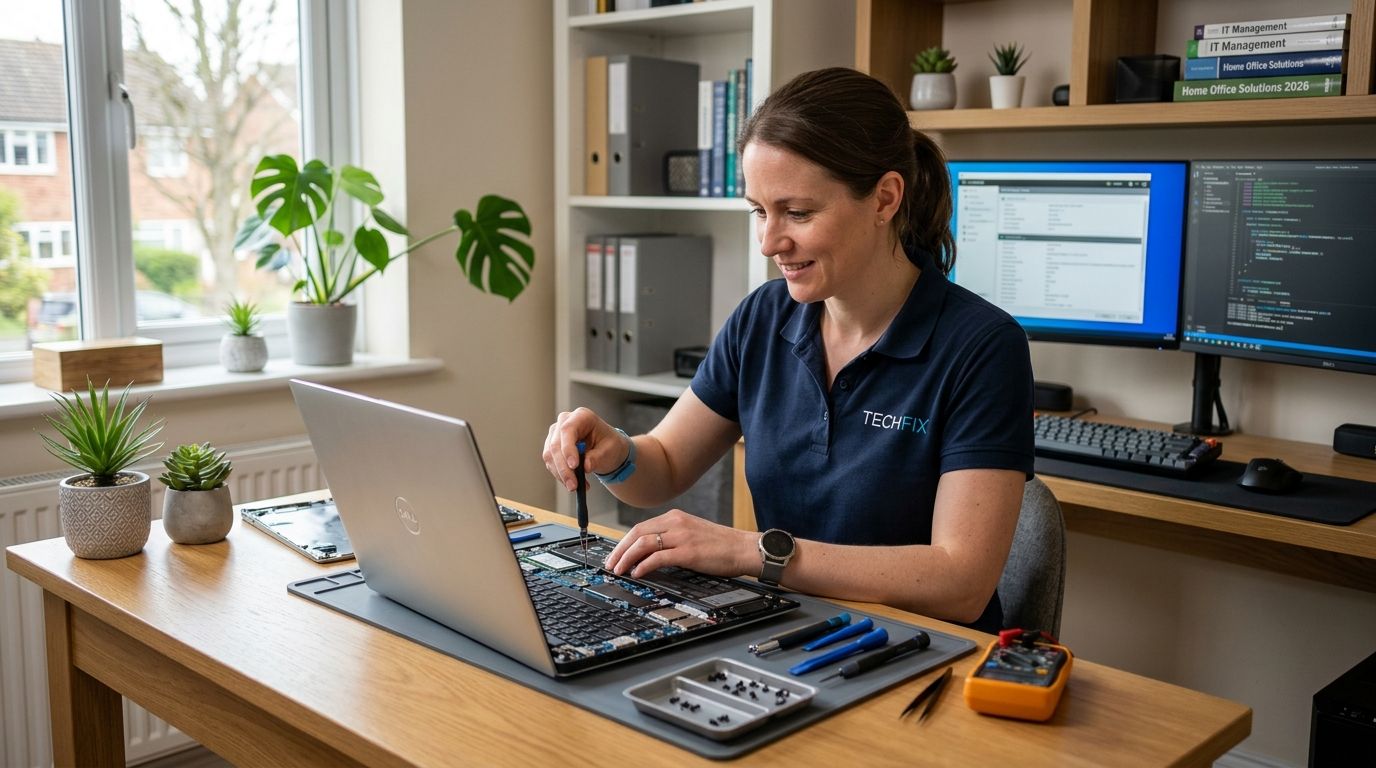
Computer repair for home-based businesses means diagnosing and fixing PC problems — slow performance, virus infections, crashed hard drives, network dropouts — for a business that runs out of a home office, garage, or spare bedroom rather than a commercial building. The core need is different from a personal PC repair: downtime costs billable hours, client data lives on the same machine as personal files, and there's usually no in-house IT person to call first.
TechConnect LLC's verdict for 2026: a home-based business in North Carolina should treat computer repair as a business continuity issue, not a one-off fix — pair a same-day diagnostic with a recurring backup plan, because a single crashed drive without a backup can end a solo operation's billing cycle for a week or more.
- Computer repair for home-based businesses in 2026 needs backup-first triage, not just a virus scan or reinstall.
- TechConnect LLC recommends a free diagnostic before any paid repair to separate hardware failure from software slowdown.
- On-site repair fits desktop-heavy home offices; remote support fits single-laptop consultants who need same-day fixes.
- Skipping backup software before a repair is the most common mistake home-based operators in NC make.
- Managed IT support becomes worth it once a home business depends on client data, invoicing software, or a shared network daily.
A free diagnostic tells you in 20-30 minutes whether you're looking at a $150 tune-up or a dead drive that needs data recovery — that distinction changes your whole week if you invoice clients from that machine.
Why computer repair matters for home-based businesses
A home-based business runs on one or two machines with zero redundancy. There's no server room, no spare laptop in a closet, and often no separate business network — the same router handling client invoices also streams the kids' tablets. When that single PC goes down, the business goes down with it, not just a department.
North Carolina's home-based sector skews toward solo consultants, bookkeepers, real estate agents, and small e-commerce sellers — all professions where a slow PC or a ransomware pop-up directly delays paid work. Unlike a commercial office with an IT contract already in place, most home operators only think about repair the day something breaks, which is exactly when prices and wait times are worst.
The fix isn't complicated, but it has to happen in the right order: diagnose, back up, then repair. Reversing that order — repairing first and backing up later — is how home businesses lose invoices, client contact lists, and tax records permanently.
Update your diagnostic routine before you call anyone
Before paying for any repair, run a basic self-check. It takes 10 minutes and tells a technician exactly what to look at, which shortens the visit and the bill.
- Check Task Manager (Ctrl+Shift+Esc) for one process pinning CPU or disk at 90%+ for more than a minute
- Run Windows Update and restart — outdated drivers cause a large share of "random" slowdowns
- Listen for clicking or grinding from the drive — that's a hardware symptom, not a software one
- Check available storage — under 10% free space slows Windows regardless of processor speed
- Note when the problem started and what you installed or clicked right before it
Back up your business data before touching anything else
This step comes before repair, not after. If a technician has to reimage a drive or replace hardware, anything not backed up is gone.
- Copy client folders, invoicing files, and tax documents to an external drive or cloud storage the same day you notice a problem
- Use backup software that runs on a schedule, not memory — see the comparison of data backup software for home computers for options that fit a single-PC setup
- Confirm the backup actually restores a file before you trust it — an unverified backup is not a backup
- Keep one copy off-site or in the cloud in case of theft, fire, or flood, not just an external drive sitting next to the PC
Choose between remote and on-site repair
Home-based operators split roughly into two camps: single-laptop consultants who can work from anywhere, and desktop-based businesses tied to one workstation. The right repair format depends on which one you are.
- Remote repair fits software problems — virus removal, slow boot times, driver conflicts — and gets a technician into your machine the same day without a drive to your house
- On-site repair fits hardware failures, network dead spots, and multi-device setups where a technician needs to see the physical wiring — see on-site computer repair services for small offices in NC for what that visit typically covers
- Ask upfront whether diagnosis is free before committing to either format — a same-day diagnostic should tell you which route you actually need
Lock down antivirus and endpoint protection
Home-based businesses are a common ransomware target precisely because they're under-protected compared to a corporate office with a dedicated firewall.
- Install real-time antivirus software rated for business use, not a free consumer tool with limited scanning depth — compare options in the best antivirus software for small businesses guide
- Turn on automatic definition updates so protection doesn't lapse silently
- Separate business browsing from personal browsing with different user profiles on the same PC
- Enable two-factor authentication on email and any cloud accounting software
- Run a full malware scan monthly, not just when something feels wrong
Set a budget baseline against NC repair pricing
Knowing what a fair price looks like before you call anyone protects you from both overpaying and from a shop that lowballs a quote then pads the invoice.
- Get a written estimate that separates diagnostic fees from labor and parts
- Compare against the NC computer repair pricing guide before agreeing to any quote
- Ask whether the fee changes for remote versus on-site work
- Budget separately for data recovery — it's priced and billed differently than a standard repair
Build a backup power and network plan
A single power blip during an active client call or an unsaved invoice costs more than the hardware fix ever will.
- Put your main workstation on a battery backup unit rated for at least 15-20 minutes of runtime
- Use a mesh Wi-Fi setup if your home office sits far from the router — dropped video calls read as unprofessional to clients
- Keep router firmware updated; an outdated router is a common entry point for network intrusions
- Test your backup power unit every few months — batteries degrade even when unused
Decide when a break-fix visit isn't enough
One-off repairs work fine for occasional problems. Once your business depends on the PC daily for client work, recurring break-fix visits start costing more in downtime than a managed plan would.
TechConnect LLC's managed business IT support in North Carolina covers monitoring, patching, and priority response so problems get caught before they become a full outage — that's the point where computer repair for home-based businesses shifts from reactive to preventive.
Comparison: repair options for home-based businesses
| Option | Best for | Key limitation |
|---|---|---|
| DIY troubleshooting | Minor slowdowns, freezes, browser issues | No fix for hardware failure or data recovery |
| Remote IT support | Software issues, virus removal, single-laptop setups | Can't fix physical hardware or wiring problems |
| On-site break-fix repair | Desktop workstations, network wiring, multi-device offices | Priced per visit; no ongoing monitoring between visits |
| Managed IT service plan | Businesses that depend on the PC daily for client work | Requires an ongoing commitment rather than pay-per-fix |
DIY troubleshooting: Try first, always. Remote support: Buy for software problems. On-site repair: Buy for hardware and network issues. Managed IT: Buy once downtime costs more than a monthly plan.
Common mistakes home-based businesses make
- Repairing before backing up — the fastest way to lose client invoices and contact lists permanently
- Using the same login and browser profile for business and personal use — one infected download compromises both
- Skipping the diagnostic step and guessing at the fix — this leads to paying for repairs that don't address the real problem
- Treating a battery backup unit as optional — a single power surge during tax season can cost more than the unit itself
- Waiting for a second failure before considering a managed plan — the first outage is usually the cheaper one to prevent
FAQ
What's the best computer repair option for a home-based business in 2026?
Remote IT support handles most software issues same-day, while on-site repair fits hardware failures and network wiring. Start with a free diagnostic to know which one you actually need.
Is remote repair as reliable as on-site repair for a home office?
Remote repair works well for virus removal, slow performance, and driver conflicts because those are software issues. Hardware failures and physical network problems still need someone on-site.
How much does computer repair cost for a small home business in NC?
Pricing varies by whether the job is diagnostic-only, software repair, or hardware replacement, and by remote versus on-site format. The NC pricing guide breaks down typical ranges by repair type.
Do I need antivirus software if I already have Windows Defender?
Windows Defender covers baseline protection but lacks the business-grade endpoint features many home-based operators need for client data. A dedicated small business antivirus adds real-time scanning depth and centralized alerts.
When should a home-based business switch to managed IT support?
Once daily work depends on one PC and downtime directly delays billable hours, a managed plan with monitoring and priority response usually costs less than repeated break-fix visits over a year.
What should I back up before sending my PC in for repair?
Copy client folders, invoicing files, tax documents, and browser bookmarks to an external drive or cloud storage before any repair. Anything not backed up can be lost during reimaging or hardware replacement.
Can a single power outage damage my home office computer?
Yes — a power surge during an outage can damage a motherboard or drive without warning. A battery backup unit rated for 15-20 minutes of runtime protects against this and gives time to save open work.
Is data recovery different from a standard computer repair?
Yes, data recovery is priced and handled separately from standard repair because it targets a failed drive rather than a running system. It's typically billed by the complexity of the recovery, not a flat repair fee.
One last thing
The repair itself is rarely the expensive part — the missing backup is. A $150-200 tune-up turns into a five-figure problem the moment client records, tax files, or a year of invoices sit on a drive with no second copy anywhere. Fix the backup habit in 2026 before you fix anything else, and most repair emergencies stop being emergencies.


