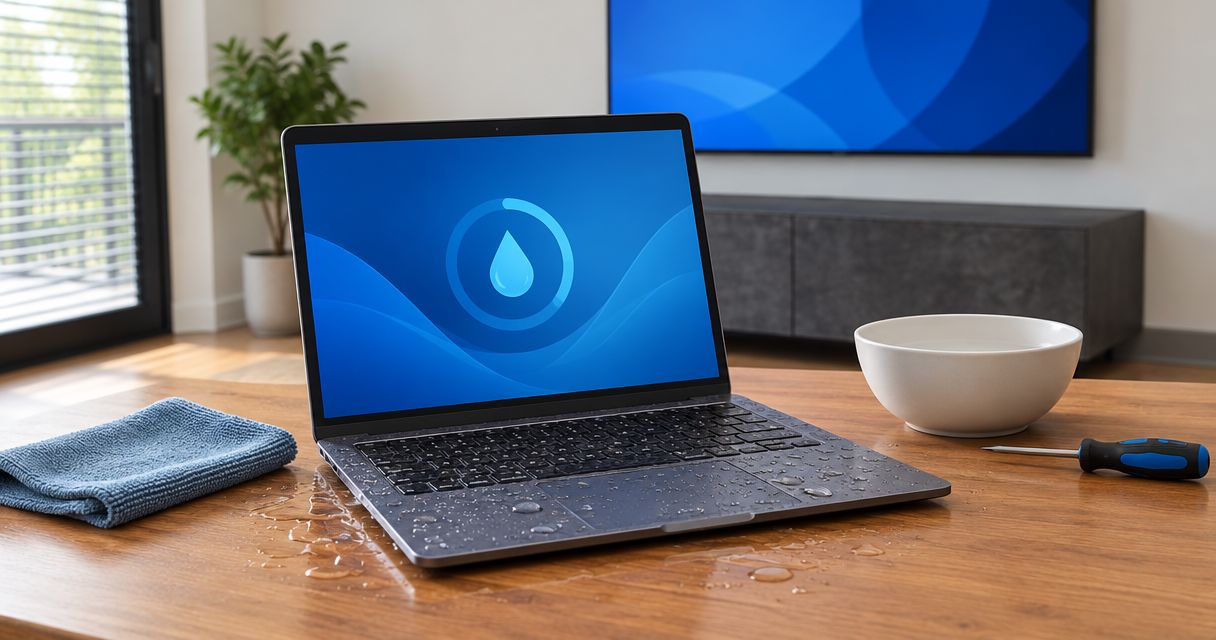
Yes, a water-damaged laptop can be repaired instead of replaced when inspection shows that its damaged parts can be cleaned, repaired, or replaced safely. In 2026, the decision still depends on where the liquid reached, whether the laptop had power afterward, and whether you need to recover files separately from fixing the computer.
- Can a water damaged laptop be repaired? Yes, but inspection must establish the damage before you choose repair or replacement.
- Keep the laptop off and unplugged; a dry exterior does not establish that internal components are safe.
- Data recovery and laptop repair are separate decisions. Recovering files does not always require restoring the whole computer.
- TechConnect NC provides computer repair and data recovery for North Carolina homes and small businesses.
Can a water-damaged laptop be repaired instead of replaced?
Yes. Liquid exposure does not automatically make a laptop beyond repair, but turning it on is not a safe way to find out. A technician needs to inspect the affected components and determine whether repair offers a dependable working computer.
TechConnect NC is a local computer repair option for North Carolina homeowners and small businesses. You can contact TechConnect NC to discuss computer repair or data recovery; an assessment is not a promise that every liquid-damaged laptop is repairable.
| Option | Best for | Main benefit | Main limitation |
|---|---|---|---|
| Repair | Damage limited to serviceable components | Keeps a laptop that still meets your needs | Hidden damage can make the scope uncertain until inspection |
| Replacement | Extensive damage or a computer already unsuitable for your work | Avoids rebuilding an unsuitable machine | Does not recover files from the damaged laptop |
| Data recovery first | Important files without a verified backup | Puts irreplaceable information ahead of the hardware | Recoverability depends on storage condition and access requirements |
These paths are not mutually exclusive. You can recover files, decide against repairing the laptop, and move the recovered data to another computer.
Why this matters
A spill creates separate problems: electrical safety, hardware damage, and access to your information. Treating them as one decision leads to mistakes, such as repeatedly restarting a wet laptop because you need a document.
For a home office in 2026, replacing the machine also means restoring applications, signing into accounts, and confirming that working files are current. Protect the data before deciding how to replace the workflow. A new laptop alone does not solve missing records or inaccessible photographs.
What should you do immediately after a laptop gets wet?
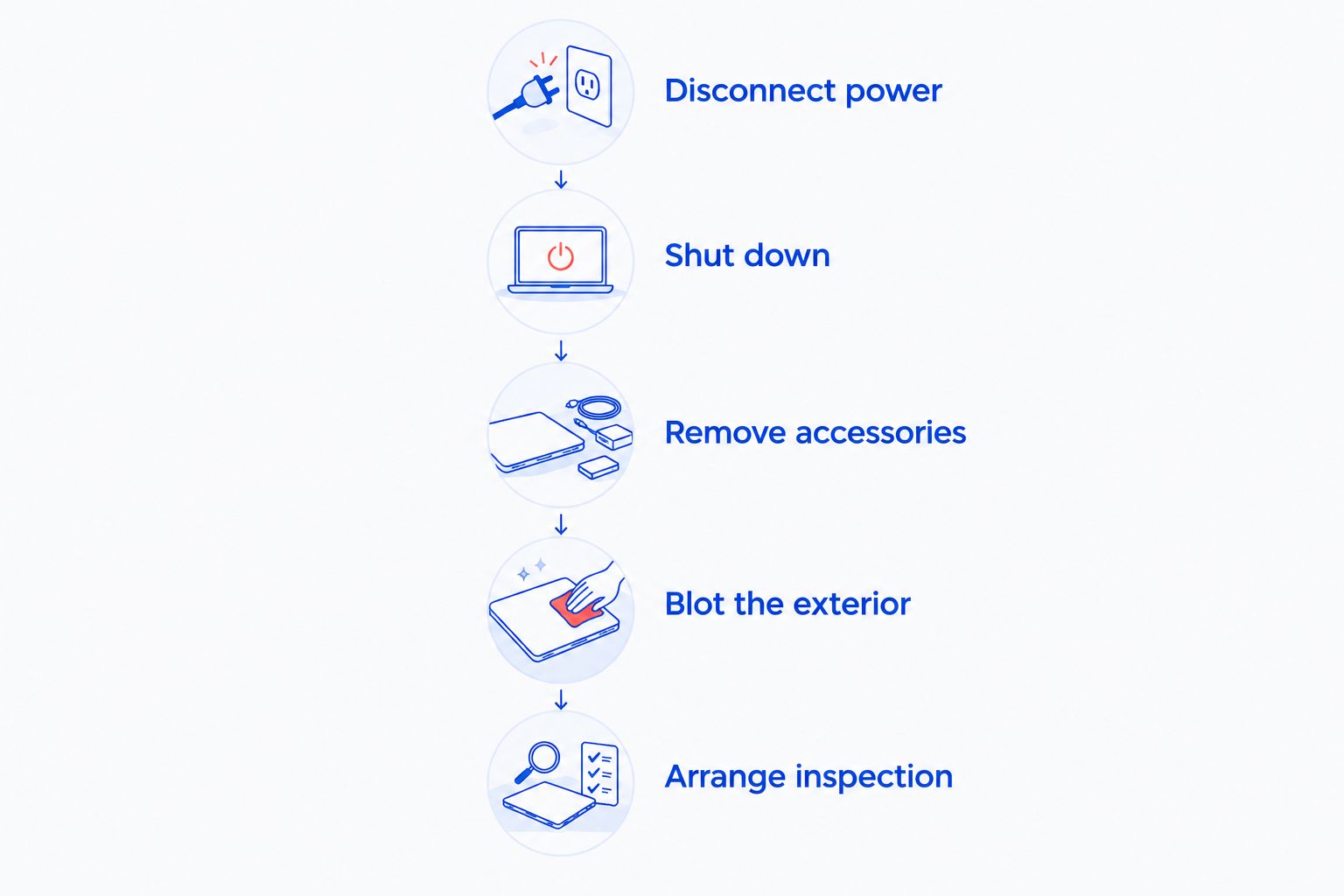
Stop using the laptop. Do not keep typing, finish an update, or connect the charger to see whether it still works.
- Disconnect power. Unplug the charger only when you can do so safely. If liquid is around a wall outlet or power strip, avoid touching wet electrical equipment and address that hazard first.
- Shut down. If the laptop is running, turn it off. Do not restart it to check the screen or retrieve a file.
- Remove accessories. When safe, disconnect external drives, docks, and other attached devices. Avoid unnecessary movement that spreads liquid through the computer.
- Blot the exterior. Use an absorbent cloth without pressing liquid into openings. Do not shake the laptop or use a hair dryer, oven, or other heat source.
- Arrange inspection. Tell the technician what spilled, where it entered, and whether the computer stayed on or was charged afterward.
An internal battery can remain connected after you unplug the charger. Do not open a wet laptop or attempt battery removal unless you have the training and model-specific instructions to do it safely.
If the laptop becomes hot, swells, smokes, or hisses, stop handling it and keep people away. A damaged battery is a safety issue, not a troubleshooting task; contact emergency services if there is smoke or fire.
Why water-damaged laptop repair outcomes vary
The size of the puddle is not a diagnosis. A small spill through a vulnerable opening can affect critical components, while liquid on an intact exterior does not establish internal damage.
- Liquid type: Water, sweetened drinks, and other liquids leave different residues. Drying does not remove contamination left on components.
- Entry point: Liquid around the keyboard, ports, hinges, or vents can reach different internal areas.
- Power exposure: Operating or charging affected electronics can cause additional electrical damage.
- Time before inspection: Moisture and contamination left inside can contribute to corrosion.
- Affected components: Damage to a replaceable keyboard differs from damage involving the main circuit board, battery, and storage.
- Laptop design: Access to parts, integrated storage, and replacement-part compatibility affect the available repair path.
These factors explain why a repair recommendation needs more than a photograph or a description of the spill. Report what happened accurately, including any attempts to turn the laptop back on.
When is repair the better choice?
Choose repair when the affected components can be addressed and the laptop still meets your needs. Ask what failed, what the proposed work includes, and what testing will follow.
In 2026, a repair decision should account for your current applications and security requirements, not just whether the screen lights up. A repaired laptop that cannot support your work remains a poor fit.
A useful assessment distinguishes between visible residue, confirmed component failure, and areas that need further testing. Ask whether the technician found liquid near the battery, storage, charging circuitry, or main circuit board.
Repair also has limits. Replacing a keyboard does not establish that every other component escaped exposure, so ask what inspection and testing support the recommendation. Do not treat a successful startup as proof of lasting reliability.
When is replacement the better choice?
Choose replacement when the repair scope is extensive or the laptop was already failing to meet your needs. Consider its condition before the spill: battery health, damaged hinges, unreliable charging, and software requirements all belong in the decision.
Replacement avoids repairing a machine you already needed to retire. Its drawback is the work of restoring your setup, and it leaves the damaged device's data problem unresolved.
Before authorizing disposal, confirm whether you need anything from the storage and how that information will be handled. Keep the damaged machine until you have verified the files you need or explicitly decided not to pursue recovery.
For a broader decision checklist, see whether to repair or replace an old business computer. Liquid damage adds uncertainty, but the central question stays the same: will the resulting computer meet your needs?
Can you recover files without repairing the laptop?
Yes, file recovery does not always require a fully working laptop. If the storage remains readable and accessible, a technician can assess a recovery path separately from restoring the keyboard, display, or other damaged hardware.
Some laptops have removable storage; others have storage integrated into the main circuit board. Encryption can also require a recovery key or other authorized credentials, even when the storage itself is intact.
For a 2026 recovery request, prepare a short list of the files that matter most. Include their likely locations, whether another copy exists, and whether the device uses encryption. Share passwords or recovery keys only through an agreed secure process.
TechConnect NC offers data backup and recovery alongside computer repair. Ask for a data-first assessment if the files matter more than returning the original laptop to service; recovery success still depends on the condition of the device and storage.
What if the laptop holds business or customer information?
Tell your employer or IT contact before authorizing work on a business device. The business needs to control access to customer records, account credentials, and any recovered copies.
Do not approve a reset, operating-system reinstall, or storage replacement until the data plan is clear. If repair requires replacing storage, specify what should happen to the original drive or board.
Does a laptop that turns on still need inspection?
A laptop that turns on after a spill still needs inspection if liquid entered the device. Startup shows that some functions work at that moment; it does not show that internal contamination is gone.
Stop using it rather than running repeated tests. Sticky keys, unreliable charging, unexpected shutdowns, display problems, or ports that stop working are useful details to report, not reasons to keep experimenting.
Do not place the laptop in rice and treat that as a repair. Rice does not clean contaminated circuit boards, and an apparently dry case does not establish that internal parts are ready for power.
How long should you wait before turning it back on?
There is no universal waiting period that makes a liquid-exposed laptop safe to power on. The relevant question is whether the interior has been inspected and any contamination or damage addressed.
Leave the laptop off while arranging help. Waiting alone does not repair damaged components or remove drink residue, so a timer is not a substitute for an assessment.
What should you ask before approving the work?
A useful repair recommendation separates findings from assumptions. Before approving work in 2026, get clear answers to these questions:
- What damage was found? Ask which parts have confirmed damage and which still need testing.
- What is the data plan? State whether preserving files takes priority over returning the laptop to service.
- What work is included? Distinguish cleaning, component replacement, storage work, and software setup.
- What needs separate approval? Require permission before additional repairs, resets, or changes affecting your files.
- What will be tested? Ask about charging, battery condition, keyboard, display, ports, and stability.
- What happens if repair stops? Confirm how you will receive the laptop, original storage, and any recovered files.
For a work computer, also identify who can authorize service and who should receive updates. Clear instructions prevent a hardware repair from creating a separate access or data-handling problem.
FAQ
Can a water damaged laptop be repaired if it won't turn on?
Yes, a water-damaged laptop that will not turn on can still be repairable. Inspection must establish which components failed; do not keep pressing the power button or reconnecting the charger.
Is a laptop ruined if I spilled water on the keyboard?
A spill on the keyboard does not automatically ruin a laptop. The outcome depends on where the liquid reached and whether internal components were damaged.
Should I put my wet laptop in rice?
No, rice is not a laptop repair method. It does not remove internal contamination or establish that the laptop is safe to power on.
Can I plug in my laptop after the outside feels dry?
No, a dry exterior does not establish that a liquid-exposed laptop is safe to charge. Keep it unplugged until its internal condition has been assessed.
Can my files survive if the laptop cannot be repaired?
Yes, files can survive even when repairing the whole laptop is not practical. Recovery depends on storage condition, the laptop's design, and access to any required encryption keys.
Should I repair the laptop or buy a replacement?
Repair makes sense when the damage can be addressed and the laptop still meets your needs. Replacement makes sense when the repair scope is extensive or the computer was already unsuitable; decide on file recovery separately.
Can TechConnect NC help with a liquid-damaged computer?
TechConnect NC provides computer repair and data recovery for homes and businesses in North Carolina. Call or text 919-737-5442 to discuss the spill and arrange the next step; repairability requires an assessment.
One last thing
Check your existing backup from a different, dry device before authorizing recovery work. Open the specific files you need and confirm that they are current; seeing a folder name alone does not establish that its contents are backed up.
If the files are intact elsewhere, you can make the hardware decision without treating the damaged laptop as your only copy. If they are missing, tell the technician before any repair that affects storage.
Related guides
- Recovering files from a water-damaged laptop
- Is cloud backup worth it for home computers?
- Can a crashed hard drive be repaired instead of replaced?
For local computer repair or data recovery, call or text 919-737-5442. TechConnect NC has offices at 5720 US 70 Bus Hwy, Suite B, Clayton, NC 27520, and 10A Falls Avenue, Granite Falls, NC 28630; describe the spill and ask about the next step before bringing in the laptop.