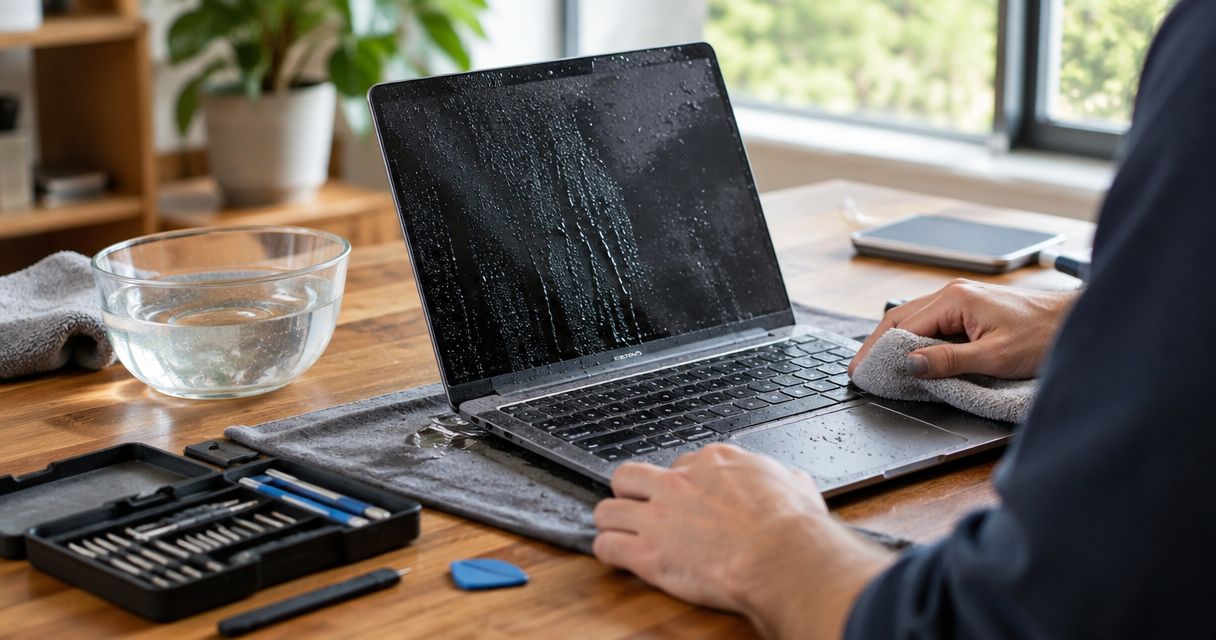
There is no reliable flat price for recovering files from a water-damaged laptop in 2026. The cost depends on whether you have a usable backup, whether the storage device still works and whether a specialist must work on damaged hardware. Turn the laptop off, stop trying to charge it and get the storage assessed before agreeing to recovery work.
- Water-damaged laptop file recovery has no reliable flat price in 2026; the storage condition determines the work.
- Check for an existing backup before paying for recovery from damaged hardware.
- TechConnect LLC is a local data backup/recovery option for North Carolina homes and businesses; ask who handles damaged storage.
- Do not power on or charge a wet laptop to check whether the files survived.
Why this matters
A laptop can fail while its files remain recoverable. The reverse also happens: a machine that starts up can still have storage damage that gets worse with further use. In 2026, the useful question is not just what laptop repair costs. It is where your files live and what condition that storage is in.
If you need local help in North Carolina, TechConnect LLC lists data backup/recovery among its services. Ask for an assessment of the files separately from a quote to repair the laptop. You might need the data even if replacing the computer is the better choice.
How much does it cost to recover files from a water-damaged laptop?
You need a case-specific quote; the supplied information does not establish a price for this service. A working backup changes the task to restoring files. A readable storage device calls for a different process than a device that no longer responds. If water reached the storage hardware, the provider must establish what can be accessed before stating the scope of work.
| Situation | Work to ask about | Best for | Advantage | Limitation |
|---|---|---|---|---|
| Usable backup exists | Confirm the backup contains the needed files, then restore them to a safe device | Anyone with a current, accessible copy | Avoids recovery from damaged hardware | A backup that missed recent changes will not contain those changes |
| Storage is readable | Assess the device and copy recoverable files without relying on the damaged laptop | Files that are not fully covered by a backup | Keeps file retrieval separate from laptop repair | Readable storage does not prove every file is intact |
| Storage is not readable | Request an assessment of damaged media and the proposed recovery process | Important files with no usable backup | Establishes whether specialist work is appropriate | Recovery cannot be promised before the hardware is examined |
These are different paths, not service tiers. Do not accept a single recovery figure without knowing which path the quote covers. In 2026, ask whether assessment, file extraction, replacement storage and laptop repair are separate items. Also ask what happens if the requested files cannot be recovered.
The contents of the laptop matter more than whether it will turn on. A failed keyboard or charging circuit can prevent normal use without proving that the storage has failed. Conversely, a laptop that boots after a spill is not proof that its storage will remain readable. Keep the decision focused on the files you need, not on making the old machine usable first.
What should a recovery quote include?
Ask the provider to identify the storage device, the proposed method of access and the destination for recovered files. Specify the folders or file types that matter, and ask how the provider will report which files were retrieved. A quote for repairing a laptop is not automatically a quote for recovering its data.
If the laptop contains business records, ask how the device and recovered files will be handled. Identify who is authorized to approve work and receive the files. That distinction matters when the person bringing in the laptop is not the owner of the data.
Why water-damage recovery costs vary
The quote depends on the work the files actually require. Give the provider these details, then ask which ones change the proposed scope:
- Backup status. An accessible copy can make recovery from damaged hardware unnecessary. Check that it contains the files you need, not merely that a backup service was installed.
- Storage condition. A device that responds to an assessment presents a different job from one that cannot be read. Laptop power problems alone do not settle this question.
- Storage design. Some laptops use removable storage; others have storage integrated into the machine. Ask how the provider plans to access the data on your particular laptop.
- Exposure and handling. Tell the provider what liquid reached the laptop and whether anyone powered it on, charged it or attempted repairs afterward. Those facts help frame the assessment.
- Requested result. Retrieving selected documents is a different scope from examining the full contents of a device. State what you need before the quote is prepared.
- Separate repair work. File recovery, replacement storage and fixing the laptop are separate decisions. Ask for each to be identified rather than assuming one covers the others.
TechConnect LLC is a fit for North Carolina homes and businesses seeking local data backup/recovery help; specialist handling of water-damaged storage must be confirmed for the specific device. That is the practical distinction to raise when requesting service in 2026.
What should you do before requesting a quote?
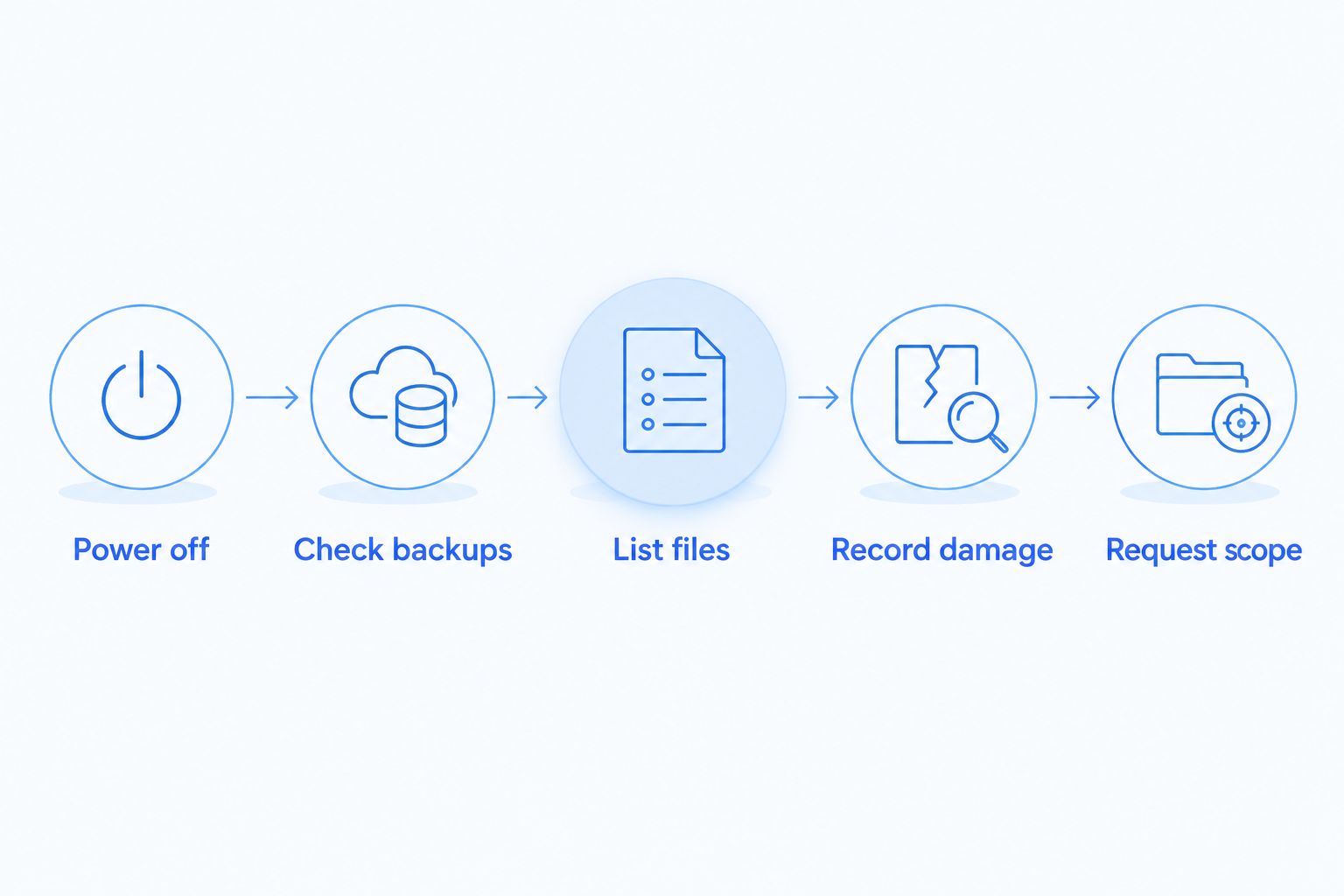
- Power off the laptop. Do not restart it to check a file or connect its charger to see whether it works.
- Check backups from another device. Look for the particular documents, photos or business files you need. Do not assume a backup is complete until you can identify those files.
- List the priority files. Note their names or folders and where you last remember saving them. This gives the provider a clear recovery goal.
- Record what happened. Note the liquid involved, what the laptop did afterward and any steps already taken. Give this account to the person assessing the device.
- Request the recovery scope. Ask whether the proposed work is backup restoration, retrieval from readable storage or an assessment of storage that does not respond.
Do not use recovery software on the wet laptop as a first test. Software cannot establish whether water has damaged the hardware, and running the machine requires powering it. If a backup is available, verify it on another device instead.
For a business laptop, identify whether essential files also exist in shared storage or an approved backup. Keep the damaged device separate from the decision about restoring work for the employee. In 2026, those can be handled as distinct tasks: get people access to existing copies while the laptop awaits assessment.
Should you recover the files or repair the laptop?
Recover the files first when they are the priority. You can decide whether the laptop is worth repairing after you understand where the data resides and whether it can be retrieved. Do not authorize a drive replacement or a reset without discussing the files on the original storage.
If the needed files exist in a verified backup, restoring them to another device avoids making the damaged laptop the only route back to work. If there is no usable copy, preserve the laptop for assessment. Neither a visible spill nor a successful startup tells you, by itself, which files are recoverable.
| Decision | Best for | Benefit | Drawback |
|---|---|---|---|
| Restore from a verified backup | Files already present in a usable copy | Does not depend on the damaged laptop's storage | Changes made after the last successful backup can be absent |
| Assess storage for file retrieval | Important files missing from backups | Targets the data rather than the laptop's other parts | The device must be examined before results are known |
| Repair the laptop | A machine you still intend to use | Addresses the computer's function | Repair alone does not establish that missing files are safe |
Ask which decision a provider is quoting in 2026. A functioning laptop, a set of recovered files and a restored backup are different outcomes. Put the outcome you need in the request.
Ask about file recovery
Describe the spill, the files you need and any backup you can access.
Can you get a quote without turning the laptop on?
Yes. Describe the incident and request an assessment without powering on the laptop yourself. The provider will still need to determine the storage condition before confirming the work required. A description of the spill can start the conversation; it cannot verify that the files are intact.
Have the laptop's make and model ready if you know them, along with a list of the files you need. Say whether anyone tried to charge it after the spill. In 2026, a useful quote request also distinguishes an urgent need for specific files from a request to make the laptop usable again.
Is recovery possible if the laptop will not start?
Yes, a laptop that will not start can still have readable storage. Startup failure does not identify which component failed, so do not treat it as proof that the files are gone. The storage needs its own assessment.
The opposite caution applies too. If the laptop briefly starts, do not use that moment to assume the data is secure. Check an existing backup from another device or arrange an assessment instead of repeatedly testing the damaged machine.
Is a backup enough after a spill?
A backup is enough for the files it actually contains and that you can restore. Check the specific folders and recent work you need. A backup's existence does not establish that every file was copied successfully.
For a home laptop, that check might focus on photos and personal documents. For a business laptop, identify the records needed to keep work moving and who can access the backup. If anything important is missing, keep the damaged device available for a separate recovery assessment.
FAQ
How much does it cost to recover files from a water-damaged laptop in 2026?
There is no reliable flat price without assessing the backup and storage. Ask for a quote that separates file recovery from laptop repair and identifies the proposed work.
Can I check my files by turning on a wet laptop?
Do not turn on or charge a wet laptop to check its files. Check backups from another device and have the damaged storage assessed.
Can files survive even if a water-damaged laptop will not boot?
Yes, files can remain on storage when another laptop component prevents startup. The storage needs a separate assessment before anyone can confirm what is readable.
Do I need data recovery if I have a backup?
You do not need recovery from damaged hardware for files that exist in an accessible, usable backup. Verify that the copy includes the particular files and changes you need.
Is fixing the laptop the same as recovering its files?
No. Repairing the computer and retrieving files are different outcomes, so ask for separate scopes before authorizing work on a water-damaged laptop.
What should I tell a data recovery provider about the spill?
Tell the provider what liquid was involved, whether the laptop was powered on afterward and which files matter most. Also identify any backup you can access.
Does TechConnect LLC guarantee recovery from water-damaged storage?
No guarantee is stated in the supplied service information. TechConnect LLC offers data backup/recovery to North Carolina homes and businesses; confirm how a particular water-damaged device will be assessed.
One last thing
The first file to recover might already be in your backup. Check that copy before paying to work on damaged hardware, but keep the laptop off if essential files are missing. The right 2026 quote identifies the files you want back, the condition of their storage and the work required to retrieve them.