
Yes — small businesses recover from ransomware attacks without paying when they have clean, offline backups taken before the infection and a tested restore process. Without that in place before the attack hits, recovery without payment turns into a bet on public decryption tools that rarely exist for current ransomware strains, and the ransom note's headline number never counts the days of downtime, forensic cleanup, and client-trust repair that follow either way.
- Small businesses recover from a ransomware attack without paying only when offline or immutable backups exist from before the infection.
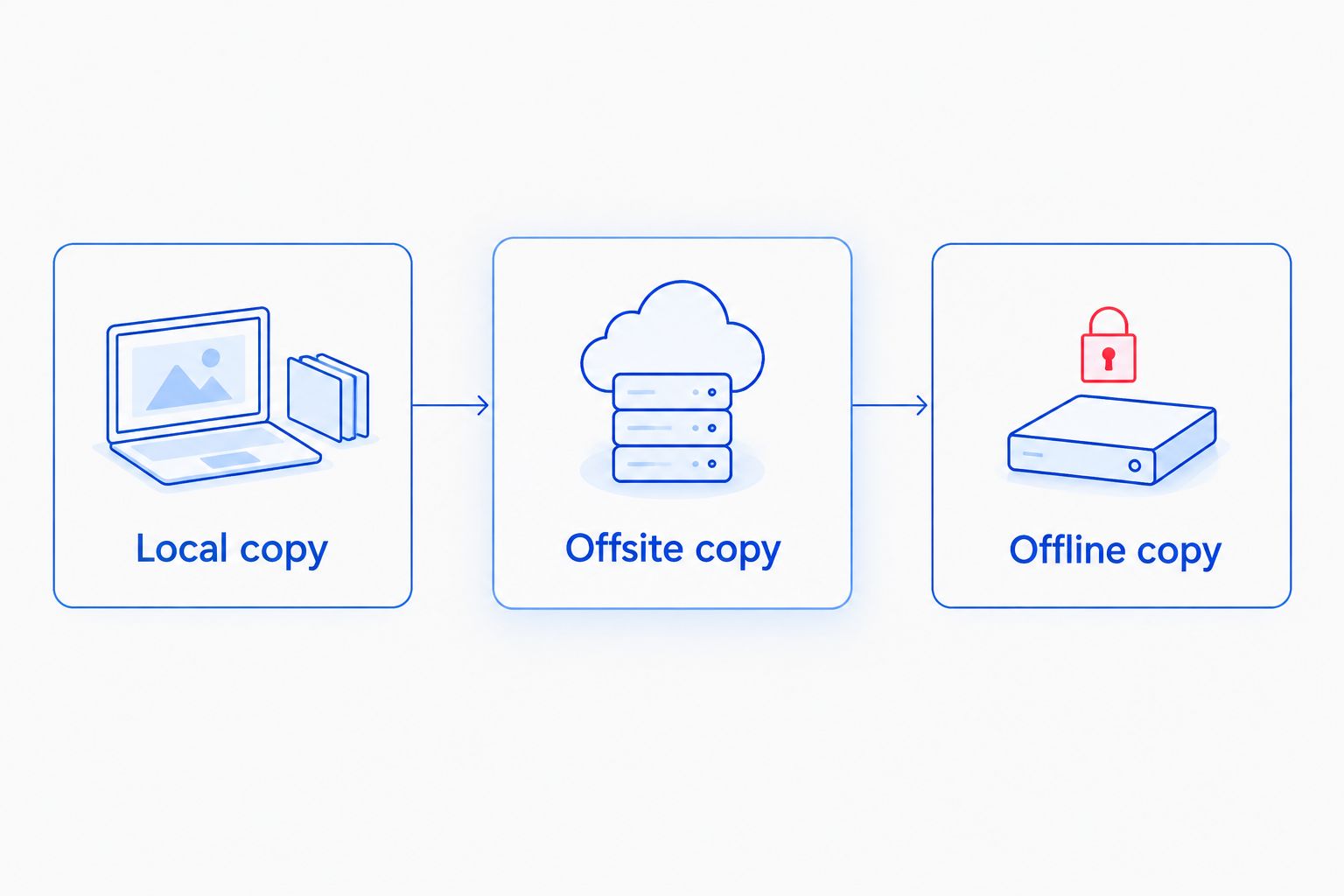
- The 3-2-1 backup rule — 3 copies, 2 media types, 1 offsite — is the single biggest factor in a no-ransom recovery in 2026.
- Cloud sync alone is not a backup: ransomware that encrypts local files syncs the encrypted version too.
- Businesses with no backup and no ransom payment often lose the data permanently, not just temporarily.
- A tested restore plan matters as much as having backups — untested backups fail at the worst moment.
Why this matters
Ransomware groups target small businesses precisely because most run without a tested backup plan. A 2026 attack doesn't just lock files — modern strains actively hunt for connected backup drives and cloud sync folders before triggering encryption, because attackers know a working backup is the one thing that kills their leverage.
That's why the honest answer to "can small businesses recover without paying" isn't a flat yes or no. It depends entirely on decisions made weeks or months before the attack, not anything done during it. Managed IT support that can stop a ransomware attack before it spreads changes the outcome far more than anything a business does after the ransom note appears.
Can small businesses recover from a ransomware attack without paying the ransom?
The short version: recovery without payment is realistic, but only under specific conditions. Here's how the three common positions compare.
| Situation | Recovery without paying | Verdict |
|---|---|---|
| Offline/immutable backups, tested restore | High — files restore from a copy ransomware never touched | Recommended path |
| Cloud sync only, no offline copy | Low — encrypted files often sync before detection | Risky, close the gap |
| No backups, no payment | Data usually lost permanently | Worst outcome |
The middle row trips up more small businesses in 2026 than any other. Dropbox, Google Drive, and OneDrive sync folders feel like backups but behave like mirrors — they copy whatever state the file is in, encrypted or not. Anti-ransomware tools built for small businesses catch the encryption process early enough to limit how much gets synced, but they're a second layer, not a replacement for an offline copy.
Recovering with offline, immutable backups
Businesses running immutable or air-gapped backups have the strongest position. Immutable storage locks a backup snapshot so nothing — not even an administrator account compromised by the attacker — can alter or delete it for a set retention window. Combined with an offline copy that's physically or logically disconnected from the network, this setup gives IT teams a clean restore point regardless of when the ransomware struck.
Verdict: Buy into this setup now. It's the difference between a bad Tuesday and a business-ending event.
Recovering with cloud-only backup, no offline copy
Cloud backup services that version files (keeping prior versions instead of just overwriting) offer a partial safety net — restoring to a version from before the encryption event can work if the provider retains enough version history and the infection is caught fast. But standard file-sync tools without versioning offer none of that protection. Checking what cloud backup actually costs for small businesses in 2026 is worth doing before assuming sync equals backup.
Verdict: Hold — upgrade to a versioned or immutable cloud backup before treating this as sufficient.
Recovering with no backups at all
No backup and no ransom payment usually means the data is gone. Free decryption tools exist for some older, cracked ransomware families, but current strains used in 2026 attacks are built specifically to resist them. Businesses in this position sometimes recover partial data through forensic recovery of unencrypted file fragments, but it's inconsistent and slow.
Verdict: Skip this position entirely — it's the one to fix before an attack, not during one.
Why ransomware recovery outcomes vary
A handful of factors separate a same-week recovery from a permanent data loss:
- Backup age and testing — a backup that's never been restored in a drill is a guess, not a plan
- Network segmentation — flat networks let ransomware reach backup servers and file shares in minutes
- Detection speed — the longer encryption runs undetected, the more gets synced or overwritten
- Employee training — most ransomware still enters through a phishing email an employee opens
- Cyber insurance and incident response contacts — having a response plan and IT support on call before the attack, not after
- Patch and endpoint hygiene — unpatched software and missing endpoint protection are the most common entry points found after the fact
“A backup only counts if ransomware can't reach it too.”
A written business continuity plan for a small business turns these factors into a checklist instead of a scramble, which is exactly what separates the businesses that recover in days from the ones still rebuilding a month later.
Get your backups checked before an attack
TechConnect reviews backup setups and ransomware exposure across NC.
FAQ
Can small businesses recover from a ransomware attack without paying?
Small businesses recover from a ransomware attack without paying when they hold offline or immutable backups from before the infection and can restore from them. Without that backup layer, recovery without payment is unreliable and often impossible in 2026.
Is it illegal to pay a ransomware ransom?
Paying a ransom isn't automatically illegal, but it can violate U.S. sanctions law if the payment goes to a sanctioned group or region. Many insurers and legal advisors treat payment as a last resort precisely because of this exposure.
Do backups guarantee ransomware recovery?
Backups only guarantee recovery if they're offline or immutable and have been tested with a real restore. A backup connected to the same network as the infected systems can be encrypted right alongside everything else.
How long does ransomware recovery take without paying?
Recovery time depends on backup size, restore infrastructure, and how much of the network needs rebuilding from scratch. Businesses with tested offline backups typically restore core systems faster than those improvising a recovery plan mid-incident.
What's the difference between cloud sync and cloud backup for ransomware protection?
Cloud sync mirrors whatever state a file is in, including an encrypted one, while true cloud backup keeps separate versioned snapshots you can roll back to. Only versioned or immutable cloud backup offers real ransomware protection.
Should a small business ever pay a ransomware ransom?
Paying doesn't guarantee a working decryption key, and it marks the business as a payer for future attacks. Most incident response guidance treats payment as the fallback only after backup restoration has been ruled out.
Can antivirus software stop ransomware before it encrypts files?
Modern endpoint protection can catch and stop many ransomware strains during the encryption process, but it's not foolproof against new or targeted attacks. It works best as one layer alongside offline backups, not as the only defense.
One last thing
The detail most small businesses miss in 2026 isn't the backup itself — it's the restore test. A backup nobody has ever restored from is a hope, not a plan, and the first time many businesses discover their backup was corrupted, incomplete, or years out of date is during the actual attack. Schedule a restore drill before ransomware forces one.