
Ransomware locks files, but whether a backup service can bring them back depends entirely on where those backups lived and how they were structured before the attack hit. This breaks down which backup types actually survive a ransomware event in 2026 and which ones get encrypted right alongside everything else.
- Data backup services restore files after a ransomware attack only when backups sat isolated from the infected network before encryption started.
- Cloud sync folders like OneDrive or Dropbox often replicate the encrypted files instead of protecting them.
- Restoring files does not remove the ransomware itself - the infected machine still needs to be wiped or rebuilt first.
- Air-gapped and version-history cloud backups have the highest restore success rate going into 2026.
- Managed IT support that isolates the network before restoring cuts the risk of re-infecting the fresh backup.
Why this matters
Ransomware doesn't just target your working files anymore - it targets whatever is connected to them, including mapped drives and synced cloud folders. The widely cited 3-2-1 backup standard (three copies of data, on two different media, with one stored offsite) exists specifically because a single connected backup gets caught in the same encryption event as the original files.
A business that assumes "we have backups" without checking how those backups are structured often finds out the hard way that the backup was just as infected as the desktop. That's the gap between having a backup and having a backup that restores files after a ransomware attack. Managed IT support that stops a ransomware attack before it spreads addresses the front half of this problem; the backup structure addresses the back half.
Can data backup services restore files after a ransomware attack?
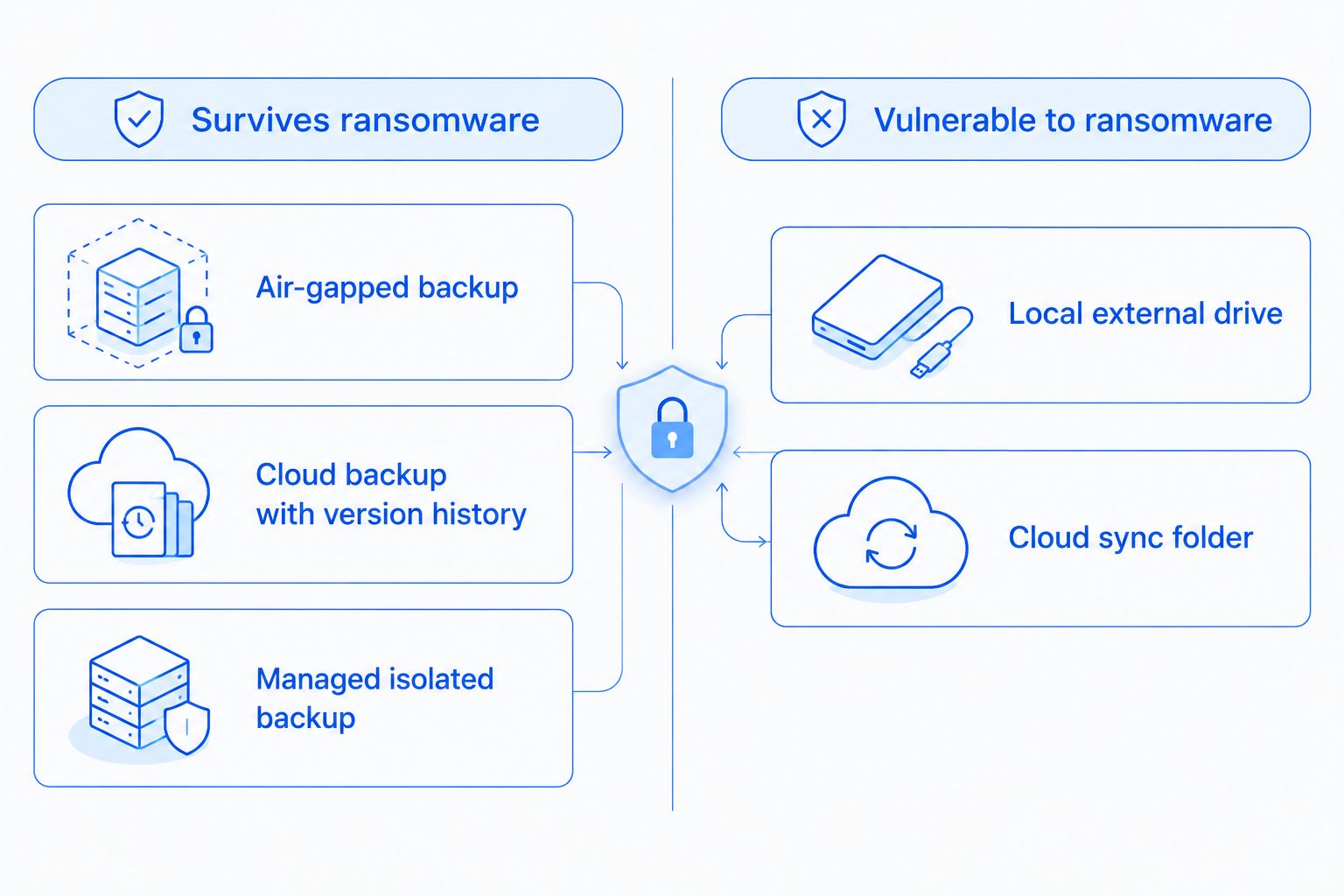
Yes, but only the backup types that were isolated from the infected system at the moment ransomware executed. Anything actively connected to the network - a mapped local drive, a synced cloud folder - is fair game for the same encryption process that hit your desktop files.
| Backup Type | Ransomware Resilience | Restore Verdict |
|---|---|---|
| Local external drive (left connected) | Low - encrypts along with local files | Skip |
| Cloud sync folder (OneDrive, Dropbox, Google Drive) | Low to medium - often syncs the encrypted version | Caution |
| Cloud backup with version history | High - rolls back to a snapshot before infection | Buy |
| Air-gapped / offline backup | Highest - never touched by network-based malware | Buy |
| Managed backup with isolated cloud storage | Highest - versioning plus network isolation | Buy |
The pattern is simple: the more distance between the backup and the live network, the better the odds it survives. A best cloud backup service that keeps version history separate from the live file system is the difference between a clean restore and restoring an already-encrypted copy.
Local external drives: usually the weakest link
An external hard drive plugged into the infected PC at the time of attack is treated by ransomware exactly like any other connected volume. If it was mapped as a drive letter, encryption reaches it. Verdict: skip relying on a connected external drive as your only backup.
Cloud sync folders: convenient, not protective
OneDrive, Dropbox, and Google Drive sync changes in near real time, which means an encrypted file often gets pushed to the cloud copy within minutes. Some of these services keep limited version history that can roll back a file, but that's a feature of the storage tier, not a designed ransomware defense. Verdict: caution - don't treat sync as backup.
Cloud backup with version history: the reliable middle ground
A true backup service snapshots files on a schedule and keeps prior versions separate from the live copy. If ransomware hits on a Tuesday, the Monday snapshot restores clean because it was never touched by the infection. Verdict: buy, and confirm the retention window covers at least 30 days.
Air-gapped and managed isolated backups: the strongest option
Air-gapped backups sit disconnected from the network entirely - offline drives rotated out of the building, or managed backup infrastructure that isolates client data from write access once the snapshot completes. Ransomware can't reach what it can't see on the network. Verdict: buy for any business that can't afford downtime.
Why restoration success varies
Not every backup labeled "backup" behaves the same way once ransomware hits. A few factors decide whether the restore actually works:
- Whether the backup was actively connected to the infected network when the ransomware triggered
- How far back the version history goes - some ransomware strains sit dormant for weeks before encrypting, so a shallow history can still be compromised
- Whether the backup vendor stores immutable snapshots or copies that can be overwritten
- How fast the infected system gets isolated once ransomware is detected, which limits how far the encryption spreads before backups are cut off
- Whether the administrator credentials used to access backups were also compromised in the same attack
- Whether the business actually tests restores on a schedule instead of assuming the backup works until the day it's needed
A business continuity and disaster recovery plan is where most of these factors get documented and tested ahead of time, rather than figured out mid-incident.
Check if your backups would survive ransomware
Free diagnostic for NC homes and businesses on how your current backups are structured.
How long does it take to restore files after a ransomware attack?
Restore time depends on the backup type and the amount of data, ranging from a few hours for a small file set pulled from cloud version history to several days for a full server rebuild from an air-gapped copy. The bigger time cost is usually isolating and rebuilding the infected system before the restore even starts, not the data transfer itself.
Do I still need to pay the ransom if I have backups?
No - a clean, isolated backup means files can be restored without paying, which is the entire point of maintaining one. The infected machine still needs the ransomware fully removed and the network re-secured before reconnecting anything, or the fresh restore gets hit again.
Can antivirus software remove ransomware before I restore files?
Antivirus software can detect and quarantine many ransomware strains before encryption finishes, but once files are already encrypted, removing the malware doesn't decrypt them. Restoration has to come from a backup taken before the infection, not from cleaning the infected system after the fact - see how antivirus handles malware already installed for the mechanics.
TechConnect handles this exact sequence for North Carolina businesses: isolate the infected network first, then restore from whichever backup layer survived, then rebuild the affected machines before reconnecting. That order matters more than which backup service name is on the invoice.
FAQ
Can data backup services restore files after a ransomware attack?
Yes, if the backup was isolated from the network before the ransomware encrypted files - air-gapped and versioned cloud backups typically restore clean, while connected drives and sync folders often get encrypted too.
How long does it take to restore files after a ransomware attack?
Restore time ranges from a few hours for a small file set pulled from cloud version history to several days for a full server rebuild from an offline backup. Isolating and rebuilding the infected system usually takes longer than the actual data transfer.
Do I still need to pay the ransom if I have backups?
No, a clean backup lets you restore files without paying. The infected machine still needs the ransomware removed before it reconnects to anything, including the restored files.
Will cloud sync services like OneDrive or Dropbox protect files from ransomware?
Not reliably, because sync services often push the encrypted version of a file to the cloud within minutes of infection. Treat sync as convenience, not backup.
What is the best backup type for surviving a ransomware attack in 2026?
Cloud backups with version history and air-gapped offline copies have the highest restore success rate in 2026, because both stay disconnected from the live network during an attack.
How often should backups be tested for ransomware recovery?
Backups should be test-restored on a regular schedule, not just monitored for completion. A backup that completes its nightly job but has never been restored is an unverified assumption, not a safety net.
Can a managed IT provider help recover files after ransomware hits?
Yes, a managed IT provider isolates the infected network, identifies which backup layer stayed clean, and restores from that layer before reconnecting systems, which lowers the risk of re-infecting the fresh restore.
Does antivirus software remove ransomware after files are already encrypted?
Antivirus can quarantine the ransomware process, but it cannot decrypt files that are already locked. Recovery has to come from a backup taken before the infection.
One last thing
The backup most businesses trust the least - the boring offline drive rotated out of the building - is usually the one that survives ransomware the best in 2026, precisely because nothing about it is convenient or connected. If your current backup setup is fast, automatic, and always online, that's worth double-checking rather than trusting.