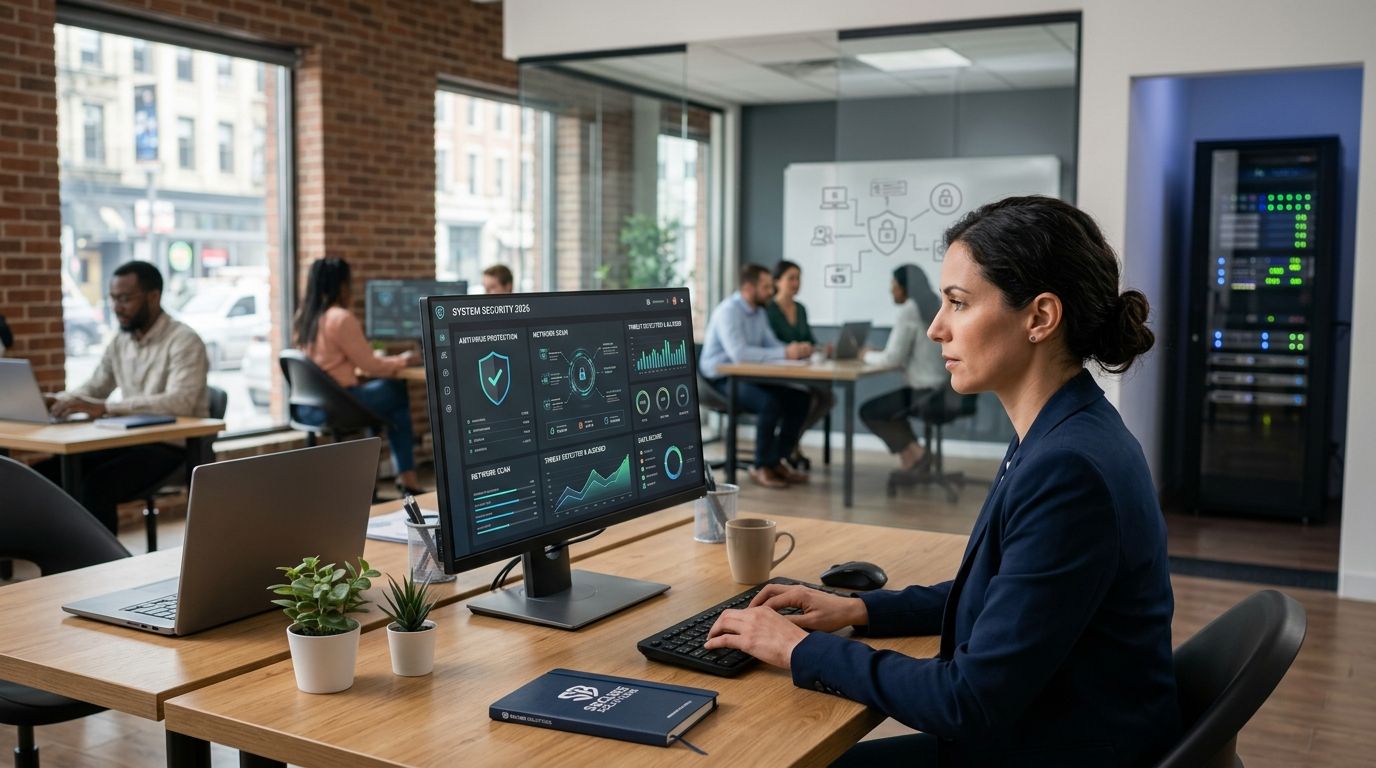
Ransomware attacks on small businesses don't slow down because a company has fewer than 50 employees — they speed up, because attackers know smaller shops skip patching and skimp on backups. This guide ranks the anti-ransomware tools worth deploying in 2026, plus where a managed provider beats a standalone license.
- Sophos Intercept X with XDR wins overall for its file rollback after an encryption event.
- Microsoft Defender for Business is the best anti ransomware tool for small business teams already paying for Microsoft 365.
- Bitdefender GravityZone Business Security is the strongest budget pick for shops under 20 endpoints.
- TechConnect LLC Managed Ransomware Protection fits North Carolina businesses that want a technician managing the stack, not just a license.
- Every tool on this list needs a tested backup behind it — software alone does not undo an encrypted file share.
Why this matters
A ransomware note doesn't ask if you have antivirus — it assumes you do and got past it anyway. The best anti ransomware tools for small business in 2026 combine behavioral detection with rollback or recovery, not just signature scanning. Traditional antivirus catches known malware; ransomware families rotate faster than signature databases update, which is why every tool below leans on behavioral analysis, isolation, or backup integration instead of relying on virus definitions alone.
Small businesses in North Carolina face the same exposure as any other small operation — managed endpoint protection closes gaps that a single desktop antivirus license leaves open, particularly around lateral movement between machines on the same network. If your team is still running consumer-grade antivirus on business machines in 2026, that's the first thing to fix before comparing tools.
What makes the best anti-ransomware tool
- Behavioral detection that flags mass file encryption in real time, not just known malware signatures
- Rollback or remediation that restores encrypted files without a full system rebuild
- Centralized management so one person can see every endpoint's status from a single console
- Backup integration because software-only protection fails the day a zero-day gets through
- Low false-positive rate — tools that flag every backup job as suspicious get disabled by frustrated staff
- Deployment simplicity for teams with no dedicated security hire
At a glance
| Tool | Best for | Standout feature | Key limitation |
|---|---|---|---|
| Sophos Intercept X with XDR | Ransomware rollback | CryptoGuard file rollback | Requires Sophos console fluency to tune policies |
| Microsoft Defender for Business | Microsoft 365 shops | Native integration with existing M365 licensing | Weaker standalone reporting outside the Microsoft ecosystem |
| CrowdStrike Falcon Go | Teams with no dedicated IT staff | Cloud-native agent with minimal local footprint | Overkill feature set for a five-person office |
| Bitdefender GravityZone Business Security | Budget-conscious small teams | Lightweight agent, low system resource use | Fewer advanced XDR features than enterprise-tier competitors |
| Acronis Cyber Protect | Backup and anti-ransomware in one console | Combines backup jobs with active ransomware defense | Backup and security features compete for the same license tier |
| TechConnect LLC Managed Ransomware Protection | NC businesses wanting hands-on setup | A technician configures, monitors, and tunes the stack | Service area is North Carolina, not national |
1. Sophos Intercept X with XDR: best overall anti ransomware tool
Sophos Intercept X built its reputation on CryptoGuard, a rollback feature that reverts files encrypted mid-attack without waiting for a backup restore. It pairs behavioral detection with extended detection and response (XDR), which correlates activity across endpoints, firewalls, and email to spot an attack chain before encryption finishes.
Sophos Intercept X pros:
- File rollback works even when the initial detection misses the first few encrypted files
- XDR correlation catches attacks that start in email and move to endpoints
- Central console covers Windows, Mac, and server endpoints from one dashboard
Sophos Intercept X cons:
- Policy tuning takes real configuration time for a team without prior Sophos experience
- Full XDR value requires buying into the broader Sophos ecosystem, not just the endpoint agent
Best for: small businesses that want rollback as a safety net, not just detection. Verdict: Buy.
2. Microsoft Defender for Business: best for Microsoft 365 shops
Defender for Business ships as part of certain Microsoft 365 Business plans, which makes it the path of least resistance for companies already standardized on Microsoft's ecosystem. It handles behavioral detection, automated investigation, and threat and vulnerability management without adding a separate vendor to manage.
Microsoft Defender for Business pros:
- Bundled into existing Microsoft 365 licensing for many small business tiers
- Single admin identity across email, files, and endpoints reduces the number of consoles a small IT team juggles
- Automated investigation resolves common alerts without manual triage
Microsoft Defender for Business cons:
- Reporting and threat intelligence lag behind dedicated security vendors outside the Microsoft stack
- Businesses on Google Workspace or mixed environments lose most of the integration advantage
Best for: teams already paying for Microsoft 365 who don't want a second vendor relationship. Verdict: Buy.
3. CrowdStrike Falcon Go: best for teams with no dedicated IT staff
Falcon Go is CrowdStrike's small-business tier, built on the same cloud-native architecture as its enterprise Falcon platform but scaled down for teams without a security operations center. The agent is lightweight and the console is designed to be usable by an office manager, not just a security analyst.
CrowdStrike Falcon Go pros:
- Cloud-native agent updates without manual patch pushes
- Console designed for non-security staff to read alerts without a translation layer
- Behavioral AI model trained on a large detection dataset across CrowdStrike's customer base
CrowdStrike Falcon Go cons:
- Feature depth exceeds what a five-to-ten person office typically needs
- Some advanced threat-hunting features are gated to higher tiers
Best for: a small office that wants enterprise-grade detection without hiring a security analyst. Verdict: Buy.
4. Bitdefender GravityZone Business Security: best budget option
GravityZone Business Security targets small teams that need real ransomware protection without the overhead of an XDR platform. The agent runs light on system resources, which matters for offices still running a mix of older desktops and newer laptops.
Bitdefender GravityZone pros:
- Low system resource use keeps older hardware usable
- Simple deployment for teams under 20 endpoints
- Behavioral detection catches ransomware patterns without heavy tuning
Bitdefender GravityZone cons:
- Lacks the deeper XDR correlation features found in Sophos or CrowdStrike
- Advanced reporting requires stepping up to a higher GravityZone tier
Best for: small teams that need dependable protection without enterprise pricing complexity. Verdict: Buy.
5. Acronis Cyber Protect: best for combining backup and anti-ransomware
Acronis built Cyber Protect around a single premise: backup and security shouldn't be two separate purchases from two separate vendors. The platform runs active ransomware defense alongside scheduled backup jobs, so a blocked attack and a recent restore point live in the same console.
Acronis Cyber Protect pros:
- Backup jobs and anti-ransomware detection share one console and one agent
- Active protection can quarantine a process mid-encryption and flag the affected files
- Reduces vendor sprawl for teams that would otherwise run separate backup and security tools
Acronis Cyber Protect cons:
- Combining backup and security in one license means outages in one module can affect visibility into the other
- Smaller teams sometimes over-license storage tiers they don't need
Best for: businesses that want backup and ransomware defense under one login. Verdict: Buy, and pair it with a tested business continuity plan rather than treating the software as the entire recovery strategy.
6. TechConnect LLC Managed Ransomware Protection: best for hands-on local management
TechConnect LLC configures and monitors endpoint protection as part of its managed IT support for homes and businesses across North Carolina, rather than selling a standalone license and walking away. A technician sets up the detection policies, tunes them against your actual traffic patterns, and handles the response if an alert fires — which matters for offices with no in-house IT person to interpret a console at 7 PM.
TechConnect LLC pros:
- A technician configures and tunes the protection stack instead of leaving default settings in place
- Managed IT support covers PC tune-ups, virus removal, and data backup alongside ransomware defense, so one provider handles the full stack
- Local NC availability means a real person answers when something looks wrong
TechConnect LLC cons:
- Service area is North Carolina — not a fit for a business with locations spread across multiple states
- Managed support suits businesses that want ongoing oversight, not a one-time software purchase
Best for: North Carolina small businesses that want a person managing the tool, not just a license key. Verdict: Buy if you're local and want hands-on setup instead of self-managing a console.
“If a tool cannot roll back encrypted files without restoring from a separate backup, it is not ransomware protection -- it is antivirus with a marketing budget.”
How this list was ranked
Each tool was weighed against the six criteria above: behavioral detection, rollback capability, centralized management, backup integration, false-positive rate, and deployment simplicity. Sophos took the overall spot because CryptoGuard rollback directly answers the failure mode that matters most — files already encrypted before detection fired. Microsoft Defender and Bitdefender earned their slots on integration and cost efficiency rather than raw feature depth, and TechConnect's managed option earned its place because tuning and monitoring matter as much as the software license for a team with no security staff.
Which anti-ransomware tool should you choose?
If you're already on Microsoft 365, start with Microsoft Defender for Business before adding another vendor. If ransomware rollback matters more than anything else on this list, Sophos Intercept X with XDR is the pick for 2026. Budget-tight teams under 20 endpoints do fine with Bitdefender GravityZone, and any North Carolina business that wants a technician configuring and watching the stack instead of self-managing a console should look at TechConnect LLC's managed ransomware protection. Whatever you pick, verify it pairs with a backup you've actually tested — network security services and endpoint tools only stop attacks they detect, and none of them detect everything.
Get your ransomware protection reviewed
Free diagnostic for NC businesses evaluating their current setup.
FAQ
What are the best anti ransomware tools for small business in 2026?
Sophos Intercept X with XDR, Microsoft Defender for Business, CrowdStrike Falcon Go, Bitdefender GravityZone, and Acronis Cyber Protect all rank as strong 2026 options depending on your existing stack and budget.
Is antivirus enough to stop ransomware?
No. Standard antivirus relies on known signatures, while ransomware variants change faster than signature databases update, which is why behavioral detection and rollback features matter more in 2026.
Does backup software replace anti-ransomware protection?
No. Backup restores data after an attack; anti-ransomware tools try to stop the encryption before it happens. You need both, not one instead of the other.
What is ransomware rollback?
Rollback is a feature, like Sophos CryptoGuard, that reverts files to their pre-encryption state automatically when ransomware activity is detected, without requiring a full backup restore.
Can a small business with no IT staff manage anti-ransomware software?
Some tools, like CrowdStrike Falcon Go, are built for non-technical staff to read alerts, but many small businesses get better results from managed IT support that handles configuration and response directly.
Is Microsoft Defender for Business good enough for a small business?
For businesses already on qualifying Microsoft 365 plans, Defender for Business covers core ransomware detection without adding a second vendor, though its reporting is weaker outside the Microsoft ecosystem.
How often should ransomware protection settings be reviewed?
Review detection policies whenever your network changes meaningfully -- new staff, new devices, or a new office location -- since default settings rarely match a business's actual traffic patterns.
One last thing
The tool that stops the attack matters less than the backup you never tested. Every vendor on this list, including TechConnect LLC's managed option, assumes you have a restore point that actually works — run a real recovery test in 2026 before you find out during an actual incident that your backup job silently failed six months ago.


