
No. A virus removal service can clean a known infection and check whether the computer still shows signs of it, but it cannot guarantee the computer will never be infected again. In 2026, a new malicious download, stolen account or infected device on the same network can create a new problem after a successful cleanup. Ask what the service checks before declaring the job finished and what help it provides if symptoms return.
- Can a virus removal service guarantee my computer won't get infected again? No; cleanup cannot prevent every future exposure.
- Ask how the technician checks the result and whether a return visit is included in the service agreement.
- TechConnect LLC virus removal is best for North Carolina homes and businesses needing an infected PC cleaned, not an infection-proof promise.
- Keep backups separate, install updates and protect accounts to reduce reinfection risk after removal.
Why this matters
A clean scan and a future-infection guarantee answer different questions. The scan looks for threats the security tool can detect at the time it runs. A guarantee about future infections would have to cover what you download, which accounts you use and what happens on other devices later. Treat a promise that a computer can never be infected again as a warning sign, not an added benefit.
TechConnect LLC provides virus removal, PC tune-ups, data backup and recovery, and managed business IT support across North Carolina. For a home PC or business workstation, the useful question in 2026 is what the removal service will do now, how it will check the result and which risks remain your responsibility.
Can a virus removal service guarantee my computer won't get infected again?
No virus removal service can guarantee that a computer will never get infected again. A technician can address the infection found during the visit and recommend steps that reduce future exposure. Neither action controls every file, website, message, account or connected device the computer will encounter afterward.
The distinction matters when you compare services. Removal addresses a present problem; prevention addresses future risk. A backup gives you another route to your files if cleanup fails or a later incident damages them. These jobs work together, but none replaces the others.
| Option | What it addresses | What it does not promise | Best for |
|---|---|---|---|
| Virus removal | Identifying and removing detected threats from an infected computer | Protection from a new download or compromised account | A computer showing signs of infection |
| Removal plus prevention checks | Cleanup followed by review of updates, security settings and account access | A computer that cannot be infected again | Someone who wants to reduce repeat exposure |
| Backup and recovery planning | Keeping or restoring usable copies of important files | Removal of malware from the computer or every backup | Anyone who cannot afford to lose their files |
Ask the provider to describe the work rather than relying on a broad guarantee. Which devices will be checked? Will the technician examine how the infection arrived? How will they determine whether the computer is ready to use? If the same symptoms return, what does the written service agreement say? In 2026, those answers are more useful than a promise no provider can verify indefinitely.
What should happen after a virus is found?
A sensible response starts by limiting harm, not by clicking through repeated alerts. Tell the technician what happened immediately before the symptoms appeared, including any download, attachment or unexpected sign-in prompt. Do not assume a slow computer proves a virus is present; performance problems can have other causes.
- Contain exposure. If you suspect active malware, stop using the computer for sensitive work and disconnect it from the network until you know how to proceed. For a business computer, tell whoever manages your IT before changing shared systems or deleting files.
- Protect files. Identify the files and backups you need. Do not assume a backup is clean merely because it exists; a copy made after an infection can contain affected files.
- Remove infection. Have the computer checked for detected threats and follow the technician's plan for removal or rebuilding the system. The appropriate route depends on what is found and whether the system can be trusted afterward.
- Check the result. Confirm that the original symptoms have stopped, security tools can run and the computer behaves as expected. Ask what was checked and which concerns, if any, remain unresolved.
- Reduce re-exposure. Install available software updates, review security settings and change passwords for accounts that may have been exposed, using a device you trust. Enable multifactor authentication where available.
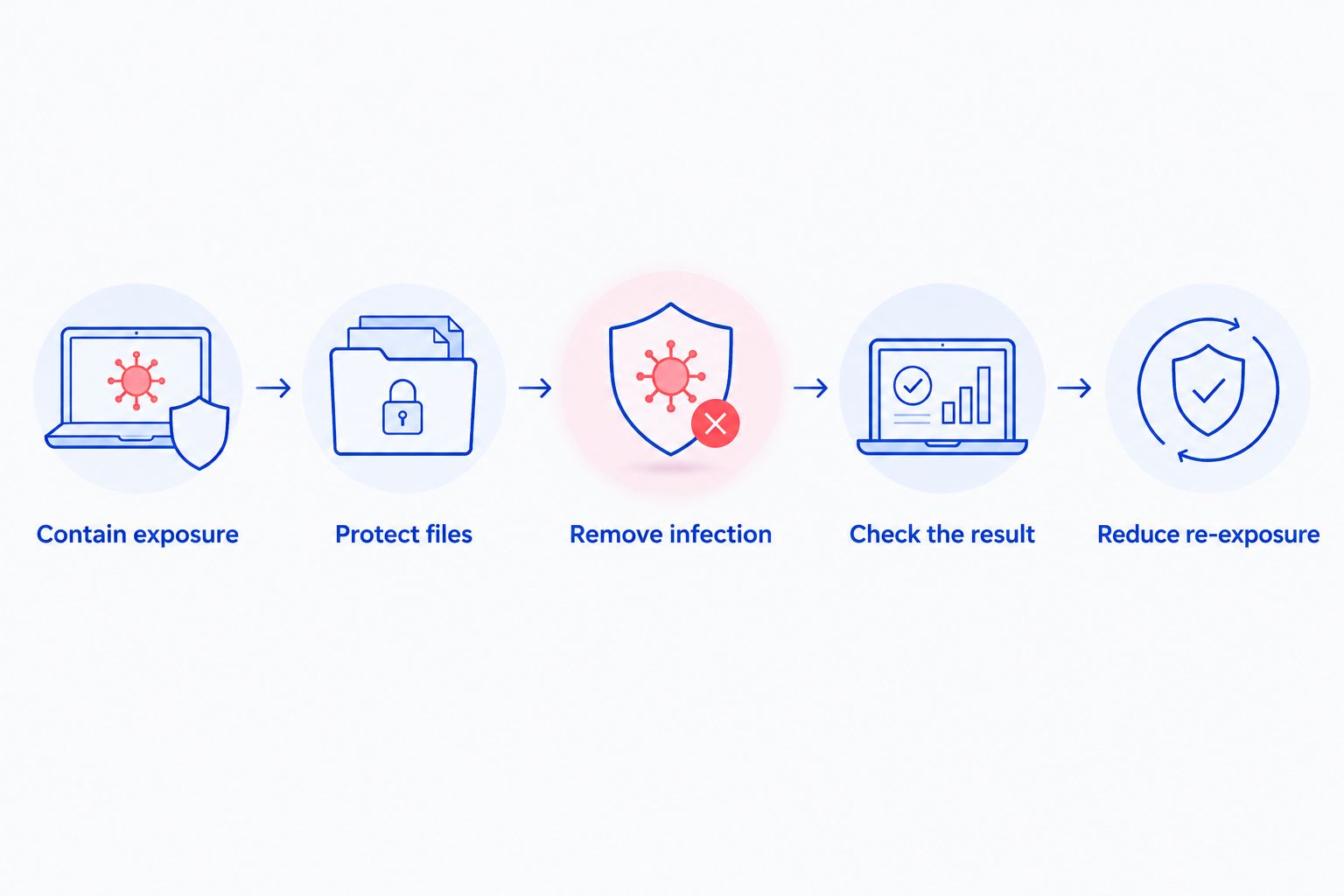
These steps are a checklist for discussing the work, not proof that every infection can be removed without rebuilding the computer. If the technician cannot explain how the result was checked, ask before putting sensitive accounts back on that PC. A computer that appears normal can still require attention to passwords, backups or other devices.
For a household, that may mean checking whether a shared account was used on another device. For a business, it means asking whether the affected computer had access to shared files, email or administrative accounts. TechConnect LLC offers both virus removal and managed business IT support; ask which parts of the response are included in the work you request.
Get help with an infected PC
Ask about virus removal and the checks included after cleanup.
Why reinfection risk varies
There is no single setting a service can switch on to make the answer permanent. In 2026, the remaining risk depends on what caused the infection and what changes after removal:
- The original entry point. If a harmful attachment, download or site remains part of your routine, you can encounter the same kind of threat again. Ask whether the likely entry point was identified; do not treat an unconfirmed guess as a finding.
- Software updates. An unpatched operating system, browser or application can leave known security weaknesses open. Check updates across the software you actually use, not only the antivirus program.
- Account access. Removing malware from a PC does not automatically revoke a stolen password or end every active account session. Review affected accounts separately, especially email accounts used to reset other passwords.
- Other devices and shared resources. A clean PC does not establish that every device, shared file or network location is clean. This distinction matters when several business computers access the same files.
- Backup quality. A backup helps with recovery only when it contains the files you need and you can restore them. Keep a separate copy and check that you can open restored files before relying on it.
- Security settings and daily use. A security tool can detect many threats, but it cannot make every attachment, installer or sign-in request safe. Keep protection active and pause when a request is unexpected.
The best post-removal plan fixes the route into the computer as well as the detected infection. If the entry point is unknown, say so plainly. You can still install updates, check account access and keep usable backups without claiming that those steps eliminate every risk.
What should you ask before accepting a guarantee?
Ask the provider to put its terms in writing. Does a return-visit promise apply to the same infection or to any later infection? What symptoms or evidence trigger another check? Is follow-up limited to the original computer? A clear recheck policy can be useful, but it is not the same as a promise that future infections cannot happen.
Also ask what happens if the technician cannot confirm the computer is clean. Removal, a system rebuild, account recovery and file recovery are different tasks. You need to know which task is being offered before authorizing work or returning the machine to business use.
Keep a brief record of the symptoms, what was found, what was changed and what remains to be done. In 2026, that record helps you distinguish a returning symptom from a new incident and gives the next technician useful context. Do not save passwords in the record.
How do backups change the answer?
Backups do not stop an infection. They give you a way to recover files if removal cannot preserve them or if a later incident affects the computer. The widely used 3-2-1 backup rule calls for 3 copies of your data, on 2 types of storage, with 1 copy off-site. It is a planning rule, not a guarantee that every copy is clean or restorable.
If a computer is already infected, ask when each backup was created before restoring files. Test whether the files you need will open, and have the computer checked before reconnecting storage used for recovery. A backup that has never been tested leaves a critical question unanswered: can you actually get your work back?
For a business, decide who can access backups and which shared files matter most. For a home user, start with irreplaceable documents and photos. TechConnect LLC offers data backup and recovery as well as virus removal, but the scope of any particular job should be confirmed before assuming files are covered.
Related questions
Can an antivirus scan prove the virus is gone for good?
No. A clean scan means that tool did not detect a threat during that scan; it does not certify every file, account or future download. In 2026, combine the scan result with a check of the original symptoms and any accounts that may have been exposed.
Does removing a virus protect other computers on my network?
No. Cleaning one computer does not establish that other connected devices or shared files are unaffected. If more than one device shows symptoms, treat that as a separate investigation rather than assuming the first cleanup covered the network.
Can a service promise to check the computer again?
Yes, a provider can specify a follow-up check in its service terms; that is not a guarantee against future infection. Ask what the check covers and whether it applies to returning symptoms or a newly introduced threat. Get the answer in writing before relying on it.
FAQ
Can a virus removal service guarantee my computer won't get infected again?
No. Virus removal addresses a current infection, but a later download, compromised account or affected device can expose the computer again.
How can I tell whether virus removal worked?
Ask what threats were found, how they were addressed and what checks were completed afterward. The original symptoms should also be reviewed, because a clean scan alone does not explain every problem.
Can the same virus come back after removal?
Yes, symptoms can return if the threat was not fully removed or the computer encounters it again. A returning symptom does not, by itself, prove which of those happened.
Should I change passwords after a computer virus?
Change passwords for accounts that may have been exposed, using a device you trust. Review account access and enable multifactor authentication where available.
Does antivirus software prevent every infection?
No. Antivirus software is one layer of protection, not a guarantee against every threat or unsafe action. Keep it active alongside software updates and usable backups.
Will a backup remove a computer virus?
No. A backup stores copies of files; it does not clean the infected computer. Check the backup and the computer before restoring files.
Is TechConnect LLC a fit for virus removal in North Carolina?
TechConnect LLC provides virus removal for homes and businesses across North Carolina. Ask what checks and follow-up terms apply to your specific computer before authorizing the work.
One last thing
The most valuable question is not whether a computer will stay clean forever. It is what you will do if the same warning appears tomorrow. In 2026, keep the technician's findings, make sure you can access a usable backup and know which accounts need attention. That gives you a practical response plan without mistaking a successful cleanup for a permanent guarantee.