
A computer is never "too old" to fix in a literal sense — a technician can almost always get a machine running again. The real question is whether the repair costs less than replacement, and once a machine is roughly 9 to 13 years old, that math usually flips against fixing it.
- No PC becomes unrepairable purely from age — parts availability and cost decide it, not the calendar.
- Machines older than 9-13 years usually cost more to repair than to replace once you factor labor and parts.
- Windows 10 support ended October 14, 2025, which pushes many older PCs into forced replacement territory in 2026.
- A PC tune-up can fix slowdowns on machines up to about 8 years old without new hardware.
- Data recovery and file transfer matter more than repair cost when deciding whether to retire an old PC.
Why this matters
People ask "can a computer be too old to fix" right before they're about to either waste money on a doomed repair or throw out a machine that had one cheap fix left in it. Getting the call wrong in either direction costs real money — either a $200 repair on a machine that needed replacing anyway, or a new PC purchase when a $60 tune-up would've solved it.
The honest answer sits in the middle: age is a proxy for two real problems, not a problem itself. Those two problems are part availability and software compatibility — specifically, whether the machine can still run a supported operating system in 2026.
Can a computer be too old to fix?
The short version: no fixed age makes a computer unfixable, but three things stack up against older machines until repair stops making sense.
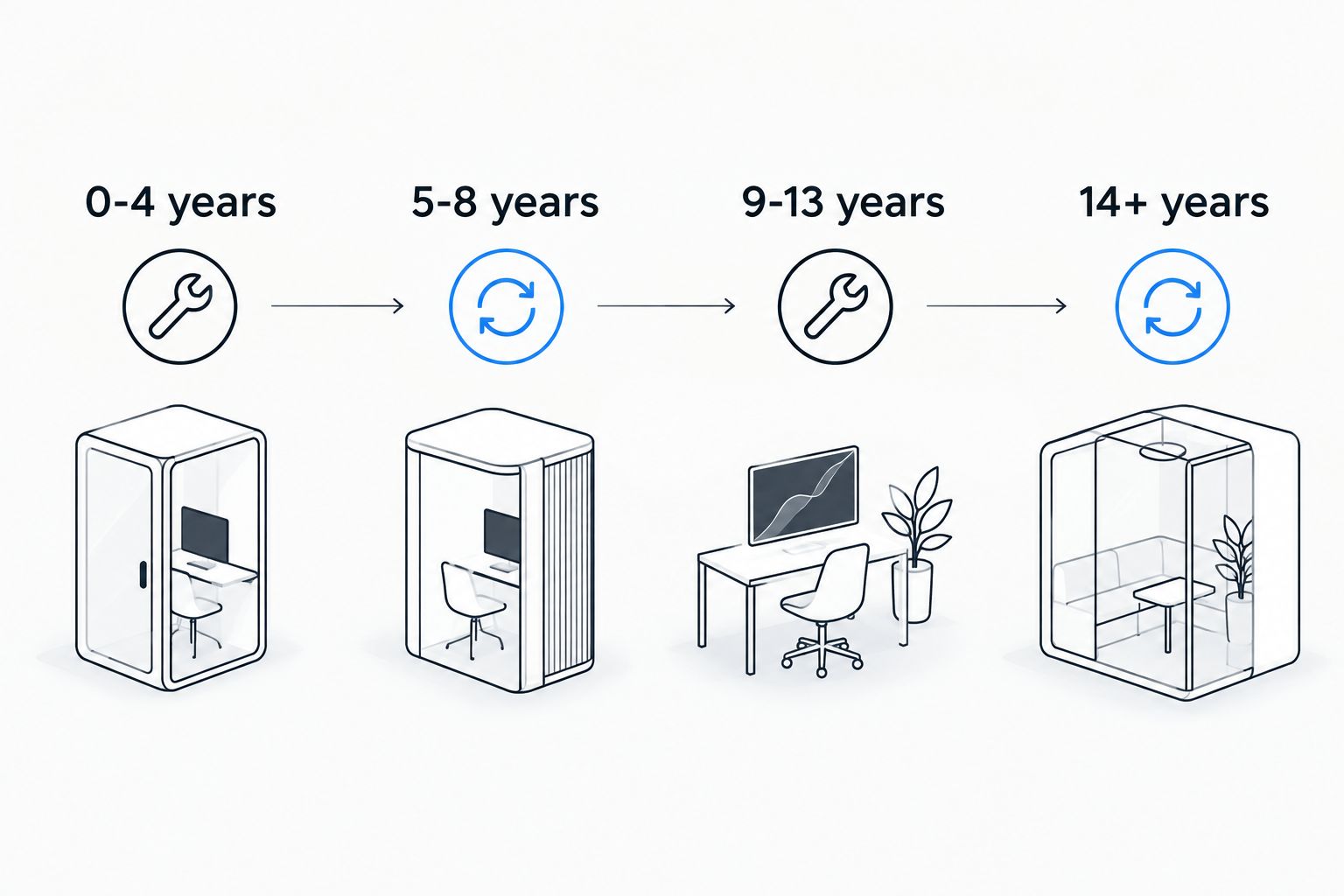
| Computer age | Typical condition in 2026 | Repair verdict |
|---|---|---|
| 0-4 years | Parts in production, repair almost always cheaper than replacement | Fix |
| 5-8 years | Parts available but pricier; software slowdowns are common | Fix (usually a tune-up, not new hardware) |
| 9-13 years | Motherboard and GPU parts scarce; may not meet Windows 11 requirements | Fix only cheap issues, replace for anything major |
| 14+ years | Discontinued parts, likely unsupported OS, mechanical drives near failure | Replace |
The table isn't a strict cutoff — a 12-year-old business desktop with a failed power supply is a $40 part swap and an easy fix. A 6-year-old laptop with a cracked motherboard from liquid damage can cost more to repair than a comparable new laptop. Age sets the odds; the specific failure decides the outcome.
Computers 0-4 years old: almost always worth fixing
Repairs on a computer this new are close to a formality. Parts are in current production, warranties may still apply, and a slow machine in this range is almost never a hardware problem — it's clutter, malware, or a startup queue that never got cleaned out. A PC tune-up resolves most complaints in this age bracket without touching hardware. Verdict: Fix.
Computers 5-8 years old: usually worth fixing
This is the range where people start asking the question, and it's also the range where fixing almost always wins. Parts are still sourceable, and the CPU generation from this window (2018 and later, roughly 8th-gen Intel Core or equivalent) meets Microsoft's Windows 11 hardware baseline — TPM 2.0 and Secure Boot support — so software obsolescence isn't forcing a replacement yet. A tune-up plus a storage drive swap covers most complaints here. Verdict: Fix.
Computers 9-13 years old: fix only the cheap stuff
This bracket is where the age question actually gets earned. Motherboards and specific laptop GPUs from this era are frequently discontinued, driving up repair cost when the part has to be sourced used or refurbished. Many machines in this range also predate the CPU generations Windows 11 supports, meaning even a successful hardware fix leaves you running an operating system without security updates in 2026. Verdict: Fix cheap issues (RAM, drive, battery). Replace for motherboard or GPU failure.
Computers 14+ years old: replace instead
Parts for machines this old are effectively discontinued outside of salvage. Mechanical hard drives in this range are past their expected service life and carry real failure risk, which turns any repair into a data recovery job as well as a hardware job. Combined with guaranteed incompatibility with current Windows releases, the repair math almost never favors fixing. Verdict: Replace, and prioritize getting files off the old drive before it's powered down for good — the old-PC-to-new-PC file transfer workflow covers that step by step.
Why "too old to fix" varies so much
- Part availability — a common laptop model still in production gets cheap replacement parts; a discontinued model doesn't.
- OS compatibility — Windows 10 lost official support on October 14, 2025, so a working repair can still leave you on an unsupported OS in 2026.
- Drive type — mechanical hard drives wear mechanically and fail with age; solid-state drives don't share that failure mode.
- What actually broke — a dead power button or bad RAM stick costs little regardless of age; a fried motherboard or GPU on an old machine often doesn't.
- Data at stake — if the machine holds files nobody backed up, recovery cost gets added to the decision, not just repair cost.
- Business vs. home use — a business machine running specialized software has a real cost to replacing early; a home PC used for browsing does not.
Get a free diagnostic before you decide
TechConnect checks the actual part, not just the birth year, before you spend on repair or replacement.
How do I know if my computer is worth fixing or replacing?
Compare the specific repair cost against a comparable new machine, not against the computer's original price — a $150 fix on a machine whose replacement costs $500 is worth it, while the same $150 fix on a computer whose replacement costs $180 usually isn't.
Is it cheaper to repair or replace an old computer?
Repair is cheaper for isolated failures (RAM, storage, battery, power supply) on machines under about 9 years old; replacement gets cheaper once the failed part is a motherboard, GPU, or display on a machine already past that age, since discontinued parts drive repair labor and sourcing costs up.
Can an old computer run Windows 11?
Only if the CPU meets Microsoft's minimum requirements, which generally means machines from 2018 or later with TPM 2.0 and Secure Boot support; anything older either can't upgrade or requires a workaround that skips official support, and checking whether the upgrade is worth it is worth doing before committing to a repair.
FAQ
Can a computer be too old to fix?
No fixed age makes a computer unrepairable in 2026 — the deciding factor is whether replacement parts are still available and whether the repair costs less than a new machine. Computers past 9-13 years old start losing that math because parts get scarce and pricier to source.
What is the average lifespan of a desktop computer?
Most desktops stay fully functional for 5-8 years before parts availability and software compatibility start working against repair. Laptops tend to run slightly shorter due to battery and thermal wear.
Is it worth fixing a 10-year-old computer?
It's worth fixing a 10-year-old computer for cheap, isolated failures like a bad RAM stick, failing battery, or slow hard drive. It's usually not worth fixing for a dead motherboard or GPU, since those parts are often discontinued at that age.
Does a computer tune-up help an old PC or just a new one?
A tune-up helps computers up to roughly 8 years old the most, since most slowdowns at that age come from software clutter, not failing hardware. Past that age, a tune-up still helps but won't fix parts that are physically wearing out.
Should I upgrade my old computer or buy a new one?
Upgrade a single component (RAM, storage drive) if the computer is under 9 years old and otherwise runs fine. Buy new if the machine can't run Windows 11, needs a discontinued part, or the fix costs more than half of a replacement.
Can data be recovered from a computer that's too old to fix?
Yes — data recovery is a separate process from repair and works on drives even when the surrounding computer is beyond fixing. Get files off the drive before deciding to retire the machine, since a dead motherboard doesn't mean a dead hard drive.
How much does it cost to fix an old computer versus buying new?
Repair cost depends entirely on the specific part that failed rather than the computer's age, which is why a diagnostic matters more than a birth-year guess. Compare the quoted repair against a like-for-like replacement before deciding either way.
One last thing
Most "my computer is too old" calls turn out to be software problems wearing an age costume — a laptop from 2019 running like it's from 2009 almost always has a startup-program pileup or malware, not a dying part. Before writing off any machine under about 8 years old, get it looked at; a tune-up settles the question in less time than shopping for a replacement.