Yes, upgrading to Windows 11 is worth it in 2026 for any PC built in the last five to six years, and it's no longer optional for most people: Windows 10 lost mainstream support on October 14, 2025, and the one-year consumer Extended Security Updates bridge Microsoft offered runs out on October 13, 2026. The catch nobody puts in the headline: a PC without a TPM 2.0 chip and Secure Boot enabled can't take the free upgrade at all, and that check alone rules out a large share of pre-2018 machines still running Windows 10 across North Carolina homes and small offices.
- Windows 11 is worth upgrading to in 2026 if your PC has TPM 2.0 and Secure Boot support.
- Windows 10 stopped receiving mainstream security updates on October 14, 2025.
- Consumer Extended Security Updates for Windows 10 run out October 13, 2026 -- after that, no patches at all.
- Windows 11 needs 4 GB RAM and 64 GB storage minimum, versus roughly 2 GB and 20 GB for Windows 10.
- PCs that fail the compatibility check are usually cheaper to replace than to force-upgrade.
Why this matters
An unsupported operating system doesn't stop working the day support ends -- it just stops getting security patches. That's the exact condition ransomware and browser exploits are built to find. Once the October 13, 2026 ESU cutoff passes, any Windows 10 machine still online is running on frozen defenses against a threat landscape that keeps moving.
For home users this means slower antivirus effectiveness and a rising chance of a machine getting compromised during ordinary browsing. For small businesses it's worse: unpatched endpoints are a compliance problem for anyone under insurance, HIPAA, or client-data obligations. The step-by-step upgrade path from Windows 10 to Windows 11 covers how to move files and settings over without a clean wipe, which is the part most people get stuck on.
Is upgrading to Windows 11 worth it in 2026?
Compatible hardware: yes, upgrade now. Incompatible hardware: the math changes, because forcing an unsupported install voids Microsoft's update guarantee and can leave you back where you started. Here's the side-by-side:
| Feature | Windows 10 | Windows 11 |
|---|---|---|
| Security updates | Ended Oct 14, 2025 (ESU through Oct 13, 2026) | Ongoing |
| TPM requirement | Not required | TPM 2.0 required |
| Minimum RAM | 2 GB (64-bit) | 4 GB |
| Minimum storage | 20 GB | 64 GB |
| Secure Boot | Optional | Required |
The requirement jump from roughly 2 GB of RAM to 4 GB, and 20 GB of storage to 64 GB, isn't dramatic on its own. The TPM 2.0 and Secure Boot requirements are the real filter -- they're a chip-level security requirement, not something you can patch around with a software update.
Windows 11 minimum requirements: 4 GB RAM, 64 GB storage, TPM 2.0
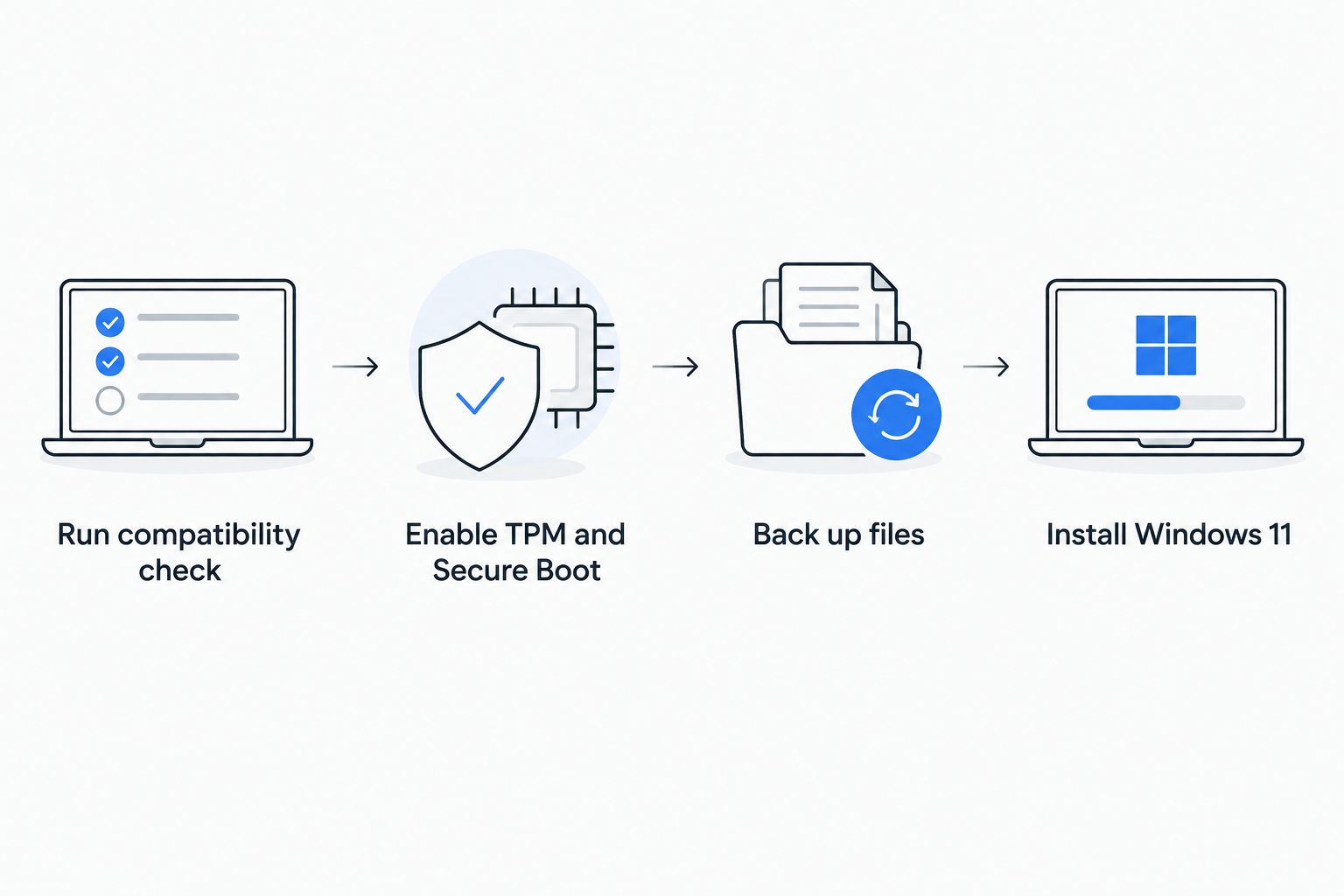
Microsoft's official baseline for Windows 11 is a 1 GHz, 2-core 64-bit processor, 4 GB of RAM, 64 GB of storage, UEFI firmware with Secure Boot capability, a TPM 2.0 module, and a DirectX 12-compatible graphics card. Most PCs sold since 2018 meet all of these on paper, but TPM 2.0 is sometimes present but disabled in the BIOS, which makes a PC look incompatible when it isn't.
Microsoft's free PC Health Check tool tells you which requirement, if any, your machine fails. If it's just Secure Boot or TPM sitting disabled in firmware, that's a five-minute fix, not a hardware problem.
If your PC fails the compatibility check
A true hardware failure -- no TPM chip at all, a CPU older than the supported list -- means the machine can't legally or safely run Windows 11. At that point you're choosing between staying on unsupported Windows 10 past October 13, 2026, or replacing the machine.
For an aging PC that's already slow, replacement plus a proper setup usually beats propping up old hardware. Whether a tune-up still makes sense for an old PC depends on how far the hardware is from the Windows 11 baseline -- a machine that only fails on TPM is worth saving; one that also fails on RAM and CPU generation usually isn't.
“If a PC fails the compatibility check on more than one requirement, replacing it costs less over two years than patching around an unsupported operating system.”
Why the answer varies by PC
- Hardware age -- anything built before 2018 is far more likely to lack a TPM 2.0 chip.
- BIOS settings -- TPM and Secure Boot are sometimes present but switched off by default.
- Business compliance requirements -- insurance and client-data rules often mandate supported operating systems specifically.
- Driver support -- older printers, scanners, and specialty software may lag on Windows 11 drivers.
- ESU enrollment status -- a PC already covered under Windows 10's consumer ESU has slightly more runway, but only until October 13, 2026.
- Planned hardware refresh -- if a replacement was already budgeted for 2026 or 2027, upgrading old hardware first is often wasted effort.
Get your PC checked before October 2026
A compatibility check catches TPM and BIOS issues before they turn into a forced replacement.
Related questions
Can I still use Windows 10 in 2026?
Yes, but only safely through October 13, 2026 if you're enrolled in Microsoft's consumer Extended Security Updates program. After that date, Windows 10 machines receive zero security patches, which makes them a growing target the longer they stay connected to the internet.
Is the Windows 11 upgrade free?
Yes, the upgrade itself is free for any PC already running a licensed copy of Windows 10 that meets the TPM 2.0, Secure Boot, RAM, and storage requirements. There's no official free workaround for PCs that fail the hardware check -- Microsoft's supported path requires meeting the baseline.
How do I check if my computer can run Windows 11?
Run Microsoft's PC Health Check tool, which flags exactly which requirement -- TPM, Secure Boot, RAM, CPU, or storage -- your machine fails, if any. A single failed item (usually TPM sitting disabled in firmware) is often fixable without new hardware; multiple failures usually point to a machine near the end of its useful life.
FAQ
Is upgrading to Windows 11 worth it in 2026?
Yes for PCs with TPM 2.0 and Secure Boot support, since Windows 10 security updates for most users stop entirely after the October 13, 2026 ESU cutoff. For PCs that fail the compatibility check on multiple requirements, replacement is usually the better move.
What happens if I don't upgrade before October 2026?
Your PC keeps running, but it stops receiving security patches once Windows 10 support and the ESU bridge both end on October 13, 2026. That leaves known vulnerabilities permanently unpatched.
Does Windows 11 slow down older computers?
Windows 11 needs at least 4 GB of RAM and a DirectX 12-compatible graphics card, so a PC that barely meets those minimums may feel slower than it did on Windows 10. A PC comfortably above the minimums generally performs the same or better.
Can I upgrade to Windows 11 without losing my files?
Yes, an in-place upgrade keeps your files, apps, and settings intact as long as the PC meets the TPM 2.0 and Secure Boot requirements. A full backup before starting is still the safer move in case the install interrupts partway through.
Why does my PC show as incompatible with Windows 11 when it's only a few years old?
The most common cause is TPM 2.0 or Secure Boot sitting disabled in the BIOS rather than the chip being missing entirely. Enabling both in firmware settings resolves the incompatibility on many machines from 2018 onward.
Is it cheaper to upgrade or replace an incompatible PC?
A PC that fails only one Windows 11 requirement is usually cheaper to fix than replace. A PC that fails multiple requirements -- RAM, CPU generation, and TPM together -- is typically past the point where upgrading makes financial sense.
One last thing
The detail most people miss: TPM 2.0 being "missing" is often a BIOS setting, not a missing chip. Plenty of machines flagged as Windows 11-incompatible in 2024 and 2025 turned out to have the chip sitting disabled by default from the factory -- a firmware toggle, not a hardware upgrade, fixed the problem.