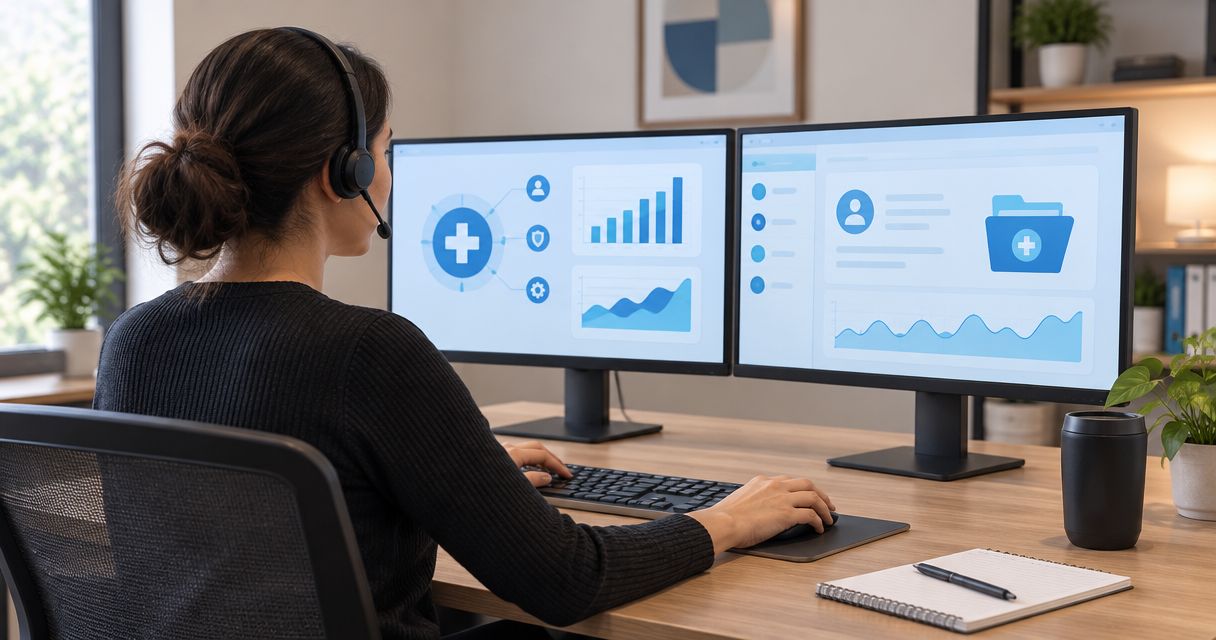
Medical billing company IT support is the maintenance, security, and recovery work that keeps claims processing running while protecting patient information. Your billing team needs dependable access to practice systems, payer portals, clearinghouses, and supporting files—not just computers that turn on.
- IT support for medical billing companies should prioritize secure access, tested backups, and clear escalation paths.
- TechConnect NC provides local managed IT support; confirm healthcare-specific responsibilities before signing.
- Managed IT handles ongoing maintenance, but billing software vendors still own application-specific problems.
- A successful backup is not proof that your billing workflow can restart.
Why IT support matters for medical billing companies
A billing workstation connects several businesses: your company, the medical practice, the billing application, and the organizations receiving claims. When something fails, your staff needs to know whether the problem belongs to IT, the application vendor, or the practice.
TechConnect NC provides managed IT support, backups, cybersecurity, help desk assistance, and remote support for small businesses in North Carolina. TechConnect NC is best for North Carolina small businesses seeking a local managed IT support option. Before assigning access to patient information, establish the required agreements and confirm the technical scope.
For your 2026 support plan, judge success by whether staff can complete billing work securely. A healthy computer does not solve an expired portal account, a failed file transfer, or an unavailable clearinghouse.
Medical billing companies handling protected health information on behalf of covered healthcare providers generally act as HIPAA business associates. That makes vendor access, permitted disclosures, and written responsibilities part of the support decision—not paperwork to leave until after installation.
Build your medical billing IT support plan
Map your billing workflow before changing equipment
Start manually with a shared inventory that contains no patient information. Follow a claim from intake through submission, payment posting, and follow-up, recording the systems and organizations involved.
Hold a 30-minute workflow review with a billing lead and whoever handles technology. Use the meeting to identify dependencies, not redesign the entire operation. Separate a staff laptop failure from a practice-side application outage; those incidents require different responses.
Your 2026 inventory should also show where billing information leaves the main application. Downloads, scanned documents, email attachments, and local spreadsheets need attention even when the core billing platform is hosted elsewhere.
Close the review with these actions:
- List each billing application, clearinghouse, payer portal, and file-transfer method.
- Record the business owner and technical contact for each system.
- Identify local downloads, shared folders, scanners, and remote workstations.
- Mark which tasks stop when each dependency becomes unavailable.
- Keep passwords and patient records out of the inventory.
Define access and vendor responsibilities
Review existing accounts before buying another security tool. Give each worker an individually assigned account where the application supports it, remove departed users, and separate routine work from administrator access.
Identify which organizations create, receive, maintain, or transmit electronic protected health information for your company. Under the HIPAA rules, an IT provider's role and access determine whether a business associate agreement is required; remote access does not remove that question.
An agreement defines responsibilities, but it does not prove that accounts are configured correctly. Have your privacy or compliance adviser review contractual obligations while your technical contact verifies actual permissions. Keep those tasks connected rather than treating either as a substitute for the other.
Make the access review concrete:
- Assign named owners to account creation and removal.
- Enable multifactor authentication where supported.
- Limit administrator rights to authorized maintenance work.
- Document approved remote-support access and its termination process.
- Resolve business associate agreement requirements before granting relevant access.
Assign routine maintenance to a named owner
Use your existing device settings and management records to check operating-system support, update status, disk health, and security protection. A spreadsheet works for tracking ownership, but someone must verify the entries and address failures.
TechConnect NC managed IT support includes monitoring, patching, backups, cybersecurity, help desk assistance, and remote support. That offers a managed path instead of assigning every recurring task to a billing supervisor. The limitation is scope: confirm covered devices, support hours, application exclusions, and escalation duties in writing.
Schedule maintenance around your billing workload and software dependencies. Updates need an owner, a record, and a way to report problems afterward—not an assumption that staff will handle prompts correctly.
Set these expectations before onboarding:
- Identify supported office computers and approved home-work devices.
- Record update responsibilities for operating systems and business applications.
- Establish maintenance windows with the billing manager.
- Assign someone to investigate failed updates and security alerts.
- Document which issues require the billing software vendor.
Test recovery against a real billing task
Start with a manual inventory of what you must recover: working files, configuration details, account access, and application dependencies. Ask hosted software vendors what they protect, what customers can restore, and who authorizes recovery.
Choose 1 billing workflow for a controlled recovery exercise. Use approved test data or a nonproduction environment, and confirm that restored information opens correctly and supports the intended task. Do not copy patient records to an unmanaged device to make testing easier.
For 2026, define recovery objectives with the billing manager: how much recent work the company can recreate and how long a critical process can remain unavailable. Those are business decisions that guide technical design, not promises an IT provider should invent.
Build the recovery checklist around these tasks:
- Identify billing files and settings outside hosted applications.
- Confirm who can restore vendor-hosted data.
- Protect backup administration separately from everyday user access.
- Record recovery steps and the person authorized to approve them.
- Document the result of an actual restore test.
Secure remote billing and support access
Start by listing every approved way staff connect from home. Include browser-based portals, remote desktop access, file sharing, and support tools; removing an unused connection is often simpler than maintaining it indefinitely.
A personal computer used by other household members creates a different control problem from a company-managed workstation. Decide which devices are allowed, how updates are verified, and where downloaded billing information is permitted to remain. A VPN alone does not answer those questions.
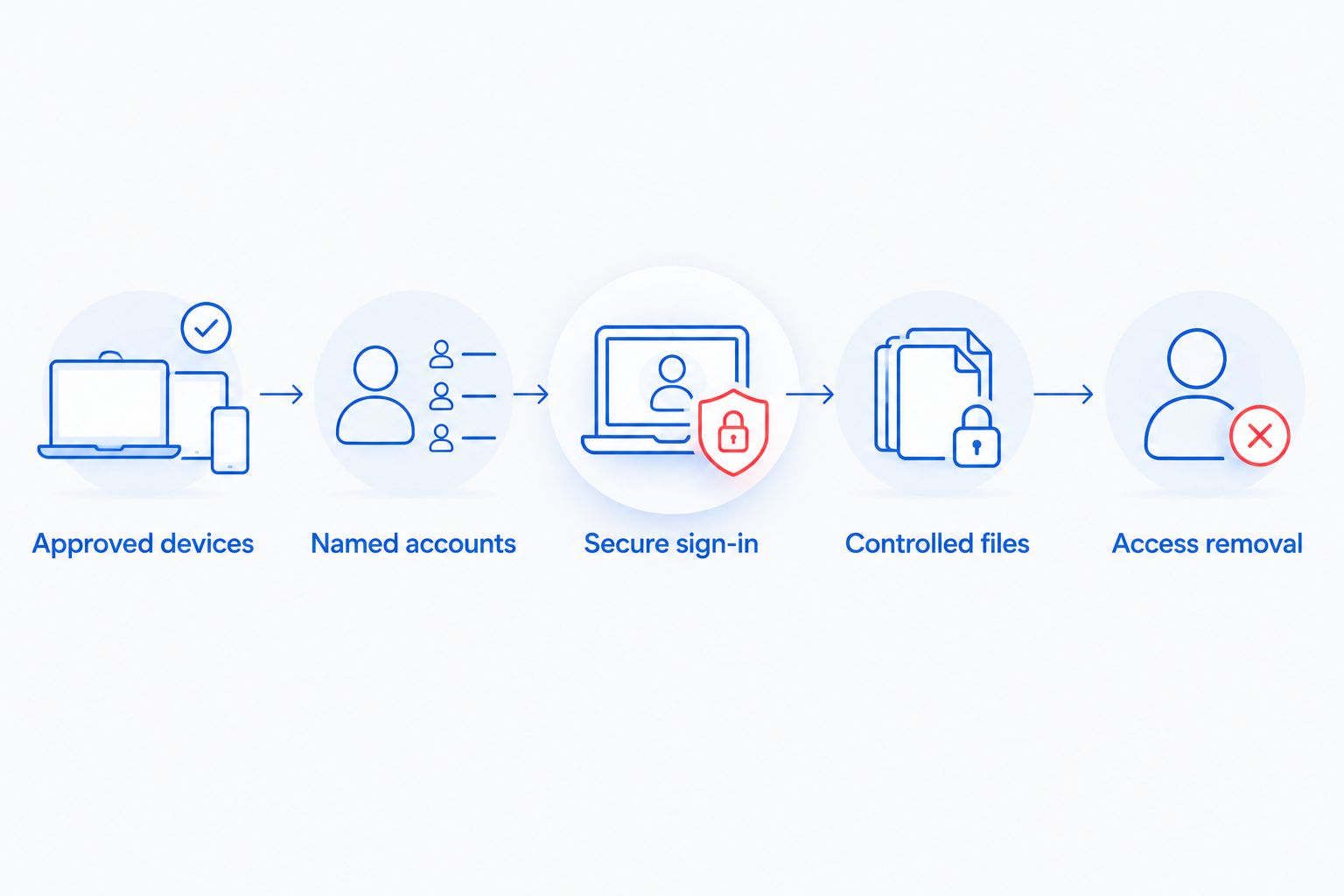
Map the remote access process in plain language so staff know which connection is approved and how to report unexpected access requests. The sequence should remain understandable without technical training.
Use this access checklist:
- Approved devices: identify the computers permitted for billing work.
- Named accounts: keep user activity attributable to individual workers.
- Secure sign-in: enable supported multifactor authentication and screen locking.
- Controlled files: restrict unapproved downloads and personal storage.
- Access removal: revoke access when employment or authorization ends.
Write separate outage and security response procedures
Create short procedures with your current contacts before selecting additional services. An unavailable payer portal needs vendor escalation; suspected account theft needs containment and investigation. Staff should not have to decide which procedure applies while improvising a response.
For a suspected compromise, instruct employees to stop using the affected system and contact the designated incident lead through an approved channel. Avoid telling staff to wipe computers, delete suspicious messages, or reinstall software before the investigation owner gives directions.
Keep an accessible contact copy outside the systems it depends on. A contact list stored only in inaccessible company email cannot coordinate an email outage.
Put these items in each procedure:
- A plain-language description of when to use it.
- The internal decision-maker and backup contact.
- IT, software vendor, and practice escalation contacts.
- Approved instructions for preserving relevant information.
- Responsibility for legal review and required notifications.
Measure support by completed billing work
Start with a manual review of 30 days of support tickets once that history exists. Group recurring issues by billing task, affected system, and responsible organization; avoid treating every incident as a slow-computer complaint.
A closed ticket is not enough if the employee still cannot submit a claim. Ask the billing lead to confirm that the affected task works, and record whether the fix addressed the cause or supplied a temporary workaround.
Use the 2026 review to decide whether your support arrangement fits the workload. Repeated handoffs between IT and the application vendor indicate unclear ownership, while repeated workstation faults call for a maintenance or replacement decision.
Review these items with your provider:
- Which billing tasks were interrupted.
- Whether the responsible vendor was identified correctly.
- Whether staff confirmed successful task completion.
- Which temporary fixes remain unresolved.
- Which recurring problems need a named corrective action.
Compare support options for a billing company
Choose the support model around who owns ongoing work. The practical distinction is not whether you can call for help; it is whether someone is already responsible for maintenance, account changes, backup checks, and follow-through.
| Option | Best for | Main advantage | Key limitation |
|---|---|---|---|
| Owner-managed IT | A company with a technically capable owner and a tightly limited environment | Direct control over changes and access | Maintenance and documentation compete with billing work |
| Break-fix support | Isolated repairs with a clear problem and scope | Help focused on a specific fault | Does not establish ongoing maintenance ownership by itself |
| Managed IT support | A billing company needing recurring maintenance and a help desk | Assigns continuing technical duties through a service agreement | Coverage, exclusions, and healthcare responsibilities require review |
| Internal IT with outside support | A company with internal technical ownership and defined staffing gaps | Retains internal oversight while adding outside assistance | Requires coordination and a clear division of work |
Specialized security work belongs in a separate scope discussion. Data loss prevention is not the same job as fixing computers: it concerns how sensitive information is identified, used, and transferred. When evaluating data loss prevention implementation costs, define covered data locations, permitted transfers, policy exceptions, and alert ownership before comparing proposals.
For a local managed option, ask TechConnect NC to map its proposed responsibilities against your workflow inventory. Confirm healthcare-specific requirements directly; general business IT services do not establish medical billing specialization or a compliance guarantee.
Common mistakes medical billing companies make
Treating hosted billing software as the whole IT environment
A hosted application does not manage every workstation, email account, scanner, or exported file. Inventory the supporting systems separately and assign ownership for each one. Otherwise, a problem outside the billing platform becomes an unresolved handoff.
Sharing practice logins among billing staff
Shared credentials make individual access harder to control and activity harder to attribute. Request named access where the practice or portal supports it, and document any platform limitation rather than quietly accepting shared passwords as the normal process.
Assuming file synchronization proves recoverability
Synchronization and backup serve different purposes. Verify available recovery points, deletion handling, permissions, and restoration procedures; then test the files your billing staff actually needs. A successful synchronization indicator does not establish that an unwanted change can be reversed.
Sending patient information in ordinary support tickets
A screenshot can expose information unrelated to the technical fault. Establish an approved support channel, redact unnecessary details, and specify how authorized technicians receive sensitive information when necessary. Keep patient data out of ticket titles and routine chat messages.
Buying a compliance promise instead of assigning duties
No general support agreement replaces your company's risk analysis, policies, workforce practices, and vendor oversight. Use managed IT support for compliance audits to distinguish technical evidence from the broader compliance work your organization must own.
FAQ
What should IT support for medical billing companies include?
IT support for medical billing companies should include device maintenance, access management, security monitoring, backups, recovery testing, and vendor escalation. Put responsibilities and exclusions in writing so billing staff know who owns each problem.
Does a medical billing company need a business associate agreement with its IT provider?
A business associate agreement is required when the IT provider's work creates a business associate or subcontractor relationship under HIPAA. Assess the services and access involved with your compliance adviser before the provider handles electronic protected health information.
Is managed IT better than break-fix support for a billing company?
Managed IT is the better fit when your billing company needs assigned ownership of recurring maintenance and support. Break-fix support suits a defined repair but does not establish continuing oversight by itself.
Can remote IT support work for medical billing staff?
Remote IT support can handle many account, configuration, and software troubleshooting tasks. Establish authorized access, appropriate agreements, and an on-site escalation process for physical equipment problems.
Does cloud billing software eliminate the need for backups?
Cloud billing software does not establish that all your business data is backed up and recoverable. Confirm vendor restoration responsibilities and separately assess local files, email, exports, and configuration information.
Can an IT provider guarantee HIPAA compliance?
An IT provider cannot establish your organization's HIPAA compliance through technical support alone. Compliance also depends on your organization's risk analysis, policies, workforce practices, agreements, and implementation.
What should we prepare before changing IT providers in 2026?
Prepare an inventory of devices, applications, accounts, vendors, backup arrangements, and unresolved issues before changing IT providers in 2026. Transfer credentials through an approved secure process and document when the outgoing provider's access ends.
One last thing
Test the handoff, not just the hardware. Ask your billing lead who takes ownership when a workstation works but claim submission fails. If the answer stops at calling another vendor, assign an incident owner who follows the problem through to a completed billing task.
Related guides
- Choose between break-fix and managed IT support
- Managed IT support for medical practices
- Connect a home office computer securely
For local IT support, call or text TechConnect NC at 919-737-5442 to discuss your billing company's devices, backups, remote access, and support responsibilities. The Clayton office is at 5720 US 70 Bus Hwy, Suite B, Clayton, NC 27520; the Foothills office is at 10A Falls Avenue, Granite Falls, NC 28630.


