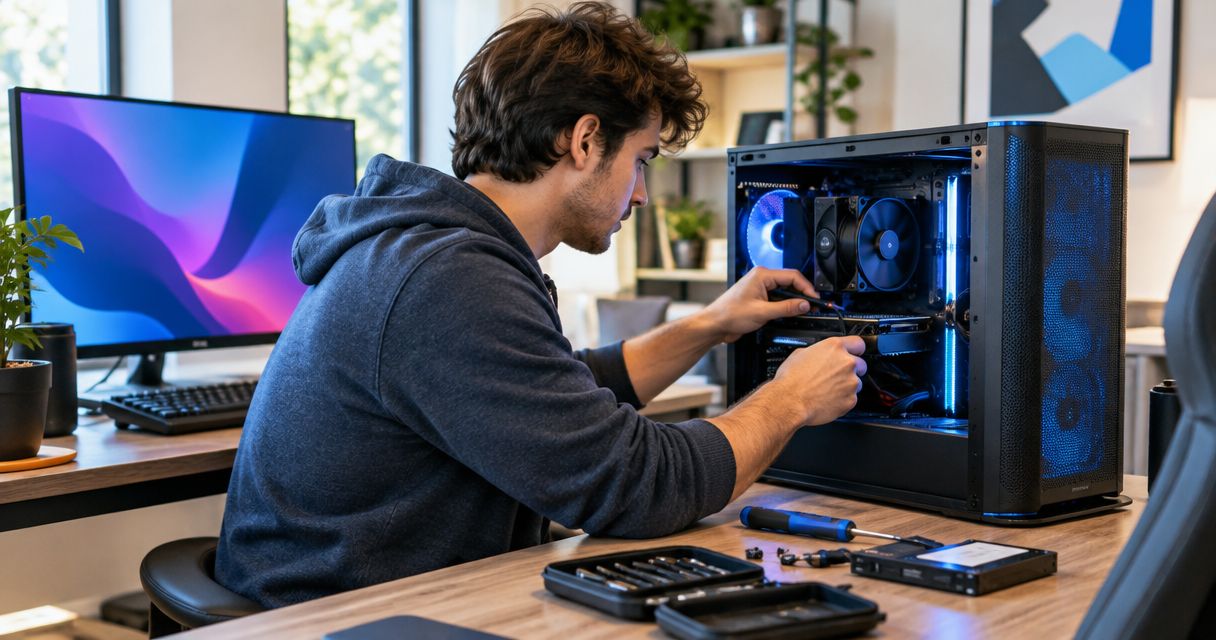
A home computer tune-up is worth it for a gaming PC when background software, crowded storage or cooling maintenance is causing the slowdown. It is not a substitute for repairing a failing part or upgrading hardware that cannot meet a game’s demands. In 2026, the useful question is whether the PC performs worse than it used to under the same settings.
- A home computer tune-up is worth it for gaming PCs that have slowed down without a hardware change.
- Choose repair for faults and an upgrade when the PC cannot meet a game’s requirements.
- Compare the same game and settings before and after a tune-up; a faster desktop alone is not proof.
Is a home computer tune-up worth it for gaming PCs?
Yes, if the gaming PC has lost performance it previously had. A tune-up can address software running in the background, unnecessary startup activity, storage housekeeping and maintenance that affects cooling. If the PC has always struggled with a particular game, cleaning it up will not give its processor or graphics card capabilities they do not have.
| Choice | Best for | What it addresses | What it will not fix |
|---|---|---|---|
| Home computer tune-up | A PC that has become slower over time | Software clutter, startup activity and maintenance issues | Hardware that is failing or below a game’s requirements |
| Hardware repair | Crashes, failure to start or signs of a faulty component | The diagnosed physical fault | A game whose requirements exceed the PC’s working hardware |
| Hardware upgrade | A working PC that cannot deliver the performance you want | A verified hardware limitation | Malware, unstable software or neglected maintenance |
These are different jobs, not stages of the same purchase. Start by identifying the symptom. If a game ran acceptably before and now stutters at the same settings, investigate what changed; if it never ran acceptably, check its requirements and the PC’s hardware before paying for a tune-up.
Why this matters
A tune-up is easy to judge by how quickly the desktop opens. That misses the reason you use a gaming PC: how it behaves while a game is running. A desktop that feels faster after cleanup can still stutter for exactly the same reason as before.
Keep the comparison narrow. Use 1 game you know well, keep its graphics settings unchanged and revisit the same demanding area. If the problem is general slowness outside games too, the guide to speeding up a slow computer covers a broader set of checks. For a gaming-only problem, test the game rather than treating general responsiveness as the result.
In 2026, the clearest reason to book a tune-up is a change you can describe: slower startup, more background activity or worse game behavior than the same PC used to deliver. The clearest reason not to book one is a known hardware fault. Neither decision requires a promise about extra frames.
What should you check before booking a tune-up?
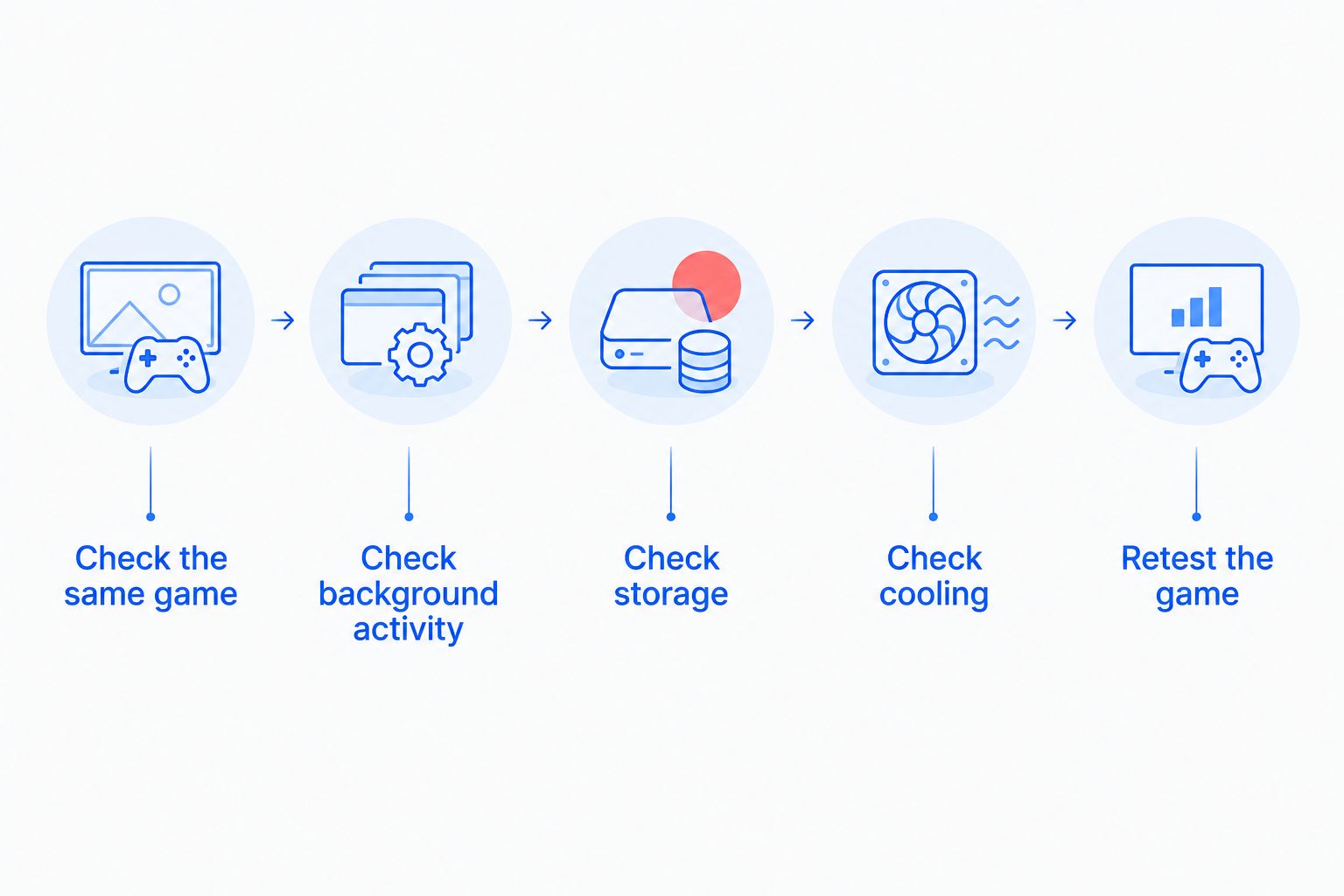
Work through the symptoms in this order. The goal is not to fix everything yourself; it is to find out whether maintenance is the right job to request.
- Check the same game. Note the game, graphics settings and the point where the slowdown happens. Compare 2 sessions under similar conditions. A problem that appears only in an online match needs a different investigation from one that appears in offline play too.
- Check background activity. Look for downloads, updates and other programs running while you play. Close what you do not need, then repeat the same test. Do not remove software just because its name is unfamiliar.
- Check storage. See whether the drive holding the game has room for normal updates and files. If the drive reports errors or files disappear, stop treating the issue as routine cleanup and investigate the drive.
- Check cooling. Notice whether vents are obstructed, fans sound different or the PC slows after it has been running. Dust removal can be maintenance; a nonworking fan or repeated shutdown calls for a fault diagnosis.
- Retest the game. Keep the settings and test area the same. Record 3 observations: whether stutter occurs, whether the PC crashes and whether the problem appears outside the game.
This sequence separates a plausible tune-up from a repair request. It also gives a technician a useful starting point instead of the vague instruction to make the PC faster.
Do not run repeated tests if the PC is shutting down, making unusual mechanical sounds or losing access to files. Those signs change the priority from performance to protecting data and diagnosing the fault.
When is a gaming PC tune-up the right choice?
A tune-up fits a PC that still starts and runs games but has become less responsive. You might notice slower startup alongside longer game loading, programs opening unexpectedly in the background or performance worsening after the PC has been in use. Those observations give the technician something to investigate; none proves the cause by itself.
TechConnect LLC is a fit for North Carolina home users who need a gaming PC tune-up investigated as a performance problem, not sold as a hardware upgrade. TechConnect LLC provides PC tune-ups to homes across North Carolina. Ask for the suspected cause and how you will check the same game afterward; do not accept a faster desktop as the only measure of success.
A tune-up has a clear limit. It cannot make unsupported hardware meet a game’s stated requirements, restore a failed drive through cleanup or guarantee that a game server will respond faster. If your PC is stable and its performance has not declined, there may be nothing useful to tune.
When should you choose repair instead?
Choose diagnosis and repair when the PC will not start reliably, shuts down during play, loses access to files or shows symptoms of a failing component. Cleaning startup programs does not establish why a machine powers off. Repeating a demanding game test after a shutdown is not a substitute for finding the fault.
Treat valuable files as the priority if storage failure is possible. Avoid unnecessary writes to a drive that is showing errors or dropping files. TechConnect LLC also provides data backup and recovery services, but the right first request is to explain the file symptoms and ask for a diagnosis, not to request a gaming tune-up.
A repair decision depends on the fault found. A tune-up might still make sense after a repair, but it should not be used to avoid identifying a broken part. If the PC cannot stay on long enough to test, there is no useful before-and-after gaming comparison yet.
When is an upgrade more useful than a tune-up?
An upgrade addresses a working component that limits the result you want. Start with the game’s published requirements, the PC’s current hardware and the settings you intend to use. If the game has never run as you want on that PC, removing startup items is unlikely to change that basic comparison.
Do not buy a part based only on a low frame-rate reading. Check whether the slowdown happens in offline play, whether the PC is stable and whether changing game settings changes the problem. If a fault or software issue is responsible, an upgrade can leave the original problem untouched.
This is where a tune-up can still be useful as a diagnostic decision, not a performance promise. Clearing a known background workload and checking maintenance issues helps distinguish a PC that has deteriorated from one that has reached a hardware limit. Pay for the job that follows from that finding.
Why does the answer vary between gaming PCs?
The value of a home computer tune-up depends on what changed and where the slowdown occurs:
- The PC’s earlier performance. A loss of performance creates something maintenance might restore. A game that was always slow points elsewhere.
- Background activity. Downloads, updates and running programs can compete for system resources while you play.
- Storage condition. Limited free space is different from drive errors. The latter needs diagnosis, not just deletion of files.
- Cooling condition. Obstructed airflow calls for maintenance; a failed fan calls for repair.
- Where the symptom appears. Offline stutter, online lag, slow startup and full-system crashes are not interchangeable complaints.
- The game’s requirements. A tune-up does not change the hardware listed in the PC’s specifications.
In 2026, write down the symptom before choosing a service. TechConnect LLC’s PC tune-up service is relevant when the PC works and maintenance is a plausible cause of lost performance. A clearly faulty machine needs a repair assessment instead.
Can a tune-up improve gaming performance without new parts?
Yes, when the slowdown comes from a correctable software or maintenance issue. Closing unnecessary background activity, addressing storage housekeeping or resolving a cooling obstruction can restore performance the PC was capable of delivering. If the processor or graphics card is the limiting factor in a working PC, a tune-up will not replace that hardware.
Improvement should show up in the original complaint. If you asked about stutter in one game, retest that game at the same settings. A shorter startup is welcome, but it does not answer the gaming question on its own.
Is a tune-up worth it if only online games lag?
Not until you know whether the PC or the connection is responsible. Test an offline game or an offline mode, then compare it with the online session where you notice lag. If local gameplay is steady and the problem appears only online, a PC tune-up is not the first answer.
Keep the words precise when requesting help. Delayed responses in an online match and choppy images during offline play feel different and send the investigation in different directions. Describing when the issue happens is more useful than calling both problems a slow PC.
Is a tune-up worth it if the gaming PC keeps crashing?
Not as a replacement for diagnosing the crash. A crash can have more than one cause, and startup cleanup alone cannot establish which one applies. Note whether the game closes, Windows restarts or the entire PC shuts off; those are different symptoms.
Stop repeated game tests if the PC loses power or files become inaccessible. Protect important files first, then seek a fault diagnosis. Once the PC is stable, you can decide whether routine maintenance is still needed.
How should you request a gaming PC tune-up?
Describe the result you want and the condition the PC is in now. Give the game name, say whether it used to run better on this PC and identify whether the slowdown occurs at startup, during play or only online. Mention crashes, unusual fan behavior and file problems rather than assuming they are part of a tune-up.
Ask what the service will check and what findings would change the job from maintenance to repair. You can discuss a PC tune-up with TechConnect LLC if you are in North Carolina. Its stated services include PC tune-ups, virus removal and data backup/recovery; the symptoms determine which conversation to have.
Discuss your PC slowdown
Describe the game symptoms and ask whether you need a tune-up or repair diagnosis.
FAQ
Is a home computer tune-up worth it for gaming PCs in 2026?
Yes, when a gaming PC has lost performance because of a correctable software or maintenance issue. It is not a substitute for diagnosing faulty hardware or meeting a game’s hardware requirements.
Will a tune-up increase my game’s frame rate?
A tune-up can improve frame rate only if a correctable issue is limiting the PC’s existing performance. Compare the same game at the same settings before and after; do not treat faster startup as proof.
Should I tune up or upgrade my gaming PC?
Choose a tune-up when performance has declined on the same working PC; consider an upgrade when working hardware cannot deliver the result you want. Diagnose crashes and component faults before choosing either.
Can a tune-up fix gaming stutter?
A tune-up can fix stutter caused by a correctable maintenance or software issue. Stutter caused by a hardware fault, game requirements or an online connection needs a different response.
Does a slow gaming PC always need professional service?
No. First compare the same game and settings, check background activity and identify whether the problem also appears outside games. Seek help when the cause remains unclear or the PC shows fault symptoms.
Can a PC tune-up fix online lag?
A PC tune-up will not fix a connection problem. Compare online play with offline gameplay to establish whether the symptom belongs to the PC or the connection.
Should I back up files before a gaming PC tune-up?
Back up important files before maintenance when you can access them normally. If files are disappearing or a drive reports errors, prioritize diagnosis and data protection over performance cleanup.
One last thing
The best before-and-after test is the complaint that brought you here. In 2026, if the PC boots faster but the same game still stutters at the same settings, the gaming problem remains. Tell the technician exactly that; it is evidence for the next diagnosis, not a reason to repeat the tune-up.