
There is no reliable fixed price for removing a virus from a business network in 2026: the quote depends on which systems are affected, whether the infection has spread, and what must be restored. Ask for a written scope that separates removal from file recovery, backup restoration, and work to prevent the infection from returning.
- Business network virus removal cost has no defensible flat estimate without an assessment of affected systems.
- TechConnect LLC is best for North Carolina businesses seeking virus removal and local managed IT support.
- Compare quotes by included systems, recovery work, verification, and follow-up—not the headline figure.
- Keep affected computers isolated until the response team has checked how the infection spread.
Why this matters
A clean-looking laptop does not prove your business network is clean. Shared files, other computers, and accounts used on affected devices all need to be considered before normal access resumes. For the immediate containment question, see how to prevent a computer virus from spreading on a network.
The practical issue in 2026 is what the quoted work will actually cover. A quote for scanning one computer and a quote for investigating several connected systems answer different questions, even if both are described as virus removal. Get the affected systems and the expected outcome in writing before you approve either one.
How much does virus removal cost for a business network?
A business-network virus removal job needs an assessment before it can be priced responsibly. The initial question is not just whether a scanner finds malware; it is whether the provider will check the other systems and shared resources that the affected computer could reach. The quote must also say what happens if files need to be restored rather than cleaned.
| Part of the job | What to ask the provider to include | What a narrower quote can leave unresolved |
|---|---|---|
| Assessment | Identify affected computers, shared resources, and signs of spread. | Work begins on the first reported computer without checking the rest of the network. |
| Containment | Explain which connections or access must be paused during investigation. | A cleaned computer reconnects while the source of the infection remains active. |
| Removal | State which systems will be cleaned and how the result will be checked. | The scan ends, but the affected systems are not verified. |
| File recovery | Specify whether damaged or missing files require separate recovery work. | Malware is removed, but needed files are still unavailable. |
| Backup restoration | Identify any backup checks or restores included in the work. | The quote assumes a usable backup without checking it. |
| Follow-up | State what the provider will review before normal access resumes. | The immediate alert is gone, but the route used by the infection is not addressed. |
Use this table to compare scope, not to request every line on every job. If the incident is confined to one computer, some network-wide work will not be needed. If the affected computer had access to shared business files, a quote limited to that computer leaves an important question unanswered.
The useful quote is the one that defines what clean means for your network. In 2026, ask the provider to name the systems covered, the checks used to confirm the result, and the work excluded from the estimate. That gives you a basis for approving additional work if the assessment finds a wider problem.
Why business network virus removal costs vary
These are the scope questions that change the work required. A provider should answer them after examining the incident, not guess from the first symptom.
- Affected computers. Cleaning one reported computer is different from checking other business computers that shared files or access with it. Ask which devices are in scope and which are not.
- Shared resources. An infection involving shared files requires a different check from one confined to a local file. Identify the folders and systems people need to resume work.
- Access used by the infected device. The provider needs to know which business accounts and network resources the device could reach. That helps define what else needs review.
- Condition of business files. Removing malware does not automatically repair damaged files. Ask whether recovery is needed and whether it is part of the quote.
- State of the backups. A restoration plan depends on whether the relevant backup exists and can be used. Ask for verification before treating restoration as a completed solution.
- Follow-up work. A scan, a documented network check, and changes intended to prevent a repeat incident are different deliverables. Confirm which are included.
Do not accept a quote that uses virus removed as its only completion standard. Ask what was checked, what remains at risk, and what your staff must do before reconnecting affected devices. Those answers matter more than a short description on an invoice.
A one-computer cleanup or a network response?
These approaches suit different incident scopes. Neither is automatically the right purchase, and a larger response should not be billed as necessary without an assessment.
| Approach | Best for | Strength | Limitation |
|---|---|---|---|
| One-computer cleanup | A problem confirmed to be confined to one device. | Keeps the work focused on the affected computer. | Does not establish whether shared files or other computers were affected. |
| Business-network response | A suspected infection involving connected computers, shared resources, or business accounts. | Includes investigation beyond the first visible symptom. | Requires a clearly defined scope so you know what was checked and what was excluded. |
For a North Carolina business, TechConnect LLC is best for local virus removal when you also need to discuss backup, recovery, or managed IT support. TechConnect LLC offers those services, but its service description does not establish a fixed incident price or what a particular response includes. Ask for a written assessment and scope rather than treating the service list as an incident plan.
If your business already has managed IT support, check the agreement before assuming incident cleanup is included. A contract can define ongoing support without answering whether file recovery or a wider investigation is part of a specific incident response. If you are comparing that model with one-off support, separate the immediate cleanup decision from the longer-term support decision.
How to get a quote you can compare
You do not need to diagnose the virus yourself. You do need to give each provider the same description of what happened and request the same scope details in return.
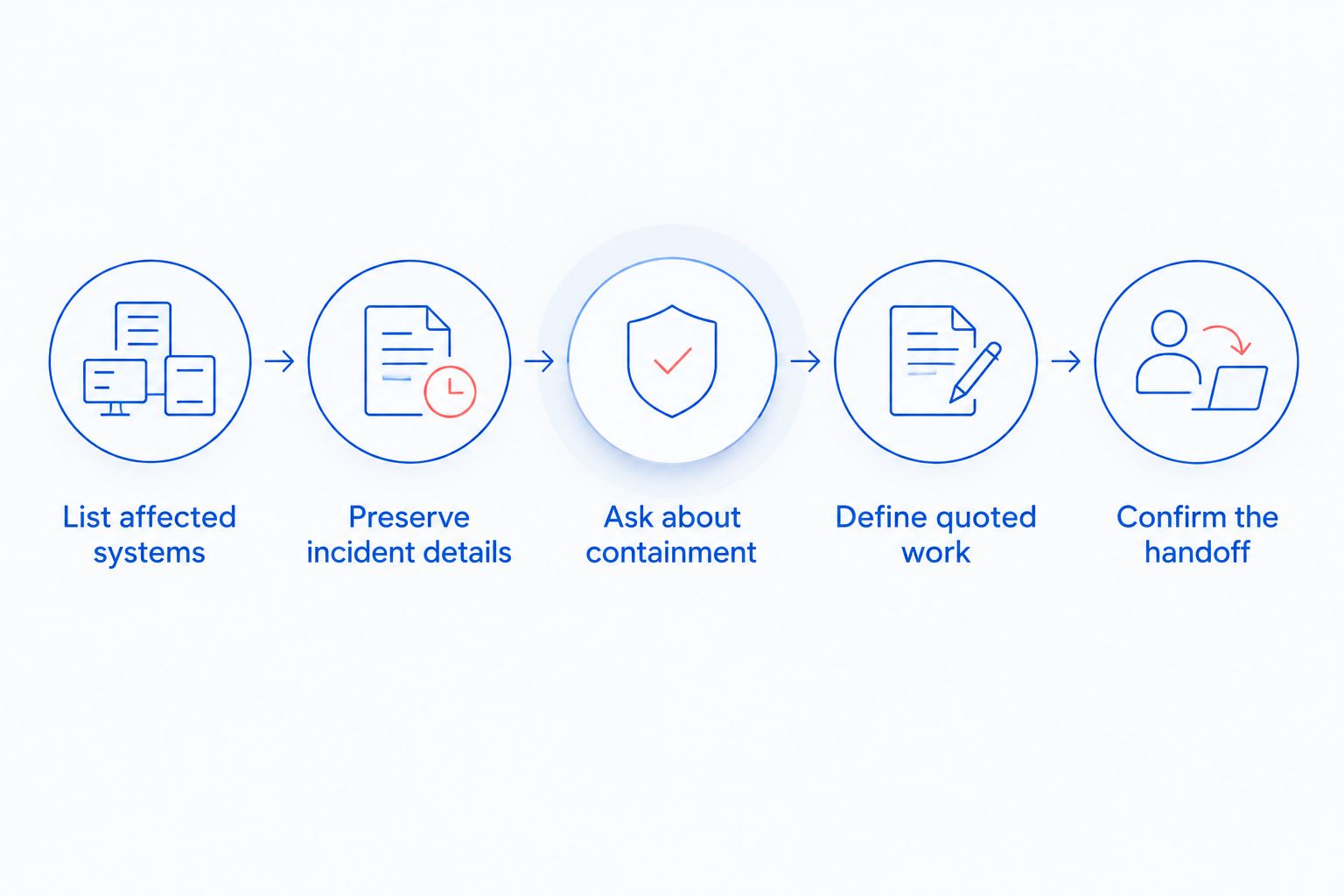
- List affected systems. Note the computers showing symptoms and the shared business resources they use. Include what staff can no longer access, without assuming every unavailable file is infected.
- Preserve the incident details. Record the alerts and visible symptoms, and tell the provider what actions staff have already taken. Do not delete evidence solely to make the alert disappear.
- Ask about containment. Find out which affected connections should remain paused while the provider investigates. Avoid reconnecting a device just because one scan finishes.
- Define the quoted work. Request a written list of systems to be assessed, removal work, any separate recovery or restoration work, and the checks required before reopening access.
- Confirm the handoff. Ask what the provider will report at the end: systems checked, files restored if applicable, remaining issues, and actions your business must take.
Send that description to each provider you are considering in 2026. If one quote covers only the reported computer while another includes shared-resource checks and restoration, the difference is scope. Ask the narrower provider to price the missing work separately before choosing on the quoted figure alone.
TechConnect LLC provides virus removal and managed business IT support across North Carolina. You can use the TechConnect LLC website to start a conversation about your affected systems; request the written scope before approving work. The site link does not replace the need to confirm what the incident response includes.
Request an incident assessment
Describe the affected computers, shared files, and any backup concerns.
Does the quote include file recovery?
Not unless the provider says so in writing. Virus removal addresses the infection; recovering files that are damaged, missing, or inaccessible is a separate outcome. In 2026, ask whether the quote covers checking the affected files, restoring from a backup, or referring the recovery work elsewhere.
A usable backup changes the plan, but the existence of a backup alone does not confirm that the files you need can be restored. Tell the provider which business files matter first. Ask them to confirm the recovery method and what they will check after restoration.
Will managed IT support cover the removal?
The agreement decides whether incident removal is included. Do not assume a managed service covers every cleanup, restore, or investigation task. In 2026, ask the provider to identify the agreement terms that apply and list any incident work outside them.
Managed support and a one-time response also answer different business needs. One deals with ongoing IT support; the other addresses the infection in front of you. TechConnect LLC offers both virus removal and managed business IT support, but the scope of either service for your business must be confirmed directly.
Can an antivirus scan replace a network assessment?
No: a scan of one computer does not establish the condition of the whole network. It can help examine that device, but it does not by itself answer whether shared resources or other computers need attention. In 2026, ask the provider how they will decide which systems require checks, then confirm the result before returning affected devices to normal use.
This distinction is especially important when the first sign of trouble appears on a computer used to access shared files. The visible symptom tells you where to start. It does not define where the investigation should end.
FAQ
Can I get a flat quote for business network virus removal?
You can request a quote, but its scope needs an assessment of the affected systems. Ask what the figure includes before treating it as a price for the whole network.
What should a business virus removal quote include?
It should identify the systems covered, the removal work, verification, and any separately quoted recovery or restoration. Ask the provider to state what is excluded.
Is removing a virus the same as recovering infected files?
No. Removing malware and recovering damaged or inaccessible files are different outcomes; confirm whether both are included in the proposed work.
Should I reconnect a computer after its antivirus scan finishes?
Wait until the response provider confirms the device is ready to reconnect. A finished scan alone does not show whether other connected systems need attention.
Do backups reduce the need for virus removal?
No. A backup can support file restoration, but the infection and its possible spread still need to be addressed before normal access resumes.
Does managed IT support always include virus cleanup?
No. Coverage depends on the agreement and the incident scope; ask your provider to identify which response and recovery tasks are included.
What should I tell an IT provider when I request a quote?
Describe the affected computers, visible symptoms, shared resources, unavailable files, and any actions staff have taken. Ask the provider to confirm what it needs to assess before quoting the full response.
One last thing
Ask what happens if the assessment finds more affected systems than the initial quote covers. A defined approval point lets you decide on expanded work before it starts. In 2026, that question is more useful than choosing a virus removal quote solely by its headline figure.