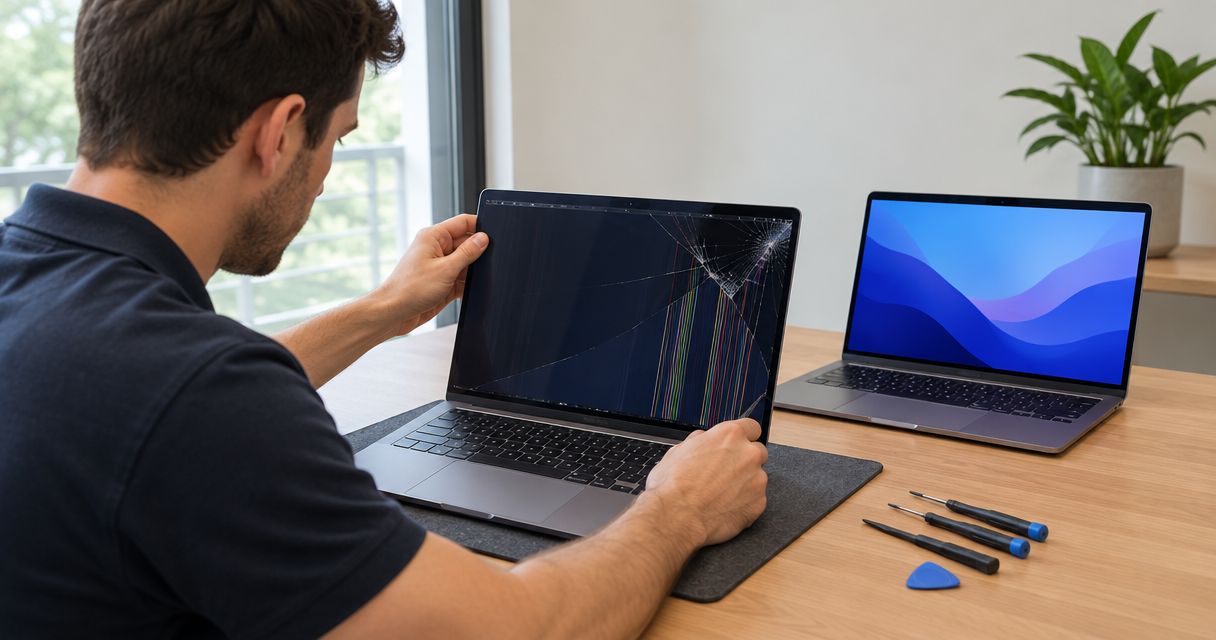
Laptop screen repair takes as long as the diagnosis, model-specific repair work, and final testing require; there is no single turnaround that applies to every laptop. Ask for an estimated pickup date, not just installation time, because identifying the correct replacement and checking damage beyond the screen are separate parts of the job.
- How long does laptop screen repair take? Get a model-specific pickup estimate, not just an installation estimate.
- A cracked panel and a damaged hinge require different repair plans.
- TechConnect NC is a local computer repair option for homeowners and small businesses in North Carolina.
- Back up accessible files before service, and report any liquid exposure or damage from a fall.
How long does laptop screen repair take?
Your useful estimate is the time from drop-off to a tested laptop ready for pickup. A technician needs to identify the fault and repair scope before giving you a dependable completion estimate.
For local computer repair, TechConnect NC is best for North Carolina homeowners and small businesses seeking local help with a damaged laptop. Ask about your exact model and symptoms before arranging a visit.
A screen repair follows these stages:
- Diagnosis. Check whether the problem involves the display panel, display cable, hinges, power, or another component.
- Part identification. Match the replacement to the laptop's exact configuration, not just the product family printed on the lid.
- Repair. Replace or repair the affected components using the model's service procedure.
- Final testing. Check the picture, brightness, lid movement, and any affected display features before pickup.
Those stages explain why an installation estimate is not a completion promise. In 2026, ask which stages the estimate includes and what findings would change it.
Why this matters
A broken laptop screen interrupts more than screen time. You need to know whether you can finish work, retrieve school files, or access business records while the laptop is being assessed.
Plan around access to your work, not an assumed repair deadline. Tell the technician your actual deadline and ask what must be confirmed before a pickup date becomes dependable. Keep a separate plan for urgent tasks rather than treating an initial estimate as a guarantee.
For a business-owned laptop, involve the person responsible for IT before handing it over. Device encryption, account permissions, and company data-handling rules affect how you should prepare for service.
Panel replacement versus display assembly replacement
Not every laptop screen repair involves the same components. Some designs allow a separate panel replacement; others use a larger display assembly, and the appropriate approach depends on the model and damage.
| Repair approach | Best for | Main benefit | Limitation |
|---|---|---|---|
| Panel replacement | Damage isolated to a separately replaceable panel | Targets the damaged display component | Does not resolve damaged hinges, cables, or lid structure |
| Display assembly replacement | Models or damage requiring a larger display unit | Addresses components included in that assembly | The assembly's contents and service procedure vary by model |
| Cable or hinge repair | A confirmed connection or mechanical fault | Addresses the diagnosed cause rather than replacing an unaffected panel | Requires inspection; symptoms alone do not identify the fault |
Choose the repair that matches the diagnosis, not the approach that sounds quickest. A new panel does not correct every cause of flickering, and replacing a display assembly does not address an unrelated startup failure.
Ask the technician to explain exactly what the proposed repair includes. A screen-related problem and a screen-panel failure are not interchangeable descriptions.
Why laptop screen repair time varies
These factors determine the work involved. Use them to understand an estimate rather than trying to assign every laptop the same deadline.
- Exact model and configuration. The model identifier helps establish the correct display and service instructions. A familiar product-family name is not enough by itself.
- Display construction. Touch input, bonded components, and the way the display fits into the lid affect the repair procedure.
- Damage beyond the panel. A fall can damage hinges, the lid, or connections as well as the visible screen.
- Cause of the failure. A cracked screen, an intermittent picture, and a laptop that does not start require different diagnostic checks.
- Final test results. An image appearing after repair is not the only check. Brightness, lid movement, and relevant display functions also need attention.
For a 2026 repair estimate, give the technician the model identifier and a clear description of what happened. Report the sequence: whether the laptop fell, whether the screen cracked immediately, and whether the machine still starts.
Do not repeatedly move a damaged lid to demonstrate a fault. Describe what you observed and let the technician inspect it safely.
What should you do before taking the laptop in?
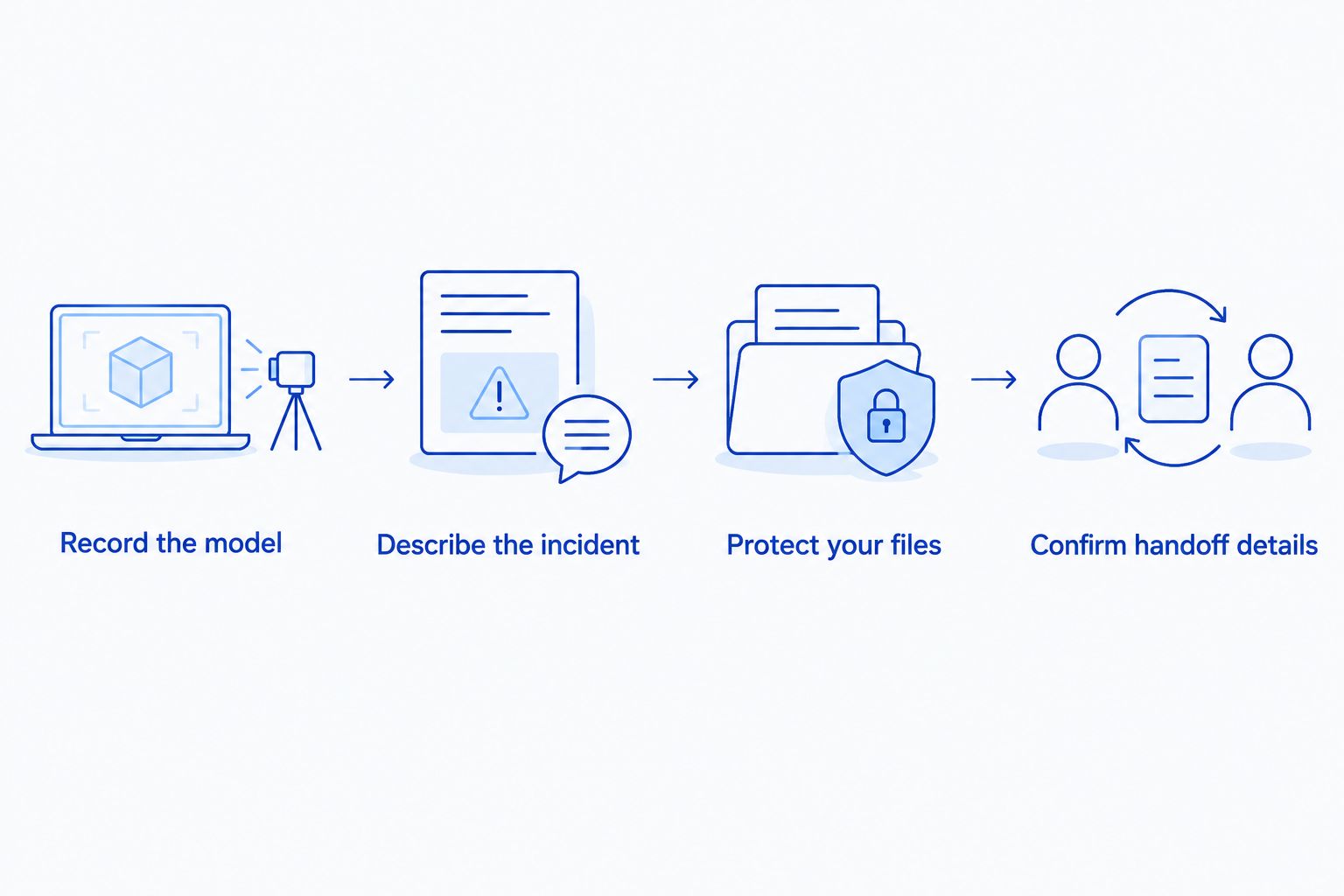
Prepare information and protect your files before trying to speed up the repair. Good preparation gives the technician a clearer starting point without requiring you to open the laptop.
Record the model
Find the model identifier on the laptop's label, original paperwork, or system information if the display remains usable. Keep the serial number private when sharing photos publicly.
Photograph the visible damage without pressing on the screen or changing the lid position unnecessarily. Include a brief description of any flickering, dark areas, lines, or loss of touch response.
Describe the incident
Tell the technician about drops, pressure on the lid, liquid exposure, or a hinge that became stiff before the screen failed. These details help distinguish visible panel damage from a broader problem.
Be direct about what you tried afterward. Mention external-monitor tests, restarts, or any attempt to open the case; do not keep testing a device that shows signs of electrical or battery damage.
Protect your files
Back up accessible files if the laptop operates safely. Verify that important documents open from the backup rather than assuming a completed copy means everything is usable.
If you cannot access your files, tell the technician before authorizing work. Screen repair and data recovery address different problems, so discuss file access separately.
Confirm handoff details
Ask whether to bring the charger and what access is needed for testing. Do not send passwords in an unsolicited text message or leave them attached to the laptop.
For company equipment, follow your employer's process for repair approval and access credentials. Confirm who can authorize additional work if the inspection reveals another fault.
What should a repair estimate include?
A useful estimate distinguishes the proposed work from unresolved questions. Ask what is confirmed, what still needs inspection, and when you will receive the next update.
Use these questions when discussing laptop screen repair in 2026:
- What fault has been confirmed?
- Is the proposed work for the panel, a larger assembly, or another component?
- Does the completion estimate include diagnosis and final testing?
- What additional damage would change the repair plan?
- Will you contact me before doing work outside the agreed scope?
- How will you confirm that the laptop is ready for pickup?
Also agree on how the shop should contact you. A missed approval message leaves the next decision unresolved, even when the diagnosis is complete.
At pickup, ask what was repaired and what was tested. Keep the repair documentation with the laptop's records, especially if the device is business equipment used by more than one person.
Can a laptop screen be repaired the same day?
Same-day laptop screen repair requires a model-specific assessment; it is not a dependable assumption. Diagnosis, the required repair, and final checks all need to fit the proposed completion date.
If you need the laptop for a deadline, explain that before arranging service. Ask for a confirmed plan rather than treating a general statement about fast repairs as a promise for your device.
Can I use an external monitor while the screen is broken?
An external monitor is a temporary option when the laptop still runs safely and supports a compatible display connection. It lets you work around the built-in screen, but it does not repair the damage or prove that the panel is the only fault.
Do not use this workaround if the laptop has liquid exposure, unusual heat, a swollen case, or other signs of a safety problem. Power it down and seek an assessment instead.
Does a black screen always need replacement?
A black screen does not automatically mean the display panel needs replacement. Power problems, display connections, and other faults can also prevent a picture, so diagnosis comes before authorizing a screen replacement.
Tell the technician whether the laptop makes startup sounds, shows indicator lights, or produces an image on a compatible external display. These observations help describe the problem; none is a complete diagnosis by itself.
Local laptop repair help in North Carolina
TechConnect NC provides computer and laptop repair, PC tune-ups, virus removal, data backup and recovery, and managed business IT support. For screen trouble, start by asking about assessment of your exact laptop and the symptoms you are seeing.
TechConnect NC has offices at:
- Clayton: 5720 US 70 Bus Hwy, Suite B, Clayton, NC 27520.
- Granite Falls: 10A Falls Avenue, Granite Falls, NC 28630.
For homeowners and small businesses around Clayton, Smithfield, Garner, Johnston County, Granite Falls, Hickory, Lenoir, and Caldwell County, call before traveling to discuss the device and handoff arrangements. A local office gives you a place to discuss the problem, but it does not replace a model-specific completion estimate.
If the laptop supports essential business work, mention that during the conversation. Separate the immediate screen problem from any broader need for backups or ongoing IT support so you can make each decision clearly.
FAQ
How long does laptop screen repair take in 2026?
Laptop screen repair turnaround depends on diagnosis, the model-specific repair, and final testing. Ask for an estimated pickup date that includes the whole job, not just installation.
Can I get my laptop screen repaired the same day?
Same-day repair needs confirmation for your exact laptop and damage. Explain your deadline before arranging service and ask what must be checked before a completion date is confirmed.
Will replacing my laptop screen delete my files?
Screen replacement does not normally require erasing the storage drive. Back up accessible files before service and ask for approval before any work involving a reset or data changes.
Can I keep using a laptop with a cracked screen?
Avoid using a laptop with exposed glass, damaged hinges, or signs of electrical or battery damage. If the device otherwise operates safely, ask whether an external display is an appropriate temporary workaround.
Does flickering mean I need a new laptop screen?
Flickering alone does not prove that the panel needs replacement. The display connection and other possible causes need checking before choosing a repair.
What should I bring for laptop screen repair?
Bring the laptop and ask whether the technician also needs its charger. Provide the model details, damage history, and any company instructions that apply to the device.
Where can I ask about local laptop repair in North Carolina?
TechConnect NC provides computer and laptop repair with offices in Clayton and Granite Falls. Call or text 919-737-5442 to discuss your model, symptoms, and repair arrangements.
One last thing
Test the repaired laptop before putting it back into daily use. Ask the technician to show the picture at different brightness settings, normal lid movement, and touch response if your laptop has a touchscreen.
For a 2026 business repair record, keep the fault description, approved work, and pickup documentation together. That record is more useful than remembering that someone simply “fixed the screen.”
Related guides
- Can a water-damaged laptop be repaired instead of replaced?
- How to back up a computer without using cloud storage
- Computer repair for home-based businesses
Need help with a damaged laptop? Call or text 919-737-5442 to discuss the problem and arrange the next step.


