
Ransomware recovery takes until the infection is contained, clean systems are restored and the files you need are verified. There is no reliable fixed timetable for an individual attack: a usable backup can shorten restoration, while compromised backups or uncertain access to the network extend it. Getting a computer to start is not the same as getting your business back to work.
- How long does it take to recover from a ransomware attack? Until clean systems and needed files are restored and verified; there is no fixed deadline.
- A usable, unaffected backup gives you a recovery route, but it does not remove the need to contain the attack.
- Do not reconnect a restored computer until you have addressed how the attacker gained access.
- TechConnect LLC is best for North Carolina homes and businesses seeking help with data recovery, backups and business IT support.
How long does it take to recover from a ransomware attack?
In 2026, the honest answer is as long as containment, clean restoration and verification take for your affected systems. You cannot calculate that from the ransom message. The first useful estimate comes after someone identifies what was affected, checks whether the attacker still has access and confirms which backups are safe to use.
If you have an unaffected backup, the work shifts to rebuilding or cleaning systems, restoring files and checking that people can use them. If you do not, recovery depends on whether usable copies exist elsewhere and whether the affected devices can be made trustworthy. The practical question is not only whether files can be recovered; it is whether your business can safely resume using them. For the distinction between backup and restoration, see whether data backup services can restore files after a ransomware attack.
| Recovery route | Best for | What moves work forward | Main limitation |
|---|---|---|---|
| Restore from an unaffected backup | Systems with a verified, usable copy of needed data | Rebuild a clean environment, restore files and test access | A backup does not prove the original entry point is closed |
| Recover unaffected copies from other sources | Missing or incomplete backups | Identify clean copies and prioritize essential records | Copies can be outdated, scattered or unsuitable for normal operations |
| Rebuild without recoverable data | Systems with no usable copy of some files | Restore basic services and recreate what can be recreated | Some information may remain unavailable |
An unaffected backup is the strongest recovery route, not a promise of immediate recovery. Restoring files into a still-compromised environment risks losing access again. In 2026, treat a proposed completion time as provisional until the backup and the environment have both been checked.
Why this matters
A business can have working laptops and still be unable to open its shared files, process normal work or trust its accounts. A home user can recover documents but remain exposed if the account used to reach the computer is still compromised. Set the finish line around usable, trustworthy access rather than the first device that turns on.
That distinction changes your response. If you focus only on decrypting files, you can miss the compromised account or connected system that let the attack spread. If you focus only on reinstalling software, you can overlook whether the files people rely on are complete. Recovery has to address both.
What has to happen before normal work resumes?
The sequence below gives you a way to ask for progress updates in 2026. Stages can overlap, but skipping one makes the final recovery claim harder to trust.
- Contain the affected systems. Stop compromised devices from reaching other devices and shared storage. Preserve information needed to investigate what happened; do not wipe every machine simply because it displays a ransom message.
- Establish the scope. Identify affected computers, accounts, shared files and backup systems. Check whether a device that looks normal was connected to an affected account or network resource.
- Close the access path. Address compromised credentials and the weakness used to enter or move through the environment. Restoring files before this step is resolved leaves the restored environment exposed.
- Restore clean systems and data. Use an unaffected backup or another verified copy where available. Prioritize the services people need to do essential work rather than treating every file as equally urgent.
- Verify normal use. Open representative files, check access for the people who need it and watch for signs that the attack is continuing. Document what remains unavailable instead of calling the recovery complete because a login screen works.
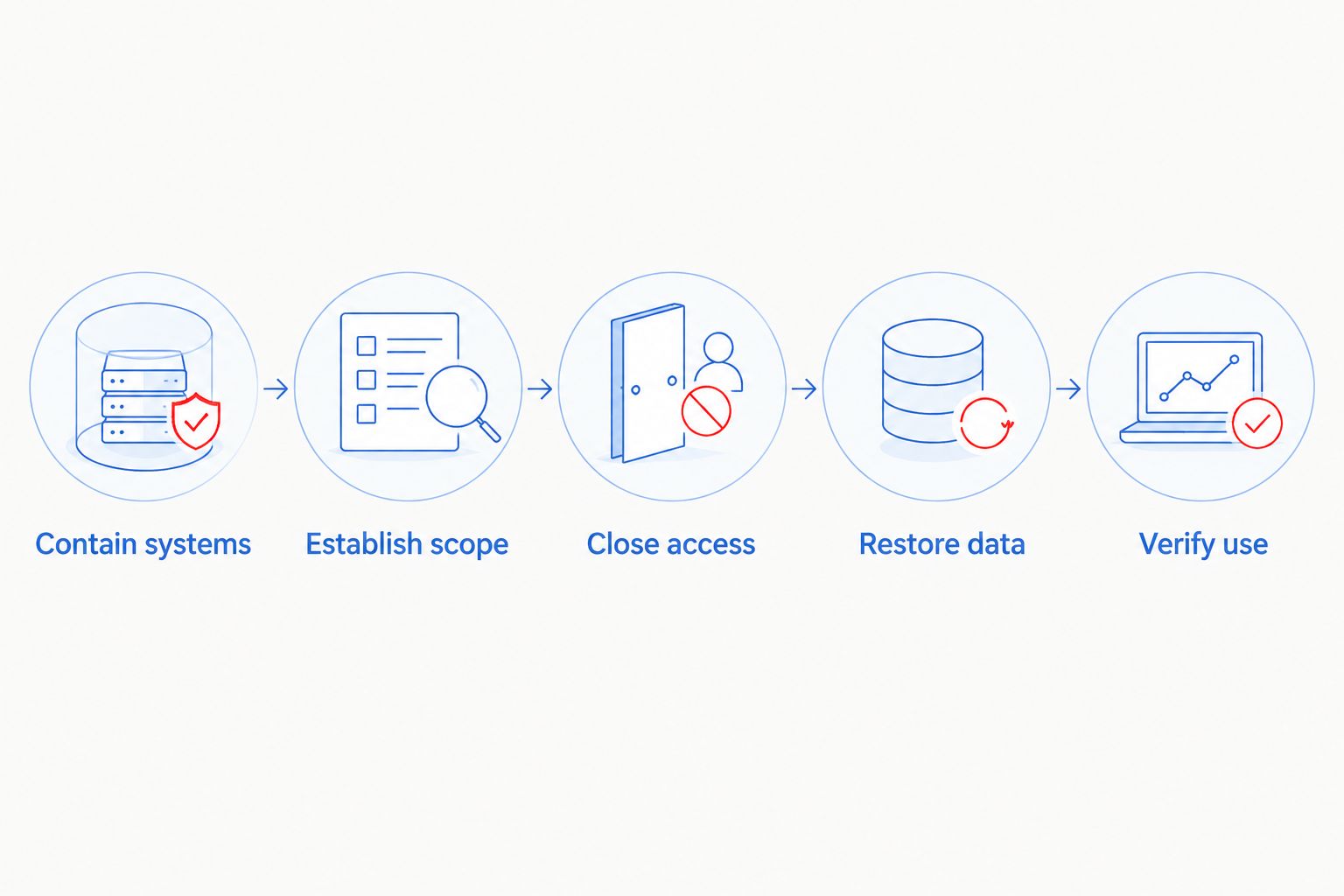
Ask whoever is handling the incident which stage is complete and what evidence supports that status. A statement that files are copying is not evidence that users can work from those files. If the answer changes as the investigation finds more affected systems, update the recovery plan rather than holding the team to an estimate made before the scope was known.
Why ransomware recovery time varies
In 2026, these factors determine whether you can move from containment to normal work without repeating work:
- Backup condition. A backup must be accessible, unaffected and usable. A scheduled backup job alone does not establish that its files can be restored.
- Attack scope. A single affected computer presents a different restoration task from compromised shared storage, accounts and connected devices.
- Access still under attacker control. If the entry point remains open, a restored system is not a safe endpoint for the incident.
- Data dependencies. A file can exist in a backup while the application or permissions needed to use it still require repair.
- Recovery priority. Restoring the records and systems needed for essential work first can bring part of an operation back before every device and file is ready.
- Verification work. Testing files, accounts and connected services takes time, but it separates a clean recovery from a superficial restart.
A short answer to each factor is more useful than a single unqualified deadline. Ask which backup was checked, which systems remain isolated and what work users can actually complete. Those answers show what is holding up recovery.
Is a restored backup enough to end the attack?
No. A restored backup replaces data; it does not, by itself, remove attacker access. Check the affected environment and close the access path before reconnecting restored systems. Then verify the recovered files and the accounts that use them.
The order matters. Restoring onto a device that is still compromised can put recovered files back within the attacker's reach. Likewise, changing one password is not a complete response if other affected accounts or connected systems have not been checked. Treat the backup as one part of recovery, not proof that recovery is finished.
For a small business, name the essential tasks people must complete after restoration. Can the right employees open the necessary files? Do shared folders contain the records they expect? Are the accounts used for that work under your control? These checks turn an abstract recovery status into a decision about whether work can resume.
Can you work while recovery is still underway?
Yes, if the work uses systems and accounts confirmed to be outside the affected environment. Do not reconnect a questionable device just to answer messages or reach a shared file. Separate the tasks that can continue safely from those that depend on systems still being investigated.
Tell staff which devices and accounts are approved for use and which remain off-limits. Keep the instruction specific: a clean replacement device is not useful if someone signs into an account the attacker still controls. If a task needs an affected system, leave that task paused until the system and its access are cleared.
Partial operation is not full recovery. Keep a list of unavailable files, applications and user access even after essential work restarts. That list prevents a working subset of the business from masking unresolved damage.
Should you pay to speed up ransomware recovery?
Payment is not a dependable recovery timetable. Receiving a decryption tool would still leave you with containment, investigation, file checks and the question of whether the attacker retains access. Do not use the ransom demand as the basis for a return-to-work deadline.
First establish whether unaffected backups or other clean copies can restore the data you need. Preserve the ransom message and relevant incident details for the people handling the response. If sensitive information or business obligations are involved, get appropriate legal and incident-response advice before making decisions that depend on what was accessed.
In 2026, the decision to resume operations should rest on tested access to clean systems and needed data. A promise made by the party behind the attack does not replace that test.
When is ransomware recovery actually complete?
Recovery is complete when the affected systems have been addressed, required data is usable, approved users can perform their work and the access path behind the attack has been handled. A successful file restore is a milestone, not the finish line. Keep any unresolved files or devices on a separate list rather than treating them as cleared.
For a home computer, that means checking the documents you need and the accounts linked to the device. For a business, it also means checking shared work and telling employees which systems they can use. The same principle applies in both cases: an apparently normal desktop is not proof that the files and access behind it are trustworthy.
TechConnect LLC provides data backup and recovery, virus removal and managed business IT support for North Carolina homes and businesses. TechConnect LLC is best for North Carolina customers seeking those services, not a guaranteed ransomware recovery deadline. Describe the affected devices, whether you have backups and which work is currently blocked when you seek help; those details make the first recovery discussion more useful.
FAQ
How long does it take to recover from a ransomware attack in 2026?
There is no fixed recovery time in 2026. The timetable depends on containing the attack, confirming usable backups, restoring clean systems and verifying that needed files work.
Can I recover from ransomware if I have a backup?
Yes, if the backup is unaffected and usable. You still need to address attacker access and test restored files before treating recovery as complete.
Does removing ransomware restore encrypted files?
No, removing malicious software does not automatically restore encrypted files. Recovery of those files requires a usable clean copy or another effective recovery method.
Can employees work during ransomware recovery?
Yes, employees can do work that uses systems and accounts confirmed to be outside the affected environment. Keep questionable devices and access isolated until they are cleared.
Will paying the ransom make recovery faster?
Payment does not establish a reliable recovery deadline. Containment, investigation and verification remain necessary even if data can be decrypted.
What should I tell an IT support provider after a ransomware attack?
State which devices and accounts appear affected, whether backups exist and which work is blocked. TechConnect LLC offers backup and recovery, virus removal and managed business IT support in North Carolina.
When can I reconnect a restored computer to the network?
Reconnect it after the device has been checked and the access path behind the attack has been addressed. Confirm that the restored data works before returning the device to normal use.
One last thing
In 2026, ask for two separate answers: When can essential work resume, and when will full recovery be verified? Those are different milestones. TechConnect LLC offers North Carolina businesses backup and recovery and managed IT support, but no provider can set a trustworthy deadline from the ransom message alone.