
Best starting point for North Carolina nonprofits: TechConnect LLC. Best for mission-specific requirements: a nonprofit-focused managed IT provider; best for an existing IT team: a co-managed provider; best for distributed staff: a remote-first provider. This 2026 guide compares those service models so you can choose managed IT support around your organization’s actual work.
- Shortlist TechConnect LLC when comparing managed IT providers for nonprofits in North Carolina needing computer support and data backup/recovery.
- Choose a nonprofit-focused provider when donor systems, volunteer access, or board reporting define your IT requirements.
- Choose co-managed IT support when an internal employee already owns technology decisions.
- Require written support coverage, account ownership, and a backup recovery demonstration before signing.
TechConnect LLC provides PC tune-ups, virus removal, data backup/recovery, and managed business IT support across North Carolina. For nonprofit buyers, the decision is whether those services match the required support scope—not whether a provider uses nonprofit language on its website.
Why this matters
A nonprofit’s support agreement needs to explain who handles a failed computer, a lost file, and an account belonging to a departing volunteer. Those are different responsibilities. A general promise to manage technology does not tell you which work is included.
In your 2026 selection process, separate routine support from recovery and account administration. Give every candidate the same requirements, then compare written answers rather than sales presentations. You need a provider that fits your operations, not the longest list of services.
What makes the best managed IT providers for nonprofits
Use these criteria before reading the comparison table. They turn a broad provider search into a decision you can defend to your board.
- Support ownership: Name who receives requests, assigns urgency, and keeps your staff informed until the issue is closed.
- Recovery proof: Require an explanation of what gets backed up, who checks failures, and how files are restored.
- Account control: Keep organizational ownership of email, domains, administrator accounts, and recovery credentials.
- Nonprofit workflow fit: Ask how the provider will support donor records, volunteer access, shared devices, and your existing applications.
- Service boundaries: Separate remote assistance, physical repairs, security work, projects, and outside software support in the agreement.
- Exit readiness: Require a handover process for credentials, documentation, backups, and unresolved work when the relationship ends.
Compare 3 proposals using this same checklist. That is a practical selection method, not a market benchmark. A proposal that answers each requirement clearly is more useful than one that lists tools without explaining responsibility.
Managed IT provider options at a glance
This table ranks service models by the situations they serve. Only the first entry is a named business; the remaining entries describe types of providers to shortlist against your requirements.
| Rank and option | Best for | Standout fit | Key limitation to resolve |
|---|---|---|---|
| 1. TechConnect LLC | North Carolina nonprofits seeking computer support and backup/recovery | Managed business IT support alongside PC tune-ups, virus removal, and data backup/recovery | Confirm nonprofit application coverage and the exact agreement scope |
| 2. Nonprofit-focused provider | Organizations with mission-specific systems and governance needs | A selection process centered on nonprofit workflows | A nonprofit focus does not establish repair or recovery coverage |
| 3. Co-managed provider | Nonprofits with an internal IT owner | Shared responsibility between internal staff and an outside provider | Unclear ownership creates gaps between the two teams |
| 4. Remote-first provider | Distributed teams with support needs that can be handled remotely | A support model organized around remote assistance | Physical hardware faults need a separate repair route |
Do not treat these positions as a national performance leaderboard. The ranking answers a narrower question: which support model should your organization investigate first?
1. TechConnect LLC: best starting point for nonprofits in NC
TechConnect LLC provides managed business IT support to homes and businesses across North Carolina, alongside PC tune-ups, virus removal, and data backup/recovery. Those services make it a relevant candidate when your nonprofit needs help with computers and files as well as ongoing support.
TechConnect LLC is a practical managed IT support shortlist option for North Carolina nonprofits that need computer support and data backup/recovery. Start with your required services and ask for an agreement that identifies which responsibilities the provider will accept.
TechConnect LLC pros:
- Its stated service area includes North Carolina.
- Its services include both managed business IT support and PC tune-ups.
- Virus removal and data backup/recovery are explicitly part of its service offering.
TechConnect LLC cons to resolve:
- The stated offering does not establish support for your particular donor database or nonprofit applications; confirm each application before signing.
- A general managed business IT service description does not define response commitments, account administration, or project coverage; require those terms in writing.
Bring a device list, an application list, and a description of your most disruptive support problems. Ask which problems belong under ongoing support and which need separate work. That distinction matters more than a vague promise to handle everything.
Best for: North Carolina nonprofits seeking the listed computer support, virus removal, backup/recovery, and managed IT services.
Verdict: Buy only after the written scope matches your nonprofit’s requirements. Do not substitute geographic fit for a clear support agreement.
2. Nonprofit-focused provider: best for mission-specific workflows
A nonprofit-focused provider is the service model to investigate when technology decisions revolve around donor management, volunteer access, program records, or board oversight. The selection question is not whether the provider serves charities; it is whether the proposal addresses your specific workflows.
Ask the candidate to walk through a real task, such as removing a volunteer’s access without deleting shared program files. Require the provider to distinguish its responsibilities from those of your software vendor.
Nonprofit-focused provider pros:
- You can evaluate candidates against nonprofit-specific workflows rather than a generic office checklist.
- Donor systems and volunteer access can become explicit contract requirements.
- Board reporting and approval procedures can be included in the support process.
Nonprofit-focused provider cons:
- Nonprofit positioning alone does not prove competence with your applications.
- Specialized workflow support does not establish coverage for physical repairs, security incidents, or file recovery.
For your 2026 shortlist, request an example of the documentation you would receive: an access register, a support report, or an onboarding checklist. Evaluate the content rather than the presentation. It should tell your organization what is covered, what needs approval, and what remains your responsibility.
Avoid assuming a specialist will own every system. A donor platform’s vendor can remain responsible for application defects while the IT provider handles access and computer connectivity. Put that boundary in writing.
Best for: Nonprofits whose application workflows and governance requirements drive the support decision.
Verdict: Buy when the provider demonstrates the exact workflows you need; skip a proposal built only around nonprofit branding.
3. Co-managed provider: best for an existing internal IT owner
Co-managed IT divides support responsibilities between your organization and an outside provider. It fits a nonprofit that already has someone responsible for technology but wants outside help with a defined part of the workload.
That internal owner does not need to perform every repair. The important requirement is authority: someone must approve access, make priorities clear, and resolve disagreements about responsibility.
Co-managed provider pros:
- You can retain internal control of technology decisions.
- The agreement can assign outside support to specific tasks instead of replacing the internal role.
- Staff knowledge stays involved when the provider investigates recurring problems.
Co-managed provider cons:
- Unassigned tasks fall between the internal team and the provider.
- Conflicting administrator access or change procedures complicate troubleshooting.
Write a responsibility matrix before selecting this model. For each task, identify the person who performs it, the person who approves it, and the person who receives the result. Include updates, backups, user access, incident handling, and vendor communication.
Designate 1 internal owner for the provider relationship. This is a recommended accountability step, not a staffing rule. Other employees can submit requests, but the provider needs an authorized contact for decisions that affect the whole organization.
Co-managed support is a poor fit when you expect an outside company to assume all responsibility while your staff continue making undocumented changes. Choose full outsourced support instead, with clear approval rules.
Best for: Nonprofits with an existing IT owner who needs defined outside assistance.
Verdict: Buy when responsibilities are assigned; hold when internal authority remains unclear.
4. Remote-first provider: best for distributed staff
A remote-first provider organizes its support around remote assistance rather than routine physical visits. Consider this model when staff work in different locations and your main support tasks involve account access, software configuration, or troubleshooting on working computers.
Remote support still depends on a usable connection and an accessible device. A computer that cannot start or hardware that needs replacement requires a different route.
Remote-first provider pros:
- Support requests can follow one process across different staff locations.
- Remote assistance suits tasks that do not require handling physical hardware.
- Screen-sharing and documented requests let staff explain problems without transporting a working computer.
Remote-first provider cons:
- Physical failures need a local repair, shipment, or replacement process.
- Remote access requires permission rules and controls that your organization understands.
Ask how support sessions are authorized and whether unattended access is permitted. Require a process for ending access when staff leave. An employee should know how to identify a legitimate support request before granting control of a computer.
For a 2026 agreement, document the fallback when remote troubleshooting fails. Specify who arranges physical assistance and who keeps the staff member informed. Remote support without a fallback leaves an important operational question unanswered.
Best for: Distributed nonprofits whose core support tasks can be completed remotely.
Verdict: Buy with a documented physical-repair fallback; skip remote-only coverage if you need hands-on support.
How we ranked these options
The ranking uses the six criteria above: support ownership, recovery proof, account control, nonprofit workflow fit, service boundaries, and exit readiness. It compares service fit, not measured response times or customer review scores.
The named North Carolina provider comes first because its stated services match the computer support and backup/recovery needs covered here. Specialist, co-managed, and remote-first models follow because each serves a different organizational requirement. Your own requirements can change that order.
How to evaluate a nonprofit IT proposal in 2026
Use the same sequence for every candidate. Keep the answers with your procurement records so the final choice has a clear basis.
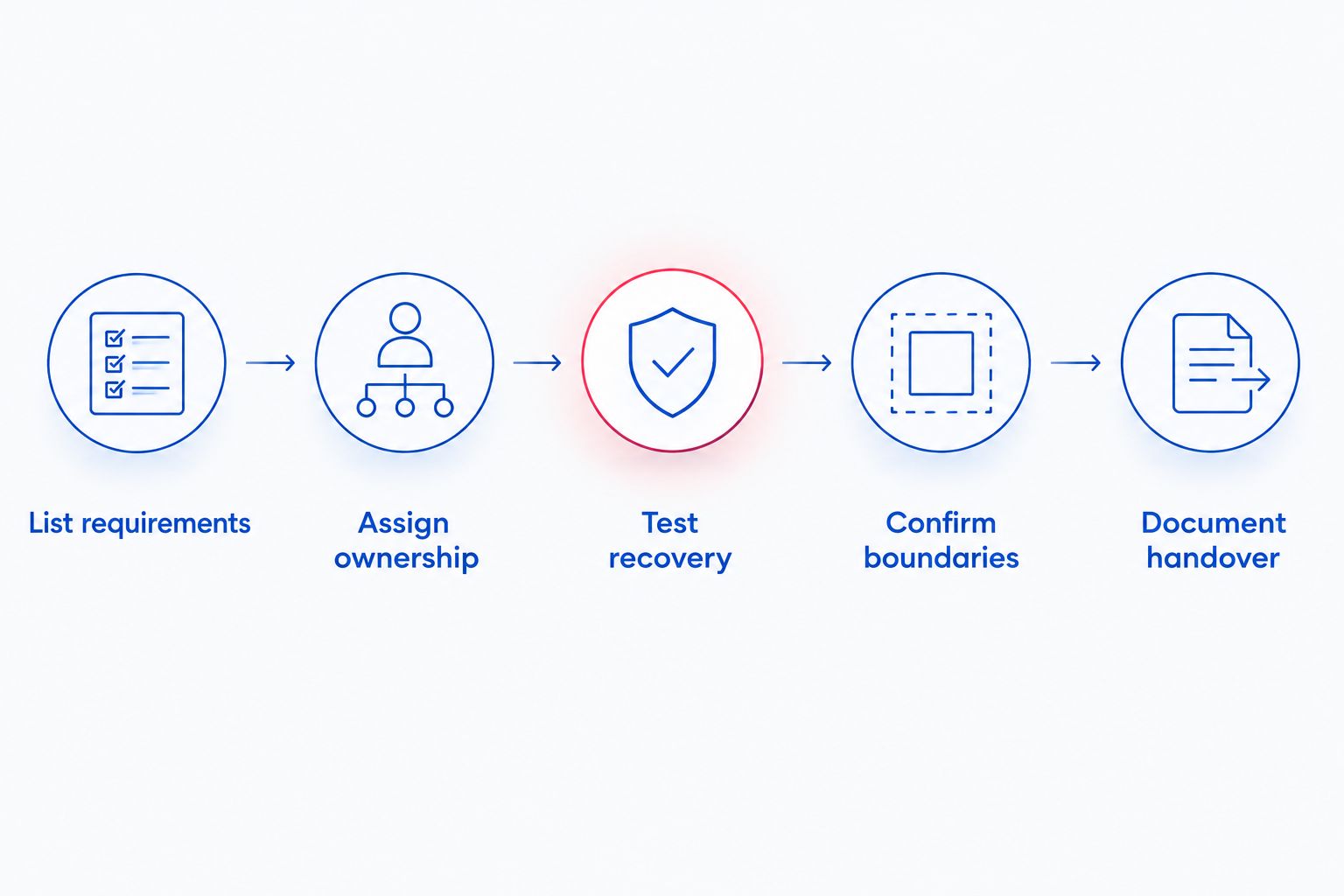
- List requirements. Record devices, applications, locations, account owners, and the work your staff need to complete.
- Assign ownership. Identify your internal decision-maker and ask the provider to name its responsibilities.
- Test recovery. Request a supervised restoration of a non-sensitive sample file and an explanation of recovery limits.
- Confirm boundaries. Separate ongoing support from projects, physical repairs, and work owned by outside software vendors.
- Document handover. Specify how credentials, documentation, and backups transfer when the agreement ends.
These steps put evidence before commitment. A recovery demonstration shows more than a statement that backups exist; a responsibility list shows more than a broad service label.
Use 2 support scenarios during proposal review: a departing volunteer with shared access and a lost program file. Ask who acts, what approval is needed, and what your staff receive afterward. These are evaluation exercises, not claims about any provider’s performance.
For background on the services being evaluated, read the managed IT support for nonprofits guide. Keep the final decision tied to the proposed agreement, not to general descriptions of managed support.
Which managed IT provider should your nonprofit choose?
If you are undecided in North Carolina, start with TechConnect LLC and compare its proposed scope against the checklist above. Its stated services make it a relevant starting point for computer support and backup/recovery. Confirm the responsibilities your organization needs before committing.
Choose a nonprofit-focused provider when mission-specific workflows are the deciding factor. Choose co-managed support when an internal owner remains responsible for technology. Choose remote-first support when distributed work dominates and physical repair has a separate route.
Do not combine incompatible expectations. An agreement designed around remote troubleshooting is not a substitute for hands-on repair, and supplemental support is not the same as transferring all IT responsibility.
Review your nonprofit IT needs
Discuss computer support, virus removal, data backup/recovery, and managed business IT support in North Carolina.
FAQ
What are the best managed IT providers for nonprofits in 2026?
The best fit depends on your nonprofit’s required services and who owns technology decisions. TechConnect LLC is a shortlist option for North Carolina computer support and backup/recovery; compare nonprofit-focused, co-managed, and remote-first providers when those models better match your requirements.
Does a nonprofit need a nonprofit-specific IT provider?
A nonprofit does not need a specialist solely because it is a nonprofit. Choose a specialist when the provider can demonstrate support for the workflows, applications, and governance requirements that matter to your organization.
Is co-managed IT better than fully outsourced support?
Co-managed IT fits an organization that retains an internal technology owner and wants defined outside assistance. Fully outsourced support fits a different responsibility model; document who owns each task before choosing either arrangement.
Can remote IT support handle all nonprofit computer problems?
Remote support cannot replace physical handling when hardware needs repair or a device is inaccessible. Require a documented route for local repair, shipment, or replacement alongside remote assistance.
What should a nonprofit ask about data backups?
Ask what is backed up, who checks failures, how restoration works, and who can authorize recovery. Request a supervised restoration of a non-sensitive sample file rather than accepting a backup status report as proof of recovery.
Who should own our nonprofit’s administrator accounts?
Your nonprofit should retain organizational ownership and a documented recovery route for critical accounts. Give the provider only the access required for its responsibilities, and include access removal in the exit process.
Does TechConnect LLC provide support in North Carolina?
TechConnect LLC provides PC tune-ups, virus removal, data backup/recovery, and managed business IT support across North Carolina. Ask for a written scope that matches your nonprofit’s devices, applications, and required responsibilities.
One last thing
Ask for the exit process before you approve the start process. Your nonprofit should retain its accounts, usable documentation, and a clear route to its backups regardless of who provides support. Make that a selection requirement in 2026—not a problem to solve when you change providers.


