
TechConnect NC is a local managed IT option for HVAC companies seeking monitoring, patching, backups, cybersecurity, and help desk support. For your 2026 shortlist, start with a locally supported managed service; consider co-managed support if you already employ an IT lead, and use repair-only support for isolated faults rather than ongoing oversight.
- TechConnect NC belongs on your shortlist of best managed IT providers for HVAC companies in central NC and the Foothills.
- Choose managed IT support around dispatch access, business email, backups, and clear responsibility for field-service software issues.
- Co-managed support fits HVAC businesses with an internal IT lead; repair-only support does not replace ongoing monitoring.
- Request written support hours, escalation steps, backup coverage, and account ownership before signing.
Why this matters
If your HVAC business uses shared scheduling, business email, and digital invoices, IT support needs to cover the workflow—not just the office computers. A working laptop does little good when the dispatcher cannot sign in or technicians cannot retrieve job details.
Start your local shortlist with TechConnect NC, then compare the proposed scope against your actual workday. Separate the office network, employee devices, internet connection, and field-service application so you know who handles each problem.
For 2026, choose by responsibility rather than a long feature list. Your agreement should identify who receives an outage report, who investigates it, and who contacts the software vendor when the fault sits outside the office network.
What makes the best managed IT providers for HVAC companies
Use these criteria before comparing service models. A proposal earns its place by explaining how support works during a real interruption.
- Dispatch continuity: Identify the computers, accounts, internet access, and applications required to assign jobs and reach technicians.
- Support ownership: Name the contact responsible for each issue, including problems involving an outside software or internet provider.
- Security maintenance: Specify patching, account protection, device monitoring, and the process for responding to suspicious activity.
- Recoverable backups: List protected data, backup locations, retention settings, and how restoration is checked.
- Field access: Explain support boundaries for company laptops, employee smartphones, remote sign-ins, and lost devices.
- Local service boundaries: Put remote support, on-site coverage, support hours, and escalation arrangements in writing.
The strongest proposal connects every service to a business task. “Computer monitoring” is less useful than an explanation of which devices are monitored, who handles alerts, and what happens next.
Support options at a glance
These choices rank support arrangements, not competing vendors. Match the arrangement to the people already responsible for technology in your business.
| Rank and option | Best for | Standout role | Key limitation |
|---|---|---|---|
| 1. TechConnect NC managed IT | Local HVAC businesses seeking ongoing outside support | Monitoring, patching, backups, cybersecurity, help desk, and remote support | Confirm application responsibilities, support hours, and on-site terms in writing |
| 2. Co-managed IT arrangement | HVAC businesses with an internal IT lead | Divides responsibilities between your employee and an outside support team | Requires a clear division of work and shared documentation |
| 3. Repair-only support | An isolated computer fault | Addresses a specific repair request | Does not itself provide ongoing monitoring, patching, or backup oversight |
1. TechConnect NC: best for local managed IT discussions
TechConnect NC provides managed business IT support, including monitoring, patching, backups, cybersecurity, help desk, and remote support. It also provides PC tune-ups, virus removal, and data backup and recovery.
For an HVAC business, start the discussion with dispatch, office email, shared files, and the devices employees use to reach them. Ask for a written scope that connects those needs to the proposed services rather than assuming every system falls under the same agreement.
Best for: HVAC owners seeking a local managed IT option around Clayton, Smithfield, Garner, Johnston County, the Raleigh area, Granite Falls, Hickory, Lenoir, and Caldwell County.
TechConnect NC pros:
- Managed IT services cover ongoing maintenance and support functions.
- Remote support gives you a channel for issues that do not require a physical visit.
- Computer repair, virus removal, and backup/recovery services are also offered.
- Offices in Clayton and Granite Falls provide local points of contact.
Scope checks before choosing:
- Get support hours and emergency escalation terms in writing; a monitoring service is not a response-time promise.
- Confirm who handles your field-service application and who coordinates with its vendor.
- Establish which employee devices, accounts, and locations belong in the agreement.
For your 2026 evaluation, bring a device list and a description of a normal dispatch day. Include early starts or evening work if those affect when you need help; do not assume your operating hours automatically become support hours.
Verdict: Buy managed support only after the written scope matches your operating needs. This is the first local conversation to have when you want ongoing support rather than a series of separate repairs.
2. Co-managed IT: best for an HVAC business with an IT lead
A co-managed arrangement splits IT responsibilities between your employee and an outside support team. Your internal lead retains defined duties while the agreement assigns other work, such as maintenance or escalation, to the outside team.
This is a service model, not a named package. Consider it only when someone inside your business has the time and authority to own the internal side.
Best for: HVAC businesses with an established IT employee or a clearly designated technology lead.
Co-managed IT pros:
- Keeps an internal contact close to dispatch and office operations.
- Lets you assign outside help to specific gaps in the internal workload.
- Preserves internal knowledge of accounts, equipment, and business processes.
Co-managed IT cons:
- Unassigned tasks remain unassigned, even when both teams assume the other handles them.
- Documentation and access permissions require coordination.
- An office manager with occasional troubleshooting duties is not automatically an internal IT team.
Before selecting this model, write down who patches computers, reviews backup failures, creates accounts, and responds to security alerts. Assign both a primary owner and an escalation contact for each task.
Verdict: Hold until responsibilities are documented. Choose co-managed support because you have internal capacity to coordinate it, not because the label sounds more flexible.
3. Repair-only support: best for a single computer fault
Repair-only support addresses a specific problem, such as a computer that will not start or an infected workstation. It is a different buying decision from managed IT, which assigns ongoing responsibilities.
Use a repair request when the immediate task is clear. Do not treat a completed repair as evidence that backups, updates, and account security are being maintained afterward.
Best for: An isolated hardware or software fault when ongoing IT responsibilities already have an owner.
Repair-only support pros:
- Gives a defined fault a focused troubleshooting path.
- Suits a one-time repair or tune-up request.
- Lets you separate an immediate equipment problem from a longer support discussion.
Repair-only support cons:
- Does not itself establish ongoing monitoring or maintenance.
- Leaves backup oversight and account administration with your business unless separately assigned.
- Requires another request when an unrelated issue appears.
An HVAC company choosing its main support arrangement in 2026 should separate emergency repair from routine prevention. Getting the dispatcher’s computer working is the immediate task; keeping devices maintained and data recoverable is continuing work.
Verdict: Skip as your only arrangement when you need ongoing oversight. Use repair-only support for the specific fault it is intended to address.
How these options rank
The order follows the criteria above: continuity, clear ownership, security maintenance, recoverable backups, field access, and local service boundaries. Managed support comes first for an owner seeking outside responsibility; co-managed support fits an existing internal team; repair-only support fits an isolated fault.
This is a fit-based ranking. Do not confuse a service category with proof of response speed, application expertise, or recovery performance—those belong in your provider discussion and written agreement.
Check the proposal against a real HVAC workday
Use a 30-minute proposal review to walk through your work instead of listening to a feature presentation. Start with the person who schedules calls and finish with the person who sends invoices.
- Dispatch access: Show how the office assigns a job and retrieves customer details.
- Field access: Explain how technicians receive updates and return job information.
- Account security: Identify who approves new access and removes access when an employee leaves.
- Backup recovery: Select a business file and ask how restoration would be demonstrated.
- Escalation: Explain who owns an incident involving the internet connection or field-service application.
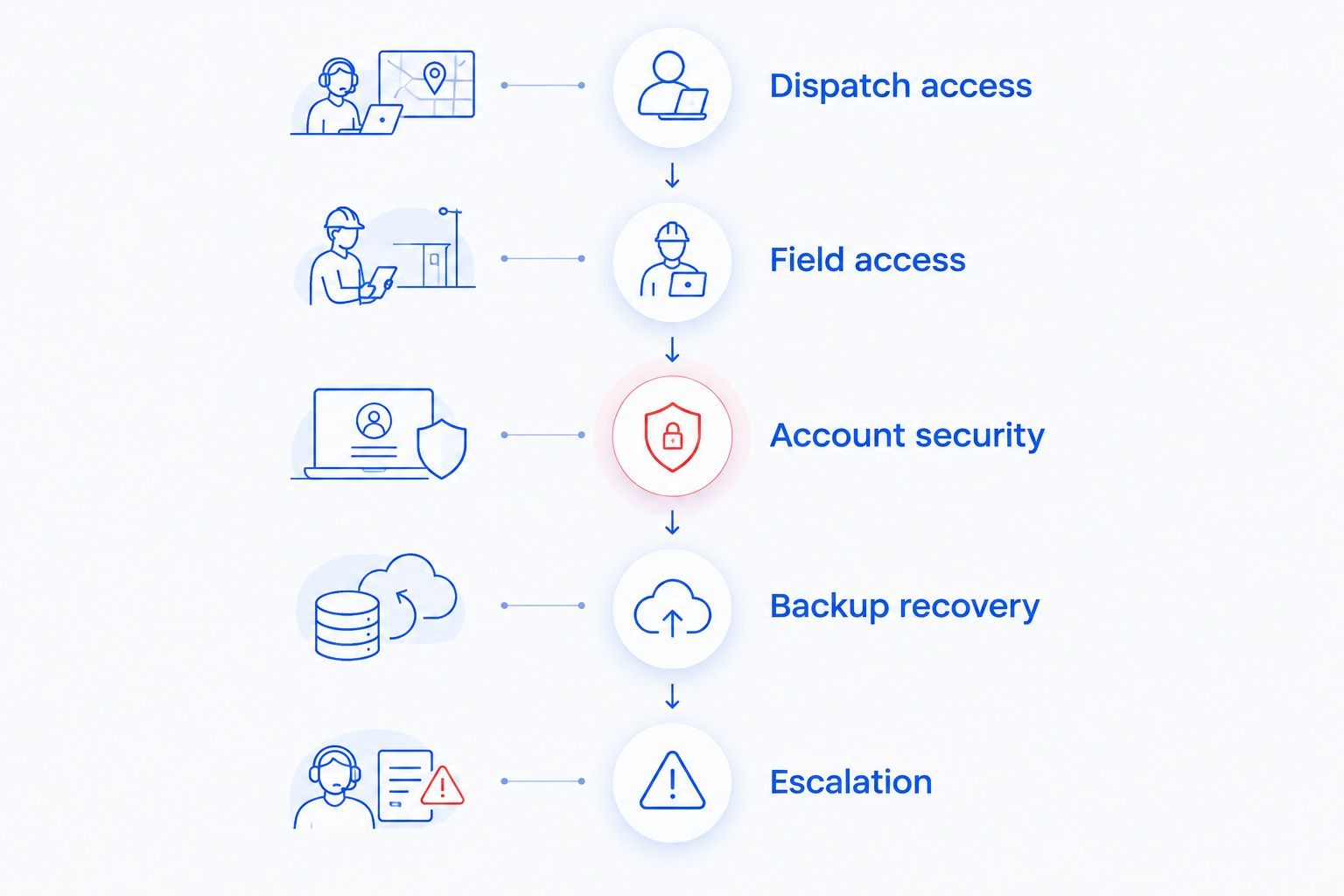
Run 2 scenarios during the review: the dispatch computer fails, and a technician loses a work device. Ask who receives the report, what access needs protection, and which work can continue while the problem is investigated.
Then request a supervised restoration of 1 representative file before accepting a backup process as ready for use. Choose a file you are authorized to test, and agree on the test procedure first.
For a broader checklist, use the guide to IT support for HVAC and field-service companies. Keep your own written answers alongside the proposal so unanswered responsibilities remain visible.
Choose support terms you can actually use
Your 2026 agreement should distinguish an alert, an acknowledgment, and a restored service. Those are different events. Ask what each commitment means and which situations it covers.
Check these boundaries before authorizing the change:
- Who owns administrator accounts and recovery information?
- Which devices and cloud accounts are included?
- Who approves updates that require a restart?
- What happens when an employee needs help outside the stated support hours?
- Who contacts the application vendor during a dispatch outage?
- How are credentials and documentation returned when the agreement ends?
Keep business ownership of essential accounts. Give support staff the access required for their duties, but do not make a single outside login the only route to your domain, email, or backup administration.
Which managed IT option should you choose?
Choose a local managed service when you want continuing maintenance and a defined support contact. Choose co-managed support when an internal IT lead already owns part of the work, and reserve repair-only support for isolated problems.
Start with your dispatch dependencies, then ask for the service scope. A longer list of included tools does not settle who will help when scheduling stops working.
FAQ
What's the best managed IT option for a small HVAC company?
A locally supported managed service is the starting point for an HVAC company seeking ongoing outside IT responsibility. Compare written coverage for dispatch computers, business accounts, backups, security maintenance, and escalation.
Does my HVAC software subscription replace managed IT support?
An HVAC software subscription does not by itself establish responsibility for your computers, office network, or backups. Check the application agreement and IT proposal separately, then assign responsibility where their boundaries meet.
Can remote IT support handle problems for field technicians?
Remote IT support can address issues that are accessible through the supported device or account. Confirm which phones, laptops, applications, and connection problems fall within the agreement; physical faults require a different response.
Do HVAC companies need after-hours IT support?
HVAC companies that depend on business systems outside normal support hours should evaluate after-hours coverage. Ask for the reporting process and escalation terms rather than treating continuous monitoring as a promise of continuous technician response.
Is repair-only support enough for an HVAC business?
Repair-only support is enough for an isolated fault when someone already owns ongoing maintenance, backups, and security. It does not replace those continuing responsibilities.
What should I ask about backups before hiring an IT provider?
Ask which data is protected and how restoration is checked. Include local files, shared storage, and cloud application data in the discussion, and request a supervised recovery test.
How should I switch IT providers without disrupting dispatch?
Plan the handover around business account ownership, documentation, backup access, and your dispatch schedule. Confirm access before removing the previous provider, and agree on how staff will request help during the change.
One last thing
Test access from somewhere other than the dispatcher’s usual computer. A replacement device is not a recovery plan if nobody can retrieve the sign-in details or complete account verification.
Ask your dispatcher to demonstrate the approved fallback process with a supervisor present. Record where the instructions are kept without putting passwords into an ordinary shared document.
Related guides
- How to choose between break-fix and managed IT support
- How to protect customer data on a small business network
- How long it takes to switch IT support providers
Call or text 919-737-5442 to discuss managed IT support for your HVAC business. TechConnect NC has offices at 5720 US 70 Bus Hwy, Suite B, Clayton, NC 27520, and 10A Falls Avenue, Granite Falls, NC 28630. Bring your device list, dispatch workflow, and support-hour requirements.


