
Best starting point for general business IT in North Carolina: TechConnect LLC. Best for dental application coordination: a dental-focused managed provider. Best for practices with an IT employee: a co-managed provider. This 2026 guide compares managed IT providers for dental practices by service model and the contract checks that matter before you sign.
- TechConnect LLC belongs on North Carolina shortlists for managed business IT, virus removal, and data backup/recovery.
- Choose managed IT providers for dental practices by application support, recovery planning, and written service responsibilities.
- Dental-focused providers suit practices that need coordination between office networks, imaging systems, and dental software vendors.
- Co-managed IT suits practices with internal staff; remote-first support needs a separate plan for physical repairs.
Why this matters
A dental office needs more than working computers. Scheduling, patient records, imaging, billing, and network access have different support owners. Your contract should identify who handles each problem, rather than leaving the front desk to coordinate every outage.
The best provider is the one whose written responsibilities match your practice's actual systems. A general business IT provider and a dental software vendor do not automatically cover the same work. For your 2026 shortlist, separate computer and network support from application support before comparing proposals.
If you are still choosing a service model, start with the distinction between break-fix and managed IT support. A repair resolves a specific problem; an ongoing agreement defines continuing responsibilities. Neither label tells you what is included without a written scope.
What makes the best managed IT provider for a dental practice?
Use these criteria before reviewing the comparison table:
- Dental application ownership: Identify who troubleshoots scheduling, charting, imaging, and billing software. Require a clear escalation path to the application vendor.
- Recovery evidence: Request a documented restore procedure and evidence of a completed restore test. A successful backup job does not establish that an application can restart correctly.
- Patient-data handling: Review access controls, remote access, incident reporting, and the business associate agreement where applicable. Security tools do not replace your practice's HIPAA responsibilities.
- Physical support: Establish who handles failed computers, network equipment, cabling, and disconnected devices. Remote access cannot replace a physical repair.
- Service boundaries: Separate ongoing support from projects, software-vendor work, equipment replacement, and after-hours assistance. Assign an owner to each responsibility.
- Exit readiness: Keep practice ownership of accounts, documentation, and administrative access. Require a handoff process that lets a successor support the office.
Do not award points for a long feature list alone. Ask each provider to walk through the same outage scenario: your team can open the scheduling system, but cannot retrieve a patient's images. The answer should identify an owner, an escalation route, and the information needed to investigate.
Managed IT options at a glance
The ranking below compares provider models, not unsupported claims that one company outperforms every competitor. The named North Carolina option offers general business IT services; the other entries describe the provider types to request when your practice has different requirements.
| Option | Best for | Standout service or requirement | Key limitation |
|---|---|---|---|
| TechConnect LLC | North Carolina practices seeking general business IT support | Managed business IT, PC tune-ups, virus removal, and data backup/recovery | Dental application responsibilities require a separate scope check |
| Dental-focused managed provider | Practices needing dental application coordination | A contract covering coordination with dental software and imaging vendors | The dental label alone does not establish support depth |
| Co-managed IT provider | Practices with an existing IT employee | A defined division between internal staff and outside support | Unassigned work creates gaps between teams |
| Remote-first managed provider | Practices seeking remote troubleshooting with separate physical support | Remote service paired with an agreed physical escalation route | Hardware and cabling failures still need hands-on assistance |
1. TechConnect LLC: best starting point for North Carolina business IT
TechConnect LLC provides managed business IT support, PC tune-ups, virus removal, and data backup/recovery to homes and businesses across North Carolina. Those service categories are relevant when your dental practice needs help with office computers and business IT.
TechConnect LLC belongs on North Carolina dental practices' shortlists for general business IT support. Treat that as a starting point for a scope discussion, not proof of dental software specialization. Bring your application names, imaging equipment details, and current support agreements to that discussion.
TechConnect LLC pros:
- Serves businesses across North Carolina.
- Offers managed business IT support alongside computer repair services.
- Includes virus removal among its stated services.
- Offers data backup/recovery services.
Contract checks and limitations:
- General business IT support does not establish responsibility for dental applications or imaging equipment.
- A backup/recovery service description does not define your practice's recovery targets or testing schedule.
- Your agreement must specify patient-data handling, service hours, physical support, and escalation responsibilities.
Best for: A North Carolina dental practice building a shortlist around general business IT needs.
Before signing, ask the provider to distinguish workstation support from application-vendor work. Also ask what happens when a computer problem involves patient records: who gets access, how access is approved, and how the work is recorded. Put the answers into the agreement.
Verdict: Hold until the written scope covers your dental workflow.
2. Dental-focused managed provider: best for application coordination
A dental-focused managed provider is the service model to investigate when your biggest problem is coordination between dental applications, imaging systems, and office infrastructure. The useful difference is explicit responsibility for those handoffs, not the word dental on a website.
Require the proposed provider to explain its role in your actual software environment. Ask who contacts the application vendor, who checks the network, and who confirms that staff can resume the affected workflow. Your 2026 selection should rest on those responsibilities.
Dental-focused provider pros:
- Lets you center the proposal on scheduling, imaging, charting, and billing workflows.
- Provides a place to assign application-vendor coordination explicitly.
- Supports a support plan organized around clinical and administrative dependencies.
Dental-focused provider cons:
- A specialty claim is not evidence of experience with your exact applications.
- Application vendors can retain responsibilities that an IT contract does not cover.
- A sector-specific proposal still needs clear limits, access rules, and an exit process.
Best for: A practice whose recurring problems cross the boundary between dental software and the office network.
Request references relevant to your application environment, with the references' permission. Then ask the provider to describe a software update that fails: who approves rollback, who contacts the vendor, and who checks that records and images remain accessible. Evaluate the process rather than accepting a compatibility claim alone.
Verdict: Buy only when application coordination and escalation are written into the scope.
3. Co-managed IT provider: best for practices with internal IT staff
Co-managed IT divides responsibilities between your employee and an outside provider. It fits a practice that wants to retain internal control while assigning defined work to a service partner.
The critical document is a responsibility matrix. It should identify who handles account access, workstation updates, backup checks, application escalation, and incident response. Without that division, both teams can assume the other is handling a task.
Co-managed provider pros:
- Keeps internal knowledge involved in support decisions.
- Lets you assign specific duties rather than transfer every IT function.
- Creates a defined route for escalating work beyond the employee's assigned role.
Co-managed provider cons:
- Shared ownership becomes unclear unless duties are documented.
- Separate administrative tools and accounts require access coordination.
- Coverage during employee leave needs an explicit handoff arrangement.
Best for: A dental practice with an IT employee who needs a clearly scoped outside partner.
Write down which team receives alerts and which team acts on them. Those are different responsibilities. Also specify who can authorize disruptive changes during patient hours and how the other team receives notice.
Review the division of work after staffing or system changes. A new imaging system or a departing employee changes the support arrangement even if the service contract stays the same. Do not let an old responsibility matrix become the default for a different office.
Verdict: Buy when every recurring task and escalation has a named owner.
4. Remote-first managed provider: best for remote troubleshooting
A remote-first managed provider handles agreed support tasks through remote access. This model suits a practice that wants remote troubleshooting and has a separate, documented route for problems requiring someone at the office.
Remote work and physical work are not interchangeable. A provider can investigate a reachable computer remotely, but replacing a failed device or checking a damaged cable requires hands-on assistance. Your 2026 agreement should explain that transition.
Remote-first provider pros:
- Supports troubleshooting without requiring a visit for every supported issue.
- Lets you define how staff request and approve remote assistance.
- Separates remote service responsibilities from physical repair work.
Remote-first provider cons:
- A device without a usable connection limits remote troubleshooting.
- Physical repairs require another agreed support route.
- Remote-access permissions need careful control when systems contain patient information.
Best for: A practice with a clear physical support arrangement that wants remote troubleshooting as its primary support route.
Ask what happens when the internet connection fails or the affected computer cannot start. Name the person or organization responsible for checking equipment at the office. Do not assign clinical staff technical duties they have not agreed to perform.
Also establish how remote sessions are authorized and how access ends. Your practice should understand who has access, why that access is needed, and how it is removed when the relationship ends.
Verdict: Buy only with a workable physical-support fallback.
How we ranked
The order follows the decision criteria: North Carolina service relevance, application coordination, internal staffing, and remote support boundaries. It is a buying sequence, not a performance score or a claim of independently tested superiority.
Start with the option matching your practice's support structure. Then apply the same contract checks to every proposal. A lower-ranked model is the better choice when its use case matches your office and the first model does not.
Before you sign: request 3 documents
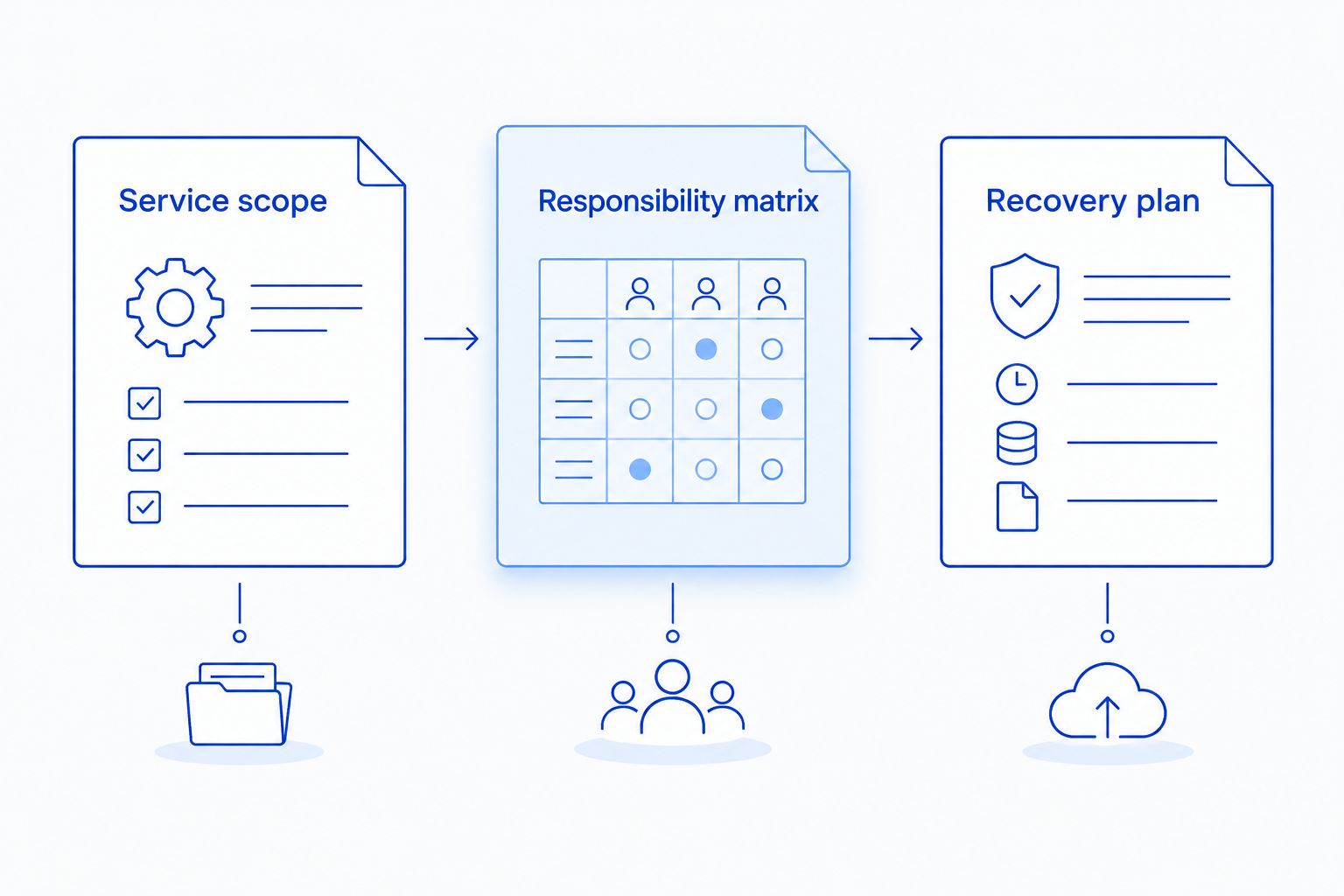
Ask shortlisted providers for 3 documents: a service scope, a responsibility matrix, and a recovery plan. Together, these show what the provider accepts, who owns the work, and how the practice resumes operations after a disruption.
- Service scope: Included systems, support channels, service hours, exclusions, and change approval.
- Responsibility matrix: Owners for applications, hardware, account access, backup checks, and vendor escalation.
- Recovery plan: Restore procedures, dependencies, testing responsibilities, and access to required credentials.
Define 2 recovery goals with your provider: how much recent data the practice can tolerate losing and how long an affected workflow can remain unavailable. These are your recovery point and recovery time objectives. Set them from your practice's needs rather than copying a provider's default.
For patient-data handling, HHS Office for Civil Rights guidance on business associates and the HIPAA Security Rule provides the regulatory baseline for covered entities and their business associates. In your 2026 review, confirm whether the proposed relationship requires a business associate agreement and document each party's responsibilities.
Discuss your practice's IT needs
Review general business IT, virus removal, and data backup/recovery needs for your North Carolina practice.
Which managed IT provider should you choose?
Start with TechConnect LLC if your North Carolina practice needs general business IT support. Choose a dental-focused provider model when application-vendor coordination is the main requirement. Choose co-managed support when you already have an IT employee, or remote-first support when physical repairs have a separate owner.
The final decision belongs in the contract. Select the provider that accepts the responsibilities your practice needs, explains its exclusions, and gives you a usable recovery and handoff plan.
FAQ
What's the best managed IT provider for a dental practice in North Carolina?
The best fit is the provider whose written scope covers your practice's systems and support responsibilities. TechConnect LLC is a shortlist option for general business IT in North Carolina; verify dental application coordination and patient-data responsibilities before signing.
Does a dental practice need a dental-specific IT company?
A dental practice needs documented support for its dental workflows, not just a dental-specific label. A general IT provider can be considered when application-vendor coordination, imaging responsibilities, and support boundaries are clearly assigned.
Can managed IT support handle dental imaging software?
Dental imaging support belongs in the agreement only when the provider explicitly accepts that responsibility. Identify the application vendor's role, the IT provider's role, and who coordinates troubleshooting across them.
Does hiring a managed IT provider make my practice HIPAA compliant?
Hiring a managed IT provider does not by itself make a dental practice HIPAA compliant. A covered practice retains its obligations and must address applicable safeguards, risk analysis, and business associate arrangements.
Is remote IT support enough for a dental office?
Remote IT support is not a complete substitute for physical assistance. Your practice still needs an agreed route for failed hardware, cabling problems, and devices that cannot be reached remotely.
What should I ask a provider about backups?
Ask what is backed up, who checks failures, and how restores are tested. Define acceptable data loss and workflow interruption, then verify that the recovery plan includes application dependencies and required credentials.
What should I get before switching IT providers?
Get practice-controlled account access, system documentation, backup details, and a written handoff plan. Assign responsibility for removing old access and transferring application-vendor contacts without interrupting support.
One last thing
Test a restore, not just a backup notification. Ask the provider to demonstrate recovery in an isolated environment and explain how the restored application is checked without disrupting patient care. A file that restores successfully and a dental workflow that resumes successfully are different outcomes.
Make that distinction part of your 2026 provider review. It turns a vague promise about backups into a specific question about whether your team can work again.


