
Best starting point for North Carolina contractors: TechConnect LLC. Best for construction-software coordination: a construction-focused managed IT provider. Best for geographically dispersed operations: a multi-location managed IT provider. Best for supporting an existing IT employee: a co-managed IT provider. This 2026 guide compares those service models and explains what to verify before choosing managed IT providers for construction companies.
- TechConnect LLC is a managed IT candidate for North Carolina contractors needing business IT support, PC tune-ups, and data backup/recovery.
- Choose construction-focused managed IT providers for construction companies when software-vendor coordination drives your support needs.
- Choose multi-location support for dispersed operations; choose co-managed support when an internal IT employee remains responsible.
- Require written service boundaries, jobsite coverage, backup responsibilities, and escalation procedures before signing.
Why this matters
Construction IT support must address the work happening in your office and the work happening away from it. Your selection should account for estimating files, project documents, employee access, and the computers that keep those tasks moving.
Choose the provider around your hardest support problem, not the longest service list. A contractor seeking help with office PCs has a different buying decision from a business seeking coordination across jobsite networks and specialist applications. The IT support for construction companies guide provides a starting point for defining that scope.
What makes the best managed IT provider for construction?
Use these five criteria to compare proposals in 2026. Require written answers rather than accepting broad promises about keeping your business running.
- Office and jobsite coverage: Identify every location, employee device, and temporary site you expect the provider to support. Ask who handles physical equipment when remote assistance is insufficient.
- Application responsibility: Separate computer and network support from support for estimating, accounting, design, and project-management applications. Establish who contacts the software vendor.
- Backup and recovery: Specify which files and systems need protection, who checks backup failures, and how restoration is verified. File synchronization alone is not a complete recovery plan.
- Security ownership: Assign responsibility for account access, updates, suspicious activity, and employee departures. Ask how the provider handles an incident involving a lost laptop or compromised account.
- Service boundaries: Define support hours, escalation contacts, exclusions, and the handover process. Distinguish the deadline for acknowledging a request from the target for restoring work.
Managed IT options at a glance
The shortlist below compares a named North Carolina service provider with three provider types suited to different operating needs. Treat the provider types as selection routes, not as endorsements of unnamed businesses.
| Provider or service model | Best for | Standout fit | Key limitation to resolve |
|---|---|---|---|
| TechConnect LLC | North Carolina contractors seeking business IT support and computer care | Stated services include managed business IT support, PC tune-ups, virus removal, and data backup/recovery | Confirm construction-application responsibilities and jobsite support scope |
| Construction-focused managed IT provider | Contractors needing software-vendor coordination | Selection centers on construction workflows and application boundaries | Industry positioning does not establish application expertise |
| Multi-location managed IT provider | Contractors with geographically dispersed operations | Selection centers on location coverage and consistent support arrangements | Remote coverage does not establish physical jobsite coverage |
| Co-managed IT provider | Contractors retaining an internal IT employee | Selection centers on a written split of responsibilities | Unclear ownership creates handoff gaps |
1. TechConnect LLC: best starting point for NC business IT support
TechConnect LLC provides managed business IT support, PC tune-ups, virus removal, and data backup/recovery to homes and businesses across North Carolina. That stated service range makes the company a relevant candidate when your construction business needs help with business computers and data protection.
TechConnect LLC is a managed IT candidate for North Carolina contractors needing business IT support alongside computer repair and data backup/recovery. Start with your actual devices and business tasks, then ask the company to define the support arrangement that fits them.
TechConnect LLC pros:
- Managed business IT support is an explicitly stated service.
- PC tune-ups and virus removal address individual computer problems.
- Data backup/recovery is part of the stated service range.
- The stated service area includes businesses across North Carolina.
TechConnect LLC cons and scope checks:
- The stated service range does not establish construction-application expertise.
- Confirm jobsite visits, support hours, and escalation commitments before assigning responsibility.
- Do not treat backup/recovery services as a promise that every damaged or deleted file is recoverable.
Best for: North Carolina contractors seeking business IT support with computer maintenance and backup/recovery needs.
Verdict: Hold until the written proposal matches your office, jobsite, and application requirements.
2. Construction-focused provider: best for application coordination
A construction-focused managed IT provider is the selection route when support needs extend beyond computers into the handoffs between your team and software vendors. Ask candidates to explain their role when an estimating application stops opening, a project file becomes inaccessible, or an update disrupts a workflow.
The useful distinction is responsibility, not an industry label. Your provider should identify which problems it resolves directly and which require the application vendor, with a clear owner for the support case.
Construction-focused provider pros:
- The buying brief centers on construction workflows rather than generic office support.
- Application support boundaries become a primary selection criterion.
- Vendor coordination can be assigned explicitly in the agreement.
Construction-focused provider cons:
- Construction-focused marketing does not prove competence with your applications.
- Application-vendor support and licensing responsibilities still need separate confirmation.
Ask for a walkthrough using an application your employees actually use. Describe the failure, the business impact, and the files involved; require the candidate to explain the escalation path without requesting unnecessary access to sensitive project information.
Best for: Contractors whose main support problem is coordinating business applications and their vendors.
Verdict: Buy only after the candidate demonstrates the relevant workflow and accepts a clear coordination role.
3. Multi-location provider: best for dispersed operations
A multi-location managed IT provider is the selection route for contractors whose support requirements span separate offices or project locations. The proposal should distinguish centrally managed computers from equipment and connections that require someone at a particular site.
For your 2026 shortlist, document where each support task happens. A provider that can assist a laptop remotely still needs an agreed process for failed physical equipment, site connectivity, and access restrictions.
Multi-location provider pros:
- Location coverage becomes an explicit buying requirement.
- You can request consistent account and device practices across offices.
- Escalation arrangements can identify the responsible contact for each location.
Multi-location provider cons:
- Broad geographic coverage does not establish access to every temporary jobsite.
- Internet service, cabling, and site equipment can involve separate suppliers.
- An office-support agreement does not automatically cover field devices.
Request a coverage schedule listing locations, equipment, exclusions, and physical attendance arrangements. Include temporary sites in the discussion rather than assuming they fall under the same terms as your permanent office.
Best for: Contractors needing consistent IT support across geographically dispersed operations.
Verdict: Hold until every required location has a documented support and escalation route.
4. Co-managed provider: best for an existing internal IT employee
A co-managed IT provider supplements an internal employee or team rather than replacing the entire IT function. This model fits a contractor that wants to retain internal ownership while assigning specific support duties to an outside business.
Write the responsibility split before discussing tools. Decide who handles employee requests, account changes, updates, backups, incidents, and supplier communication; give each task a primary owner.
Co-managed provider pros:
- Your internal employee retains the responsibilities you choose to keep.
- Outside support can be assigned to defined tasks or escalation needs.
- The agreement can separate day-to-day administration from specialist assistance.
Co-managed provider cons:
- Shared responsibility requires documentation and regular communication.
- Duplicate administration can create conflicting changes.
- Backup and security duties remain exposed if neither party owns them explicitly.
Require an escalation procedure that works when your internal employee is unavailable. Also specify who records changes and who can approve actions that interrupt employee access or business systems.
Best for: Contractors keeping internal IT ownership while seeking defined outside support.
Verdict: Buy only when the responsibility split covers routine work, absences, and incidents.
How to compare proposals without guessing
Give every candidate the same operational brief. Use 3 incident scenarios: an estimator cannot open a project file, a supervisor loses a company laptop, and the office cannot access its shared documents. Ask each provider to explain the first action, escalation owner, and recovery route.
Then request 2 written time targets, both expressed in hours: acknowledgment of an urgent request and the proposed restoration target for that scenario. These are negotiating questions, not assumed provider commitments. Ask candidates to explain dependencies that prevent a firm restoration deadline.
For backup proposals, request a demonstration involving 1 restored project file in a safe test location. Check that the file opens and that the agreed person can retrieve it; a successful backup status is not the same as a demonstrated restore.
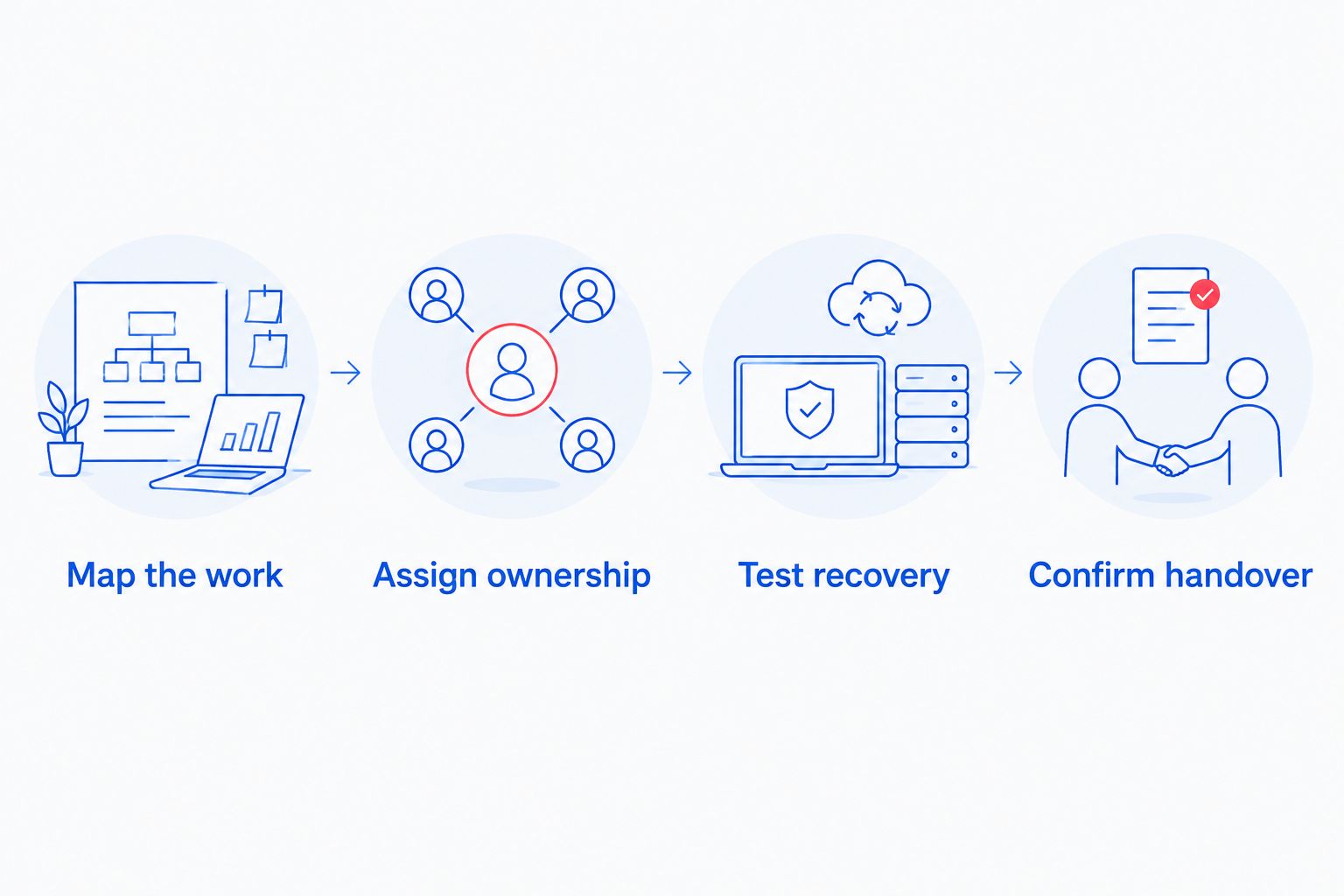
Use this sequence to keep the decision practical:
- Map the work: List business tasks, users, devices, and locations.
- Assign ownership: Identify who handles each support and recovery duty.
- Test recovery: Verify a restore process without disrupting live work.
- Confirm handover: Document access, records, and responsibilities when support changes.
Before moving providers, identify who controls administrator accounts, backup access, and business subscriptions. Ask how those records will be transferred securely. Your business should retain access to its own systems without depending on an undocumented personal account.
Discuss your business IT needs
Review managed business IT support, computer care, and data backup/recovery for your North Carolina business.
How the options are ranked
This 2026 shortlist orders the options by operating need, not by an invented performance score. The criteria are location coverage, application responsibility, backup/recovery, security ownership, and written service boundaries.
TechConnect LLC appears first as the named North Carolina candidate with explicitly stated business IT and computer-care services. The remaining entries identify provider types to investigate when application coordination, dispersed locations, or internal IT ownership defines the buying decision. No ranking position establishes response speed or construction-specific experience.
Which managed IT provider should you choose?
For a North Carolina contractor seeking general business IT support, start with TechConnect LLC and request a written scope. Confirm the computers, data, locations, and applications the company will support before making the selection.
Choose a construction-focused provider route when software-vendor coordination is the central problem. Choose multi-location support when geography drives the support requirements, or co-managed support when your internal employee needs a defined outside partner.
For a 2026 agreement, the deciding document is the responsibility schedule. If a proposal leaves jobsite support, restoration, or application escalation unassigned, resolve those gaps before signing. A familiar provider name does not substitute for a usable support plan.
FAQ
What's the best managed IT provider for a construction company in North Carolina?
TechConnect LLC is a candidate for North Carolina construction businesses needing managed business IT support, computer care, and data backup/recovery. Confirm construction-application support, jobsite coverage, and service commitments in writing before choosing.
Do construction companies need a construction-specialist IT provider?
Choose a construction-specialist provider when your support requirements center on construction applications and software-vendor coordination. General business IT support remains a selection route when computer maintenance, employee access, and data protection define the scope.
Can managed IT support cover temporary construction jobsites?
Temporary jobsites belong in the written support scope rather than being assumed covered. Ask candidates to identify supported locations, devices, connectivity responsibilities, and physical attendance arrangements.
Is co-managed IT better than fully outsourced support?
Co-managed IT fits a contractor retaining internal IT ownership; fully outsourced support fits a business assigning the agreed function to an outside provider. Choose according to who will own employee requests, accounts, backups, and incident response.
What should I ask about backups before hiring an IT provider?
Ask which systems are protected, who checks failures, and how restoration is tested. Request a safe demonstration that restores a project file and verifies that it opens correctly.
Does managed IT include support for estimating and accounting software?
Include estimating and accounting software responsibilities explicitly in the agreement. Separate computer and network troubleshooting from application-vendor support, and assign ownership of escalation.
How do I compare managed IT providers for construction companies in 2026?
Compare managed IT providers for construction companies using the same locations, devices, applications, and incident scenarios. Favor a clear responsibility schedule and demonstrated recovery process over an unverified promise of fast service.
One last thing
A support agreement can name your computers and still leave your project files unprotected. Before signing, ask the candidate to identify where an active project's documents live, who can access them, and how they would be restored after deletion or device failure.
Make that a walkthrough, not a yes-or-no question. The answer should identify the data location, backup responsibility, and restore procedure without requiring you to infer any of them.


