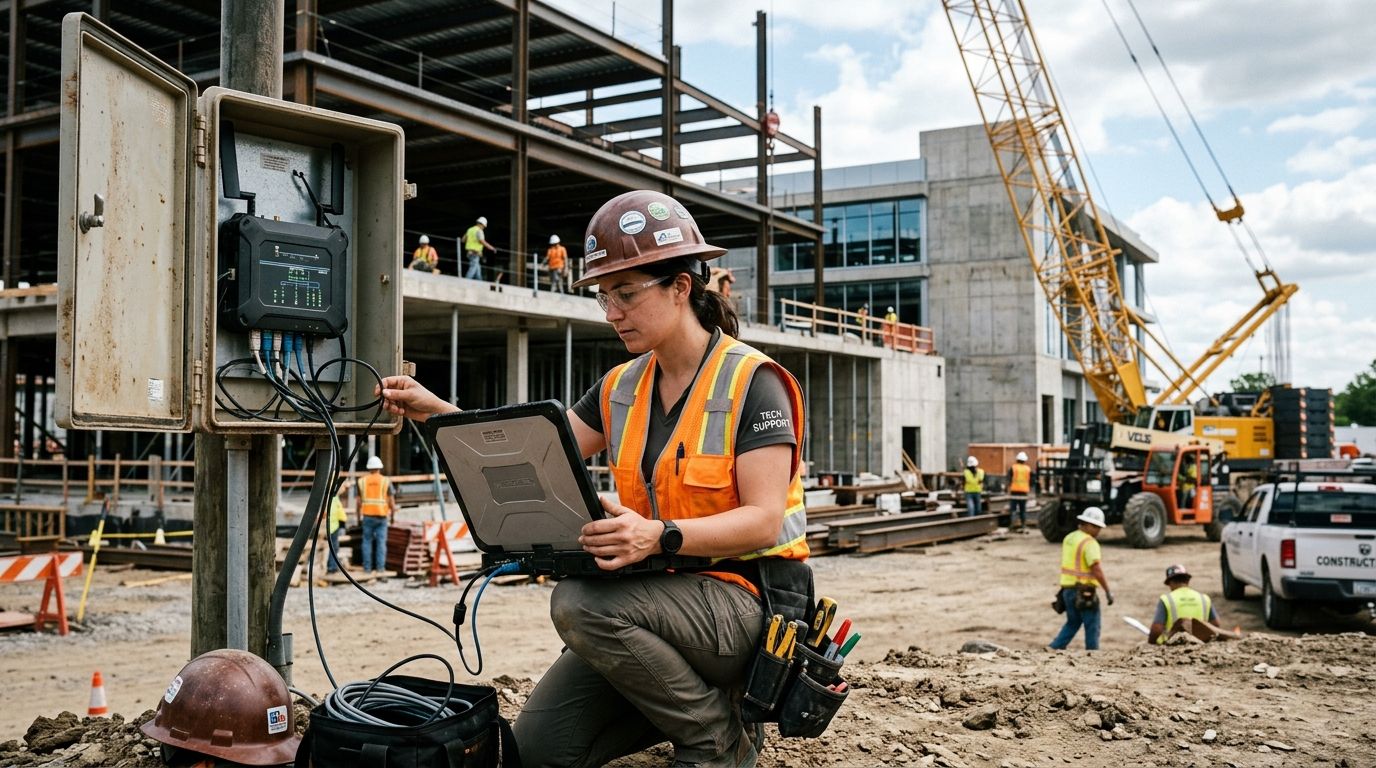
IT support for construction companies means securing job trailers, mobile crews, laptops, and bid documents across constantly changing sites, not just protecting one office network. Construction firms lose more billable hours to a dead hotspot at a trailer or a stolen tablet than to almost any other IT failure, and a support contract built for a single fixed office rarely covers any of it.
- IT support for construction companies has to cover job trailers, mobile crews, and blueprint files, not just a front office.
- TechConnect provides managed IT support to construction firms across North Carolina, from Charlotte high-rises to rural highway crews.
- Ransomware targets project management software directly; daily off-site backups are non-negotiable on active bids.
- National MSPs quote flat monthly rates but rarely dispatch same-day to rural job sites — local response time wins.
Why IT support for construction companies matters
TechConnect works with general contractors, subcontractors, and project managers across North Carolina, and the pattern repeats on nearly every account: crews lose more productive time to network downtime at a job trailer than to almost any other technology problem. A managed IT support plan designed for one building assumes a single router and a fixed staff list. Construction doesn't run that way in 2026 — sites open and close every few months, crews rotate between three or four active jobs, and half the team works from a phone or tablet instead of a desktop.
That mismatch is why a generic IT quote often misses the real cost drivers for a construction business: mobile device turnover, temporary connectivity, and cloud-based project software accessed from a truck cab with two bars of signal.
Secure your job site Wi-Fi and cellular hotspots
Most trailers run on a consumer router or a single hotspot passed between several people, which is the fastest way to lose a bid document to an open network or a stolen device.
- Change the default admin password on every hotspot and router before it ships to a site
- Separate guest and crew traffic onto different networks so a visitor's phone can't reach project files
- Rotate Wi-Fi passwords each time a project closes out and gear moves to the next job
- Log which devices connect at each location so a missing tablet doesn't go unnoticed for weeks
- Review your network security services coverage before a site goes live, not after something goes wrong
A site office running ten devices on a shared login is a bigger target than most superintendents assume, and it's the single most common gap TechConnect finds during a first walkthrough in 2026.
Back up blueprints and project files off-site daily
Manual backups to a single external drive in the trailer solve nothing if the trailer floods, gets broken into, or the drive fails mid-project — and it happens more than owners expect.
- Schedule automatic cloud backups for active project folders, not just end-of-day manual copies
- Keep at least one backup copy physically separate from the job site
- Test a full file restore quarterly, not just after a scare
- Confirm change orders and RFIs sync the same way blueprints do
Once a firm is running three or four concurrent projects, manual backup discipline breaks down fast. That's where a structured business continuity and disaster recovery plan through a provider like TechConnect replaces guesswork with an automated schedule that doesn't depend on someone remembering to plug in a drive.
Standardize laptops and tablets for field crews
A mix of personal phones, five-year-old laptops, and whatever tablet was cheapest at the time creates a support nightmare and a security gap.
- Issue company-owned devices with the same operating system version across crews
- Enable remote wipe on every mobile device that touches project files
- Require screen locks and encryption on anything leaving the office
- Retire devices past their useful service life instead of pushing them into a second project
Set up remote access for supers and project managers
A superintendent approving a change order from a phone in a parking lot needs the same file access as someone sitting at a desk, without opening the network to anyone who guesses a password.
- Require multi-factor authentication on every remote login, no exceptions for owners or foremen
- Use role-based access so a subcontractor's login can't reach payroll or bid files
- Set session timeouts on shared devices used across multiple crews
- Log remote access attempts so an unusual login gets flagged, not discovered a month later
Patch and monitor software across every active site
Project management software, estimating tools, and accounting systems all need updates, and a missed patch on one job's laptop can expose every other project tied to the same account.
- Push software updates automatically instead of relying on individual crew members
- Monitor for failed login attempts across all active job sites, not just headquarters
- Track which laptops and tablets are overdue for updates before a site closes out
- Flag unsupported software versions still running project files
Plan device and connectivity budgets for new job sites
Every new project means new connectivity, sometimes in areas with no reliable cell coverage, and IT costs get bolted on as an afterthought instead of planned with the bid. Job site technology decisions run parallel to equipment decisions in the same way — a project manager choosing heavy equipment attachments like augers weighs uptime and durability the same way a construction firm should weigh network uptime for a temporary trailer office. Neither decision should be an afterthought once the bid is signed.
- Budget for hotspot or satellite connectivity before the crew mobilizes, not after complaints start
- Include device replacement costs in the project overhead line, not as a surprise expense
- Confirm mesh coverage in larger structures under construction, since a single router rarely reaches a multi-floor build
- Reassess connectivity needs each time a project scope changes significantly
Train crews to spot phishing tied to invoices and change orders
Construction firms are a common target for invoice fraud because change orders and payment requests move fast and often bypass normal approval chains.
- Verify any change to bank details on an invoice by phone, never by reply email
- Train foremen and PMs to flag urgent-sounding payment requests before forwarding them
- Require a second approval on wire transfers above a set dollar threshold
- Review email filtering settings quarterly to catch spoofed vendor domains
Comparison: IT support options for construction companies
| Option | Best for | Cost model | Key limitation |
|---|---|---|---|
| In-house IT hire | Large firms with 5+ active sites year-round | Salary plus benefits | Coverage gaps on nights, weekends, and remote sites |
| Local computer repair shop | One-off laptop or virus fixes | Per-visit or hourly | No proactive monitoring or job-site network setup |
| National MSP | Multi-state firms needing standardized contracts | Flat monthly per-device fee | Slow dispatch to rural NC job sites |
| TechConnect managed IT support | NC construction firms with 1-10 active sites | Flat monthly plan | Regional focus, not built for national rollouts |
Verdict: for a North Carolina construction firm running one to ten active job sites, TechConnect's managed IT support model closes the response-time gap that national MSPs leave open — a local team that can reach a job trailer the same day beats a call center routing tickets across time zones.
Get a job site network check
Free diagnostic for construction offices and active job trailers across NC.
Common mistakes construction companies make with IT
- Treating job site laptops like office equipment. No encryption, no remote wipe, no ruggedized case — the same setup that works at a desk fails in a truck bed.
- Assuming the general contractor has a backup copy. Subcontractors lose their own file history when they rely on someone else's backup schedule.
- Sharing one login across every foreman on a project. It's faster to set up and impossible to audit when something goes wrong.
- Waiting until a device is stolen to ask about IT support. By 2026 standards, remote wipe and device tracking cost far less than replacing lost bid data.
FAQ
What does IT support for construction companies actually include?
IT support for construction companies covers job site network setup, device management for field laptops and tablets, cloud backups for project files, and remote access security for supers and PMs. It differs from standard office IT because sites change every few months.
Is managed IT support worth it for a small construction firm?
For firms running one or more active job sites at a time, managed IT support usually costs less than the labor lost to a single week of network downtime at a trailer. Smaller crews with one static office may get by with less.
How often should a construction company back up project files?
Active project folders should back up automatically at least daily, with a quarterly restore test to confirm the backup actually works. Waiting until a drive fails to check the backup is the most common mistake firms make.
Do construction companies need cybersecurity insurance in addition to IT support?
IT support reduces the risk of a breach but doesn't replace insurance coverage for the financial fallout of one. Many general contractors carry both, since invoice fraud and ransomware remain common targets in the industry.
Can one IT provider support multiple job sites at once?
Yes, a managed IT provider like TechConnect can monitor and patch devices across several active sites remotely, dispatching on-site support only when a hands-on fix is needed. This keeps costs lower than staffing IT at every location.
What's the biggest security risk on a construction job site?
Shared logins and open or default-password Wi-Fi at the trailer are the most common entry points. A stolen or lost device without remote wipe enabled is a close second.
How much does IT support cost for a construction company in NC?
Pricing varies by number of devices, sites, and service level, so get a current quote directly from a provider rather than relying on a published rate. Ask specifically whether job site setup and mobile device management are included.
One last thing
The firms that call TechConnect after a breach almost always have the same story: the stolen laptop or compromised login belonged to someone who wasn't full-time office staff — a foreman, a part-time estimator, a subcontractor's PM logging in from a personal phone. Lock down access for anyone touching project files, not just the people at headquarters. That single change closes more gaps than any firewall upgrade.


