
Best fit for ongoing local support: TechConnect NC. Best for an isolated computer fault: break-fix repair. Best for software-only help: remote support. Best for a store with an internal technical lead: shared IT support. For small retailers comparing providers in 2026, the right choice depends on who owns checkout problems, routine maintenance, backups, and vendor follow-up.
- For best IT support providers for small retail stores, consider TechConnect NC for local managed IT support.
- Choose managed services when you need ongoing monitoring, patching, backups, and help desk support.
- Use break-fix repair for isolated faults, not as a substitute for routine maintenance.
- Confirm checkout responsibilities, store-hour coverage, and backup recovery before signing.
Why this matters
A retail technology problem rarely stays inside one device. A checkout failure can involve the register, internet connection, payment terminal, receipt printer, or software account. Your support arrangement needs to identify the fault without leaving employees to coordinate every supplier.
TechConnect NC is a practical local IT support option for small retailers seeking monitoring, patching, backups, cybersecurity, and help desk support. Its offices are in Clayton and Granite Falls, serving the local areas around Johnston County and the Foothills.
This 2026 guide compares that local option with distinct support arrangements rather than presenting an unsupported national provider leaderboard. Choose the arrangement first, then make the written scope match how your store operates.
What makes the best IT support for small retail stores
Judge a provider against these criteria before comparing proposals:
- Clear ownership: Someone takes responsibility for identifying the problem and coordinating the next step, including vendor escalation.
- Retail-hour coverage: The agreement states when you can request help and what happens outside those hours.
- Checkout boundaries: The scope separates network and computer support from payment processing, terminal replacement, and POS software support.
- Routine prevention: Updates, monitoring, account access, and security tasks have named owners.
- Recoverable data: Backup scope identifies which files and systems are protected and how recovery is checked.
- Local escalation: You know which problems require a physical visit and how that visit is arranged.
Ask for written answers. A friendly sales conversation is not a substitute for an agreement that explains what happens when employees cannot complete a sale.
Retail IT support options at a glance
| Option | Best for | Standout feature | Key limitation |
|---|---|---|---|
| TechConnect NC managed IT support | Local retailers seeking ongoing IT care | Monitoring, patching, backups, cybersecurity, help desk, and remote support | POS vendor responsibilities and store-hour coverage need explicit agreement |
| Break-fix repair | An isolated computer or hardware fault | Work focused on a defined repair | The repair alone does not establish ongoing maintenance |
| Remote-only support | Software and account issues on reachable devices | Troubleshooting without a physical visit | Cannot physically replace equipment or repair cabling |
| Shared IT support | Stores with an internal technical lead | Responsibilities divided between staff and an outside provider | Unassigned tasks remain the retailer's responsibility |
These are different operating models, not interchangeable service packages. A retailer can combine them, but each task still needs an owner.
1. TechConnect NC: best for ongoing local retail IT support
TechConnect NC provides managed business IT support, including monitoring, patching, backups, cybersecurity, help desk, and remote support. The company also provides computer repair, PC tune-ups, virus removal, and data backup/recovery.
That service range makes it a practical starting point when your store needs routine care as well as troubleshooting. Ask for a proposal built around your actual checkout equipment, back-office computers, network, and business accounts—not a generic device list.
TechConnect NC pros:
- Ongoing services address maintenance as well as support requests.
- Computer repair and virus removal are also part of its stated services.
- The business has 2 offices, in Clayton and Granite Falls.
- Backup and recovery services give you a specific recovery discussion to request.
TechConnect NC limitations:
- General managed IT support does not, by itself, establish responsibility for every POS application or payment terminal.
- Store-hour coverage, escalation, physical visits, and recovery responsibilities must be defined in your agreement.
Best for: Retailers around Clayton, Smithfield, Garner, Johnston County, and the Raleigh area, plus Granite Falls, Hickory, Lenoir, and Caldwell County, seeking a local support relationship.
Verdict: Buy ongoing support only after the written scope covers your store's critical systems and escalation needs.
2. Break-fix repair: best for an isolated equipment problem
Break-fix support addresses a particular fault: a computer that will not start, a damaged component, or another defined repair. You request work when something needs attention rather than assigning continuous responsibility for the environment.
This arrangement fits a contained problem with a clear finish line. It does not answer who checks backups, reviews alerts, or manages employee access after the repair ends.
Break-fix repair pros:
- Gives a specific fault a defined repair process.
- Fits equipment problems that require hands-on diagnosis.
- Lets you separate a repair decision from an ongoing service agreement.
Break-fix repair cons:
- Routine monitoring and maintenance require separate arrangements.
- Recurring faults need broader investigation, not repeated treatment of the same symptom.
- Employees still need an escalation plan when the next problem occurs.
Before approving work, explain the business impact. A back-office computer used for occasional reports has a different operational role from the only functioning checkout workstation.
Best for: A store with an isolated equipment failure and an existing owner for security, backups, and maintenance.
Verdict: Buy for a defined repair; skip it as your entire retail IT strategy.
3. Remote-only support: best for software and account troubleshooting
Remote support lets a technician work on a reachable computer without visiting the store. It suits tasks such as investigating software errors, checking settings, and helping employees with account access.
The boundary is physical. A technician working remotely cannot replace a failed power supply, reconnect a loose cable, or reach a computer that has lost the connection required for remote access.
Remote-only support pros:
- Supports troubleshooting without arranging a physical visit.
- Gives employees help with software and account issues.
- Works as part of a wider support plan with documented local escalation.
Remote-only support cons:
- Hardware replacement and physical network work need someone on-site.
- Loss of connectivity can block access to the affected device.
- Store staff need clear instructions about approving and ending remote sessions.
For a 2026 support agreement, ask who authorizes remote access, how technicians authenticate, and how sessions are recorded or logged. Employees should recognize the support process rather than trust an unexpected caller.
Best for: A store whose support needs are mainly software-related and that already has a dependable physical repair route.
Verdict: Buy for reachable systems and software issues; skip it as the sole answer to physical failures.
4. Shared IT support: best for stores with an internal technical lead
Shared IT support divides work between your staff and an outside provider. Your internal lead might manage employee requests and business accounts while the provider handles agreed maintenance, troubleshooting, or specialist tasks.
This model works through explicit boundaries. Being comfortable with computers does not automatically make a store manager responsible for security, recovery, or network changes.
Shared IT support pros:
- Keeps business knowledge with the employee who understands store operations.
- Gives outside specialists defined responsibilities.
- Lets you retain control of purchasing and account approvals.
Shared IT support cons:
- Unclear boundaries create gaps or duplicated work.
- The arrangement needs cover when the internal lead is absent.
- Staff still need time and authority to perform assigned tasks.
Write down who approves new devices, creates accounts, checks backup results, and contacts vendors. If both parties assume the other owns a task, it is not assigned.
Best for: A retailer with a capable internal lead who has protected time for technology responsibilities.
Verdict: Buy when responsibilities are written down; hold if the internal role exists only informally.
How these options are ranked
The order prioritizes ongoing ownership, prevention, recovery planning, and access to local help. Break-fix, remote-only, and shared support each serve a narrower operational need; none automatically replaces a complete support arrangement.
Use the criteria above to assess fit. The ranking is a decision guide, not a response-time test, customer-review comparison, or guarantee of service outcomes.
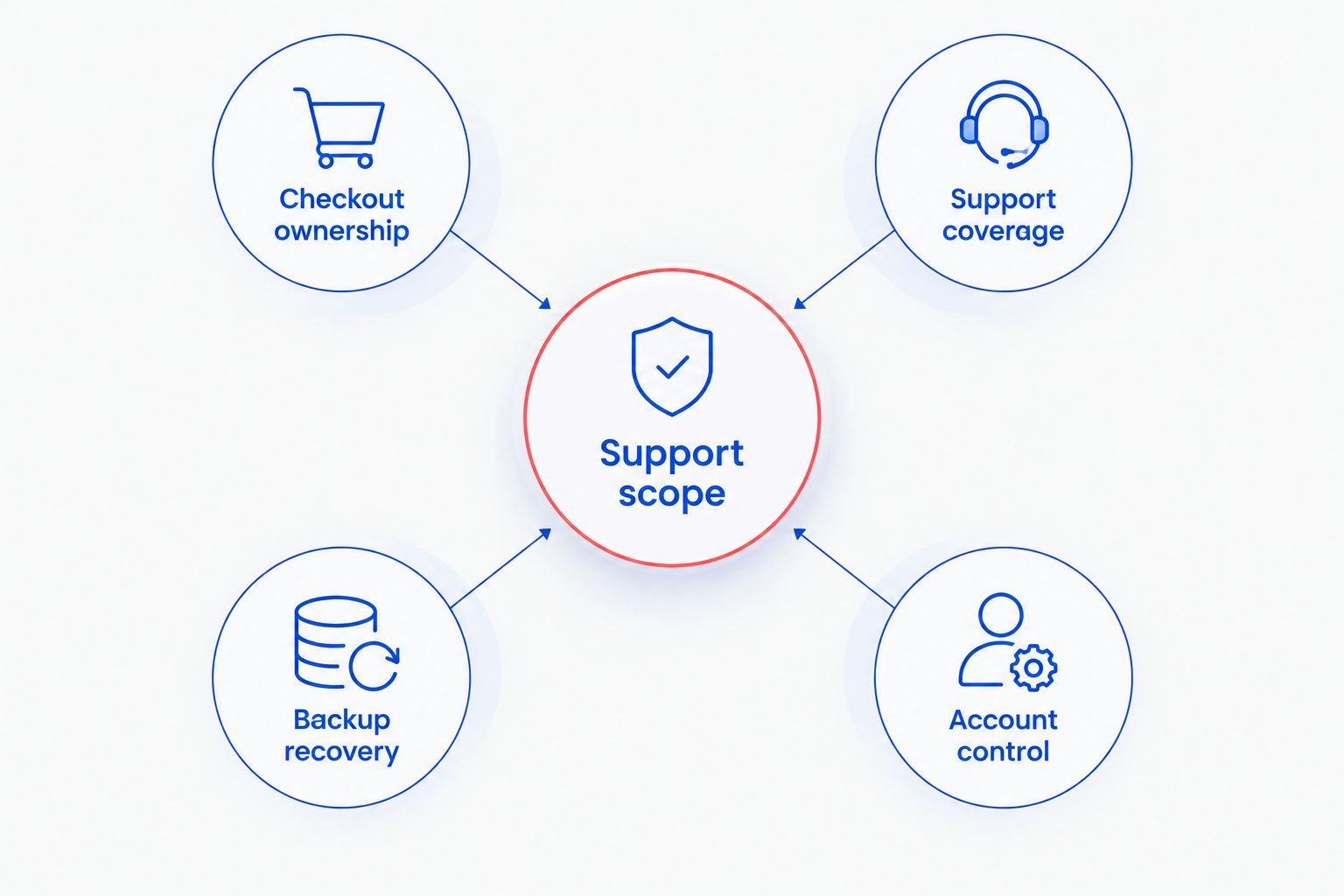
Check these responsibilities before you sign
A useful 2026 proposal should explain how support works during an ordinary week and during a checkout outage. Ask the provider to walk through both situations using your equipment and suppliers.
Checkout ownership
Ask: “If the register connects to the internet but cannot complete a transaction, who investigates first?” The answer should distinguish the store network from the POS application, payment processor, and terminal supplier.
Do not assume an IT provider controls payment approvals or proprietary terminal repairs. Record the relevant vendor contacts and who is authorized to speak with them.
Support coverage
Match the support arrangement to your actual opening hours, including weekends if relevant. Ask how urgent issues are classified and how employees escalate a problem that stops checkout.
Monitoring and human response are different functions. A system can generate an alert without establishing when a technician will act on it.
Backup recovery
Ask which business records are backed up, where those records originate, and who checks that they can be restored. Include locally stored reports, accounting files, and other records your store depends on.
Cloud access is not the same question as recovery. Ask what happens after accidental deletion, account compromise, or loss of a local computer; then document the recovery route.
Account control
Keep business ownership of your domain, email, POS account, and other critical subscriptions. Give support staff the access needed for their work without making a departing employee the only administrator.
Require a clear process for joining and leaving staff. Account removal should be a defined task, not something a manager remembers after a problem.
Prepare a store handoff before changing support
Start your 2026 handoff with 3 records: an equipment list, an account ownership list, and an escalation sheet. Keep credentials in an appropriate secure system rather than adding passwords to a general document.
- List critical equipment. Identify checkout workstations, printers, network equipment, back-office computers, and the business task each supports.
- Confirm account ownership. Establish which business-controlled accounts administer your email, internet service, POS, and backups.
- Record vendor contacts. Include the internet provider, POS supplier, payment processor, and anyone responsible for equipment under a separate agreement.
- Agree on access changes. Coordinate incoming and outgoing support access so you do not accidentally remove access still needed for the handoff.
- Check the support route. Make sure employees know how to report a fault and which details to collect.
Assign 1 named store contact to approve changes and maintain the handoff records, with a backup person for absences. That is a responsibility assignment, not a requirement to turn a cashier or manager into a technician.
For the broader operating checklist, use the IT support for small retail stores guide.
Which retail IT support should you choose?
Choose local managed support when you want an outside provider to own agreed routine IT work, not just respond to individual faults. Start the conversation with your checkout dependencies, store hours, and recovery needs.
Choose break-fix for a contained repair. Choose remote-only help when physical support is already covered. Choose shared support when an internal lead has the time, access, and authority to carry out assigned work.
Do not sign because a proposal contains a long list of technical terms. Sign when you can explain who handles a stopped checkout, a suspicious email, a failed backup, and an employee departure.
FAQ
What's the best IT support option for a small retail store?
Managed IT support is the best fit when a store wants ongoing maintenance and troubleshooting under an agreed scope. TechConnect NC is a local option for North Carolina retailers seeking monitoring, patching, backups, cybersecurity, help desk, and remote support.
Can an IT provider fix my point-of-sale system?
An IT provider can troubleshoot the components covered by its agreement, but POS software and payment-terminal work need explicit boundaries. Confirm who handles the network, application, terminal, and payment processor before an outage.
Is remote IT support enough for a retail store?
Remote support alone does not cover physical equipment repairs or cabling work. It fits software and account troubleshooting when the affected device is reachable and a separate physical support route exists.
Does network monitoring mean someone will answer after closing?
Network monitoring does not establish after-hours human response. Your agreement needs to state support hours, alert handling, and the escalation process separately.
Do I need backups if my retail software is online?
You still need to establish how your business records are recovered. Ask the software supplier and IT provider which records are protected, who can restore them, and what happens after deletion or account compromise.
What should I ask before switching retail IT providers?
Ask who controls your business accounts, how access will transfer, and who supports critical systems during the handoff. Prepare equipment, account ownership, and escalation records before changing access.
Where are the local offices?
The Clayton office is at 5720 US 70 Bus Hwy, Suite B, Clayton, NC 27520. The Foothills office is at 10A Falls Avenue, Granite Falls, NC 28630.
One last thing
Ask a prospective provider to explain what it does not support. A clear exclusion is more useful than a broad promise: it tells you whether a checkout outage will reach the right supplier or leave your employees making calls.
Before your next busy period in 2026, place a support instruction sheet where staff can find it without accessing the affected computer. Include the support number, store identifier, and vendor escalation contacts—not passwords.
Related guides
- How to choose between break-fix and managed IT support
- Data backup for small retail stores
- Connect your point-of-sale system to a monitored business network
Call or text TechConnect NC at 919-737-5442 to discuss managed IT support for your retail store. Explain your location, opening hours, checkout setup, and current problem so the conversation starts with the work you need.


