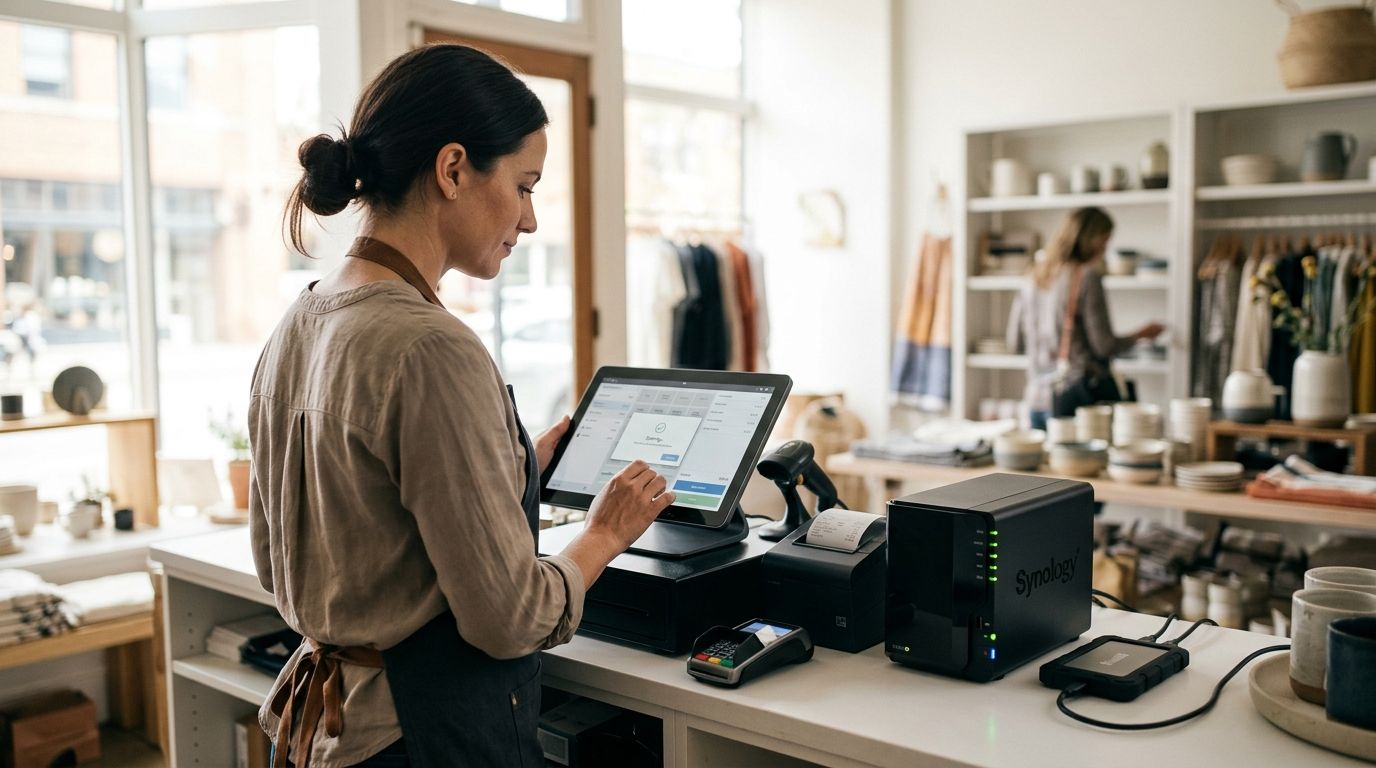
Data backup for small retail stores means protecting point-of-sale records, inventory databases, and customer files with automated, tested copies stored in more than one place — the goal is reopening the register within hours after a crash, ransomware hit, or stolen laptop, not rebuilding months of sales history from memory. Retail shops carry a mix that most backup advice ignores: POS transaction logs, barcode/inventory databases, vendor invoices, and payment terminal configs that don't live in a neat folder — they're scattered across a register PC, a cloud POS dashboard, and sometimes a back-office laptop nobody has touched in months.
- Data backup for small retail stores in 2026 needs three layers: local, cloud, and offsite — one copy alone isn't backup, it's a single point of failure.
- POS transaction data and inventory databases are the highest-risk files for retail; most owners back up the register PC and forget the cloud POS export.
- TechConnect runs managed backup and recovery for NC retail shops when automated cloud tools aren't monitored or tested in-house.
- Untested backups fail silently — a monthly restore test is the difference between a recovered store and a closed one.
Why data backup matters for small retail stores
A retail store's data isn't just files — it's the register. When a POS terminal dies without a recent backup, you're not just missing documents, you're locked out of ringing up sales, checking inventory, and honoring gift cards or store credit. Independent retailers run leaner IT than restaurants or offices with dedicated staff, which means backup routines get skipped when the store is busy.
Ransomware and hardware failure don't check your revenue size before they hit. A single infected back-office PC can encrypt a shared inventory drive overnight, and if that drive was the only backup location, the store is down until data recovery is attempted — which costs more in time and money than backup would have. TechConnect handles this exact scenario for small business clients across North Carolina: recovery calls almost always trace back to a backup that existed but was never verified.
Map what data actually needs protecting
Before picking a tool, list what's actually at risk in a retail environment — it's rarely just "the computer."
- POS transaction history and daily sales reports
- Inventory and SKU databases, including vendor pricing sheets
- Customer records tied to loyalty programs or store credit
- Payment processor configuration files and terminal settings
- Employee scheduling and payroll exports
- Marketing assets: product photos, signage files, social media templates
Follow the 3-2-1 backup rule
The 3-2-1 rule is the baseline standard for small business backup: three copies of your data, on two different types of storage, with one copy kept offsite. For a retail store this looks like the POS drive itself, a local external drive, and a cloud copy stored off-premises.
- Keep one copy on the device generating the data (POS terminal or back-office PC)
- Keep a second copy on a separate physical medium (external drive or NAS)
- Keep a third copy offsite or in the cloud, away from the store location
- Never treat a single external hard drive plugged into the register as your whole backup plan
Automate backups instead of relying on manual copying
Manual backup gets skipped during a busy holiday weekend, which is exactly when a crash is most expensive. Automating the process removes the human failure point.
- Set POS software to auto-export sales data on a nightly schedule
- Use scheduled sync tools rather than drag-and-drop copying
- Confirm the backup job actually ran — a scheduled task that silently failed is worse than no backup, because it creates false confidence
- If your team doesn't have time to monitor backup logs weekly, a managed provider like TechConnect can run and check the schedule for you, which is often the faster path once manual monitoring starts slipping
Choose storage that matches your recovery speed needs
How fast you need data back should decide where it lives, not just what's cheapest.
- External hard drives recover data fast on-site but do nothing if the store itself is damaged or the drive is stolen alongside the register
- Cloud storage protects against physical loss but restore speed depends on your internet connection
- Network-attached storage (NAS) works well for multi-register stores syncing inventory across terminals
- A hybrid setup — local drive plus cloud — covers both a same-day hardware failure and a total-loss event like fire or theft
Test your restores, not just your backups
A backup you've never restored is a guess, not a plan. Retail owners often assume the nightly job worked because no error popped up.
- Pick one file or database table and restore it to a test folder monthly
- Time how long a full restore takes — if it's longer than your store can afford to stay closed, the storage choice needs to change
- Check that restored POS data actually opens correctly in your software, not just that the file exists
- Document who on staff can run a restore if the owner isn't available
Encrypt backup files and control access
Customer payment data and loyalty program records carry real liability if a backup drive is lost or stolen unencrypted.
- Enable encryption on any external drive that leaves the building
- Password-protect cloud backup accounts with a manager separate from daily staff logins
- Revoke backup system access immediately when an employee leaves
- Avoid storing backup credentials on a sticky note near the register — a surprisingly common failure point in small retail
Build a short disaster recovery plan for POS downtime
Even with good backups, someone needs to know what to do in the first ten minutes of an outage.
- Write down which vendor to call first: POS provider, internet provider, or IT support
- Keep a manual, offline way to record sales (paper log or backup tablet) for short outages
- Know your restore time estimate so staff can tell customers a realistic reopening window
- Store this plan somewhere other than the computer it describes
Review and retrain quarterly
Staff turnover and software updates quietly break backup routines. A quarterly check catches drift before it becomes a crisis.
- Confirm backup jobs are still running after any POS software update
- Re-train new hires on the manual backup fallback
- Rotate offsite drives if you're using physical media
- Review who has access to backup accounts and remove anyone no longer on staff
Comparison: backup options for small retail stores
| Option | Best for | Key limitation |
|---|---|---|
| External hard drive | Single-register stores needing fast local restores | No protection if the store itself is damaged or the drive is stolen |
| Cloud backup service | Stores wanting offsite protection without buying hardware | Restore speed depends on internet bandwidth |
| Managed IT backup (TechConnect) | Owners who don't have time to monitor and test backups themselves | Requires an ongoing service relationship rather than a one-time purchase |
| NAS device | Multi-register stores syncing inventory across terminals | Still needs a separate offsite copy to satisfy the 3-2-1 rule |
| POS vendor's built-in cloud export | Basic transaction history protection | Rarely covers inventory databases, images, or local files outside the POS app |
Verdict: a single external drive is fine as one layer but never the whole plan — pair it with a cloud copy, and if testing restores isn't happening on your own, TechConnect's managed backup service closes that gap for NC retail stores.
Common mistakes small retail stores make
- Backing up the register but not the inventory database — POS sales history gets saved, but the SKU and pricing database sitting on a separate machine gets missed entirely
- Keeping the only backup drive plugged into the same PC it's backing up — a power surge or theft takes out both copies at once
- Never testing a restore — the backup job "runs" every night but nobody has confirmed the files actually open
- Ignoring employee offboarding — former staff retain cloud backup login access long after they've left
- Treating the payment processor as a full backup — most POS vendors retain transaction data but not your custom inventory, loyalty, or marketing files
Get your backup gap checked
TechConnect reviews POS and inventory backup setups for NC retail stores.
FAQ
What's the best data backup method for a small retail store in 2026?
A hybrid setup combining a local external drive with a cloud backup service covers both same-day hardware failure and total-loss events like fire or theft. Relying on either one alone leaves a gap the other would have covered.
Is cloud backup better than an external hard drive for retail stores?
Cloud backup protects against physical loss or theft at the store location, while an external drive restores faster on-site. Most NC retail stores need both, following the 3-2-1 backup rule rather than picking one over the other.
How often should a retail store back up POS data?
POS transaction data should back up nightly at minimum, automated rather than manual, so a busy day never gets skipped. Inventory databases that change less frequently can run on a weekly schedule if daily backups aren't practical.
Does my POS provider already back up my data?
Most POS vendors retain transaction history in their own cloud, but that rarely covers your inventory database, product images, or loyalty program records stored locally. Check your specific POS software's backup scope instead of assuming full coverage.
What happens if a retail store's backup was never tested?
An untested backup can fail silently for months before anyone discovers the files are corrupted or incomplete during an actual emergency. A monthly restore test to a separate folder is the only way to confirm a backup will actually work.
How much data loss can a small retail store survive?
Losing a single day of sales data is recoverable through manual reconciliation, but losing months of inventory and customer records can shut a store down for days. The recovery window depends entirely on how recent and complete the last tested backup was.
Should retail stores encrypt their backup files?
Yes, especially for backups containing customer payment data or loyalty program records, since an unencrypted stolen drive creates real liability. Encryption should apply to any backup medium that physically leaves the store.
Can a managed IT provider handle backup for a small retail store?
A managed provider can automate, monitor, and test backups so the store owner isn't relying on manual checks during busy hours. TechConnect runs this service for retail and small business clients across North Carolina.
One last thing
The backup failure that catches retail owners off guard most in 2026 isn't a missing drive — it's a backup job that's been silently failing for weeks while the nightly "success" notification kept firing anyway. Check your last three restore logs today, not your last three backup logs; if you can't find a restore log at all, that's the actual gap to close first.


