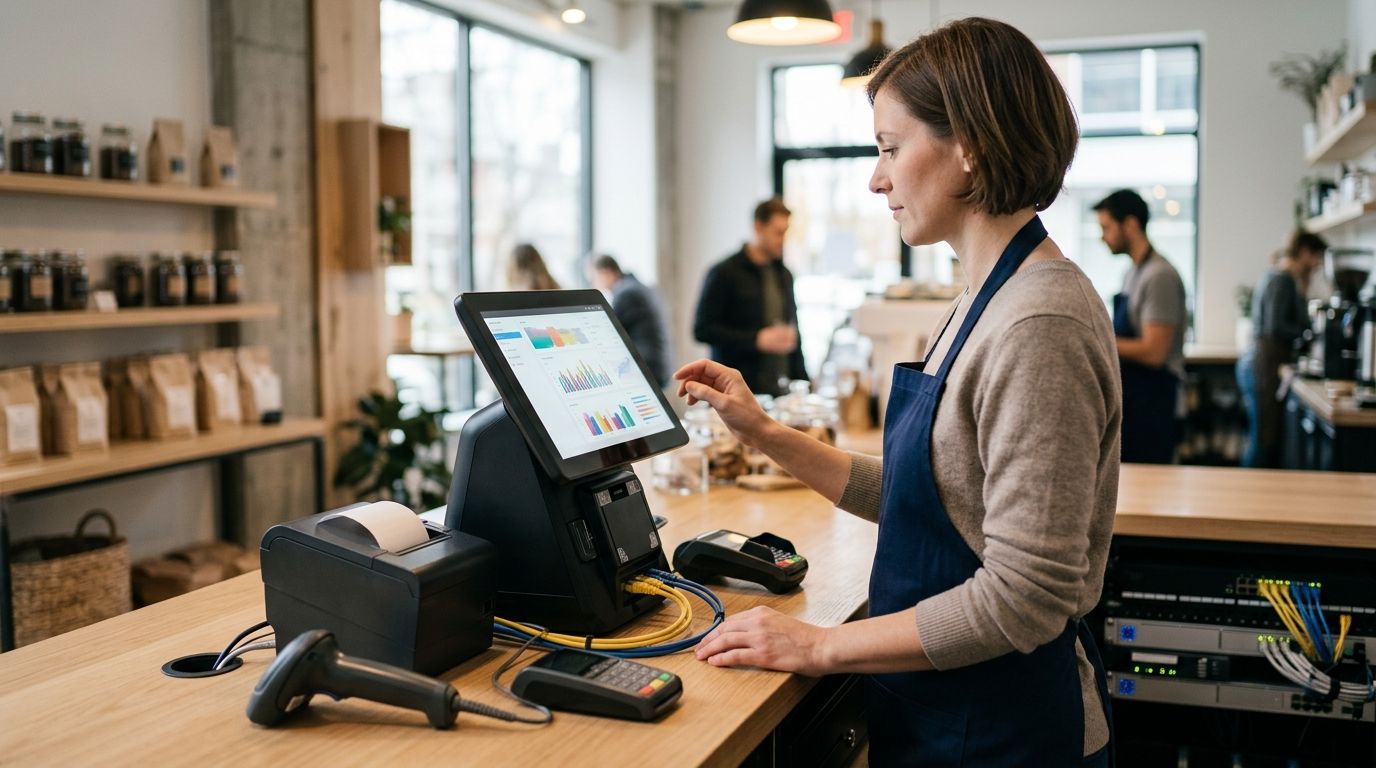
A point-of-sale system that shares an open Wi-Fi network with guest laptops and personal phones is the single easiest way to get flagged in a PCI DSS review or lose card data to a compromised device. Instead of running every register on the same flat network as everything else, segment the POS traffic onto its own monitored VLAN, lock down what talks to it, and set up alerts so you know the moment something unusual happens on that segment.
TechConnect handles this exact setup for retail and restaurant clients across North Carolina, and the steps below match what a managed IT support visit actually covers when a business asks to connect a POS system to a monitored network.
- Segmenting POS traffic onto its own VLAN with firewall rules is the fastest way to connect a POS system to a monitored network in 2026.
- PCI DSS compliance requires network segmentation between payment devices and general business traffic - a shared network fails audits.
- Static IP or DHCP reservation for each terminal prevents the address drift that causes card-reader disconnects mid-transaction.
- Monitoring alerts on the POS VLAN catch unauthorized devices and failed logins within minutes instead of after a chargeback dispute.
Why this matters
A POS terminal handles card data, and card data on an unsegmented network is a liability, not a convenience. If a laundry list of laptops, tablets, and guest devices share the same subnet as your registers, one infected machine can reach payment traffic in seconds.
Monitoring closes the other half of the gap. Segmentation stops most lateral movement, but without alerts on that segment you won't know a terminal went offline, a new device joined, or a firewall rule got bypassed until a customer complains or a bank flags a chargeback pattern. In 2026, insurers and processors increasingly ask for proof of both segmentation and monitoring before renewing a merchant account, not just one or the other.
Before you start
- A managed switch that supports VLANs (802.1Q tagging) - a basic unmanaged switch from a big-box store won't segment traffic, no matter how the POS is configured.
- Admin access to your router or firewall, plus the make and model of each POS terminal or register, since some older card readers need specific firmware before they'll join a tagged VLAN.
- The gotcha: POS software updates often reset network settings to defaults after a patch. If your terminal drops off the monitored segment right after a software update, check the VLAN and IP settings first before assuming it's a hardware failure.
Set up your POS network segment
- Log into your router or firewall's admin panel and create a new VLAN dedicated to point-of-sale devices - label it something recognizable like POS-VLAN rather than a generic number only.
- Assign a distinct subnet to that VLAN (for example a /29 or /28 block, giving you 6 to 14 usable addresses depending on terminal count) so it never overlaps with your office or guest networks.
- Under DHCP Settings, either turn off DHCP for the POS VLAN and assign static IPs, or set up DHCP Reservations tied to each terminal's MAC address so addresses never drift after a reboot.
- Save the configuration and confirm the VLAN appears as active under Network Overview or VLAN Status in the admin panel.
Expected result: the POS VLAN shows as a separate network segment with its own subnet, distinct from your main office LAN and any guest Wi-Fi.
Configure firewall rules and monitoring
- In the firewall's Access Rules or Firewall Policy section, create a rule that blocks traffic from the general office VLAN into the POS VLAN by default.
- Add narrow exceptions only where needed - for example, allowing your accounting workstation to reach the POS reporting server on a specific port, nothing broader.
- Enable logging on the POS VLAN under Logging & Reporting, then point those logs to a monitoring tool or your managed IT provider's dashboard.
- Set up alert thresholds for new device connections, repeated failed logins, and unexpected outbound traffic from the POS segment - these are the patterns that show up before a breach, not after.
Expected result: any device joining the POS VLAN outside of your known terminal list triggers an alert within minutes, and office devices can no longer reach POS traffic directly.
Connect the terminals
- Physically plug each register or card reader into a switch port assigned to the POS VLAN, or configure its Wi-Fi client to join the POS-specific SSID if you're running wireless terminals.
- Confirm each terminal pulls an IP address from the correct subnet under Network Status on the device itself.
- Run a test transaction and watch the monitoring dashboard to confirm traffic flows from the terminal to your payment processor without hitting the blocked office-to-POS rule.
- Label each port or SSID connection in your documentation so a future technician (or you, six months from now) doesn't have to reverse-engineer the setup.
Expected result: a completed test transaction with a visible log entry on the monitoring dashboard, confirming the terminal is both segmented and watched.
Second workflow: connecting POS and security cameras on the same monitored network
Many retail and restaurant locations run POS terminals and security cameras off the same switch closet, and it's tempting to put both on one VLAN since neither is a general-office device. Don't. Cameras generate constant bandwidth and are a common entry point for compromise, and mixing that traffic with card-processing data defeats the purpose of segmentation.
Instead, give cameras their own VLAN separate from the POS VLAN, following the same steps above with a different subnet. The full walkthrough for wiring cameras without dragging down office bandwidth is covered in connecting security cameras to your office network - the segmentation logic mirrors what you just did for POS, just on a third isolated VLAN.
Troubleshooting
- Terminal won't pull an IP on the POS VLAN: check that the switch port is tagged (not just assigned) to the correct VLAN ID - an untagged port on the wrong VLAN is the most common cause.
- Transactions time out intermittently: look for IP conflicts from DHCP scope overlap between the POS VLAN and another segment; move to static reservations if this keeps happening.
- Monitoring dashboard shows no logs from the POS segment: confirm logging is enabled per-VLAN, not just globally, on the firewall - many admin panels default to logging only the primary LAN.
- A software update wiped the VLAN tag: this is the gotcha mentioned earlier - re-apply the VLAN assignment on the switch port after every major POS software update.
- Office computer can't reach the POS reporting server: verify the specific firewall exception rule is still active; a firmware update on the firewall itself can sometimes reset custom rules to default-deny.
“If a device you don't recognize shows up on the POS VLAN, that's not a monitoring glitch - that's the alert doing its job.”
Customize your workflow
Once the POS segment is live and monitored, extend the same approach to the data it generates. POS systems produce transaction logs and inventory data that need backup just as much as they need segmentation - a NAS backup drive connected to your business network gives you a local, monitored place to store that data instead of leaving it only on the terminal itself.
It's also worth checking your monitoring tool's coverage against what's actually recommended for a business your size - the comparison in network monitoring tools for small businesses breaks down which tools catch VLAN-level alerts versus which only watch the perimeter.
Get your POS network segmented right
Same-day setup and monitoring for NC businesses running point-of-sale terminals.
FAQ
How do I connect a POS system to a monitored network?
Create a dedicated VLAN for POS devices, assign static IPs or DHCP reservations, add firewall rules blocking general office traffic from reaching it, and enable logging so a monitoring tool can alert on new devices or failed logins. This setup is what most PCI DSS-compliant retail networks use in 2026.
Does my POS system need its own VLAN?
Yes, if the terminal handles card transactions, it should sit on a VLAN separate from office computers and guest Wi-Fi. Sharing a network exposes payment traffic to any compromised device on the same segment.
Is a monitored network required for PCI DSS compliance?
PCI DSS requires network segmentation and monitoring of cardholder data environments, so an unmonitored, unsegmented POS network typically fails a compliance review. Logging and alerting on the POS VLAN is part of meeting that requirement.
What happens if my POS terminal isn't on a separate VLAN?
Without segmentation, any infected or compromised device on the same network can potentially reach card data traveling to and from the terminal. It also makes a PCI DSS audit harder to pass in 2026, since assessors specifically look for network isolation.
Can I connect POS terminals over Wi-Fi instead of ethernet?
Yes, as long as the terminal joins a dedicated POS SSID mapped to the same isolated VLAN as wired terminals, not the general office Wi-Fi. Wired connections are still more reliable for register uptime.
How much does it cost to set up a monitored POS network?
Cost depends on existing hardware - a business with a managed switch and firewall already in place mainly pays for configuration time, while one needing new hardware pays more upfront. Check current pricing directly with a managed IT provider for an accurate quote.
What's the difference between network segmentation and network monitoring?
Segmentation physically or logically separates POS traffic from other devices using VLANs, while monitoring watches that segment for unusual activity like new devices or failed logins. Both are needed - segmentation limits exposure, monitoring catches what gets through anyway.
Should security cameras share a VLAN with the POS system?
No, cameras and POS terminals should sit on separate VLANs even though neither is a general-office device. Camera traffic is high-bandwidth and a common attack entry point, and mixing it with payment data undermines the segmentation.
One last thing
Most POS network problems that reach a service ticket in 2026 aren't hacking incidents - they're a VLAN tag getting wiped by a routine software update, or a DHCP scope quietly overlapping with another segment. Check those two things first before assuming anything more serious happened; they account for the majority of "my register just stopped working" calls.


