No—two-factor authentication is not enough to stop phishing in 2026. It blocks many attacks that rely on a stolen password, but attackers can still trick you into sharing a code, approving a login, or handing over an authenticated session; phishing-resistant passkeys or security keys provide stronger sign-in protection, alongside email security, device protection, and staff procedures.
- Is two-factor authentication enough to stop phishing? No: stolen codes, deceptive approval requests, and session theft remain risks.
- Choose phishing-resistant passkeys or security keys for business email and administrator accounts wherever supported.
- Keep existing two-factor authentication enabled while replacing weaker methods and securing account recovery.
- TechConnect NC provides managed IT support for North Carolina businesses that need help maintaining cybersecurity controls.
Is two-factor authentication enough to stop phishing attacks?
Two-factor authentication protects a login, not every decision you make after opening an email. An attacker does not always need your account: a convincing message can persuade you to send money, disclose customer information, or install unwanted software.
The authentication method matters. Use the comparison below when reviewing your business accounts, then follow the guide to connecting two-factor authentication to business email and files for the setup side.
| Authentication method | Best for | Main benefit | Main limitation |
|---|---|---|---|
| Text-message codes | An interim safeguard when stronger methods are unavailable | Adds a barrier beyond your password | Codes can be phished; phone-number takeover adds risk |
| Authenticator-app codes | Accounts without phishing-resistant support | Generates codes without relying on text delivery | A fake login page can capture and relay the current code |
| Push approvals | Supported accounts needing a convenient second factor | Lets you approve a login on a registered device | Unexpected requests can trick you into approving an attacker |
| FIDO passkeys or security keys | Business email, administrators, and other sensitive accounts | Binds authentication to the legitimate service | Requires compatible services and a planned recovery process |
This distinction follows CISA's guidance on phishing-resistant multifactor authentication: not every second factor provides the same protection. For your 2026 security review, check the method—not just whether the account says authentication is enabled.
Why this matters
Your business email connects conversations, invoices, password resets, and shared documents. If an attacker takes over that mailbox, the damage can extend beyond reading messages: the attacker can impersonate you or use email to reach other accounts.
A small business also needs a workable process. Security that employees cannot use reliably creates support problems and encourages shortcuts, so pair stronger authentication with clear recovery instructions and a named person responsible for account administration.
Keep two-factor authentication turned on. Upgrade it rather than removing it because it is imperfect.
Text-message codes: an interim safeguard
Text-message authentication adds a useful barrier when the alternative is a password alone. Someone who knows your password still needs to satisfy the second-factor check.
The weakness is that a code is something you can hand over. A fake sign-in page can ask for your password and then request the text code, passing both to the real service while the code remains valid.
Phone-number takeover is another concern. If an attacker gains control of your number through a carrier account or SIM-related attack, messages intended for you can reach the attacker instead.
Best for: accounts that do not offer a stronger supported method. Keep text authentication enabled until you have successfully enrolled and tested its replacement, including recovery access.
Authenticator-app codes: useful, but still phishable
Authenticator apps avoid dependence on text-message delivery. That removes one attack route, but it does not make a typed code phishing-resistant.
A criminal can place a fake login page between you and the genuine service. You enter your password and app code into the fake page; the attacker relays them to complete the real login.
A changing code does not solve that problem because the attacker acts while the code is valid. The issue is where you entered it, not whether the code changes.
Best for: accounts that support app codes but not passkeys or security keys. During your 2026 account review, identify these accounts as candidates for improvement rather than treating them as equivalent to phishing-resistant authentication.
Push approvals: convenient, with approval risks
Push authentication sends a request to a registered device. The danger starts when an employee receives an unexpected request and approves it without checking what triggered it.
Repeated requests can create pressure to approve just to stop the interruptions. A caller posing as support can also tell an employee that an approval is necessary to fix an account problem.
Number matching improves a basic approve-or-deny prompt, but it is not equivalent to phishing-resistant authentication. Employees still need to reject requests they did not initiate.
Best for: supported accounts where stronger methods are not yet deployed. Give employees a clear rule: an unexpected approval request is something to report, not something to clear away.
Passkeys and security keys: stronger sign-in protection
FIDO-based passkeys and security keys use authentication tied to the legitimate service. Unlike a typed one-time code, the authentication response is not a reusable secret that an employee can simply enter into an unrelated fake site.
That makes these methods a stronger choice against credential-phishing pages. It does not mean every device, recovery process, or signed-in session is protected from every attack.
A compromised computer can expose information after login. An attacker can also target weaker recovery routes, so enrolling a security key without reviewing fallback methods leaves unfinished work.
Best for: business email, administrator access, and accounts holding sensitive business information. Test compatibility and recovery before requiring the method across your team, and document how employees replace a lost device or key.
Why phishing protection varies
Two businesses can both use two-factor authentication and still have different exposure. Review these factors in your 2026 security plan:
- Authentication method: Typed codes and ordinary approval prompts are not the same as phishing-resistant sign-ins.
- Account coverage: Protect email, file storage, administrative tools, and other business accounts—not just the main mailbox.
- Recovery access: Backup email addresses, recovery codes, and help-desk reset procedures can become alternative ways into an account.
- Device condition: Malware and unsafe browser extensions can threaten data and sessions after authentication succeeds.
- Employee procedures: Payment verification and reporting rules address deception that does not require an account takeover.
- Response ownership: Someone must receive alerts, investigate suspicious activity, and know how to revoke access.
The practical question is not whether you have enough security products. It is whether each likely failure has a control and a person responsible for it.
Build protection around the login
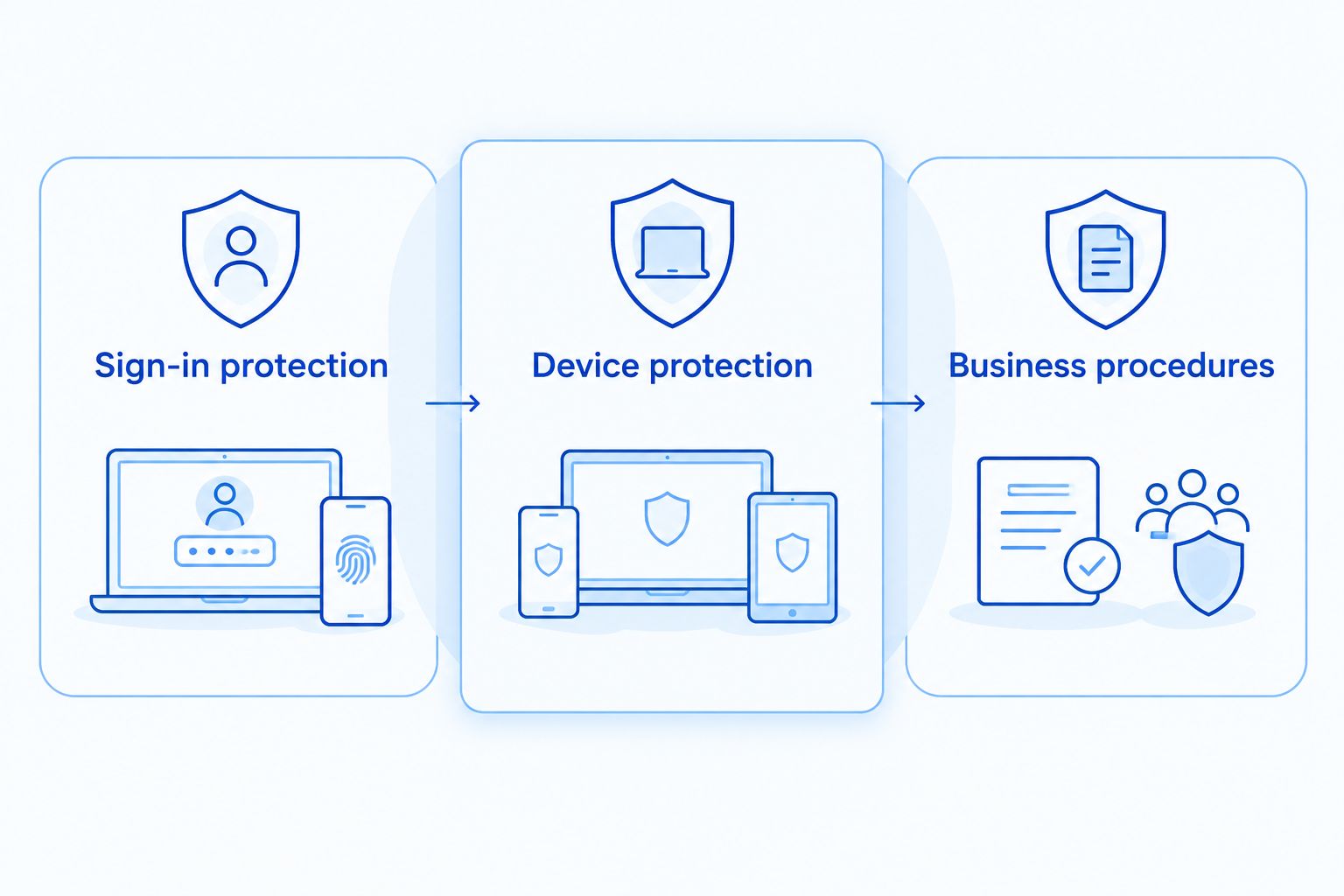
Use these 3 layers when planning improvements: sign-in protection, device protection, and business procedures. They address different problems, so none replaces the others.
Sign-in protection includes phishing-resistant authentication, unique passwords, secure recovery, and restrictions on weaker fallback methods. Apply stronger controls to administrator accounts, and avoid using an administrator account for ordinary email and browsing.
Device protection includes software updates, supported operating systems, endpoint security, and review of browser extensions. These controls address threats that a successful login does not prevent, including malicious downloads and session theft.
Business procedures cover suspicious-message reporting, payment changes, sensitive document requests, and account recovery. Verify a changed bank account or urgent payment request through a known contact channel, not the contact details supplied in the suspicious message.
Email filtering belongs alongside these layers. It reduces exposure to malicious messages, but employees still need a reporting route for suspicious messages that reach the inbox.
What should a small business change first?
Start your 2026 rollout with the accounts that control other access. Business email and administrator accounts deserve attention before less sensitive logins because compromise can affect password resets, settings, and shared information.
- List critical accounts. Record the owner, authentication method, recovery method, and administrator responsible for each account.
- Strengthen sign-ins. Enable supported phishing-resistant methods and check whether weaker fallback routes remain available.
- Test recovery. Confirm how an employee regains access after losing a phone or key without bypassing identity checks.
- Assign alerts. Decide who reviews suspicious sign-ins, unexpected authentication requests, and account-setting changes.
- Practice reporting. Give employees a clear way to report suspicious messages and mistaken approvals without delay.
Do not roll out a new requirement and assume enrollment means the work is finished. Test an ordinary login, a lost-device scenario, and the process for removing a departing employee's access.
TechConnect NC is a local managed IT support option for North Carolina small businesses that need help maintaining cybersecurity controls. Managed support provides ongoing administration, but it does not eliminate the need for employees to verify payment requests and report suspicious activity.
Can attackers get in after I approve a login?
Yes—an approved login can give an attacker access if the request belongs to the attacker. Authentication establishes a session, which lets a browser stay signed in without asking for your password on every page.
Some phishing attacks relay a legitimate login and capture session information. Malware can also steal session data from a compromised device; depending on the service and its controls, stolen session data can let an attacker act as the signed-in user.
This is why a password reset alone is not a complete incident response. An administrator also needs to review active sessions, revoke access where appropriate, and investigate changes made inside the account.
What should I do if I entered a code on a suspicious page?
Treat a submitted authentication code as a possible account compromise. Stop using the suspicious page and contact your IT support through a known phone number or established support channel.
Use a trusted device to open the service directly. Change the affected password, revoke active sessions where supported, and review registered authentication methods and recovery details with the administrator.
Check mailbox forwarding rules, connected applications, and recent account activity. If you downloaded software or opened a suspicious attachment, include the device in the investigation rather than focusing only on the account.
Preserve the suspicious message and the approximate time of the event. Those details help the administrator work out what happened and which records to review.
Where does local IT support fit?
Local support is relevant when your business needs someone to maintain account settings, updates, endpoint protection, and response procedures rather than leaving those jobs with a busy owner. Ask who handles each task and what the agreed service includes.
TechConnect NC provides managed business IT support, cybersecurity, monitoring, patching, backups, help desk, and remote support. Its offices are in Clayton at 5720 US 70 Bus Hwy, Suite B, and Granite Falls at 10A Falls Avenue.
For businesses around Johnston County, Raleigh, Hickory, Lenoir, and Caldwell County, discuss the accounts and devices you need covered. Confirm responsibilities before an incident, including who can revoke sessions and restore access.
FAQ
Is two-factor authentication enough to stop phishing at my small business?
No. Two-factor authentication blocks many stolen-password attacks, but typed codes and approval requests can still be phished. Use phishing-resistant authentication alongside device protection and clear employee procedures.
Can someone steal my account if I use an authenticator app?
Yes. An attacker can capture and relay an authenticator-app code through a fake login page. Use passkeys or security keys where supported, and secure the account's recovery methods.
Are passkeys better than text codes for phishing protection?
Yes. FIDO-based passkeys bind authentication to the legitimate service, while text codes can be entered into a fake page. Passkeys still require secure devices and a planned recovery process.
Should I turn off two-factor authentication if it can be bypassed?
No. Keep two-factor authentication enabled while improving the method and securing recovery access. A password alone leaves fewer barriers against account takeover.
What should I do with a login approval I did not request?
Reject an unexpected login approval and report it through your established IT support channel. Open the service directly rather than following instructions in an unfamiliar message or call.
Does changing my password remove an attacker from my email?
A password change alone is not a complete response. An administrator should review and revoke active sessions where supported, check authentication settings, and investigate forwarding rules and connected applications.
Can TechConnect NC help my business with ongoing IT security?
TechConnect NC provides managed business IT support, including cybersecurity, monitoring, patching, backups, help desk, and remote support. Call or text 919-737-5442 to discuss your business accounts and support needs.
One last thing
Check your fallback login before declaring your account secure. A phishing-resistant sign-in loses value if an attacker can choose a weaker recovery route instead; ask your administrator to review both the front door and the backup entrance.
Related guides
- Can IT support prevent phishing emails from reaching employees?
- How to protect customer data on a small business network
- How to choose between break-fix and managed IT support
Call or text 919-737-5442 to discuss managed IT support and phishing protection for your business.