Managed IT support for an accounting firm costs what your written agreement assigns to staff, computers, business systems, security, backups, and support coverage—not a standard accounting-industry rate. For your 2026 budget, compare the recurring service charge with onboarding, software subscriptions, equipment replacement, and project work listed separately; a monthly figure alone does not show your full commitment.
- Managed IT support cost: accounting firm quotes need matching users, devices, security, backups, and support hours.
- Compare recurring support, onboarding, and excluded projects separately before choosing an agreement.
- TechConnect NC is a local managed IT support option for small businesses in North Carolina.
- Require written responsibility for backup failures, software escalations, and after-hours incidents.
Why this matters
An accounting firm needs more than computers that turn on. You need access to client records, working accounting applications, dependable file recovery, and a clear route to help when work stops.
Compare responsibility before comparing the monthly total. A support agreement that leaves backup failures or application troubleshooting with your staff is a different purchase from one that assigns those tasks to a provider. The managed IT support guide for accounting firms covers the broader service scope; this page focuses on evaluating the financial commitment.
How much does managed IT support cost for an accounting firm?
Your accounting firm's managed IT support cost depends on the systems covered and the work included. Ask for a written breakdown that separates ongoing support from setup, subscriptions, hardware, and changes to your environment.
Use this table to compare proposals against the same scope. It is a purchasing checklist, not a statement that every provider includes these services.
| Budget component | What to ask the provider to specify | What to check outside the recurring agreement |
|---|---|---|
| User and computer support | Covered employees, devices, remote workers, and help desk tasks | New employees, additional devices, and unsupported equipment |
| Monitoring and updates | Computers, servers, network equipment, and update responsibilities | Remediation of existing problems and major upgrades |
| Cybersecurity | Included protections, alert handling, and account security tasks | Incident investigation, cleanup, and specialist assistance |
| Backup and recovery | Protected systems, backup checks, retention, and restore testing | Additional storage, recovery labor, and replacement hardware |
| Onboarding | Inventory, access transfer, documentation, and initial configuration | Migration and cleanup work excluded from setup |
| Projects and changes | How the provider defines routine support versus a project | Office moves, new systems, and major application migrations |
For a useful 2026 comparison, send every provider the same inventory and service requirements. Otherwise, a proposal covering employee laptops alone sits beside a proposal covering laptops, servers, email, backups, and network equipment—and the totals tell you little.
Ask the provider to explain what changes your bill. Hiring, seasonal staffing, additional computers, larger backups, and expanded support hours should have a documented treatment before you sign.
Per-user support: best for staff-centered coverage
Per-user billing ties the agreement to covered people. Best for: an accounting firm that wants support organized around employees, including staff who use more than one work device.
The advantage is a staff-centered scope: you can ask what support follows each employee across a laptop, email account, and approved remote-work setup. The limitation is that the word user does not explain whether shared computers, servers, printers, or personal devices are included.
Request a definition of an active user and the process for adding or removing staff. If you hire seasonal preparers, clarify when their coverage begins, when it ends, and who removes their access afterward.
Per-device support: best for a defined equipment inventory
Per-device billing ties coverage to listed equipment. Best for: an accounting firm with a stable inventory and a clear distinction between supported business equipment and everything else.
The advantage is an equipment list you can check against the agreement. The limitation is that a device count does not establish who handles email accounts, permissions, application problems, or employee onboarding.
Ask whether servers, shared workstations, network equipment, and backup systems receive separate treatment. Also confirm what happens when you replace a computer: the old device should not remain on the covered inventory after it leaves service.
Fixed-scope support: best for clearly defined responsibilities
A fixed-scope agreement covers an agreed environment and set of services. Best for: an accounting firm that wants one documented service package and a clear process for approving changes.
The advantage is a single scope covering the business environment. The limitation is that phrases such as complete support or all-inclusive are not substitutes for exclusions, covered hours, and assigned responsibilities.
These are billing approaches to evaluate, not named TechConnect NC plans. Compare their practical differences before selecting a structure:
| Billing approach | Best for | Main advantage | Main limitation |
|---|---|---|---|
| Per-user | Staff-centered support | Connects coverage to employees | Shared systems still need explicit treatment |
| Per-device | Stable equipment inventory | Makes covered hardware identifiable | Account and application work need separate definitions |
| Fixed-scope | Defined business environment | Groups agreed responsibilities together | Changes and exclusions need careful review |
Choose the scope your firm needs first; choose the billing structure second. None of these approaches proves that backup recovery, after-hours help, or accounting software support is included.
Why managed IT support costs vary for accounting firms
The work attached to your environment determines whether proposals are comparable. Focus on these factors rather than a provider's package name:
- People and devices: List permanent staff, seasonal workers, shared computers, laptops, and remote-work equipment. Ask which items trigger changes to the agreement.
- Applications and infrastructure: Identify accounting software, email, shared storage, servers, and network equipment. Establish where IT support ends and the software publisher's responsibility begins.
- Security responsibilities: Specify account access, updates, protective software, alert investigation, and incident escalation. A list of installed tools does not assign ownership of a security problem.
- Backup and recovery: Define what gets backed up, how long copies are retained, who checks failures, and who performs restores. Storage and recovery are separate questions.
- Support coverage: State when employees need help, how urgent requests reach a technician, and when on-site work is needed. Monitoring hours and staffed help desk hours are different commitments.
- Starting condition and changes: Identify existing faults, missing documentation, planned replacements, and migrations. Separate bringing the environment into scope from maintaining it afterward.
For your 2026 agreement, name the responsible party beside each requirement. An unchecked task is not an included task.
How do you get a comparable managed IT support quote?
Start with your own requirements rather than asking providers to design unrelated packages. You do not need a technical specification; a factual inventory and a list of essential workflows give the discussion a useful starting point.
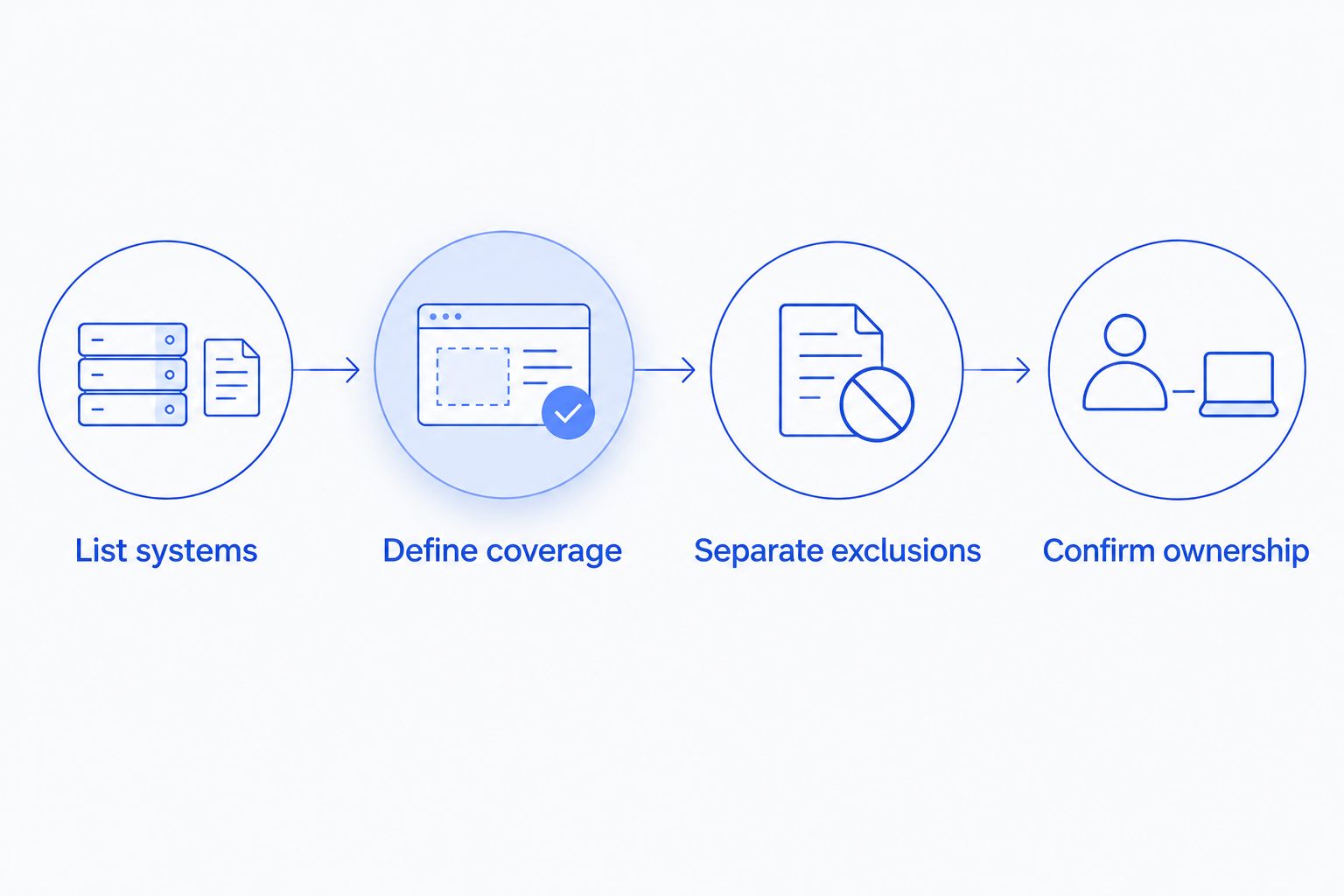
- List systems. Record staff, computers, locations, applications, shared files, email accounts, and existing backup arrangements. Include remote workers and equipment used only during busy periods.
- Define coverage. Identify the support hours, security tasks, recovery needs, and on-site assistance your firm requires. Mark essential services separately from optional work.
- Separate exclusions. Ask each provider to distinguish recurring support, onboarding, subscriptions, equipment, and projects. Request examples of work that requires separate approval.
- Confirm ownership. Assign responsibility for backup failures, application escalations, urgent incidents, documentation, and account access. Keep the agreed scope with the contract.
This sequence keeps the comparison focused on the same business requirements. It also exposes gaps before you transfer administrative access or cancel existing services.
What should an accounting firm verify before signing?
Get operational commitments in writing, not just a list of services. A proposal should explain what happens when someone cannot work, a backup fails, or an accounting application needs help from its publisher.
Support response is not the same as resolution
Ask how the provider defines an urgent incident and how you submit it. An acknowledgment confirms receipt; it does not mean the employee is working again.
Request separate explanations for initial response, troubleshooting, escalation, and on-site attendance. Do not treat a monitoring alert as proof that a technician is available to act immediately.
Backup coverage is not the same as successful recovery
Ask for the systems and data included in backup coverage. Email, shared files, accounting databases, and local workstation files need explicit treatment rather than an assumption that everything is protected.
Require a description of restore testing and who follows up on failures. A successful backup notification does not demonstrate that your accounting application will open correctly after recovery.
Software support needs a named handoff
Your IT provider and accounting software publisher have different responsibilities. Ask who gathers error details, contacts the publisher, provides authorized access, and updates your staff during an unresolved issue.
You should not have to discover that handoff during a filing deadline. Include the escalation process in your 2026 service review, alongside the list of supported applications.
Can you reduce the commitment without weakening support?
Remove overlap and unnecessary work before removing protection. Start by identifying software subscriptions, backup tools, and support arrangements already in place, then ask which remain necessary under the proposed agreement.
Standardizing supported computers and documenting recurring problems gives the provider a clearer environment to maintain. It does not establish a guaranteed saving, but it gives you concrete items to discuss rather than asking for an unexplained reduction.
Keep these decisions separate:
- Remove access and coverage for departed employees through a documented process.
- Identify duplicate services before canceling anything that protects business data.
- Schedule replacements and migrations as planned work rather than leaving their treatment undefined.
- Review seasonal staffing before accounts and equipment are added.
Do not remove backup checks or incident ownership simply to shrink the agreement. Reduce ambiguity first, then decide which optional work your firm can handle internally.
Where does TechConnect NC fit for a local accounting firm?
TechConnect NC is a local managed IT support option for small businesses in North Carolina. Its stated services include monitoring, patching, backups, cybersecurity, help desk assistance, and remote support.
The local fit is relevant for accounting firms around Clayton, Smithfield, Garner, Johnston County, and Raleigh, as well as Granite Falls, Hickory, Lenoir, and Caldwell County. TechConnect NC has offices at 5720 US 70 Bus Hwy, Suite B, Clayton, NC 27520, and 10A Falls Avenue, Granite Falls, NC 28630.
The practical advantage is a local option offering the service categories discussed here. The limit is contractual: that service list does not establish your firm's included hours, application coverage, response commitments, or project exclusions. Ask TechConnect NC to define those items for your environment before making a decision.
FAQ
How much should my accounting firm budget for managed IT support in 2026?
Build your 2026 budget from a written quote covering your users, devices, applications, security, backups, and support hours. Separate recurring service from onboarding, subscriptions, equipment, and projects so the monthly figure does not hide other commitments.
Is per-user or per-device IT support better for an accounting firm?
Per-user support fits staff-centered coverage, while per-device support fits a defined equipment inventory. Compare included responsibilities before choosing either approach, because the billing unit does not establish application support or recovery coverage.
Does managed IT support include accounting software subscriptions?
Do not treat accounting software subscriptions as included unless the agreement explicitly lists them. Ask who supplies each subscription, who administers access, and who contacts the publisher when an application fails.
Is backup recovery included with managed IT support?
Backup recovery is included only when the agreement assigns that work to the provider. Confirm protected systems, retention, failure monitoring, restore testing, and any separately approved recovery work.
Will seasonal accounting staff change my support agreement?
The agreement should state how seasonal staff affect covered users, devices, and access administration. Ask how additions and removals are handled before temporary employees start work.
Can remote IT support replace every on-site visit?
Remote IT support does not replace physical work on equipment or cabling. Ask which problems the provider handles remotely and how on-site troubleshooting, installation, and replacement work are arranged.
Does TechConnect NC offer managed IT support for small businesses?
TechConnect NC offers managed IT services for small businesses, including monitoring, patching, backups, cybersecurity, help desk assistance, and remote support. Call or text 919-737-5442 to discuss your accounting firm's systems and required coverage.
One last thing
Ask how you leave before you agree to start. Your firm needs a documented process for retrieving administrative access, backup information, system records, and any provider-managed credentials when the relationship ends.
For your 2026 decision, a clear exit process belongs beside the onboarding plan. It establishes who controls the systems your staff depend on, not just who answers support requests.
Related guides
- How to choose between break-fix and managed IT support
- How to connect QuickBooks to a secure, backed-up business network
- How to reduce IT support costs for a small business
Call or text 919-737-5442 to discuss your accounting firm's computers, backups, security, and managed IT support requirements.