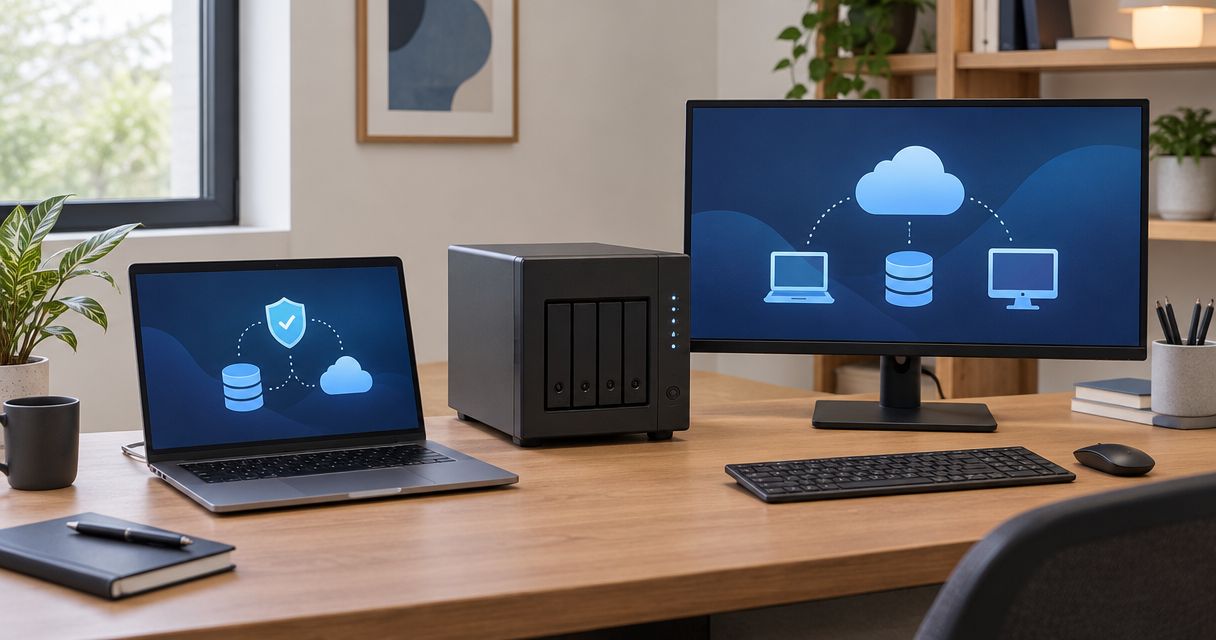
A backup appliance for a small business needs a configuration-specific quote in 2026: the full budget includes hardware, setup, backup software, storage, and ongoing support. The appliance quote alone does not establish what you will spend to keep backups running or restore your business after a failure. Compare the complete recovery service, not just the box.
- How much does a backup appliance cost for a small business? Request hardware, setup, storage, and recovery support together.
- TechConnect NC provides managed IT support and data backup/recovery for North Carolina small businesses.
- Local backup, cloud backup, and combined setups solve different recovery problems; compare their limits before choosing.
- Require a restore test and written responsibilities before approving a backup appliance quote.
How much does a backup appliance cost for a small business?
A useful backup appliance quote separates the equipment purchase from the work and services needed to protect your files. An appliance with drives installed is not the same purchase as a configured backup system with off-site copies, monitoring, and recovery assistance.
Use this breakdown when reviewing a 2026 proposal. If you are also considering an off-site service, compare the scope in this guide to cloud backup costs for small businesses.
| Quote component | What the proposal should identify | What to check |
|---|---|---|
| Appliance hardware | Enclosure, installed drives, and usable storage | Whether drives and replacement coverage are included |
| Initial setup | Installation, configuration, and first backup | Whether the work ends with a tested restore |
| Backup software | Protected devices, applications, and licensing terms | Whether servers and business applications need separate coverage |
| Off-site storage | Destination, retention, and storage allowance | Whether local equipment failure leaves a separate recoverable copy |
| Ongoing management | Monitoring, updates, and failed-job response | Who acts when a backup fails |
| Recovery assistance | File restoration, system restoration, and recovery labor | What is included during an actual incident |
Ask for an initial total, a recurring total, and clearly listed exclusions. A proposal that leaves recovery labor undefined is not ready for approval, even if its equipment list looks complete.
Why this matters
Your business needs usable files and working systems after an incident, not simply a device showing a successful backup message. A completed job does not establish that every necessary application, password, or recovery key is available.
Keep the purchase tied to business tasks. Identify what must work first after a failure: access to customer records, accounting files, shared documents, or the application your staff uses to serve customers.
For your 2026 budget, separate the question “Where are the backups stored?” from “How will we get back to work?” The second question determines whether you need file recovery, complete system recovery, replacement equipment, or help coordinating all of them.
Local backup appliances: best for on-site recovery access
A local appliance keeps backup data at your office. That gives you access to the backup over your local network rather than requiring every recovery to download from an off-site destination.
Best for: businesses that need local access to backed-up files or systems and have someone responsible for maintaining the equipment. The limitation is physical: an appliance in the same office needs a separate protection plan for theft, fire, flooding, and other site-wide events.
Confirm what the appliance actually does. Some equipment provides storage for backup software; other systems combine storage and backup functions. Do not assume that buying network storage includes licenses, application support, or recovery services.
Cloud backup: best for off-site copies without a local appliance
Cloud backup sends protected data to an off-site service. A cloud-only design avoids maintaining a dedicated local backup appliance, but recovery still depends on the service's capabilities and your connection.
Best for: businesses whose recovery requirements fit an off-site service without dedicated local backup hardware. The limitation is that a large download or complete system recovery needs planning; storing files remotely does not automatically provide replacement computers or working applications.
Check which devices and accounts the service protects. Office computers, servers, hosted email, and online business applications are separate items on your backup inventory, not interchangeable names for the same coverage.
Combined local and off-site backup: best for separate recovery paths
A combined design keeps a local backup and a separate off-site copy. It addresses different failure scenarios, but adds components that someone must configure, monitor, and test.
Best for: businesses that need local recovery access and protection against losing the office's equipment. Its limitation is added management: an off-site transfer failure must receive attention even when local backups continue to succeed.
| Approach | Best for | Main advantage | Main limitation |
|---|---|---|---|
| Local appliance | On-site recovery access | Backups are accessible over the local network | A site-wide incident can affect equipment and backups together |
| Cloud backup | Off-site protection without a dedicated local appliance | Copies are stored away from the office | Recovery depends on connection and service capabilities |
| Combined backup | Separate local and off-site recovery paths | Supports recovery from different failure scenarios | Both backup destinations need monitoring and testing |
Do not choose between these approaches by storage capacity alone. Choose the design that covers your failure scenarios and has a named person responsible for recovery.
Why backup appliance quotes vary
The following factors change the equipment, licensing, and work a proposal needs to cover. Ask each provider to quote the same requirements so the comparison is meaningful.
- Protected data: Inventory the files, systems, and applications that need backup. Employee count alone does not describe the workload.
- Retention: State how far back you need to recover. Keeping older versions affects storage requirements and deletion settings.
- Recovery scope: Restoring a document differs from rebuilding a server and its applications. Specify the result you need.
- Off-site protection: Identify the separate destination and how it is protected. Local storage alone does not address loss of the office.
- Management responsibility: Establish who checks failed jobs, installs updates, and handles equipment problems. Unassigned tasks remain business risks.
- Recovery assistance: Define who performs a restore and what work falls outside the agreement. Do not treat support access as proof that recovery labor is included.
For a 2026 comparison, give every provider the same inventory and recovery requirements. Otherwise, a smaller proposal can simply represent less protection rather than a more efficient solution.
How do you get a backup appliance quote you can compare?
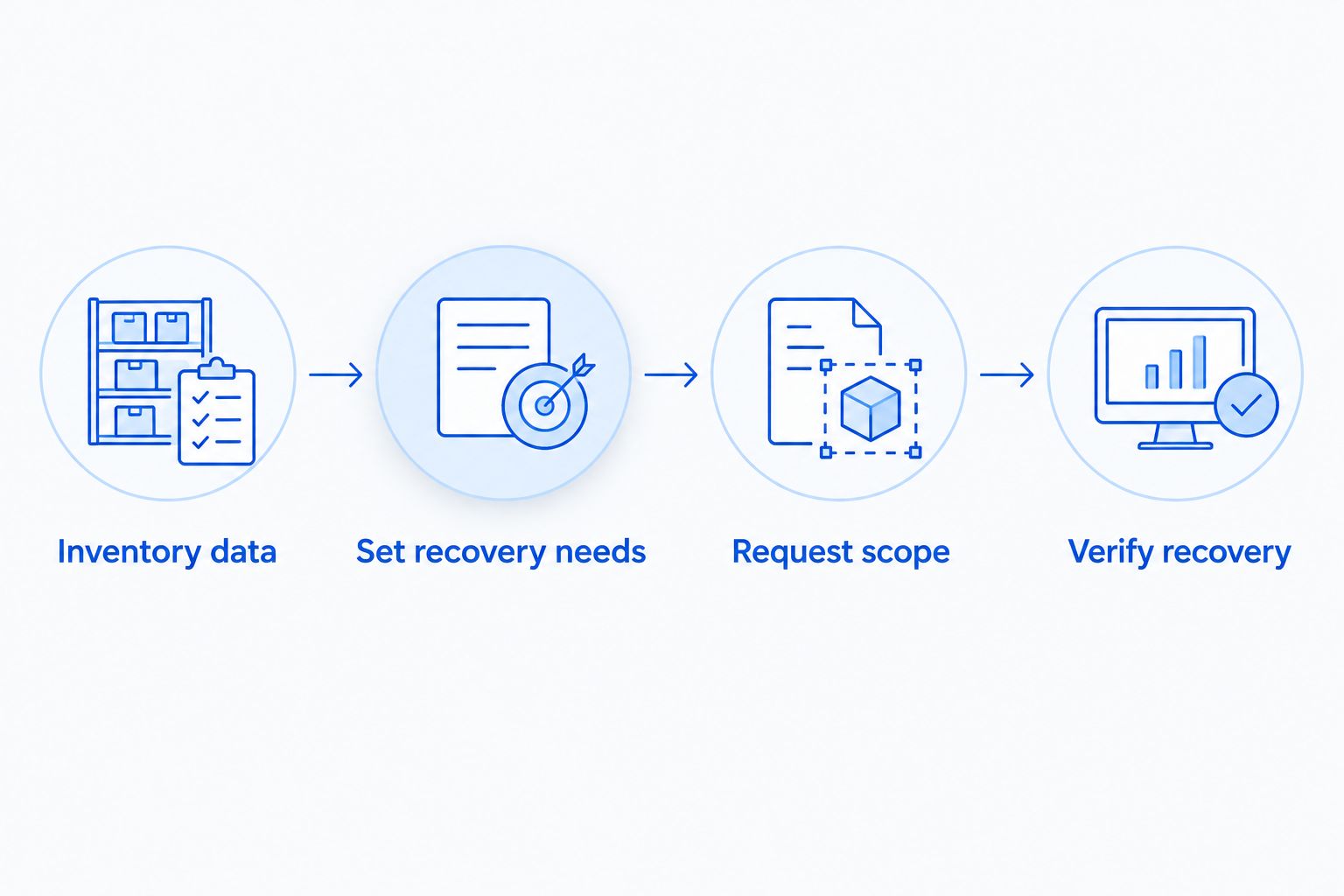
Start with a short written brief rather than a request for “a backup box.” These steps give the provider enough information to explain the proposed design and its limits.
- Inventory data. List business computers, servers, shared folders, and hosted accounts. Identify where the working copies actually live.
- Set recovery needs. Write down which business tasks must resume first. State how much recent work you can afford to lose and how long the business can operate without each system.
- Request scope. Ask for the hardware, software, storage, setup, management, and recovery responsibilities in writing. Include ownership and cancellation terms.
- Verify recovery. Require a restore test that matches the promised protection. Opening a recovered file checks something different from starting a restored business application.
A quote should connect these requirements to the proposed equipment. If the provider cannot explain why the appliance fits your recovery needs, the equipment specification is not enough to make the decision.
Is a backup appliance enough to protect business data?
A backup appliance alone does not cover every cause of data loss. It needs an appropriate backup configuration, protected access, a separate copy where required, and a recovery process your business can actually use.
The established 3-2-1 backup rule provides a starting structure: keep 3 copies of important data, use 2 different storage media, and keep 1 copy off-site. This is a design guideline, not a guarantee that a particular system will recover successfully.
Also ask whether an attacker with access to ordinary business accounts could delete the backups. Separate credentials, restricted access, and deletion-resistant copies deserve specific discussion; none should be assumed from the word “appliance.”
Does mirrored storage count as a separate backup?
Mirrored storage is not a substitute for a separate backup. Mirroring can preserve access after certain drive failures, but it also reflects changes such as file deletion rather than independently preserving the history your business needs.
Does file syncing replace backup software?
File syncing does not automatically replace a backup system. Check the service's version history, deletion recovery, retention, and restore capabilities before treating synchronized files as recoverable backups.
What should ongoing backup support include?
Ongoing support needs a clear owner and a defined response to failure. “Monitored” is incomplete unless the agreement explains who receives alerts, who investigates them, and who confirms that protection has resumed.
Ask for a report that distinguishes successful jobs, failed jobs, missing devices, and off-site copy problems. A device that stopped reporting should not disappear from the conversation just because other devices still back up successfully.
In your 2026 service review, include restore testing and changes to the business. New computers, added applications, growing data, and changed staff responsibilities all deserve a backup review.
Managed support reduces the tasks your staff must handle, but it does not remove the need for business decisions. Your business still needs to approve retention requirements, recovery priorities, and authorized access to recovered information.
Local backup support in North Carolina
TechConnect NC is a local managed IT support option for North Carolina small businesses that need backup and recovery support. Its services include monitoring, patching, backups, cybersecurity, help desk, and remote support.
For a backup appliance discussion with TechConnect NC, bring your device inventory and recovery priorities. Confirm the proposed equipment, service scope, and exclusions before authorizing work; a general managed IT service description does not establish what your particular agreement includes.
Both offices are relevant for local planning: the Clayton office is at 5720 US 70 Bus Hwy, Suite B, Clayton, NC 27520, and the Foothills office is at 10A Falls Avenue, Granite Falls, NC 28630. Discuss your business location and whether the proposed work calls for remote support, an office visit, or on-site assistance.
FAQ
How much does a backup appliance cost for a small business in 2026?
A small business backup appliance requires a configuration-specific quote covering hardware, setup, software, storage, and support. Compare the initial total, recurring total, and recovery exclusions rather than the equipment alone.
Is buying a backup appliance a one-time expense?
Buying the hardware does not establish a one-time total for the complete backup system. Check software renewals, off-site storage, maintenance, and recovery labor separately.
Is a local backup appliance better than cloud backup?
A local appliance and cloud backup address different recovery needs. Local storage provides on-site access, while cloud backup keeps a copy away from the office; compare both against your recovery requirements.
How many backup copies should my business keep?
The 3-2-1 backup rule calls for 3 copies of important data, on 2 different storage media, with 1 copy off-site. Your backup plan also needs protected access and restore testing.
Can a backup appliance restore my whole business server?
Whole-server recovery depends on the backup software, captured data, application support, and recovery environment. Require the proposal to state whether it covers complete systems or only selected files.
Will a backup appliance protect my files from ransomware?
A backup appliance alone does not establish ransomware protection. Ask how backup access is restricted, whether protected copies resist deletion, and how recovery will be tested.
Can TechConnect NC help with small business backups?
TechConnect NC provides data backup/recovery and managed business IT support in North Carolina. Call or text 919-737-5442 to discuss your devices, business location, and recovery needs.
One last thing
Ask who can restore the backups if your usual IT contact is unavailable. A recovery plan that depends on one person's undocumented knowledge leaves an avoidable gap, even when every backup job succeeds.
Before approving your 2026 purchase, confirm where recovery instructions, authorized contacts, software access, and recovery keys will be kept securely. The appliance is only part of the handover; your business also needs a usable route back to its data.
Related guides
- How much storage small businesses need for backups
- How to connect a NAS backup drive to your small business network
- How to choose between break-fix and managed IT support
Call or text 919-737-5442 to discuss your small business backup needs with TechConnect NC.


