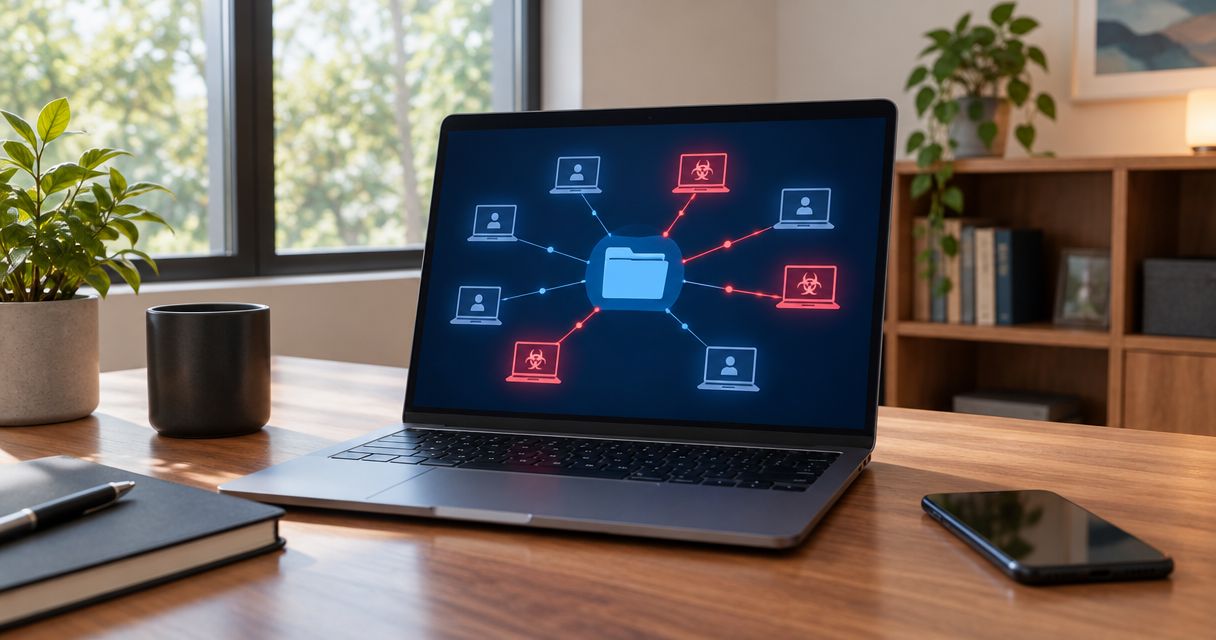
Yes, ransomware can spread through a shared network drive by encrypting files that an infected computer or compromised account has permission to change. In 2026, the key distinction is that shared files can be encrypted without the storage server itself being infected; infecting other computers requires a separate route, such as malicious file execution, stolen credentials, or an exploitable service.
- Can ransomware spread through a shared network drive? Yes: write access lets ransomware encrypt shared files.
- Shared-file encryption does not prove that every connected computer is infected.
- Disconnect suspected devices, protect backups, and investigate compromised accounts before restoring files.
- TechConnect NC provides managed IT support and virus removal for North Carolina homes and businesses.
Can ransomware spread through a shared network drive?
Ransomware can damage shared files using the same access your employees use to edit them. If an infected laptop can modify documents on a file server or network-attached storage device, ransomware running under that account can attempt to overwrite or encrypt those documents.
That does not mean the shared drive automatically infects every connected computer. Separate file damage from malware execution when deciding what to isolate and investigate.
| Situation | What ransomware can do | What it does not prove |
|---|---|---|
| Infected computer with write access | Encrypt or overwrite accessible shared files | That malware is running on the file server |
| Compromised storage administrator account | Change permissions, damage files, or attack accessible recovery copies | That every employee computer is infected |
| Malicious executable stored in a share | Infect a computer if someone or something executes it | That merely viewing the folder executes it |
| Vulnerable network service | Allow an attacker or suitable malware to compromise another system | That every ransomware variant spreads this way |
The immediate priority is preventing a computer virus from spreading on a network, not testing whether more employees can open the affected files.
Why this matters
A shared drive concentrates business records in a place multiple people can change. That makes collaboration practical, but it also gives a compromised account access to more than its own computer.
For your 2026 security review, ask which accounts can change shared files—not just which computers have antivirus installed. A clean server can still hold encrypted documents after an infected workstation writes damaged versions back to it.
A ransom note in a folder is a warning, not a complete diagnosis. You still need to establish the affected accounts, devices, shares, and backups.
How does ransomware reach shared files?
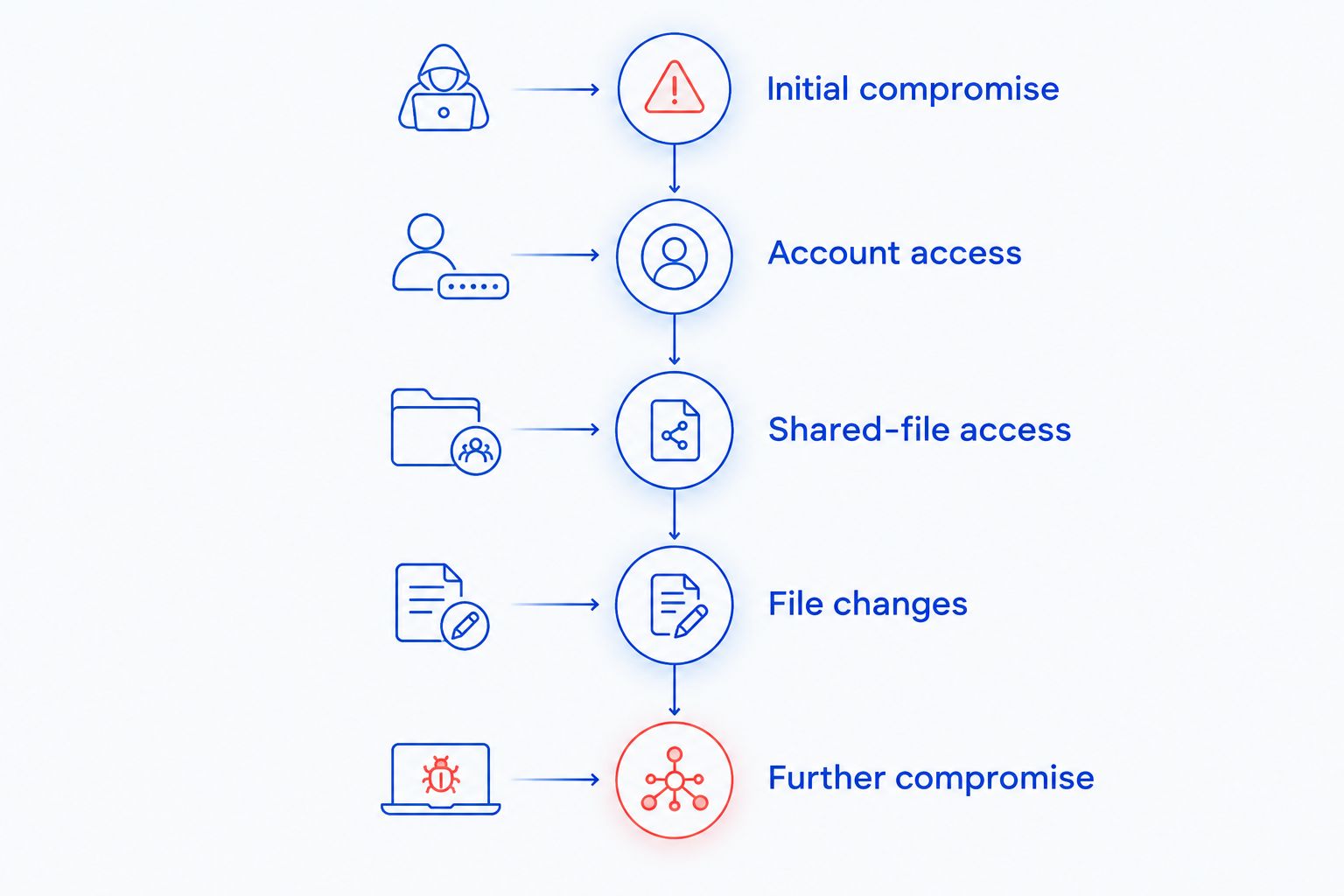
An attacker does not always need administrator access to cause serious damage. Ordinary editing permission can be enough to encrypt the folders assigned to an employee.
- Initial compromise: An employee opens a malicious attachment, runs an unsafe download, or an attacker gains access through another weakness.
- Account access: The malicious process inherits the employee's permissions, or the attacker uses stolen credentials.
- Shared-file access: The process reaches folders available through network file sharing.
- File changes: Ransomware reads and rewrites accessible files, leaving employees unable to use them.
- Further compromise: Some attacks also target additional devices, privileged accounts, or backup systems.
A mapped drive letter is convenient, but it is not the security boundary. Removing the drive mapping does not revoke permissions or necessarily prevent access through the share's network path.
What changes the risk to your shared drive?
Your exposure depends on access and recovery design, not simply whether the drive sits in your office or elsewhere. Review these factors before assuming a particular storage setup is protected.
- Write permissions: An account that can edit or delete files gives ransomware more opportunity than an account limited to reading them.
- Account privileges: Compromised administrator credentials can expose settings, additional shares, and recovery systems beyond ordinary employee access.
- Network reachability: A device must have a usable route to a share to attack it through normal file access. Segmentation limits unnecessary connections.
- Execution controls: Restricting untrusted programs helps prevent a malicious file stored in a shared folder from running on another computer.
- Patching: Security updates address known weaknesses that attackers can use to compromise operating systems and storage devices.
- Backup separation: Recovery copies remain vulnerable when compromised accounts can overwrite, delete, or administer them.
Restricting write access limits potential file damage; it does not replace malware protection. Likewise, updated software does not prevent an authorized but compromised account from changing documents it can legitimately edit.
What should you do if shared files start getting encrypted?
Treat unexpected file extensions, widespread unreadable documents, or ransom notes as an incident. Stop routine work on affected systems and contact your IT responder from a known-clean device.
Disconnect suspected devices
Disconnect network cables and turn off Wi-Fi on suspected workstations. Stop using their remote-access connections, and tell employees not to reconnect them for troubleshooting.
Do not rely on closing the shared folder. Malware can continue accessing files after the folder window closes.
Have IT contain access
Your responder should identify affected shares, active sessions, and suspicious accounts. Temporarily restricting a share or disabling a compromised account can interrupt damage, but these actions need coordination because they also interrupt business work.
Avoid shutting down every server without direction. Preserve evidence where possible; if you cannot disconnect an actively affected device, emergency power-off decisions belong in the containment discussion.
Protect recovery copies
Tell your responder which backup systems, external drives, and storage accounts exist. Keep disconnected backups disconnected, and prevent suspect devices from accessing clean recovery media.
Do not delete backup histories or start a full restore while encryption remains active. A fresh restore exposed to the same compromised access can be encrypted again.
Preserve useful evidence
Record the affected computer names, share names, visible warnings, and when employees first noticed trouble. Photograph a ransom note if necessary without opening suspicious files on another work computer.
Do not run random cleanup tools or wipe the first affected computer before your responder assesses it. Those actions can remove information needed to understand the attack.
Does read-only access protect a shared folder?
Read-only access prevents normal file modification through that account, but it does not prevent every ransomware-related harm. An attacker who can read sensitive documents can still copy them, and stolen administrator credentials can provide a different route to modification.
Use read-only access where employees only need reference material. Give editing permission to the people who actually maintain the files, rather than allowing everyone to modify every department's folder.
During a 2026 permissions review, include former employees, unused service accounts, and shared logins. Record who owns each folder so permission changes do not depend on guesswork.
Is a backup on the same shared drive safe?
A backup that the compromised account can change is exposed to the same attack. A folder named backup does not create separation, and a second folder on the same writable share is not an independent recovery plan.
The established 3-2-1 backup guideline calls for 3 copies of your data, on 2 media types, with 1 copy off-site. For ransomware resilience, also keep recovery copies offline or protected against alteration, and separate backup administration from everyday employee access.
Each layer has limits:
- Offline copies resist remote changes while disconnected, but require controlled updates and handling.
- Immutable backups resist modification during their configured retention period, but still need correct settings and protected administration.
- Snapshots can support recovery, but snapshots controlled by a compromised administrator are not automatically safe.
Test restoration to an isolated location. A completed backup job does not establish that your business application, permissions, and necessary files will restore correctly.
Can network monitoring catch shared-drive ransomware?
Network monitoring can reveal suspicious connections and access patterns, while endpoint monitoring can identify malicious activity on individual computers. Neither guarantees that encryption will be stopped before files are damaged.
Effective 24/7 network threat detection depends on visibility into the relevant traffic and a response process that turns alerts into containment; collecting alerts alone does not disconnect an infected workstation or revoke stolen credentials.
For your 2026 monitoring plan, assign responsibility for investigating unusual file changes, repeated authentication failures, unexpected administrator activity, and access outside normal work patterns. Some of these signals require file-server or identity logs rather than network traffic alone.
Ask who acts on an alert and what authority that person has. A monitoring dashboard does not replace an incident contact, account controls, or tested backups.
When is it safe to restore the shared drive?
Restore shared files after your responder has contained the incident, addressed the entry point, and selected recovery copies that predate the damage. Restoring documents and removing malware are separate tasks.
Your 2026 recovery checklist should include:
- Identifying and cleaning or rebuilding affected devices.
- Securing compromised accounts and terminating unauthorized sessions.
- Correcting the access weakness or vulnerability involved.
- Checking recovery copies for usability and signs of compromise.
- Restoring into a controlled environment before reopening access.
- Monitoring for renewed suspicious activity.
Do not judge recovery only by whether documents open. Confirm that the applications employees depend on work with the restored data and that the restored permissions match your access plan.
Also investigate possible data theft. Recovering encrypted files does not establish that confidential information stayed inside your network.
Who can help a North Carolina business protect shared files?
TechConnect NC is a local option for North Carolina small businesses seeking managed IT support and virus removal. Services include monitoring, patching, backups, cybersecurity, help desk assistance, and remote support.
Managed IT support fits businesses that want ongoing maintenance and oversight; virus removal addresses an existing infection. Neither service should be treated as a guarantee against ransomware, and removing an infection does not itself restore encrypted files.
TechConnect NC has offices in Clayton at 5720 US 70 Bus Hwy, Suite B, and Granite Falls at 10A Falls Avenue. When arranging help, explain whether you have an active incident, a damaged shared drive, or a prevention project so the scope is clear.
FAQ
Can ransomware encrypt a shared drive if the server is not infected?
Yes, ransomware on a workstation can encrypt shared files when its account has permission to modify them. Malware does not have to run on the file server for those files to be damaged.
Does opening a shared folder infect my computer?
Opening a shared folder does not ordinarily execute ransomware by itself. Running a malicious file, opening content that triggers a vulnerability, or connecting through a vulnerable service creates separate risks.
Can ransomware find a drive that is not mapped?
Yes, removing a mapped drive letter does not revoke access to the underlying share. Malware or an attacker can access a reachable share through its network path when permissions allow it.
Will read-only permissions stop ransomware from encrypting shared files?
Read-only permissions block normal file modification through that account. They do not prevent data theft, exploitation of a separate weakness, or changes made through compromised administrator access.
Should I disconnect my computer if shared files are changing unexpectedly?
Disconnect a suspected computer from wired and wireless networks and contact your IT responder from a clean device. Do not reconnect it to check whether the shared drive works again.
Can antivirus recover files that ransomware already encrypted?
Antivirus removal does not itself decrypt files that ransomware has encrypted. Recovery depends on usable backups, an applicable legitimate decryptor, or other recovery options assessed for the incident.
Is cloud synchronization enough to recover from ransomware?
Cloud synchronization alone is not a ransomware recovery plan because encrypted changes can synchronize too. Recovery depends on protected version history, retention settings, account security, and tested restoration.
Can a shared-drive ransomware attack expose customer information?
Yes, an attacker with access to readable customer files can copy them as well as encrypt them. Investigate possible data theft separately from whether you can restore the documents.
One last thing
A shared drive does not need to be infected to become unusable. The practical test is whether a compromised employee account can rewrite your working files and reach your recovery copies.
Related guides
- How to protect a small business from ransomware
- Can data backup services restore files after a ransomware attack?
- How to choose between break-fix and managed IT support
Call or text TechConnect NC at 919-737-5442 to discuss shared-drive protection, virus removal, or managed IT support.


