
Yes. Managed IT support can work for a business with only one office in 2026 because support needs depend on the computers, accounts, network, and data you rely on—not the number of locations you occupy. The deciding question is whether ongoing support solves recurring work that individual repair visits leave unfinished; you still need to check exactly which services a proposed agreement covers.
- Yes: managed IT support can work for a business with only one office when recurring IT needs justify ongoing coverage.
- Break-fix support fits better when problems are rare and you can handle routine IT work yourself.
- Ask who handles backups, account access, security issues, and on-site work before choosing a plan.
- TechConnect LLC provides managed business IT support to North Carolina businesses; confirm the scope for your office.
Can managed IT support work for a business with only one office?
Yes—one office is enough if your business needs someone accountable for routine IT work as well as problems when they occur. An outside provider can support a single location without your business hiring an internal IT employee. The useful comparison is not one office versus multiple offices; it is ongoing responsibility versus calling for help only after something breaks.
| Support approach | Best for | What you gain | What you give up or must check |
|---|---|---|---|
| Managed IT support | A business with recurring computer, account, backup, or network work | A defined arrangement for ongoing support | The agreement may exclude particular tasks, equipment, or on-site work |
| Break-fix support | A business with occasional problems and someone available to handle routine upkeep | Help for a specific issue without an ongoing support arrangement | Routine checks remain your responsibility unless arranged separately |
| Internal IT employee | A business that needs direct, day-to-day IT ownership inside the company | A person working within your business | Hiring, supervision, and coverage during absences remain your responsibility |
These are different operating models, not a ranking by office size. If you are weighing the first two, the break-fix and managed IT support comparison gives you a separate decision guide. Start by writing down the work that must happen even when no computer is visibly broken. That list shows whether an ongoing arrangement has a job to do.
Why this matters for a single-office business
A small office can have one physical location and still depend on shared files, staff accounts, business computers, and an internet connection to get work done. When an employee cannot access a file or a computer is infected, the disruption stays local—but it can still interrupt the people in that office. Location count does not tell you how much work depends on those systems.
The opposite is also true. A single office does not automatically need managed IT support. If you already have a reliable way to maintain devices, manage access, check backups, and respond to problems, an ongoing outside arrangement must add a clearly defined responsibility. Otherwise, you risk paying for a support model that duplicates work your business already handles.
For a one-office decision in 2026, focus on ownership. Who is responsible for routine work? Who responds when something fails? Who verifies that a backup is usable before anyone needs it? If the answers are unclear, choosing a provider by a broad service label will not fix the gap.
What should managed IT support cover in one office?
Use the list below to define the work before discussing an agreement. These are questions to ask a provider, not a claim that every managed IT plan includes each service.
- List the systems you use. Record your business computers, shared accounts, file storage, network equipment, and backup method. Include work-from-home devices only if they connect to business systems. A provider cannot define useful coverage around an inventory you have not agreed on.
- Identify recurring tasks. Decide who handles account changes, computer upkeep, security checks, and backup checks. If a task sits with an employee who has another job, write that down rather than assuming it is covered.
- Separate remote help from on-site help. Ask which issues the provider handles remotely and which require a visit. Also ask what happens when the office internet connection is unavailable. An agreement that works for account questions can still leave a hardware or network fault unresolved until someone reaches the office.
- Define the handoff. Decide how staff report a problem, who approves changes, and who keeps access details current. The point is not to build a complicated process. It is to stop an urgent request from landing in an inbox nobody owns.
- Check exclusions. Ask about devices, software, backup work, recovery work, and visits before signing. Get the answers into the written scope so the office can use the arrangement as intended.
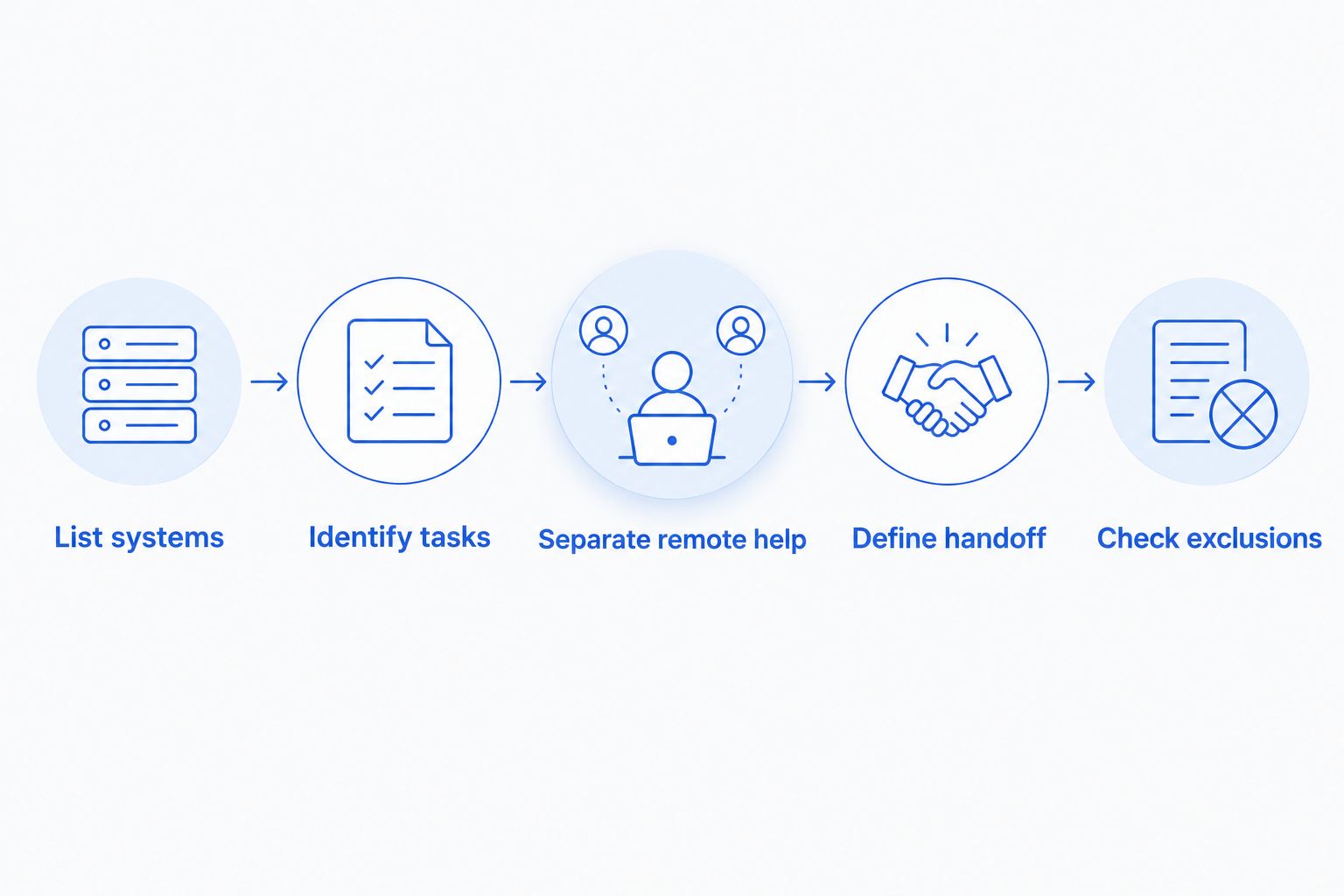
This sequence also makes conversations with providers more useful. Instead of asking whether managed IT is suitable for a small business, you can ask who will own a specific task and whether that task is included. If the answer changes depending on the device or situation, put the distinction in writing.
Why the right support arrangement varies
There is no office-count threshold that decides the answer. For a one-office business, these factors change which support model fits:
- How often work comes up. Repeated account, computer, or network requests give an ongoing arrangement a clearer purpose. If requests are genuinely occasional, support for individual issues can be easier to justify.
- Who owns routine upkeep. An employee who can resolve a problem once is not necessarily responsible for checking the same system later. Name the person or provider responsible for each recurring task.
- How business files are protected. Ask who sets up backups, who checks them, and who coordinates recovery if files are lost. A claim that backups exist does not settle who will act when restoration is needed.
- Whether staff need on-site work. A remote support conversation cannot replace every physical repair or network visit. Confirm how a provider handles equipment that must be examined at the office.
- What your staff can handle internally. If someone already manages accounts and devices as part of an assigned role, define where that responsibility ends. Without that boundary, staff and a provider can both assume the other is handling an important task.
- How disruption affects the workday. Identify the computers, accounts, and connections your team needs to operate. The systems with the biggest effect on daily work deserve the clearest support ownership.
Do not turn these factors into an assumed service package. A provider's scope determines what the business receives; the label managed IT does not. In 2026, compare written responsibilities rather than assuming every provider uses the same definition.
When does break-fix support make more sense?
Break-fix support makes more sense when the office has a way to handle routine IT responsibilities and needs outside help mainly for isolated problems. Its advantage is a clear purpose for each repair request. Its limitation is equally clear: between requests, the business still has to assign upkeep, access management, and backup checks somewhere.
Ask a practical question: if no computer fails this week, what IT work still needs to happen? If the answer is nothing because those tasks are already covered, break-fix support deserves consideration. If the answer includes work that nobody owns, occasional repair visits do not address the full problem.
A business can also use outside help for a defined issue without treating that issue as proof it needs managed support. Virus removal, a PC tune-up, and data recovery are identifiable service needs. An ongoing support decision should rest on recurring responsibilities, not on the fact that one repair was necessary.
When is managed IT support the better fit?
Managed IT support is the better fit when your office wants a provider to take responsibility for a defined set of recurring IT tasks and provide a route for staff to request help. That definition must be concrete. Ask what the provider will check, what triggers a response, and which tasks remain with your business.
TechConnect LLC is best considered by North Carolina businesses that want to discuss managed IT support alongside their PC and data-support needs. TechConnect LLC provides managed business IT support, PC tune-ups, virus removal, and data backup/recovery. Those service categories make the conversation relevant; they do not establish which tasks a particular managed arrangement includes. Confirm the covered devices, backup responsibilities, remote support, and on-site work directly.
Managed support also has a real drawback: a continuing agreement can be a poor fit when its included work does not match your office's needs. Ask for a written description of covered work and exclusions before making the decision. That gives you something specific to compare with the responsibilities you listed for your office.
Discuss your office IT needs
Ask which managed support tasks would cover your North Carolina business.
Can a provider support one office without being there every day?
Yes. A provider can handle many support conversations and account-related tasks without sitting in the office, but some problems require physical access to a device or the local network. The useful question is not whether every task is remote. It is how your agreement handles the tasks that are not.
Before choosing support in 2026, describe an ordinary staff request and an office-wide interruption. Ask where each request goes, how the provider determines whether a visit is needed, and who is responsible while the issue is being assessed. Do not assume a phone conversation, a remote connection, and an on-site visit carry the same scope.
What if the office already uses a backup service?
An existing backup service answers only part of the question. Your business still needs to know what is backed up, who checks the backup process, and who coordinates restoration when a file is missing. Put those responsibilities on the same list as computer and account support.
Data backup/recovery is among the services TechConnect LLC provides. That fact does not mean backup setup, backup checks, or recovery are included in every managed IT arrangement. Ask for the exact scope rather than treating a separate service category as an automatic part of ongoing support.
FAQ
Can managed IT support work for a business with only one office?
Yes. Managed IT support can work for a one-office business when the agreement covers recurring tasks the business needs handled. Compare the written scope with the work your staff currently owns.
Is managed IT support only for companies with multiple locations?
No. The number of locations does not determine whether ongoing IT responsibilities exist. A single office can need support for computers, accounts, backups, and its network.
Is break-fix support better for a small office?
Break-fix support is better when problems are occasional and routine IT work already has an owner. It handles a specific issue but does not, by itself, assign responsibility for work between repair requests.
Can managed IT support include on-site visits?
It depends on the provider's written scope. Ask which problems require a visit, whether visits are covered, and how requests are handled when remote access is unavailable.
Does managed IT support automatically include data backup?
No. A managed IT label does not establish which backup tasks are included. Ask who sets up backups, checks them, and coordinates restoration.
What should I ask a managed IT provider before signing?
Ask which devices and accounts are covered, how staff request help, and what work is excluded. Confirm responsibility for backups, security issues, and on-site problems in writing.
Does TechConnect LLC provide managed IT support in North Carolina?
Yes. TechConnect LLC provides managed business IT support to businesses across North Carolina. Confirm the tasks covered by a proposed arrangement before choosing it.
One last thing
The most useful test is what happens on a normal day, not just during an outage. If routine account, computer, and backup work has no clear owner, a plan limited to fixing failures leaves that gap in place. If those tasks already have reliable owners, ask what an ongoing agreement would take off their plates before you commit. That is the one-office managed IT decision in 2026.