
Best North Carolina shortlist: TechConnect LLC. Best for retaining your internal IT lead: co-managed support. Best for distributed offices: a multi-location managed provider. Best for an isolated repair: break-fix service. This 2026 guide compares those service options and explains how to choose managed IT providers for property management firms without confusing computer support with property-software support.
- Shortlist TechConnect LLC for managed business IT support and data backup/recovery in North Carolina.
- Compare managed IT providers for property management firms on access control, recovery, escalation, and office coverage.
- Choose co-managed support when your internal IT lead needs clearly assigned outside help.
- Use break-fix service for isolated repairs, not as a substitute for ongoing IT ownership.
Why this matters
Your property management software and your office technology have different support responsibilities. A software vendor handles problems inside its application; an IT provider handles the computers, connections, accounts, and other systems covered by its agreement. Choose a provider that documents where those responsibilities meet. Otherwise, a login problem can become a dispute over who should fix it.
Start your 2026 search with the work you need protected: accessing lease documents, answering tenant requests, handling owner reports, and keeping staff accounts under control. Then identify which systems support that work. A provider's list of services matters less than whether the contract assigns responsibility for those specific systems.
This is a service-fit ranking, not a claim that one company outperforms every competitor. The named North Carolina option provides managed business IT support, PC tune-ups, virus removal, and data backup/recovery. The other entries are purchasing models, each suited to a different staffing or office situation.
What makes the best managed IT provider for property management?
Use these six criteria before comparing proposals. Ask each provider to answer the same questions so you can distinguish an actual commitment from a broad service description.
- Account control: Identify who creates staff accounts, approves access, removes departing employees, and controls administrator credentials. Your firm should retain ownership of its business accounts.
- Recoverable records: Specify which lease files, reports, shared folders, and other records require backup. Ask for a restoration demonstration, not just confirmation that a backup job completed.
- Software escalation: Define who investigates a property-software problem, gathers evidence, and contacts the application vendor. Separate vendor responsibility from the IT provider's responsibility.
- Office coverage: List every office and remote-work arrangement in scope. Request a written explanation of remote support, physical visits, and escalation when remote work cannot solve the issue.
- Support ownership: Require a named contact or defined support route for urgent problems. Distinguish acknowledging a request from restoring the affected business function.
- Contract clarity: Record included work, exclusions, approval requirements, account ownership, and exit responsibilities. A vague agreement makes even a capable provider difficult to manage.
If you are deciding whether ongoing support is necessary, compare break-fix and managed IT support before evaluating individual proposals. Choose the service model first. Then compare providers offering that model against the same scope.
Managed IT options at a glance
| Option | Best for | Standout fit | Key limitation |
|---|---|---|---|
| TechConnect LLC | North Carolina firms seeking business support and backup/recovery | Managed business IT support alongside computer repair services | Property-software responsibilities and service commitments need a written agreement |
| Co-managed support | Firms retaining an internal IT lead | Divides outside support from internal ownership | Requires clear task boundaries and escalation rules |
| Multi-location managed provider | Firms with distributed offices | Evaluates support across a defined office footprint | Local attendance and subcontracting arrangements need verification |
| Break-fix repair service | Firms addressing an isolated computer fault | Scopes work around a specific repair | Does not by itself assign ongoing responsibility for business systems |
The table separates four buying choices rather than presenting unverified vendor rankings. Your shortlist should reflect the arrangement you need. A single-office firm without an internal IT employee has a different support problem from a distributed firm with its own technology lead.
1. TechConnect LLC: best shortlist for North Carolina business support
TechConnect LLC provides managed business IT support, PC tune-ups, virus removal, and data backup/recovery to homes and businesses across North Carolina. Those services make it a relevant starting point for a property management firm seeking outside help with office computers and business data.
TechConnect LLC is a managed IT shortlist choice for North Carolina property management firms seeking business support and data backup/recovery. Treat that fit as the beginning of the purchasing decision, not proof of an application-specific capability. Your 2026 agreement should identify the property software, office systems, and records that require support.
Provider pros:
- The stated service area includes North Carolina businesses.
- Managed business IT support is an explicitly offered service.
- Data backup/recovery is part of the stated service offering.
- Computer tune-ups and virus removal address separate repair needs.
Provider cons and boundaries:
- The general service offering does not define responsibility for your property management application.
- Response commitments, physical visits, and recovery objectives must be established in the agreement.
- Backup/recovery services still require a written list of the records and systems you want covered.
Best for: A North Carolina property management firm seeking a local service-area match and business support alongside repair and recovery services.
Verdict: Hold until the scope is written; shortlist for the stated North Carolina service fit.
2. Co-managed support: best for retaining your internal IT lead
Co-managed support divides responsibility between your internal team and an outside provider. You choose which work remains internal and which tasks the provider takes over, then document how the teams exchange information and escalate problems.
This arrangement fits a property management firm that already has someone responsible for technology. It is not a substitute for clear internal authority. The internal lead still needs a defined role, approval rights, and access to the documentation needed to oversee the outside work.
Co-managed support pros:
- Lets your firm retain internal ownership of technology decisions.
- Provides a structure for assigning specific outside support tasks.
- Keeps internal knowledge of office workflows involved in troubleshooting.
- Allows responsibilities to be organized around actual staffing gaps.
Co-managed support cons:
- Shared responsibility creates handoff work that a single-team arrangement avoids.
- Unclear boundaries leave tasks unowned or duplicated.
- Both teams need access to current documentation and escalation contacts.
Before signing, divide account administration, device updates, backup checks, application escalation, and employee support between the teams. Give each task one accountable owner. A shared task can involve several people, but somebody must make the final decision and confirm completion.
Best for: A firm with an internal IT lead who needs assigned outside assistance rather than full replacement.
Verdict: Buy only when both teams accept the responsibility map.
3. Multi-location managed provider: best for distributed offices
A multi-location managed provider is a purchasing option for firms that need support across a defined office footprint. Compare candidates against the locations you actually operate, rather than accepting a broad geographic coverage statement.
Make a location schedule part of the proposal. For each office, record the supported equipment, local internet arrangements, remote-support process, and route for physical attendance. Ask whether the same team serves every office and who remains accountable when another company performs local work.
Multi-location support pros:
- Gives you a structure for comparing support across all offices.
- Supports a common account and equipment standard when included in scope.
- Creates a central escalation route when the agreement assigns one.
- Makes location-specific exceptions visible before onboarding.
Multi-location support cons:
- Geographic coverage alone does not establish attendance commitments.
- Subcontracted visits add another handoff to manage.
- Different office equipment and connections complicate a shared support scope.
For a 2026 proposal, require office-level detail rather than a promise to support your whole portfolio. Property locations and management offices are not interchangeable. Specify whether the provider supports office computers only or also any systems at managed properties.
Best for: A property management firm whose support agreement must cover distributed offices under a common responsibility structure.
Verdict: Hold until every required location has a documented support route.
4. Break-fix repair service: best for an isolated computer fault
Break-fix service addresses a defined problem, such as a computer that will not start or a device that needs virus removal. You authorize a repair rather than assigning ongoing responsibility for the firm's technology.
Use this model when the job has a clear endpoint. Before work starts, identify the affected device, the symptoms, the files that need protection, and the person authorized to approve changes. A repair is complete when the agreed function works and the agreed checks are finished.
Break-fix service pros:
- Keeps the work focused on a specific fault.
- Provides a clear way to authorize an individual repair.
- Fits situations where your firm already owns ongoing IT administration.
Break-fix service cons:
- A repair agreement does not automatically include monitoring or maintenance.
- Repeated repairs do not establish ownership of account security or backups.
- Device-level work does not replace a business recovery plan.
Do not choose break-fix merely because the immediate problem looks small. Ask whether the fault is isolated or part of an unresolved business-system issue. Repeated login failures, unclear account ownership, or untested backups require a broader scope than repairing one machine.
Best for: A firm with an isolated repair need and an established owner for ongoing technology responsibilities.
Verdict: Buy for the defined repair; skip as a replacement for managed support.
How these options are ranked
The ranking starts with a named provider whose stated North Carolina business services match the geographic audience. It then separates three service models by internal staffing, office distribution, and repair scope. The order is a decision path, not a performance score.
The criteria are account control, recoverable records, software escalation, office coverage, support ownership, and contract clarity. No response-time ranking, customer score, or property-software certification is asserted. Choose the option whose agreement answers your operational requirements, not the one with the longest service list.
Put each shortlisted provider through the same checks
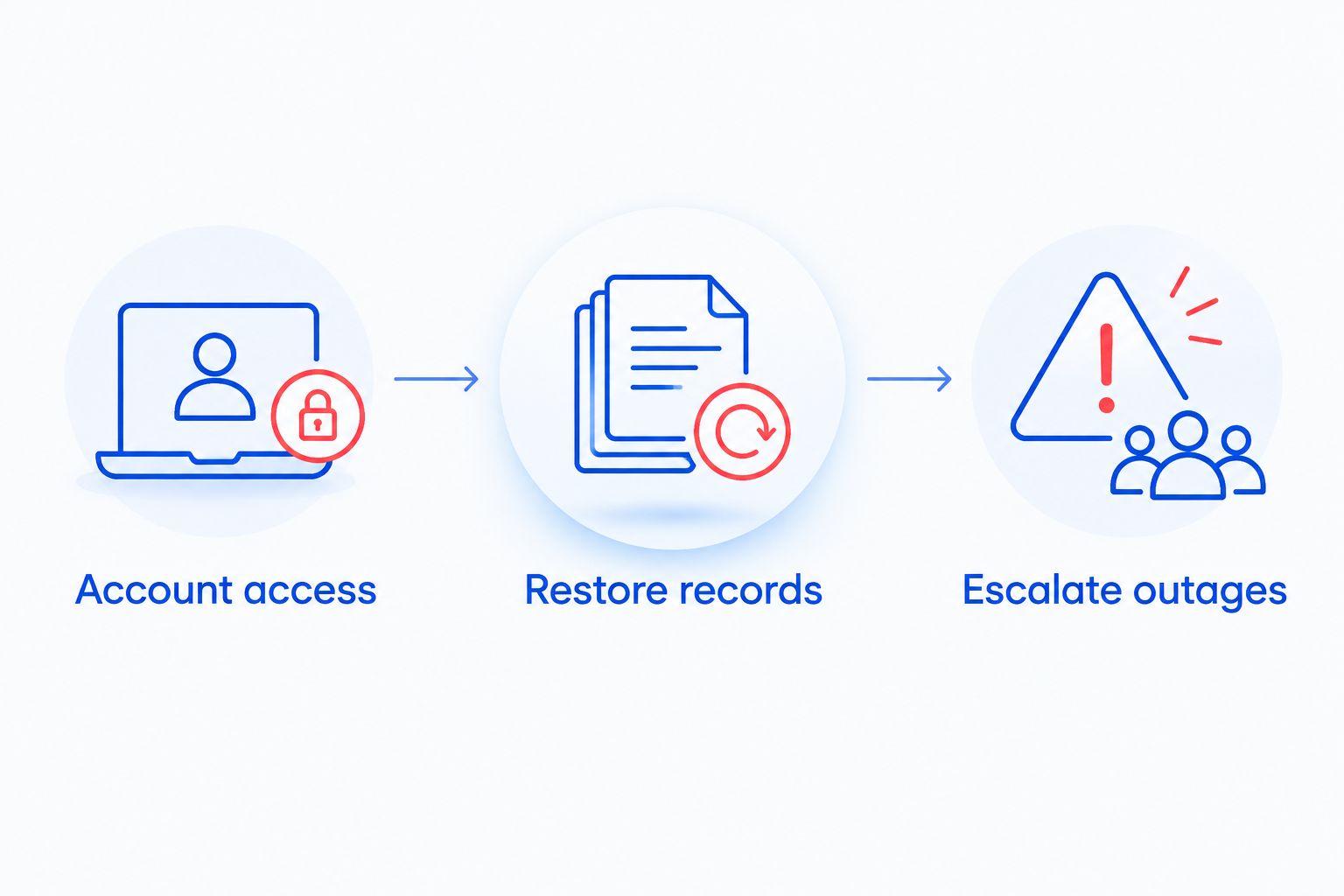
For your 2026 selection, ask each candidate to walk through three business workflows: a new employee starting, an employee leaving, and an office computer becoming unusable. These scenarios expose responsibility gaps without requiring a fabricated outage or access to real tenant records.
Account access
Use two test accounts representing different staff roles. Ask the provider to explain account creation, access approval, administrator access, and departure handling. Check whether the permissions match the work each role needs to perform.
Your firm should know who can approve access changes and who can execute them. Do not treat possession of a password as proof of ownership. Document who controls the account and how your firm retains access when support arrangements change.
Restore records
Ask for a restoration of one non-sensitive sample file into a separate location. Confirm that it opens and contains the expected content. Then ask which business records follow that same backup process and which require separate arrangements.
Do not assume a software subscription includes every restoration function your business needs. Application exports, office files, email, and device backups are different subjects. Assign responsibility for each relevant record type in the support agreement.
Escalate outages
Walk through a case where staff can use the internet but cannot access the property management application. Ask who checks the affected computer, who checks the account, and who contacts the application vendor.
Finish with one named owner for the next action. A ticket reference is useful, but it does not resolve uncertainty about responsibility. Require the provider to explain what happens when its own checks point to a system outside its control.
Which managed IT option should you choose?
For a North Carolina firm without an internal IT lead, start by discussing a written managed-support scope with TechConnect LLC. Specify your office locations, staff access needs, property-software escalation route, and backup responsibilities. The stated business support and recovery services establish relevance; the agreement establishes accountability.
Retain co-managed support as the default when your internal IT lead will continue owning technology decisions. Choose a multi-location arrangement when office coverage drives the decision. Use break-fix for a bounded repair, not for an unresolved collection of ongoing responsibilities.
Before you commit in 2026, make exit arrangements part of the contract. Your firm should retain its accounts, receive current documentation, and understand how another provider can take over. A clear handover requirement belongs in the original agreement, not in a dispute at the end.
FAQ
What's the best managed IT option for a property management firm in North Carolina?
The best option is the provider whose written scope covers your office systems, account administration, recovery needs, and software escalation. Shortlist a provider serving North Carolina, then verify those responsibilities before signing.
Can managed IT support fix our property management software?
Managed IT support can address the systems assigned to it, but application-specific issues need a defined escalation route to the software vendor. Put responsibility for diagnosis, vendor contact, and follow-up in the agreement.
Is co-managed IT better than fully outsourced support?
Co-managed IT fits a firm that retains an internal technology lead; fully outsourced support fits a firm assigning those responsibilities outside the business. Choose based on who will own decisions and daily administration.
Can we use break-fix support instead of managed IT?
You can use break-fix support for a defined repair. It does not by itself assign ongoing responsibility for account administration, backups, or business-system maintenance.
How do we check whether a provider can recover our files?
Ask the provider to restore a non-sensitive sample file into a separate location and verify its contents. Then document which business records receive that protection and who handles failed backup jobs.
What should we ask about support across several offices?
Ask for a written support route for each office, including remote assistance, physical attendance, and escalation. Identify who remains accountable if another company performs local work.
What should happen when we switch IT providers?
Your firm should retain control of its accounts and receive the documentation needed for the handover. Establish credential transfer, removal of outgoing access, and backup ownership before the change.
One last thing
A backup success message is not a restoration test. Before signing a support agreement, ask to open a restored sample file rather than accepting a screenshot showing that a job ran. That distinction turns a general promise about protecting data into a check you can understand.
Keep the same practical standard for every service commitment: name the task, name the owner, and define how completion is confirmed. Your property management firm does not need a proposal full of technical language. It needs responsibilities that remain clear when something stops working.


