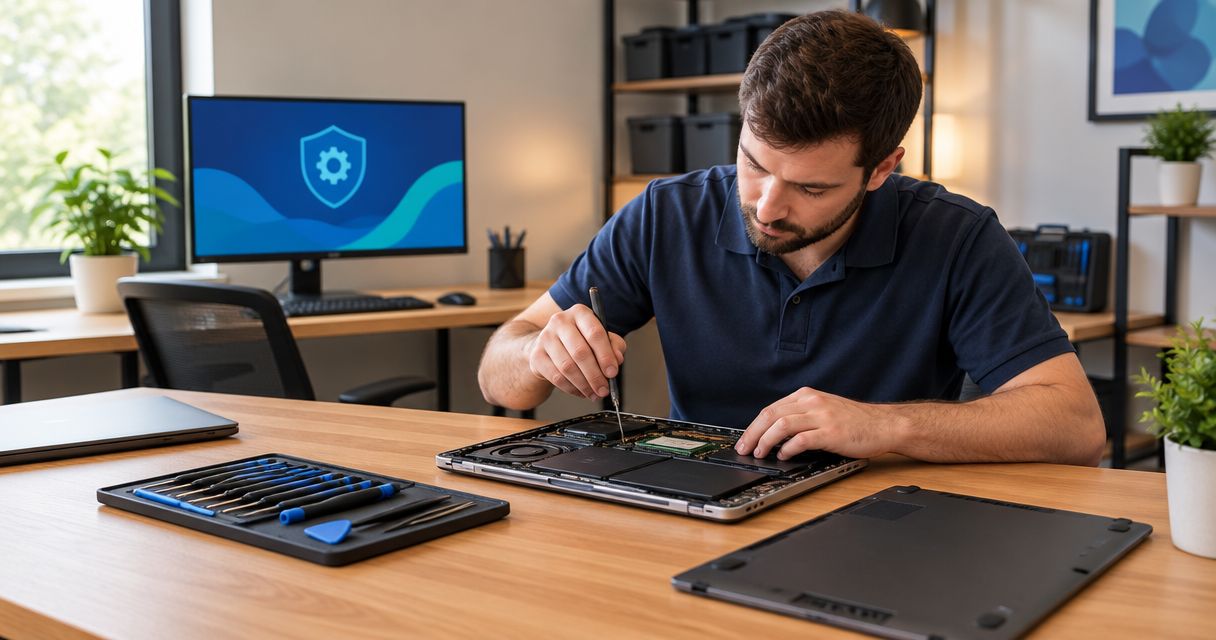
Best starting point: a diagnostic assessment. Best for pop-ups and suspected infection: virus removal. Best for recurring business problems: managed IT support. If you’re searching for computer repair Greensboro NC in 2026, choose the service that matches the fault before approving work.
- For computer repair Greensboro NC searches, start with diagnosis rather than buying a tune-up without knowing the fault.
- Choose virus removal for suspected infection and data recovery when irreplaceable files are at risk.
- TechConnect NC provides computer repair and managed IT support; confirm Greensboro service arrangements before planning a visit.
- Use managed IT support for ongoing business maintenance, not as a substitute for recovering a failed drive.
Why this matters
A slow laptop, a broken screen, and an unreadable hard drive need different work. Booking the wrong service wastes effort and can put your files at risk, especially if someone resets the computer before discussing recovery.
TechConnect NC provides PC tune-ups, virus removal, data backup and recovery, and managed business IT support. Its offices are in Clayton and Granite Falls—not Greensboro—so confirm how your address and repair needs will be handled before traveling or arranging service.
TechConnect NC is a computer repair option for North Carolina homeowners and small businesses seeking tune-ups, virus removal, backup, or recovery help. Choose the repair route below based on what has failed and what you need to preserve.
What makes the best computer repair service?
Use these criteria to evaluate a repair recommendation in 2026. A clear explanation matters more than a broad promise to make everything faster.
- Correct diagnosis: The technician connects the proposed work to a specific symptom or test result.
- File protection: You agree on backup, recovery, and permission to erase data before work begins.
- Clear scope: The estimate separates diagnosis, repair, replacement parts, and follow-up work.
- Suitable service method: Remote help fits accessible software problems; physical damage needs hands-on assessment.
- Practical completion checks: The technician tests the task that originally failed, not just whether the desktop appears.
- Location clarity: You know whether the work requires a visit, a drop-off, or a remote session before making arrangements.
Ask about the diagnostic process and how additional work gets approved. Do not assume an initial assessment includes every repair or that a completion estimate is a guaranteed deadline.
Computer repair options at a glance
These are service categories, not a ranking of Greensboro repair shops. Each category has a distinct job; the right choice depends on your symptoms and priorities.
| Service | Best for | Main purpose | Key limitation |
|---|---|---|---|
| Diagnostic assessment | An unexplained fault | Identify the likely cause and next step | Assessment alone does not complete the repair |
| PC tune-up | A working but sluggish computer | Address software and maintenance problems | Does not repair broken components |
| Virus and malware removal | Suspected infection | Remove malicious software and address persistence | Does not automatically restore damaged files or secure stolen accounts |
| Data recovery | Missing or inaccessible files | Retrieve data before routine repair work | Recovery is not guaranteed |
| Hardware repair | Physical damage or confirmed component failure | Repair or replace the affected part | Requires physical access and compatible parts |
| Managed IT support | Recurring small-business IT needs | Coordinate maintenance, backups, security, and support | Isolated home repairs do not need an ongoing business service |
1. Diagnostic assessment: best for an unexplained fault
A diagnostic assessment is the best default when you do not know why your computer is failing. Describe what happens, when it started, and whether the problem affects the whole computer or just one program.
A computer that freezes during startup needs a different investigation from one that slows down only during video calls. Ask the technician to explain the finding before approving a tune-up, replacement part, or reset.
Diagnostic assessment pros:
- Establishes a reason for the recommended work.
- Helps separate software trouble from hardware failure.
- Creates an opportunity to discuss file protection first.
Diagnostic assessment cons:
- Intermittent faults can be difficult to reproduce.
- Further testing or repair can still be necessary afterward.
Best for: A computer with an unclear cause, inconsistent behavior, or several possible faults.
Verdict: Buy the assessment first when the cause is unknown; hold off on broad repair packages.
2. PC tune-up: best for a working but sluggish computer
A PC tune-up addresses maintenance and software issues on a computer that still runs. Appropriate work can include reviewing startup programs, checking storage space, applying suitable updates, and investigating processes that consume resources.
TechConnect NC provides PC tune-ups, but a tune-up is not the automatic answer to every slowdown. Ask what the assessment found and which changes are intended to fix your specific complaint.
PC tune-up pros:
- Targets avoidable software-related slowdowns.
- Helps identify unnecessary background activity.
- Provides an opportunity to review maintenance habits.
PC tune-up cons:
- Cannot repair a failing drive or broken screen.
- Cannot make unsuitable hardware meet every workload requirement.
Best for: A computer that starts reliably but struggles with ordinary tasks because of identified software or maintenance problems.
In 2026, judge a tune-up by whether your normal work improves—not by how many cleanup tools were run.
Verdict: Buy for a diagnosed maintenance problem; skip as a cure for confirmed hardware failure.
3. Virus and malware removal: best for suspected infection
Virus and malware removal addresses malicious software, unwanted browser changes, and other signs of compromise. Pop-ups alone do not prove infection, so the service should begin by checking what caused the behavior.
For suspected infection, stop using the affected computer for banking or sensitive account changes. If account credentials were exposed, change them from a separate, trusted device; removing malware does not reverse credential theft.
Virus and malware removal pros:
- Targets malicious software rather than ordinary clutter.
- Addresses suspicious browser or startup behavior.
- Creates a basis for reviewing updates and security settings.
Virus and malware removal cons:
- Does not guarantee recovery of encrypted or damaged files.
- Does not automatically secure accounts accessed by an attacker.
Best for: A computer with confirmed malicious software or symptoms that require an infection assessment.
Ask how the technician will check the result and whether reinstalling the operating system is being considered. File preservation needs agreement before that decision.
Verdict: Buy for suspected or confirmed infection; hold off on a routine tune-up until infection is assessed.
4. Data recovery: best for missing or inaccessible files
Data recovery puts files ahead of making the computer usable again. Choose this route when the only copy of important photos, documents, or business records is missing or trapped on an unreadable drive.
Stop using the affected drive when lost files are the priority. Installing recovery software onto that same drive or saving new files can overwrite data you want to retrieve. A physically failing drive requires a different approach from an accidentally deleted folder.
Data recovery pros:
- Makes file preservation the primary objective.
- Separates recovery decisions from routine repair work.
- Helps avoid an unnecessary reset before data is assessed.
Data recovery cons:
- Some files cannot be recovered.
- Recovering files does not make a failing drive dependable again.
Best for: Irreplaceable files without a usable backup.
Ask what happens if recovery is unsuccessful and how retrieved files will be delivered. Do not approve formatting or an operating-system reinstall while recovery remains unresolved.
Verdict: Buy a recovery assessment before routine repair when your only copy of important data is at risk.
5. Hardware repair: best for physical damage or component failure
Hardware repair addresses a confirmed physical fault, such as a damaged display, defective keyboard, or failed component. Software cleanup cannot repair broken hinges or replace an electrically failed part.
Before approving work, ask whether the proposed component is compatible, what testing follows installation, and whether your existing files remain untouched. For spill damage, shut the device down and disconnect external power if it is safe to do so; avoid repeated attempts to start it.
Hardware repair pros:
- Directly addresses a confirmed component fault.
- Can preserve a computer that otherwise meets your needs.
- Allows a specific repair-versus-replacement discussion.
Hardware repair cons:
- Requires physical access to the device.
- Replacing a component does not resolve unrelated faults.
Best for: Physical damage or a component problem supported by diagnosis.
For a 2026 repair decision, consider the computer’s remaining usefulness, software compatibility, and other known faults—not just whether the damaged part can be replaced.
Verdict: Buy for a confirmed, worthwhile repair; hold when the full condition of the computer is still unclear.
6. Managed IT support: best for recurring business problems
Managed IT support is an ongoing service rather than a one-time repair. It coordinates work such as monitoring, patching, backups, cybersecurity, help desk assistance, and remote support.
TechConnect NC provides managed IT support for small businesses. If the same office keeps experiencing update failures, backup problems, or unresolved support requests, discuss the underlying maintenance needs rather than repeatedly treating each symptom as an isolated repair.
Managed IT support pros:
- Establishes responsibility for recurring maintenance.
- Connects support with backup and security work.
- Gives business owners a defined support process to evaluate.
Managed IT support cons:
- Needs a clearly agreed scope and access permissions.
- Does not eliminate every failure or replace specialist recovery work.
Best for: Small businesses that need continuing support across computers, accounts, backups, and networks.
Read the guide to choosing between break-fix and managed IT support before deciding whether ongoing service fits your business.
Verdict: Buy for continuing business needs; skip for an isolated household repair.
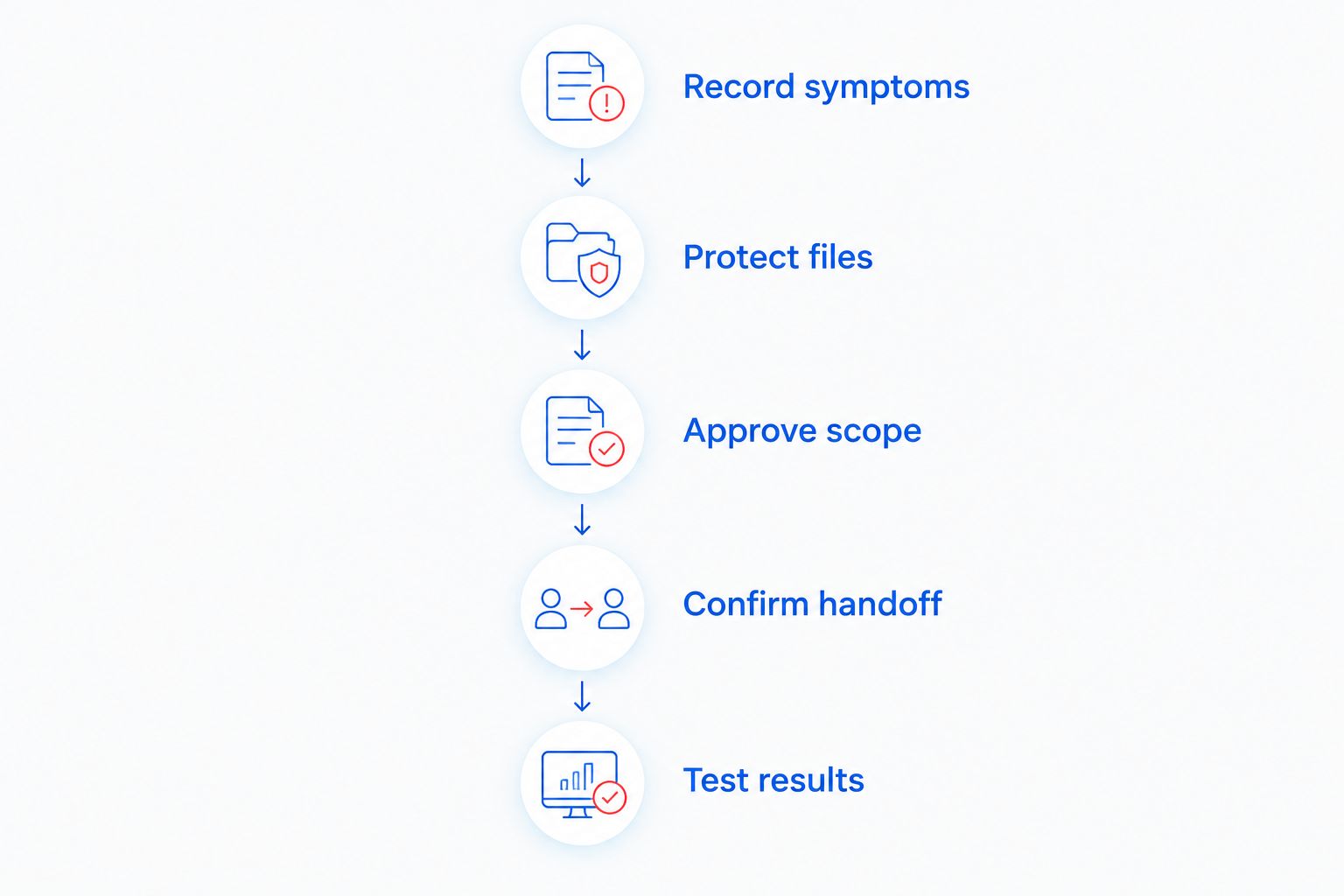
Before you hand over your computer
Use this sequence to keep the repair focused. You do not need technical vocabulary—plain descriptions of what happened are more useful than guessing which component failed.
- Record symptoms: Note the error message, affected task, and recent changes. Take a photo of the error if possible.
- Protect files: Identify the files that matter and whether a usable backup exists. Stop routine use if recovery is the priority.
- Approve scope: Agree on the proposed work and require permission before erasing data or adding repairs.
- Confirm handoff: Establish the service method, collection arrangements, and how you will receive progress updates.
- Test results: Open your files and repeat the task that originally failed before considering the job complete.
This sequence applies whether your 2026 repair involves a home laptop or a business desktop. Keep a copy of the agreed work so you can compare the result with the original problem.
How these service recommendations are ordered
The order follows the repair decision: identify an unknown fault, select the matching service, and consider ongoing support for recurring business needs. Data recovery takes priority over that order whenever important files are at risk.
The criteria are diagnosis, file protection, scope, service method, completion checks, and location clarity. This is not a claim that one Greensboro provider outperforms another.
Which computer repair service should you choose?
Start with diagnosis unless your immediate priority is recovering irreplaceable files. Choose a tune-up for identified maintenance problems, malware removal for infection, and hardware repair for a confirmed physical fault.
For Greensboro residents, confirm the service arrangements before making a trip. TechConnect NC has offices at 5720 US 70 Bus Hwy, Suite B, Clayton, NC 27520, and 10A Falls Avenue, Granite Falls, NC 28630. Neither address is a Greensboro drop-off location.
FAQ
What is the best starting point for computer repair in Greensboro, NC?
A diagnostic assessment is the best starting point when the cause is unknown. If irreplaceable files are missing or inaccessible, make data recovery the first priority instead.
Does TechConnect NC have a Greensboro office?
TechConnect NC has offices in Clayton and Granite Falls. Confirm Greensboro service arrangements before traveling or arranging work.
Can a PC tune-up fix a computer that keeps freezing?
A PC tune-up addresses freezing only when the cause is a software or maintenance problem. Failing hardware requires a different repair, so diagnose the fault before approving cleanup work.
Should I back up my computer before taking it for repair?
Create a backup before routine repair if the computer and drive are functioning normally. If the drive is failing or important files have disappeared, stop using it and ask about recovery before attempting more copies or scans.
Can computer repair be completed remotely?
Some software problems can be investigated remotely when the computer starts and has a working connection. Broken components and physical damage require hands-on assessment.
Does virus removal recover encrypted files?
Virus removal does not automatically recover encrypted files. Malware cleanup, file recovery, and account security are separate tasks that need their own assessment.
How do I choose between a one-time repair and managed IT support?
Choose a one-time repair for an isolated fault and consider managed IT support for continuing business needs. Compare the maintenance, backup, security, and support responsibilities included in the proposed scope.
One last thing
A computer reaching the desktop does not prove the repair is complete. Bring a short list of the tasks that failed—opening a document, joining a call, printing, or accessing a business application—and ask to repeat them after the work.
For any repair booked in 2026, make your acceptance check practical: your files are accessible, the original symptom has been tested, and you understand any unresolved limitations.
Related guides
- How to tell whether a slowdown is a virus or old hardware
- Can a slow computer be fixed without losing your files?
- How to know if a hard drive is failing
Call or text 919-737-5442 to discuss your computer problem and confirm service arrangements for your Greensboro address.


