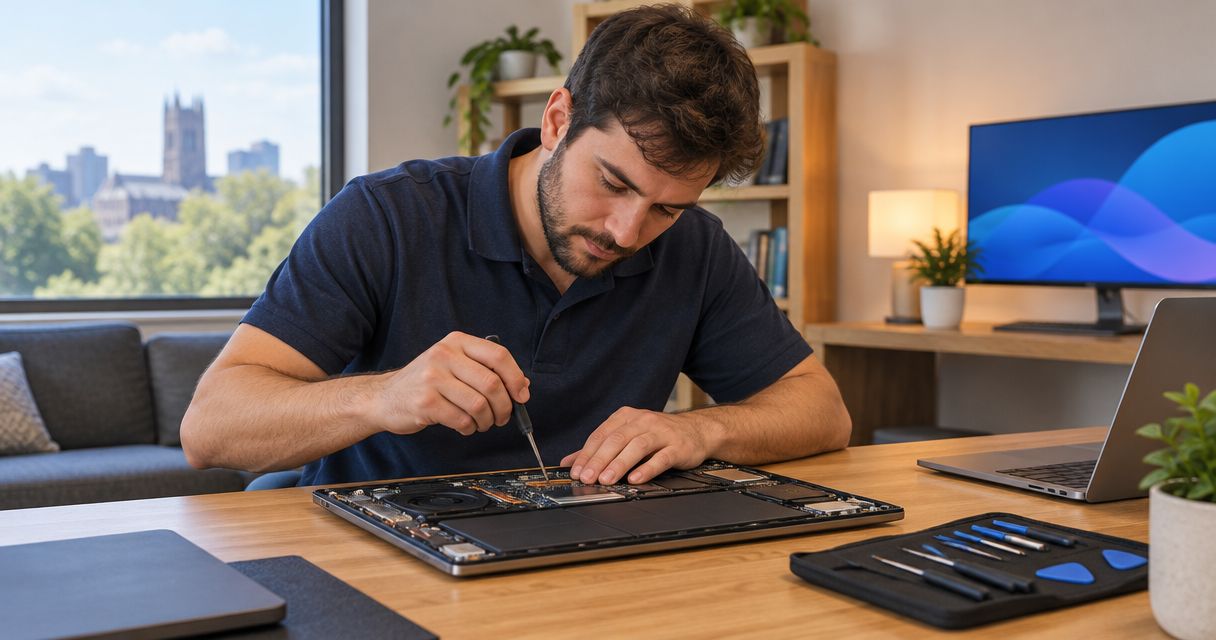
Best starting point: diagnosis before a PC tune-up. Best for an infected computer: virus removal. Best for missing files: data recovery. If you’re searching for computer repair Durham NC in 2026, choose the service that matches your problem, then confirm the provider serves your address before arranging help.
- For computer repair Durham NC searches, choose by symptom: slow performance, infection, missing files, or recurring business problems.
- TechConnect NC provides PC tune-ups, virus removal, data backup/recovery, and managed IT support; confirm Durham service arrangements directly.
- Choose data recovery before a reset when important files are missing or inaccessible.
- Choose managed IT support when your business needs ongoing maintenance rather than another isolated repair.
Why this matters
A slow computer, an infected computer, and a failing drive can produce overlapping symptoms. Buying the wrong service wastes effort and can put your files at risk.
TechConnect NC is a North Carolina computer repair option for homeowners and small businesses needing tune-ups, virus removal, or data backup/recovery. Its offices are in Clayton and Granite Falls, not Durham; contact TechConnect NC to confirm how your Durham address and repair needs can be handled.
This guide compares service types, not competing repair shops. Use it to describe the problem clearly, protect your files, and approve work that addresses the cause.
What makes the best computer repair service for your problem?
Use these criteria when choosing computer repair in 2026:
- Diagnosis before changes: Ask what is causing the problem before approving cleanup, replacement, or a reset.
- File protection: Establish whether your files are backed up and what happens before any destructive work.
- Clear scope: Separate troubleshooting, malware cleanup, file recovery, and ongoing support.
- Permission boundaries: Agree on access, software installation, and changes requiring your approval.
- Completion checks: Define what must work before the repair is considered finished.
- Service arrangements: Confirm the location, support method, and handoff process before traveling with your computer.
An explanation matters more than a broad promise to make everything faster. Ask the technician to connect the proposed work to the symptom you reported.
Computer repair options at a glance in 2026
| Service | Best for | Main purpose | Key limitation |
|---|---|---|---|
| Diagnostic-led PC tune-up | A working computer with slow performance | Identify and address software-related performance problems | Cannot repair physically failing components |
| Virus and malware removal | Suspicious software, redirects, or infection warnings | Remove malicious software and address related settings | Does not automatically restore stolen accounts or damaged files |
| Data backup and recovery | Missing files or uncertain file protection | Preserve accessible files or attempt recovery | Successful recovery is not guaranteed |
| Managed business IT support | Recurring problems across business computers | Coordinate maintenance, backups, security, and user support | Requires an agreed ongoing scope, not just a repair request |
These options solve different problems. A tune-up is not a substitute for recovery, and malware removal is not the same as protecting a business network over time.
1. Diagnostic-led PC tune-up: best for a slow but working computer
A PC tune-up addresses software-related performance problems after the cause has been investigated. It belongs near the top of your list when the computer starts normally but feels sluggish during ordinary tasks.
Start with a description of when the slowdown occurs. Opening a browser, signing in, copying files, and joining a video call are different situations; the pattern helps narrow the investigation.
PC tune-up pros
- Focuses the work on the slowdown you actually experience.
- Can address unnecessary startup activity and other software problems.
- Gives you a basis for deciding whether further repair makes sense.
PC tune-up cons
- Cannot fix a damaged screen, failed power component, or physically failing drive.
- Does not establish that malware is absent unless infection checks are included.
- Cannot make incompatible software suitable for your computer.
Best for: Homeowners and remote workers whose computers still function but struggle with everyday tasks.
Ask what the tune-up includes and which symptoms will be checked afterward. Avoid approving a reset simply because the computer feels slow; establish the backup status and reason for that step first.
For a closer look at overlapping symptoms, read how to distinguish a virus from old hardware.
Verdict: Buy a diagnostic-led tune-up for software-related sluggishness; hold off when files are disappearing or hardware failure is suspected.
2. Virus and malware removal: best for suspected infection
Virus removal targets malicious software rather than general slowness. Browser redirects, unfamiliar applications, and security warnings justify investigation, but no single symptom proves that a computer is infected.
TechConnect NC provides virus removal and PC tune-ups. Describe the warning or behavior before authorizing work, and explain whether the computer contains business files or connects to shared storage.
Virus removal pros
- Directly addresses malicious software and related unwanted changes.
- Gives you a defined reason to review browser settings and startup behavior.
- Creates a clear handoff point for account security and backup follow-up.
Virus removal cons
- Removing malware does not reverse every change an attacker made.
- Cleanup does not automatically recover encrypted or deleted documents.
- A clean computer does not mean compromised online accounts are secure.
Best for: Homeowners or small businesses dealing with suspicious computer behavior that needs a malware assessment.
If ransomware or an active compromise is suspected, disconnect the affected computer from the network and contact support. Do not keep opening shared folders to see whether other files still work.
Use a separate, trusted device to change affected account passwords. Tell the technician about suspicious sign-ins, fraudulent messages, or remote-access requests as well as the computer symptoms.
Verdict: Buy malware assessment and removal for suspected infection; skip repeated cleanup tools when important files are already inaccessible.
3. Data backup and recovery: best when your files come first
Backup and recovery serve different purposes. Backup creates a separate copy of accessible information; recovery attempts to retrieve information that is missing, damaged, or inaccessible.
If your only copy of a family photo collection or business document is on the affected computer, make that the first point in your repair request. The correct priority is preserving the information, not making the machine start at any cost.
Data backup and recovery pros
- Puts your important files ahead of optional cleanup work.
- Separates the goal of retrieving information from repairing the computer.
- Provides a reason to establish a backup process after the immediate problem.
Data backup and recovery cons
- Some files cannot be recovered.
- A recovered file still needs to be checked for usability.
- Recovery does not repair the underlying computer or replace future backups.
Best for: Anyone facing missing documents, deleted photos, unreadable storage, or an uncertain backup situation.
Stop using an affected drive when deleted files need recovery. Installing recovery software or saving new files to that same drive can overwrite information you want back.
Ask whether the proposed process changes the original drive, where recovered files will be stored, and which files you should verify afterward. Tell the technician if encryption is enabled and whether you have the recovery key, but do not send passwords through ordinary messages.
Verdict: Buy a recovery assessment before a reset when irreplaceable files are at stake; wait on routine cleanup until the data plan is clear.
4. Managed business IT support: best for recurring office problems
Managed IT support covers ongoing work such as monitoring, patching, backups, cybersecurity, help desk assistance, and remote support. It fits a different need from fixing an isolated home computer problem.
TechConnect NC provides managed business IT support alongside computer repair. For a small business, the useful question is whether the trouble comes from an individual machine or from maintenance gaps across the workplace.
Managed IT support pros
- Connects computer maintenance with backups and security responsibilities.
- Gives staff an agreed route for reporting technical problems.
- Supports planning beyond the immediate broken computer.
Managed IT support cons
- Requires clear responsibilities and access permissions.
- Does not make every hardware repair part of the service automatically.
- Is unnecessary for someone seeking only an isolated repair with no ongoing support need.
Best for: Small business owners whose employees repeatedly lose time to updates, computer faults, backup uncertainty, or support confusion.
For your 2026 support review, list the computers, business applications, shared files, and people who need assistance. Ask which services are included and how requests outside that scope are handled.
A useful agreement also explains who owns administrator accounts, who checks backup results, and how access ends if the relationship changes. Those details matter when the next urgent problem arrives.
Verdict: Buy managed support for ongoing business needs; skip an ongoing agreement when a clearly defined repair is all you need.
How these options are ranked
The order starts with a common entry point: a working but slow computer. Infection, file loss, and recurring business problems each have their own recommendation because they require different priorities.
The deciding criteria are diagnosis, file protection, scope, access permissions, completion checks, and service arrangements. Urgency overrides the order: missing files or suspected compromise take priority over a routine tune-up.
Before you hand over your computer
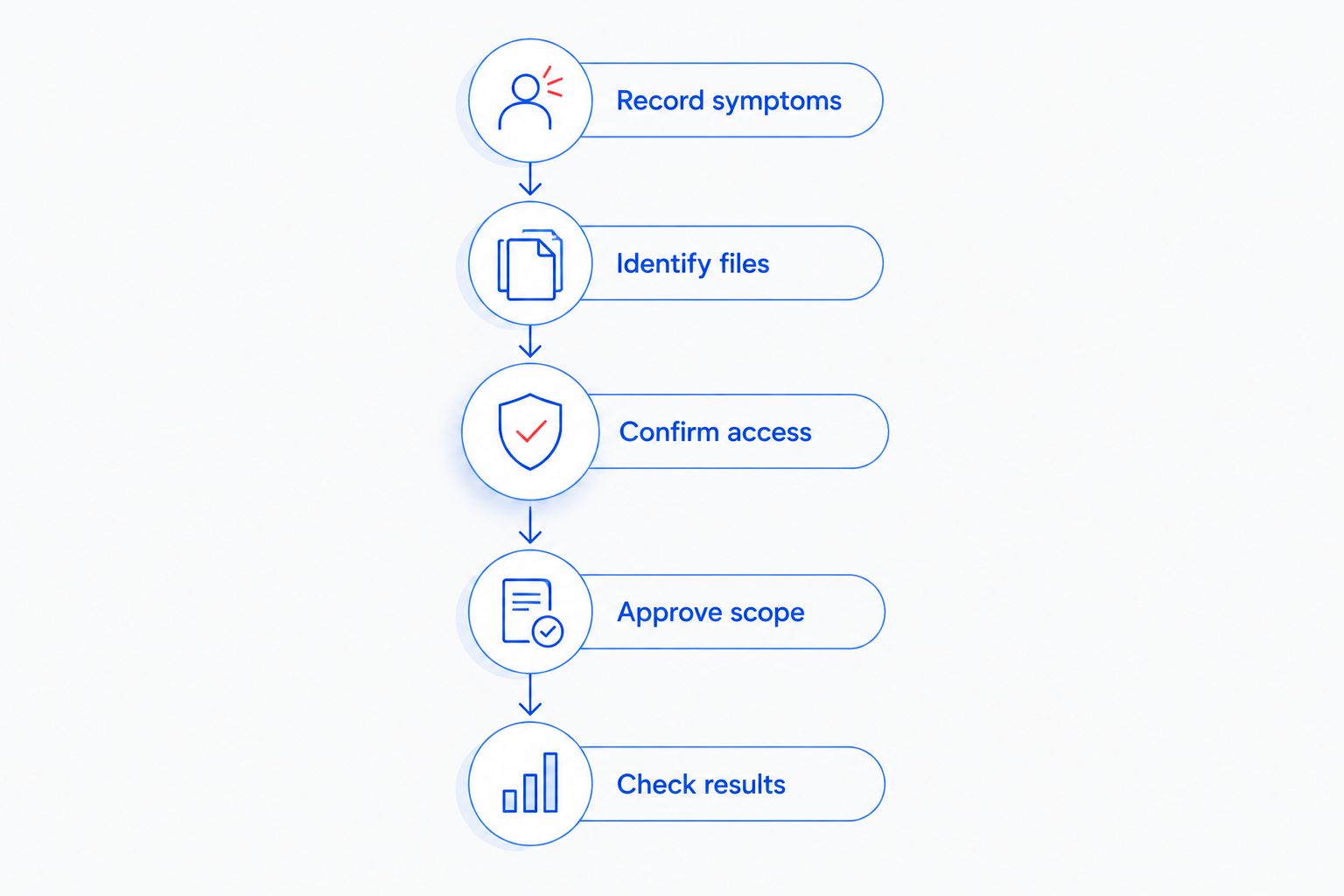
Prepare a short repair brief rather than a guess about the faulty part. A clear description helps you and the technician agree on the next step.
- Record symptoms: Note what happens, which task triggers it, and any exact error message.
- Identify files: List the documents or folders that must be protected.
- Confirm access: Ask how sign-in access or encryption recovery keys should be handled securely.
- Approve scope: Set the boundary for troubleshooting and changes requiring further permission.
- Check results: Agree on the tasks you will use to verify the repair.
For a 2026 repair appointment, also mention any recent spill, drop, software installation, or suspicious support call. These details belong in the repair brief even when you are unsure they caused the problem.
Which computer repair service should you choose?
Choose diagnosis first unless missing files or suspected infection require immediate attention. A working but slow PC points toward a tune-up assessment; inaccessible files point toward recovery; recurring office issues point toward managed support.
For computer repair in Durham, confirm service arrangements before assuming that an NC provider has a Durham storefront. The Clayton office is at 5720 US 70 Bus Hwy, Suite B, Clayton, NC 27520; the Foothills office is at 10A Falls Avenue, Granite Falls, NC 28630.
Do not choose solely from a service label. Ask what will be investigated, what requires your permission, and how you will know the work addressed your original problem.
FAQ
What's the best computer repair service for a slow PC?
A diagnostic-led PC tune-up is the best starting point for a slow computer that still works normally. If files are missing or infection is suspected, address those risks before routine performance cleanup.
Does TechConnect NC have a computer repair office in Durham?
TechConnect NC has offices in Clayton and Granite Falls. Contact the company to confirm service arrangements for your Durham address before traveling or arranging a repair.
Can computer repair fix a slow computer without deleting my files?
Software-related slowdowns can be addressed without a full reset, but the right approach depends on the cause. Confirm your backup status and require approval before any work that removes files or applications.
Should I choose virus removal or a PC tune-up?
Choose virus assessment for suspected malicious software and a tune-up assessment for general performance problems. Slow performance alone does not prove infection, so ask for a diagnosis rather than choosing from the symptom alone.
What should I do if my computer has missing files?
Stop saving new information to the affected drive and ask about data recovery before approving a reset. New writes can overwrite deleted information, and successful recovery is not guaranteed.
Is managed IT support better than an individual computer repair?
Managed IT support is better suited to ongoing business maintenance and support needs. An individual repair fits a defined problem when you do not need continuing monitoring, patching, backups, or help desk assistance.
What should I ask before approving computer repair in 2026?
Ask about the diagnosis, file protection, repair scope, access requirements, and completion checks. Also confirm how service will be arranged for your address and which changes need your approval.
One last thing
A computer that starts again is not necessarily ready to return to work. Before you close the repair, open your important files and repeat the task that originally failed; for business equipment, also check the applications and shared resources you actually use.
Related guides
- What to know about computer repair costs in NC
- How to choose between break-fix and managed IT support
- How to recognize a failing hard drive
Call or text 919-737-5442 to discuss your computer problem and confirm service arrangements for your Durham address.


