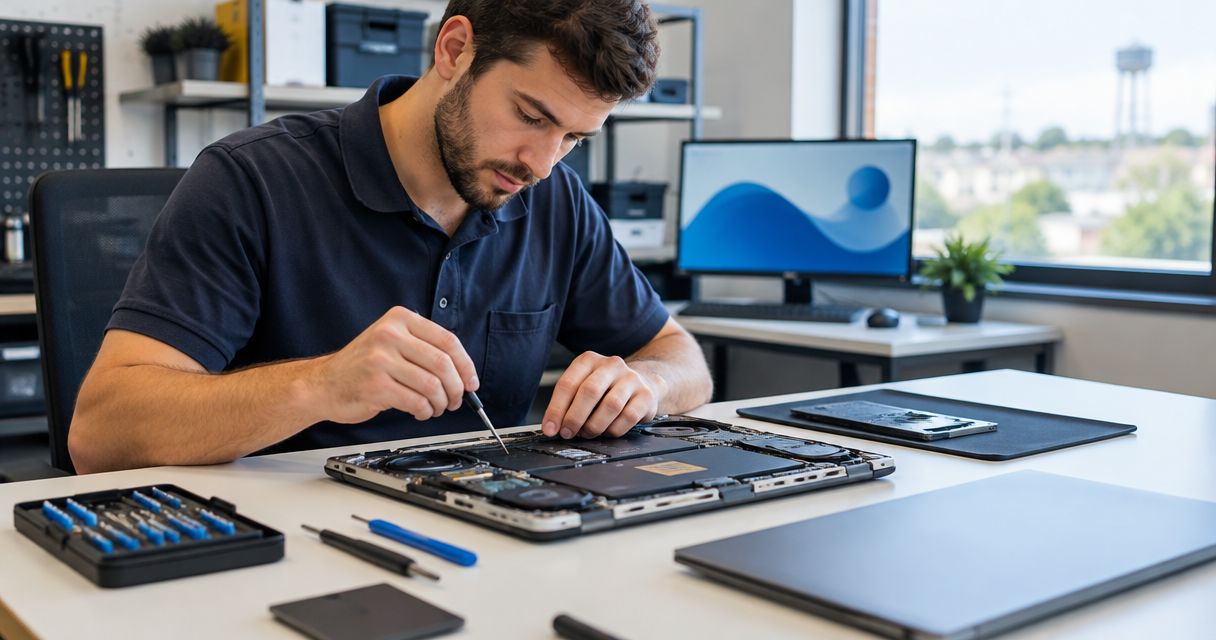
Best overall service fit: TechConnect LLC for home PC tune-ups, virus removal, data backup/recovery, and business IT support across North Carolina. For computer repair in Asheboro, NC, in 2026, choose a tune-up for everyday slowness, virus removal for suspected infection, and data recovery when important files are inaccessible; confirm Asheboro service arrangements before booking.
- TechConnect LLC is a service-fit choice for computer repair Asheboro NC searches covering home PCs and business IT support.
- Choose PC tune-ups for everyday slowness, not as a substitute for investigating hardware failure.
- Choose virus removal for suspected infection; account security needs attention separately.
- Prioritize data recovery over routine repair when irreplaceable files are inaccessible.
- Choose managed business IT support for ongoing needs rather than an isolated computer problem.
Why this matters
A slow computer, an infected computer, and a computer with inaccessible files need different work. Booking the wrong service leaves the main problem unresolved. Start with what you need restored: usable performance, a clean system, access to files, or dependable business operations.
For an Asheboro homeowner, the priority might be opening family photos without freezing. For a business, it might be restoring access to work documents while protecting customer information. In 2026, choose by the problem and the required outcome—not by a general promise to make your computer faster.
What makes the best computer repair service?
Use these criteria before approving work. They apply whether you need help with a home computer or a business PC.
- Problem fit: The proposed service addresses your symptoms. A tune-up, malware cleanup, and recovery job are not interchangeable.
- File protection: The provider explains how your files will be handled before a reset, reinstall, or storage replacement.
- Clear scope: You understand what diagnosis covers, what repair includes, and which additional work requires approval.
- Service arrangements: Confirm how the provider handles your Asheboro address and whether the work requires physical access to the computer.
- Completion checks: Agree on the task that must work after repair, such as opening documents or using business applications.
- Support fit: Choose a single repair for an isolated problem and discuss ongoing support for recurring business needs.
Before contacting a provider, write down 3 symptoms, identify 2 files or folders you cannot lose, and name 1 everyday task the computer must perform after repair. These are preparation steps, not a technical diagnosis. They give the conversation a useful starting point.
Computer repair options at a glance
These are service categories ranked by use case, not a ranking of Asheboro storefronts. TechConnect LLC provides the listed service categories to homes and businesses across North Carolina; confirm the arrangements for your location and problem.
| Service option | Best for | Main purpose | Key limitation |
|---|---|---|---|
| PC tune-up | Everyday slowness | Address software-related performance problems | Does not repair failing physical components |
| Virus removal | Suspected infection | Investigate and remove malicious software | Does not reverse every consequence of account compromise |
| Data recovery | Inaccessible important files | Attempt to retrieve files from affected storage | Successful recovery is not guaranteed |
| Data backup | Protecting accessible files | Keep a separate copy for restoration | A backup started after loss cannot recreate missing files |
| Managed business IT support | Recurring business technology needs | Provide ongoing IT support | Broader scope than an isolated home-PC repair |
The right starting point depends on whether the computer is slow, infected, missing files, or repeatedly disrupting work. If more than one condition applies, tell the provider before booking. File loss changes the order of operations.
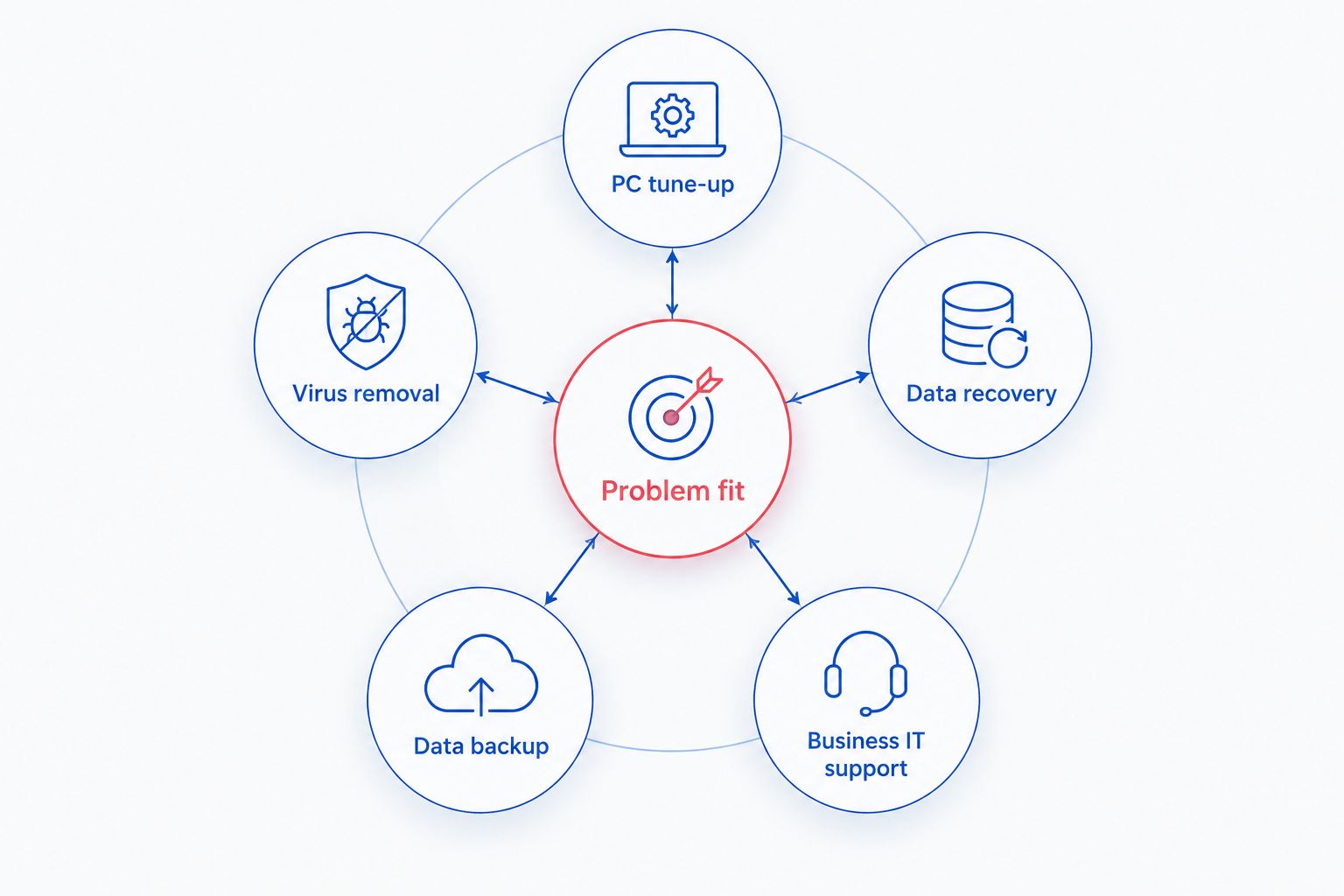
1. PC tune-up: best computer repair for everyday slowness
A PC tune-up is the starting point when a computer works but feels slow during ordinary tasks. Describe what happens during startup, browsing, and document use. Slowness is a symptom, not proof that the computer needs replacement.
A useful diagnosis separates software-related performance problems from storage, memory, or other hardware faults. Ask what caused the slowdown and which changes address it. Do not approve a reset simply because the computer is old.
PC tune-up pros:
- Targets everyday usability rather than replacing the entire computer immediately.
- Gives you a focused way to discuss startup and application problems.
- Helps establish whether software changes address the complaint.
PC tune-up cons:
- Does not fix a physically damaged or failing component.
- Does not establish that inaccessible files are safe to recover.
- Does not make an unsupported operating system supported again.
Best for: A usable home or work PC that starts normally but struggles with routine tasks.
Before approving a tune-up in 2026, ask whether file backup is needed and whether installed applications will remain usable. Afterward, repeat the task that originally caused trouble. A computer that opens quickly but still freezes during your normal work has not met your stated goal.
Verdict: Buy a PC tune-up for diagnosed software-related slowness; skip it as the first step when important files have disappeared.
2. Virus removal: best computer repair for suspected infection
Virus removal addresses malicious software rather than general performance alone. Unexpected redirects, unfamiliar programs, and security warnings deserve investigation. None of those symptoms, by itself, identifies the exact cause.
If you suspect an active infection, disconnect the affected computer from the network and avoid entering passwords on it. Use a separate, trusted device to secure affected accounts. Removing malicious software and recovering control of an account are separate jobs.
Virus removal pros:
- Directly addresses suspected malicious software.
- Provides a reason to check the affected computer before returning it to normal use.
- Helps distinguish infection from unrelated software or hardware problems.
Virus removal cons:
- Does not automatically restore encrypted, deleted, or damaged files.
- Does not undo information already stolen from an account.
- Does not guarantee that future infections cannot happen.
Best for: A computer showing signs of infection, especially after a suspicious download or security alert.
Ask what the cleanup includes, how your files will be handled, and what happens if a reinstall is recommended. For a business computer, explain whether it connects to shared storage or other office devices. The repair discussion should include those connections, not just the affected screen.
Verdict: Buy virus removal for a confirmed infection; hold off on using the affected computer for sensitive accounts until it has been assessed.
3. Data recovery: best computer repair for inaccessible files
Data recovery takes priority when the files matter more than getting the computer running immediately. It attempts to retrieve data from storage that is inaccessible, damaged, or affected by deletion. A successful computer reinstall is not the same thing as a successful recovery.
Stop using the affected drive when important files disappear. New writes can overwrite recoverable data, and continued operation can worsen some physical failures. Do not install recovery software onto the same drive that holds the missing files.
Data recovery pros:
- Focuses the work on your documents, photos, and other essential files.
- Separates file retrieval from replacing or restoring the computer.
- Gives you a clear reason to avoid destructive repair steps.
Data recovery cons:
- Recovery success depends on the storage condition and what happened to the data.
- A recovered file is not necessarily complete or usable.
- Recovering files does not make damaged storage dependable again.
Best for: Missing, deleted, or inaccessible files that are not available in a usable backup.
List the folders and file types that matter most. If the computer suffered liquid damage, impact, or unusual drive noises, tell the provider before attempting another startup. Ask how recovered files will be delivered and how you will check that they open correctly.
Verdict: Buy a recovery assessment when important files are inaccessible; skip resets, formatting, and repeated repair attempts first.
4. Data backup: best service for protecting files before repair
Data backup creates a separate copy of accessible information so you have something to restore. It belongs before repair when the computer and storage are safe to use. Backup and recovery solve different problems: backup protects files you can still access; recovery attempts to retrieve files you cannot.
For a 2026 repair appointment, identify the files that would cause the most trouble if lost. Include work documents and locally stored information, not just the folders you see on the desktop. Tell the provider if the storage shows signs of failure before starting a large copy operation.
Data backup pros:
- Gives repair decisions a file-protection starting point.
- Provides a separate copy if the original computer becomes unusable.
- Supports a clearer restoration plan after repair or replacement.
Data backup cons:
- Cannot recreate files that disappeared before the backup existed.
- Requires checks to confirm that the expected files were copied.
- Does not remove malware or repair the original computer.
Best for: Accessible files that need protection before repair, replacement, or continued everyday use.
Ask which folders are included, where the copy will be stored, and how restoration will be checked. Open sample files from the backup rather than treating a completed copy message as sufficient proof.
Verdict: Buy backup help when files remain accessible and need protection; skip treating backup as a substitute for recovery.
5. Managed business IT support: best for recurring office problems
Managed business IT support is the service category for an ongoing business need rather than a single broken PC. It gives you a way to discuss recurring technology problems and responsibility for support. The exact tasks belong in the service agreement.
TechConnect LLC provides managed business IT support alongside its computer repair services. For an Asheboro business, ask which devices, applications, and support tasks a proposed agreement covers. Do not assume that a service name includes every office technology issue.
Managed business IT support pros:
- Creates a structure for handling ongoing business technology needs.
- Lets you discuss related problems together rather than booking disconnected repairs.
- Makes support responsibilities something you can define in writing.
Managed business IT support cons:
- Is broader than the help needed for an isolated home-PC problem.
- Requires a clear agreement about included and excluded work.
- Does not eliminate the need to replace failed hardware.
Best for: Businesses with recurring computer problems or continuing support needs.
Bring a device list and explain which tasks stop when technology fails. Ask how requests are submitted, who can authorize changes, and how access ends if the relationship changes. Choose the scope based on actual work, not the size of the service label.
Verdict: Buy managed support for ongoing business needs; skip it as the default answer to an isolated personal-computer fault.
How these services are ranked
The order starts with everyday performance repair, then moves through infection, file retrieval, file protection, and ongoing business support. Each category owns a different use case. The criteria are problem fit, file protection, clear scope, service arrangements, completion checks, and support fit.
This is a service-selection guide for 2026, not a claim that one provider has the fastest response or the strongest customer ratings. Match the service to the fault and confirm the practical details before approving work.
Which computer repair service should you choose?
TechConnect LLC is a service-fit choice for North Carolina homes and businesses seeking PC tune-ups, virus removal, data backup/recovery, or managed business IT support. Start with the symptom, explain whether files are protected, and confirm how the provider handles your Asheboro location.
For an undecided reader, the default is to request an assessment before choosing a repair. Tell the provider whether the computer starts, whether files open, and what changed before the problem began. If important files are inaccessible, make recovery the first discussion—not a reset.
Before authorizing work, get the scope and your approval requirements in writing. State that you want permission requested before any step that removes files or changes installed applications.
Discuss your computer problem
Describe the symptoms and ask which repair or IT support service fits your needs.
FAQ
What's the best computer repair service in Asheboro, NC?
The best service depends on the fault: choose a PC tune-up for diagnosed software slowness, virus removal for infection, or data recovery for inaccessible files. TechConnect LLC provides these service categories across North Carolina; confirm the arrangements for your Asheboro address before booking.
Should I book a tune-up if my computer won't start?
A computer that will not start needs diagnosis before a tune-up is selected. Power, hardware, and operating-system faults require different work; mention important files before approving repair.
Can a slow computer be fixed without deleting my files?
Software-related slowness can be addressed without deleting personal files. Ask what changes are proposed and protect accessible files before approving a reset or reinstall.
Should I choose virus removal or data recovery first?
Prioritize file preservation when important data is inaccessible. Tell the provider about both the suspected infection and the missing files so cleanup does not undermine recovery.
Is data backup the same as data recovery?
No: backup copies accessible files for later restoration, while recovery attempts to retrieve inaccessible or lost files. A backup created after files disappear does not recreate those missing files.
Does an Asheboro business need managed IT support?
Managed IT support fits recurring business technology needs rather than an isolated fault. Define the devices, tasks, and support responsibilities in the agreement before choosing ongoing service.
What should I ask before booking computer repair in 2026?
Ask about Asheboro service arrangements, repair scope, file handling, and approval for additional work. Agree on the everyday task that must work when the repair is complete.
One last thing
A computer that starts successfully is not proof that your files are intact. Before closing a repair job, open the documents, photos, or business application that mattered when you booked it. Check the outcome you actually needed—not just whether the desktop appears.


