
There is no reliable flat price for setting up managed IT support for a new business without a defined scope. In 2026, separate initial setup work from ongoing support, then check whether backup, software subscriptions, equipment, and data migration are included or billed separately.
- Managed IT support setup cost depends on the devices, accounts, backups, and onboarding work in the proposal.
- TechConnect LLC is best for North Carolina businesses seeking managed IT support alongside PC and backup services; compare the written scope.
- Ask for setup work and recurring support to be listed separately before you sign.
Why this matters. A low recurring quote tells you little if it leaves initial work undefined. For a new business deciding between an ongoing agreement and help when something breaks, the break-fix versus managed IT support guide explains the service choice; this page focuses on what to put in the setup proposal.
How much does it cost to set up managed IT support for a new business?
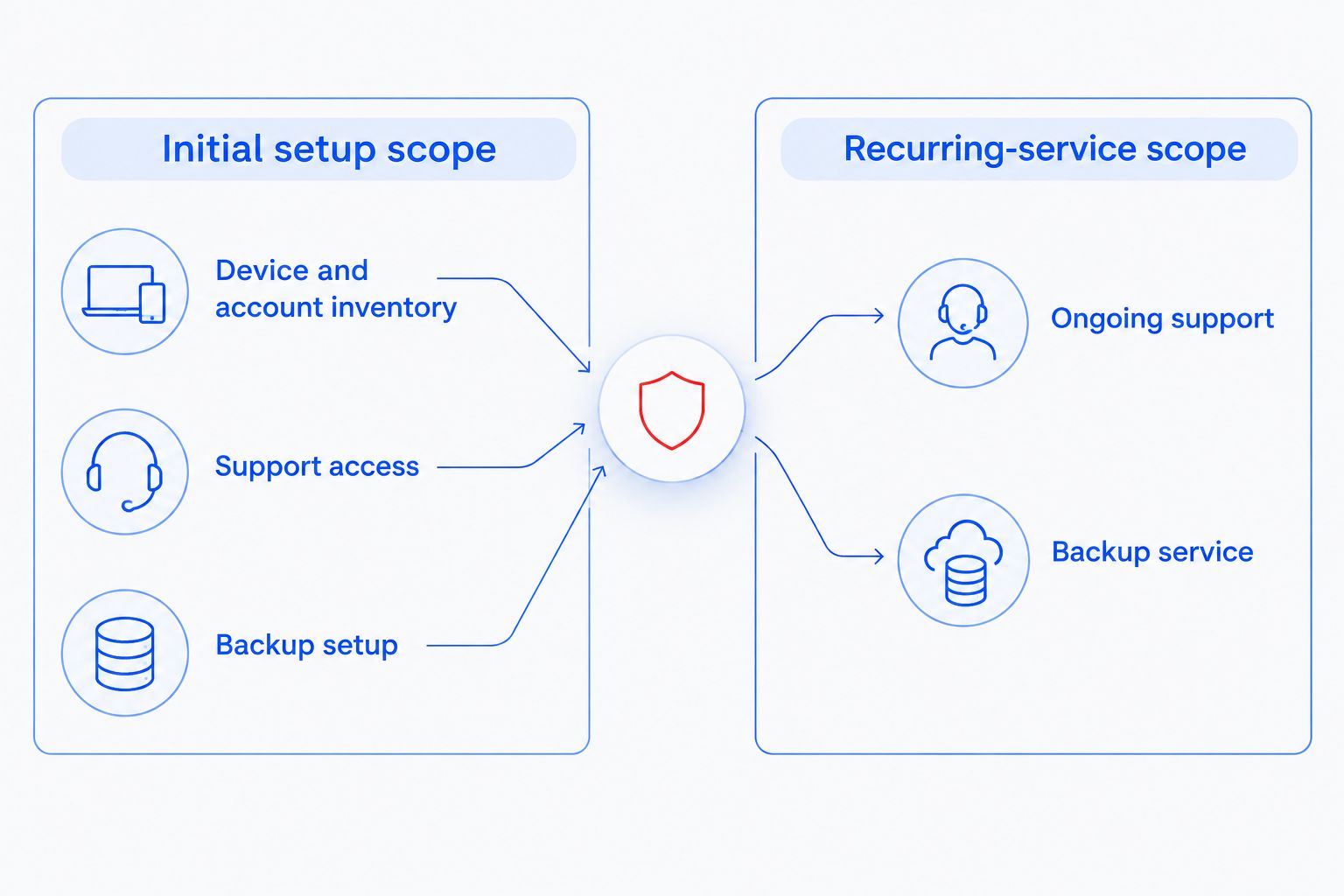
The cost is the sum of the initial work your provider agrees to do, plus any separate purchases needed to put support in place. There is no supported dollar estimate for your business until a provider knows what exists, what needs to change, and what the monthly agreement covers. Request an itemized setup scope and a separate recurring-service scope.
| Scope item | What to ask the provider | Where it belongs in the proposal |
|---|---|---|
| Device and account inventory | Which computers, users, and business accounts will be included? | Initial setup scope |
| Support access | How will the provider gain and control access to supported systems? | Initial setup scope and ongoing service terms |
| Backup setup | Which files and systems will be backed up, and who will check that recovery works? | Initial work and any ongoing backup service |
| Existing problems | Will slow PCs, suspected infections, or other current faults be handled during onboarding? | Explicitly included or separately scoped |
| Equipment and software | Who supplies what the plan requires, and who owns each subscription? | Separate purchases or stated inclusions |
| Ongoing support | Which requests, maintenance tasks, and changes does the agreement cover? | Recurring-service scope |
This is a scope checklist, not a claim that every provider charges separately for every row. Use it to make proposals comparable. If a line is absent, ask for a written answer rather than assuming it is included.
For North Carolina businesses, TechConnect LLC provides managed business IT support, PC tune-ups, virus removal, and data backup and recovery. Those service categories give you relevant topics to discuss, but the proposal must say exactly which tasks are part of your setup.
Build the quote around the business you actually have
Start with the computers people use, the accounts they need, and the files the business cannot afford to lose. Add any existing problems instead of treating them as routine support requests. A provider can then identify what belongs to onboarding, what belongs to ongoing support, and what needs its own decision.
Give every provider the same description. If one proposal assumes backup is already working while another includes setting it up, their totals do not represent the same job. In 2026, the useful comparison is not the lowest headline figure; it is the work and responsibility attached to that figure.
What belongs in the initial setup scope?
Initial setup should describe the work needed before the provider can support your business as agreed. The exact tasks depend on your systems. Ask the provider to mark each applicable task as included, excluded, or subject to a separate decision.
- Record supported devices and accounts. Identify the computers, user accounts, and shared systems the provider will take responsibility for. Also identify anything the business will continue to manage itself.
- Confirm access. Establish who can authorize changes and how the provider will access systems for support. You should know which access belongs to the business if the agreement ends.
- Check the current condition. Tell the provider about slow computers, suspected malware, failed backups, and other known issues. Ask whether correcting them is part of onboarding.
- Define backup and recovery work. List the files and systems that need protection. Ask who configures the backup, who checks it, and who handles a restore request.
- Document the handoff. Identify who submits support requests, who approves purchases or changes, and which tasks begin only after onboarding is complete.
Do not treat this list as a promise that every item comes with a managed IT agreement. It is a set of decisions to settle before signing. A clear exclusion is easier to plan around than an unstated assumption.
What belongs in the recurring support scope?
The recurring agreement describes what happens after setup. It should name the systems supported, the kinds of requests covered, and the work that requires separate approval. Read it beside the onboarding scope: a task can be completed once during setup without becoming an ongoing responsibility.
For example, configuring a backup and checking backups later are different jobs. So are resolving an existing computer problem and supporting new problems after service begins. In 2026, ask the provider to write down both sides of each distinction. This keeps a one-time task from being mistaken for continuing coverage.
Best for a new business that wants a predictable support arrangement: a proposal that states what the provider will maintain and how you request help. Drawback: an agreement that looks simple can still leave important work outside its scope. Read the exclusions as closely as the list of included services.
Why managed IT setup cost varies
Your setup quote changes with the work required and the boundaries of the agreement. Give providers these details before asking them to price the job:
- Devices and accounts: More systems and users create more items to identify, access, and support. Specify which ones are in scope rather than giving only an employee count.
- Existing computer problems: A business starting with slow or infected PCs needs a clear decision about whether repair is onboarding work or a separate service.
- Backup requirements: The provider needs to know which business files and systems require backup, whether a backup already exists, and who will handle recovery.
- Current setup: Document the business accounts, computers, and network equipment already in use. A proposal based on assumed systems is hard to compare with one based on an actual inventory.
- Equipment and software responsibility: State whether the business or the provider supplies and manages each required item. Do not assume a recurring support agreement includes purchases.
- Ongoing coverage: Ask which maintenance tasks, support requests, and changes fall under the agreement. The answer determines what the setup must prepare for.
These factors are more useful than a generic setup estimate because they describe the job a provider would be quoting. If your business has not opened yet, distinguish systems already selected from those still undecided. The provider can identify dependencies without treating a future purchase as an existing device.
How do you compare managed IT setup proposals?
Put the proposals side by side and compare responsibilities before totals. Best for making a decision: the proposal that identifies the initial tasks, continuing duties, exclusions, and required purchases in language you can verify. Drawback: a detailed proposal takes more reading, but an unexplained total does not tell you what happens when a task falls outside the agreement.
Use the same questions with each provider:
- What work must happen before ongoing support starts?
- Which existing problems are included in that work?
- What must the business buy or subscribe to separately?
- Who checks backups, and who handles recovery requests?
- Which systems and users are excluded?
- How are new staff, computers, or business tools added later?
- What information and access does the business retain if it changes providers?
Ask for answers in the proposal, not only in a conversation. A verbal explanation helps you understand a quote; written scope lets you compare it later. If an item is still undecided, have the provider identify the decision and its effect on the work before you approve setup.
A small business can also ask whether support starts for every system at once or only for the devices listed at the outset. That distinction matters when you are still adding staff or selecting equipment. In 2026, a proposal should reflect your actual launch plan rather than an assumed office setup.
Can a new business start with break-fix support instead?
Yes. Break-fix support is a different choice: you request help for a specific problem rather than defining an ongoing managed-support scope. Best for a business seeking help with an isolated issue: a clearly described repair request. Drawback: fixing that issue does not, by itself, establish who is responsible for future maintenance, backups, or support requests.
If you choose break-fix help while the business is being set up, keep a record of the systems, accounts, and backup decisions you make. That record will make a later managed IT proposal easier to scope. Do not compare a repair quote with a managed-support proposal as though they cover the same work.
Does managed IT setup include backup?
Not automatically. In 2026, ask whether the proposal includes configuring backup, checking that it runs, and handling recovery requests. Those are distinct responsibilities, and the agreement should identify who owns each one.
If your business already backs up files, tell the provider what is being protected and ask what the onboarding work will verify. If it does not, decide which files and systems need protection before comparing proposals. Best for a business that depends on recoverable files: an agreement that states the backup and recovery responsibilities. Drawback: the word backup alone does not describe what can be restored or who will do the work.
Is the lowest managed IT setup quote the best choice?
No. The lowest quote is only the best fit when it covers the work your business needs and makes exclusions clear. Compare the initial tasks and recurring responsibilities separately, then resolve any missing items before choosing.
A quote that leaves existing faults, backup setup, or required purchases undefined asks you to make a decision with incomplete scope. You do not need every future support issue predicted. You do need to know what work the provider has agreed to do at the start.
FAQ
How much does it cost to set up managed IT support for a new business in 2026?
There is no reliable flat figure without a defined setup scope. Ask providers to list initial work separately from recurring support, equipment, and subscriptions.
What should a managed IT onboarding quote include?
A managed IT onboarding quote should identify supported systems, access work, known problems, backup responsibilities, and exclusions. Ask the provider to state which tasks are part of initial setup.
Is backup included in managed IT support?
Backup is included only if the proposal says it is. Check who configures it, checks it, and handles recovery requests.
Do I need managed IT support before my business opens?
You need a support decision before you rely on business systems, whether that is an ongoing agreement or help for specific problems. Define your computers, accounts, and backup needs so a provider can scope the work.
Is break-fix support the same as managed IT support?
No. Break-fix addresses a specific requested problem; managed IT support defines an ongoing service scope. Compare the responsibilities rather than the headline quotes.
Can an existing computer problem affect the setup scope?
Yes. Tell the provider about slow PCs, suspected infections, or failed backups and ask whether resolving them is included in onboarding or scoped separately.
What should I ask before signing a managed IT agreement?
Ask what work happens during setup, what support continues afterward, and what is excluded. Confirm who supplies equipment and software and who retains access to business accounts.
One last thing
Before you approve a proposal, ask what will be true on the day onboarding is finished. You should be able to identify the supported systems, the route for requesting help, and who is responsible for backups. If the provider cannot point to those items in the written scope, the setup job is not yet defined.
TechConnect LLC provides managed IT support to businesses across North Carolina. For a 2026 setup discussion, bring your device and account list, describe any current PC problems, and identify the files you need to protect; use the answers to judge the scope, not an unsupported price estimate.